Starting a shop on a Facebook Page is easy. Open a Page, add product photos, post. The real work starts when orders pick up. The same questions arrive in the inbox again and again. You lose track of which orders were confirmed. The cash on delivery money the courier still owes you disappears somewhere in a notebook. And at the end of the month, you can't say how much you actually made.
This guide is for anyone who sells on Facebook, Instagram or WhatsApp and wants to run the business properly. Whether you work alone or with a small team, the steps are the same. Each step ends with a link to a more detailed article.
If you want to start with what f-commerce is and how it works in Bangladesh, read What Is F-Commerce? Guide For Bangladeshi Sellers.
Step 1: Get The Basics Of Your Page Right
A few things set up before you start selling save a lot of trouble later.
- Fill in your Page details. Phone number, which areas you deliver to, the delivery charge and how many days delivery takes. Customers should find the answer before they have to ask.
- Write your policies down. When you accept returns or exchanges, whether you need an advance, what happens if the size doesn't fit. Written policies mean you and your team all give the same answer.
- Keep the Page secure. Turn on two-factor authentication for every admin account, and remove anyone who no longer needs admin access. A hacked Page can cost you years of customers.
Step 2: One Product List And One Stock Count
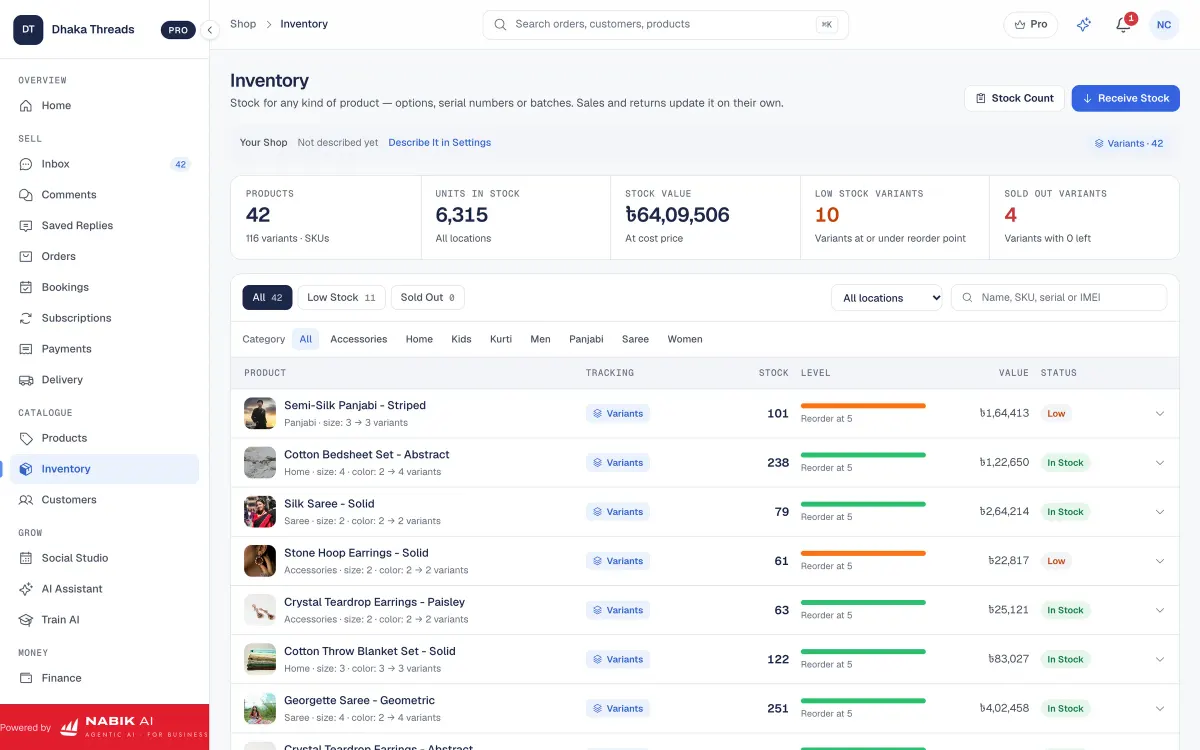
Stock is the first big problem for many shops. A Facebook post says "in stock", but the last piece sold on WhatsApp yesterday. The customer pays, then hears the product is gone, and the trust is lost.
The answer is to keep every product in one place:
- List each product's price, sizes and colours (each size and colour is its own variant).
- Keep one stock count, wherever the order comes from: Facebook, Instagram, WhatsApp or your website.
- Reduce stock when an order is confirmed, not when someone just chats in the inbox.
- Know early which products are running low, so you can restock in time.
More: One Stock Inventory For Facebook, Instagram And WhatsApp
Step 3: Answer Messages And Comments
A Facebook shop sells through conversation. "What's the price?", "Do you have size 42?", "What's the delivery charge to Sylhet?" The longer you take to answer, the more customers move on to another Page. Answer an 11 pm message at 10 am the next day and the order is often gone.
Keep three things in mind:
- Answer fast. Especially during a boost or a sale. When someone comments "price please" under a post, give a short public reply and the details in the inbox.
- Always give the same facts. Prices, delivery charges and policies should not depend on who is answering.
- Stay polite. Calm and respectful, even when the customer is angry. A screenshot of one rude reply travels far.
This is where automation saves the most time. But know the difference between the two kinds:
- An old-style chatbot gives fixed buttons and fixed answers. It gets stuck as soon as a customer asks in a slightly different way.
- An AI agent understands the question, answers from your own products, prices and policies in Bangla, Banglish or English, and hands the conversation to your team when needed.
Whichever you use, it has to be taught the right facts about your shop. Teach it wrong facts and it will give wrong answers, fast.
More:
Step 4: Take And Confirm Orders
"I'll take it" in the inbox is not an order yet. An order is real when you have all of this:
- The customer's name, a correct phone number and a full address (with thana and district)
- Which product, which size or colour, and how many
- The total: the product price and the delivery charge, shown separately
- How they will pay: full cash on delivery, or part in advance
Then confirm. Before you send the parcel, send the customer an order summary or give them a call. This cuts returns caused by wrong addresses and "I never ordered this".
Keep every order in one list with its status: new, confirmed, packed, with the courier, delivered, cancelled or returned. A notebook or Excel works at first, but once you have dozens of orders a day it no longer holds up.
More:
Step 5: Couriers, Delivery And Cash On Delivery Money
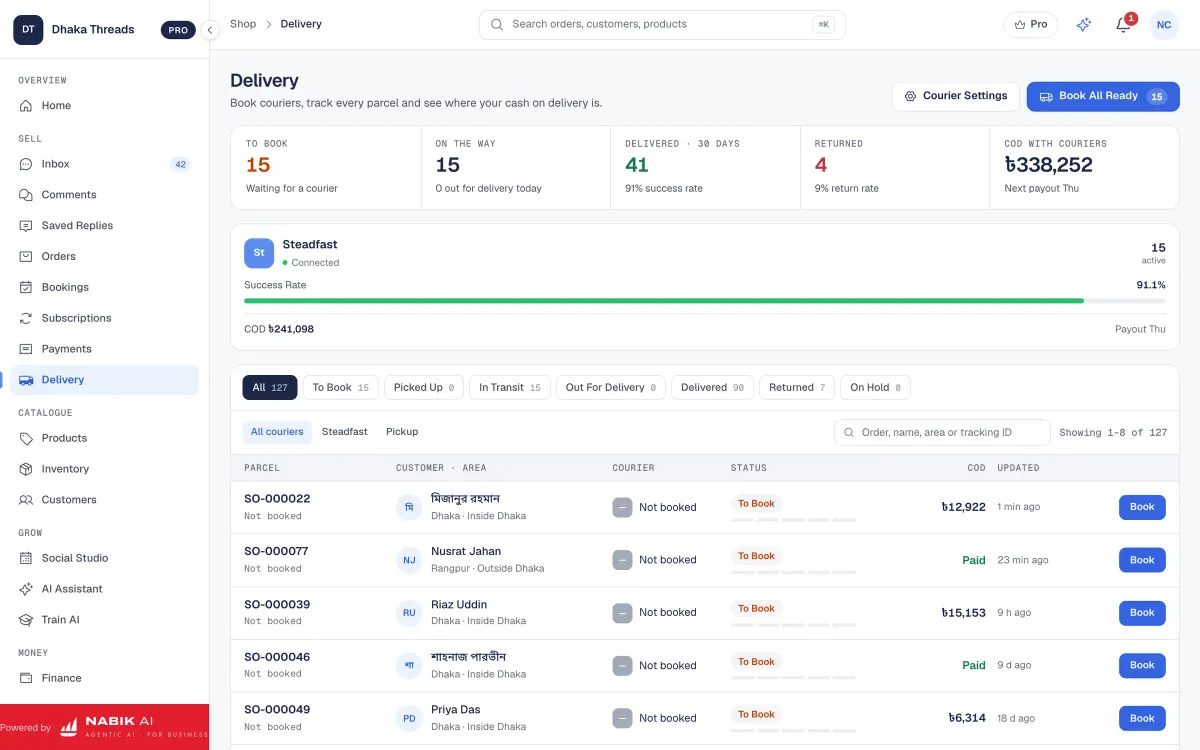
Most online orders in Bangladesh are still cash on delivery. The customer pays the courier when the parcel arrives, and the courier pays you later. This is where the most money goes missing, because nobody tracks which parcels have been paid for and which are still owed.
What to do:
- Keep each parcel's tracking number with its order. When a customer asks where their parcel is, you can tell them straight away.
- Choose couriers by area. Some are faster in Dhaka, others are better in district towns. Decide from your own order data.
- Match every COD payment. Each time the courier pays you, check which orders it covers and which are still outstanding.
Step 6: Cut Returns (RTO)
RTO (return to origin) means a parcel comes back from the customer. You didn't sell the product, but you still paid delivery both ways. A high RTO rate eats your profit quickly.
Simple ways to reduce it:
- Confirm orders before sending them (Step 4).
- If orders from the same number have come back before, ask for an advance.
- Keep product photos and descriptions honest. "It didn't look like the picture" is a major reason for returns.
- Be realistic about delivery times, and tell the customer early if there is a delay.
Step 7: Work Out Your Real Profit
Sales and profit are not the same thing. Work out the real profit on each order like this:
Profit = selling price − product cost − delivery cost − payment or COD charge
Here is an example (the numbers are only for illustration; use your own costs):
| Item | Taka |
|---|---|
| Selling price | 1,200 |
| Product cost | − 650 |
| Delivery cost | − 120 |
| COD charge (say 1%) | − 12 |
| Profit on this order | 418 |
Now suppose 2 out of 10 orders for this product come back. The delivery cost of those returns also comes out of your profit, which is why Step 6 matters so much. And don't forget to subtract what you spent on Facebook boosts from the month's total.
Step 8: Posts And Content
Without regular posts, new customers don't arrive. But coming up with new photos, captions and ideas every day is exhausting. A few habits make it easier:
- Plan the week's posts in one sitting, instead of every morning.
- Alongside product photos, post the product in use, answers to customer questions and the story behind the product.
- Post short videos and Reels. No dancing needed; just show the product up close.
- If you make photos with AI, be careful that the product looks the way it really does.
More:
What To Do During A Sale
During Eid, 11.11 or Black Friday, messages multiply. The shops that answer fast and keep orders organised are the ones that sell. Before the sale:
- Count your stock and correct it.
- Prepare answers to the most common questions (price, size, delivery charge, delivery time).
- Tell your courier in advance that there will be more parcels.
- Decide who on the team does which job.
What To Automate And What To Do By Hand
You don't need to automate everything. Use this table as a starting point:
| Task | Good to automate | Better by hand |
|---|---|---|
| Questions about price, size, delivery charge | Yes | — |
| First reply to comments | Yes | — |
| Collecting order details | Yes | — |
| Reducing stock, saving tracking numbers | Yes | — |
| Complaints from an angry customer | — | Yes |
| Price cuts or special discounts | — | Yes |
| Deciding new products and policies | — | Yes |
The rule is simple: if the answer is always the same, automate it. If it needs judgement, do it yourself.
Where To Start: A Checklist
Trying to do everything at once gets nothing done. Start in this order:
- Write down your Page details and policies (Step 1).
- Bring all products and stock into one place (Step 2).
- Write answers to your 10 most common questions (Step 3).
- Start confirming every order (Step 4).
- Match COD payments every week (Step 5).
- Check real profit and RTO at the end of each month (Steps 6 and 7).
A longer list: F-Commerce Tools In Bangladesh: A Complete Checklist
How Nabik AI Helps
You can do every step above with separate notebooks, spreadsheets and apps. Nabik AI brings them into one place, built for online shops in Bangladesh:
- Messenger, Instagram, WhatsApp and Page comments in one inbox. Nabik AI answers from your own products, prices and policies in Bangla, Banglish or English, and your team can take over any conversation at any time.
- Orders straight from the chat, and one stock count for every channel.
- Courier booking with Pathao, Steadfast, RedX and eCourier, parcel tracking and COD money tracking.
- The real profit on every order, after product cost, delivery and payment charges.
- Social Studio to make posts from your products and schedule them.
Every new shop gets its first month of Pro free: 30 days with 100 AI credits, no card needed. After that, Pro is ৳999 a month. See the latest prices on nabik.ai/pricing, and start at app.nabik.ai.
Frequently Asked Questions
Do I need a trade licence to sell on a Facebook Page? Once your business is regular and growing, it is wise to get a trade licence and a Digital Business Identity. They also make it easier to work with payment gateways and couriers. For the rules in your area, check with your local authority.
Do I need automation software from the start? No. With a few orders a day, a notebook and Excel are enough. Think about software when replies start running late, orders go missing or the COD money no longer adds up.
Should I take an advance or keep full cash on delivery? Asking new customers, or customers who have returned orders before, for a small advance reduces RTO. Keeping full COD for known, repeat customers makes buying easier. Decide from your own RTO numbers.
Will AI give my customers wrong information? AI is only as accurate as the facts you give it. Keep prices, stock and policies up to date, check its answers yourself for the first few days, and keep questions that need judgement in your own hands.
Do these steps work for Instagram and WhatsApp too? Yes. The channel is different, but the work is the same: answer fast, confirm orders, keep one stock count, deliver properly and know your profit.