Posts From Your Own Products
Most shops know they should post every day, and most run out of time. Social Studio sits in the same app as your products, prices and stock, so a post is about something you really sell, at the price you really charge.
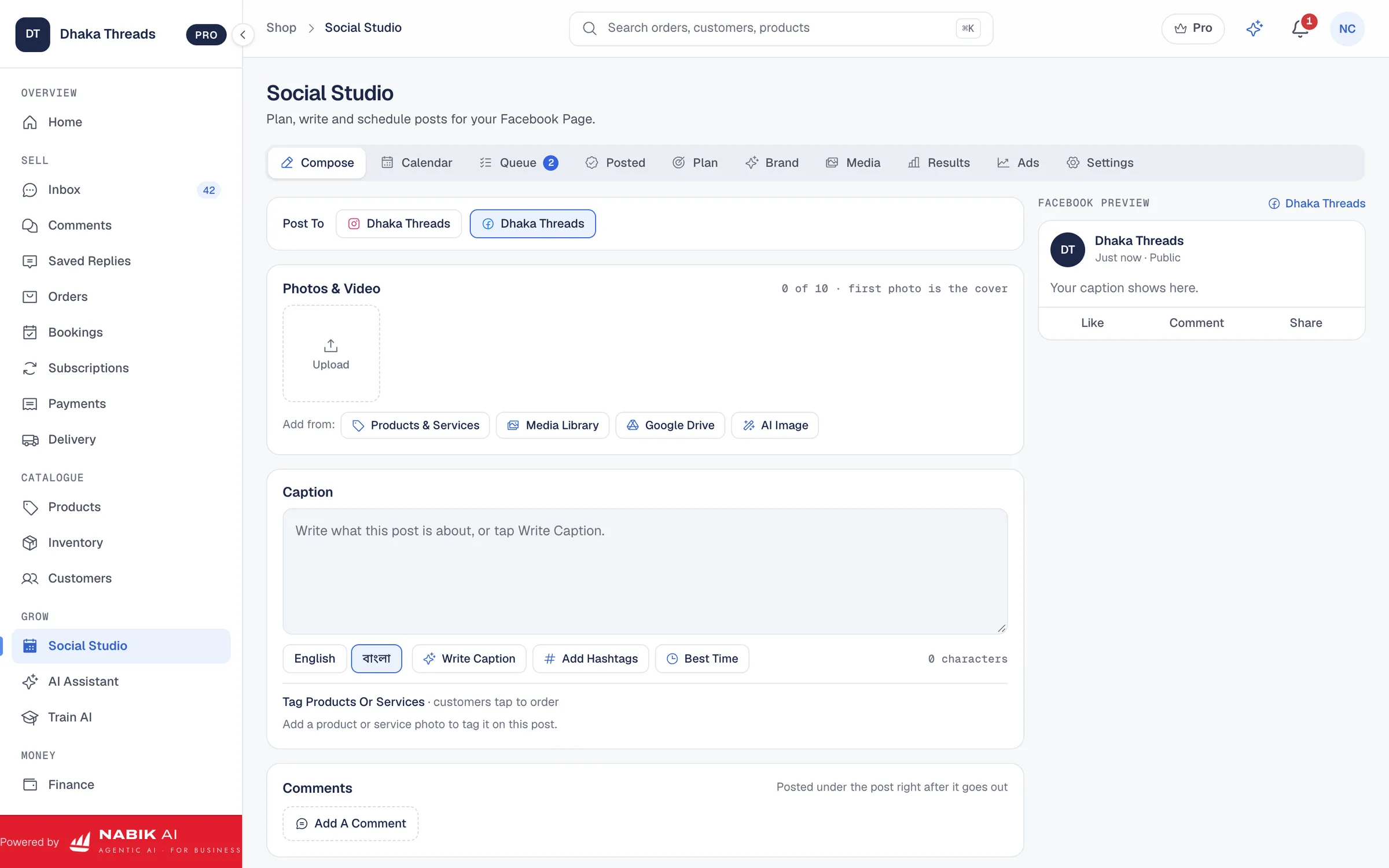
Open Make Posts, type a topic such as “new Eid collection” or “weekend offer on grill”, and Nabik AI makes ready-to-post posts: a picture, a caption in Bangla or English and hashtags together. Keep the ones you like, change the words, and post or schedule them.
The Problems It Solves
Posting is where a busy shop falls behind first:
- A post every day is the plan, and three a week is what happens
- A price in a post that no longer matches the product, and customers who hold you to it
- The Eid or Pohela Boishakh post made the night before, or not at all
- No idea which posts brought messages and which ones nobody saw
- Ad money spent without knowing which ad brought real orders
Compose, Copy A Design And The Photo Editor
Compose is the full post editor: add photos from your products, your media or Google Drive, ask for a caption, add a first comment, and post to several connected Pages at once. A post cannot go out with a price that is not on your product.
Copy A Design takes a marketing picture you like and makes the same kind of design for your own product, with your own words spelled exactly. The Photo Editor works in the browser with layers of photos, words and shapes, ready-made templates and filters, for posts, ads and product photos.
Plan The Week And Keep It Going
A few tabs keep your posting steady without a spreadsheet.
- Plan: which days, what time and what to post about, for each Page
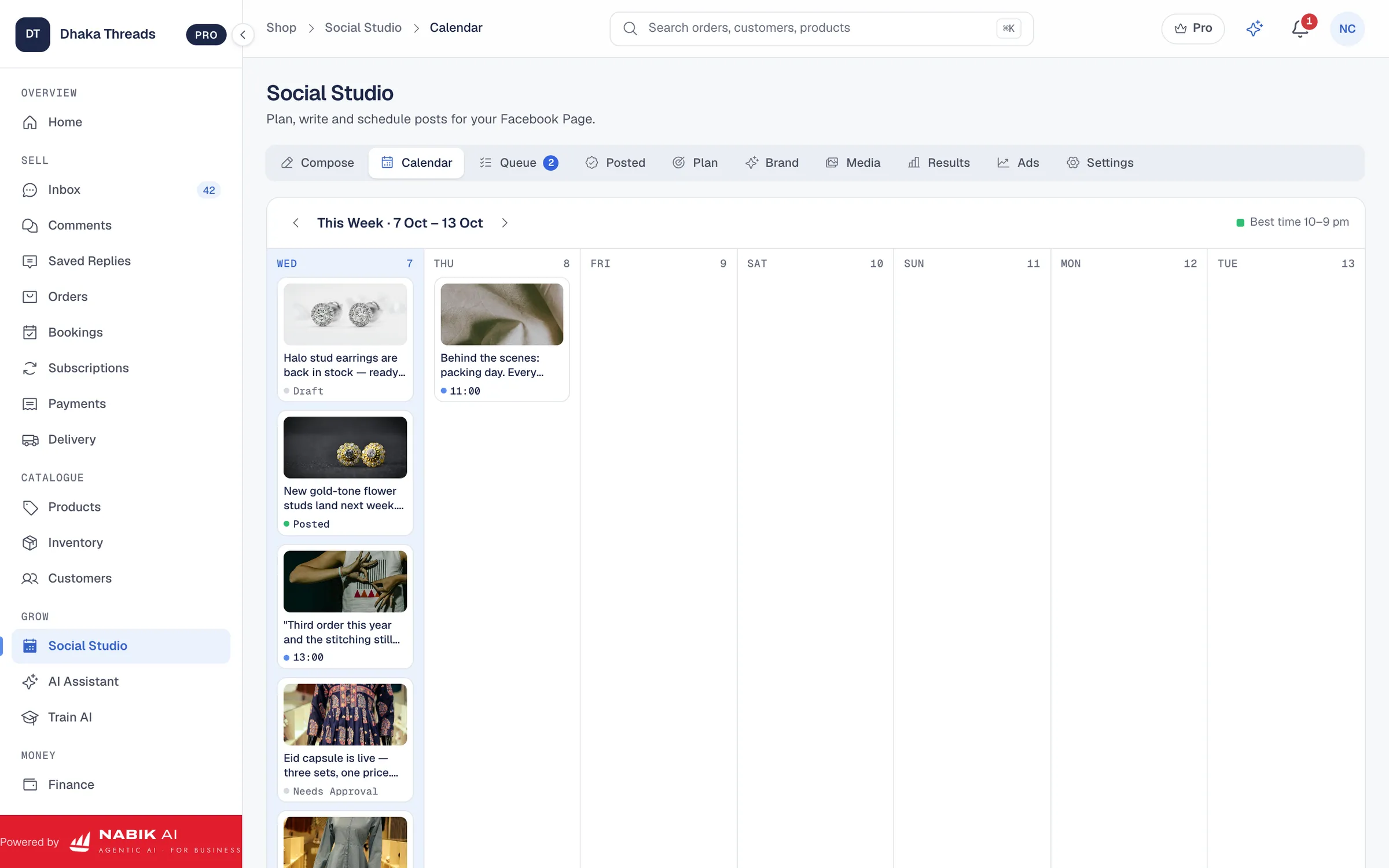
- Calendar: this week’s posts, day by day
- Queue: every post waiting to go out, with Approve for drafts that need you
- Posted: everything already published, page by page
- Ideas, Research and the Creative Bank: post ideas, news for your niche and everything the studio made
- Media: every photo in one library, with filters
Publish To Facebook And Instagram
Post now or schedule photo posts and Stories to your connected Facebook Pages and Instagram accounts. Your Pages connect through your own Meta app, so posts go out under your own Page. You can make drafts, captions, pictures and plans before anything is connected; publishing waits until a Page is connected.
Every post published through Nabik AI is remembered, so when customers comment “price?” or “is this available?” under it, Nabik AI knows which post they mean.
See What Each Post Did
Results shows what every published post did, from Meta: reactions, comments, shares and reach, with sorting and a summary at the top. Ads shows the spend of your Meta ad campaigns beside the orders in Nabik AI that came from each ad, when you connect your ad account in Integrations › Meta; it only reads, and never changes your ads.
Get Your First Week Planned
You can do all of this before a Page is connected; only publishing waits for it.
Make Posts
Open Social Studio › Make Posts, type a topic such as “new Eid collection”, and keep the posts you like.
Set The Plan
In Plan, choose the days, the times and what to post about for each Page.
Approve The Queue
Open Queue, edit any caption, and press Approve on the drafts that need you.
Check Results
After a few days, open Results to see reactions, comments, shares and reach for every published post.
Limits Worth Knowing
Social Studio publishes photo posts and Stories to connected Facebook Pages and Instagram accounts. Posts made directly on Facebook or Instagram, outside Nabik AI, are not remembered by the AI for later questions such as “the offer you posted yesterday”.
Ads only reads your Meta ad spend and never changes your ads, and Results shows what Meta reports for each post.
What It Costs
Social Studio is part of Pro. Publishing a post, now or scheduled, is free, and so is anything you write yourself. AI work, such as a caption or a picture, uses AI credits, and you see the price before you start. Every new shop starts with a free Pro month with 100 AI credits, no card needed.
Questions People Ask
What Is Social Studio In Nabik AI?
The part of Nabik AI where your Facebook and Instagram posts are made, planned, published and measured, using your own products and brand.
Can It Write Captions In Bangla?
Yes. Captions can be in Bangla or English, written from your real product details, and you can edit every word before posting.
Can I Schedule Instagram Posts?
Yes. Photo posts and Stories can be posted now or scheduled to connected Facebook Pages and Instagram accounts.
Do I Need To Connect My Page First?
No. Drafts, AI captions and pictures, media and the calendar work with nothing connected. Publishing needs a connected Page or Instagram account.
Does Nabik AI Know Which Post A Comment Is About?
Yes, for posts published through Nabik AI. When customers comment “price?” under one, Nabik AI knows which post and product they mean.
Can I See Which Ad Brought Orders?
Yes. Connect your ad account in Integrations › Meta and Ads shows each campaign’s spend beside the orders in Nabik AI that came from it. It only reads your ads.