You can automate COD order confirmation in Bangladesh using message templates, tags and AI chatbots across Facebook, Instagram and WhatsApp. Once set up, every cash on delivery order gets an instant confirmation message and your staff only call the risky or high-value ones.
This guide walks you through what to write in your confirmation messages, how to design a simple call script, and which parts you can automate step by step. It is written for Bangladeshi Facebook, Instagram and WhatsApp shops that use couriers, cash on delivery and mobile payments like bKash and Nagad.
Key Takeaways
- Automated COD confirmation messages reduce fake orders and return-to-sender parcels for Bangladeshi shops.
- Use a clear, short Bangla or Banglish script that repeats product, price, address and delivery terms for every COD order.
- Automate messages fully, and keep calls for risky orders, outside Dhaka deliveries or high-value parcels.
- Track confirmed vs unconfirmed orders and test different messages to see which reduces COD returns the most.
- Nabik AI helps you manage COD chats, orders and couriers in one place while its AI agents handle most confirmations automatically.
Why Does COD Order Confirmation Matter In Bangladesh?
If you sell with cash on delivery in Bangladesh, confirming each order is not optional. Without a proper COD confirmation flow, you get fake orders, wrong addresses, extra courier bills and high return-to-sender (RTS) rates.
Most F-commerce shops now follow a three-step rule: get the order, confirm it (message or call), then send it to the courier. The confirmation step is where many shops are still manual, slow and inconsistent, especially during big sales or boosts.
Automating COD confirmation helps you reply instantly, even at night or in rush hours, and keep the same script for every customer. You still stay in control: you can choose which orders need a human call and which can be confirmed fully over chat. Over time this lowers your RTS rate and makes couriers happier to work with you.
- Fewer fake or "just for time pass" COD orders
- Correct names, phone numbers and addresses before shipping
- Clear expectation for delivery time inside and outside Dhaka
- Less pressure on your team during Friday night boosts and big campaigns
Step 1: Measure Your Current COD Problem
Check last month’s COD orders: how many returned, how many had wrong addresses, and how many were never picked up. Write this in a notebook or simple sheet.
Step 2: Decide Your Confirmation Target
For example: "We will confirm 95% of COD orders within 15 minutes, and keep RTS below 10%." This gives you a goal to design your automation around.
What Should Your COD Confirmation Message And Call Say?
Before you automate, you need a good message and call script. For Bangladeshi customers, keep it short, simple and in natural Bangla or Banglish, not very formal language.
Every COD confirmation (message or call) should repeat the key details: product, size/colour, total price, payment method, delivery area and expected delivery time. It should also ask for a clear "yes" and give an easy way to correct mistakes (address, number, size).
Here is a simple Banglish DM template you can use on Messenger, Instagram or WhatsApp: "Assalamu Alaikum [Name], apni [Product Name] order disen, size [Size], total [Amount] taka (COD). Address: [Address], Mobile: [Mobile]. Dhaka te [X] din, Dhaka bahire [Y] din lagbe. Thik thakle ‘Confirm’ reply din, change thakle likhe janan."
For phone calls, almost the same script works. Just train your caller to speak slowly, confirm area names clearly (especially outside Dhaka) and repeat the total taka. Always end with: "Apni ki confirm kortesen?" and wait for a clear yes or no.
- Repeat product name, variant (size/colour) and quantity
- Mention total amount in taka, including delivery charge
- Say clearly: cash on delivery, bKash advance, or full prepayment if used
- Ask for a short confirm reply: "Confirm" / "Yes" / "Ok"
- Offer easy correction: "address change hole ekhon bole din"

How Can You Automate COD Confirmation Messages On Social Media?
For most Bangladeshi F-commerce shops, chats on Messenger, Instagram DM, WhatsApp and Page comments are the main order source. You can automate COD order confirmation by combining three things: smart forms or order formats, auto-replies and AI chatbots.
First, fix your order-taking format. For example, tell customers: "Order format: Name, Phone, Full Address, Product Code, Size, Payment: COD/bKash." This makes it easier for your system or AI to understand when a real order is coming in.
Next, use auto-replies and AI to answer instantly when someone sends an order. Instead of just "Thank you", your automated reply can repeat order details, ask any missing questions and then say: "Please type ‘Confirm’ to finalise your COD order." After the customer confirms, your system marks it as "confirmed" and your team later sends it to the courier.
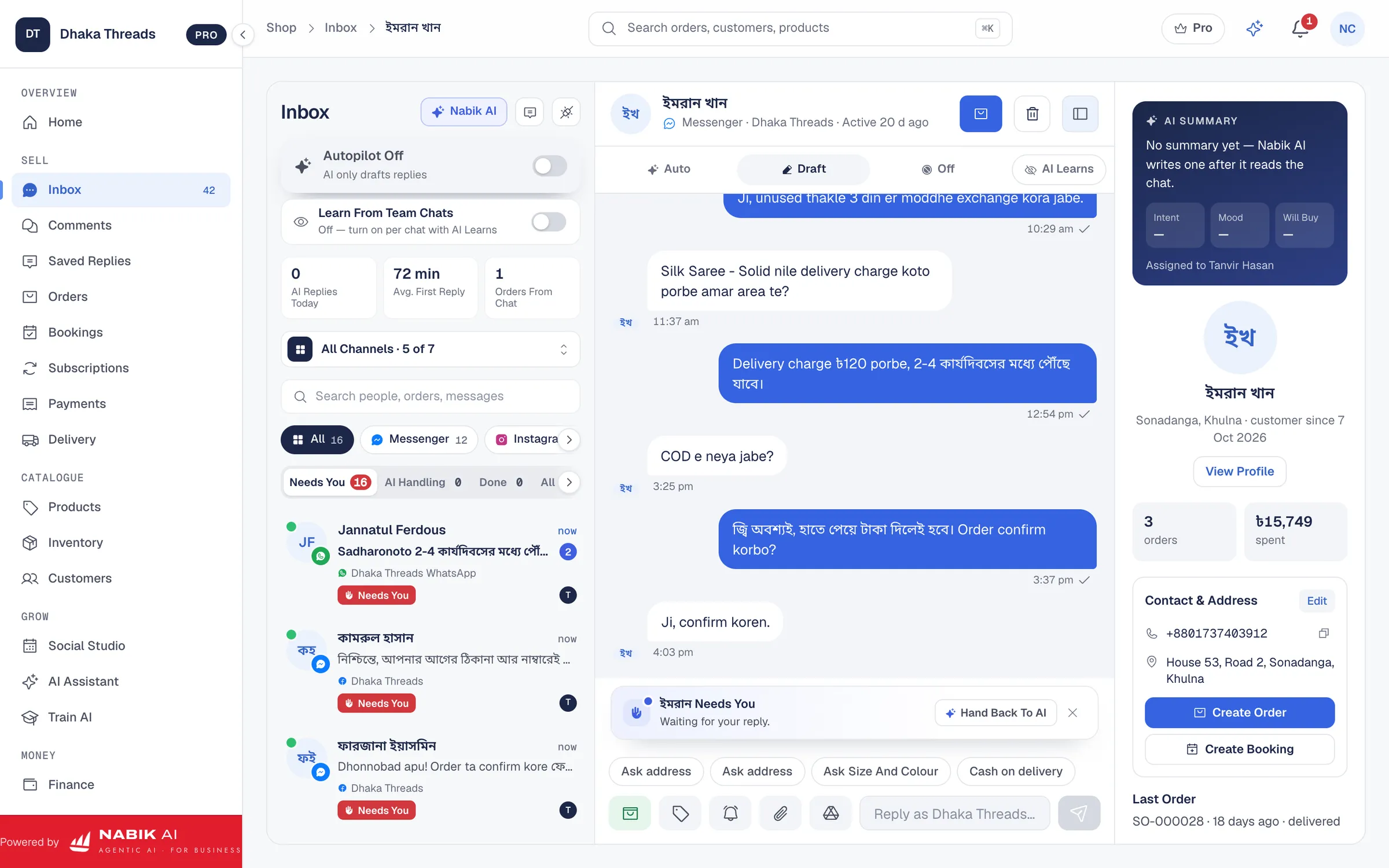
If you manage messages from multiple channels, a single inbox is very helpful. With something like Nabik AI’s Social Inbox, you see Messenger, Instagram, WhatsApp and Page comments in one screen, and its AI agents can handle the first confirmation messages in Bangla, Banglish or English.
- Standardise your order format in every post caption and story
- Set simple auto-replies like "Thanks for your order, let me confirm the details"
- Train an AI chatbot on your products, prices and delivery rules to answer common questions
- Tag or label conversations as "COD – Confirmed" and "COD – Pending" so your team knows what to do
Step 1: Write Your Standard Order Format
Decide the exact fields you need for every COD order (name, phone, address, product code, size, payment method) and add this under each product post.
Step 2: Set Basic Auto-Replies On Your Page
Follow a guide like how to set an auto reply on a Facebook Page so people get an instant response while AI or staff pick up the chat.
Step 3: Connect An AI Chatbot
Use an AI chatbot that reads your product list and policies, so it can confirm orders correctly and in natural Bangla, instead of just sending one fixed canned reply.
How Can You Semi-Automate COD Confirmation Calls?
In Bangladesh, many shops still like to call new COD customers, especially for outside Dhaka or orders above a certain amount. Full robot calling is not always necessary; a smart semi-automated process can save a lot of time.
Start by deciding which orders really need a call: high-value COD (for example over ৳2,000), new customers, risky areas, or customers who did not reply to confirmation messages within a few hours. Others can be confirmed only by chat, which your AI or auto-reply can handle.
Next, build a daily call list. Export or copy all "COD – Pending" orders into a sheet, sort by priority (outside Dhaka first, high amount first), and give this to the staff who makes calls. They follow the script, tick "confirmed" or "cancelled", and you then update your order system.
If you later use a simple auto-dialler or robocall service, keep the recorded message very short in clear Bangla and repeat the amount and play/pause options: "Confirm korle 1 press korun, cancel korle 2 press korun." But always test with a small batch first to see if your audience is comfortable with automated voices.
- Call only when it adds value: high risk or high value
- Keep one person responsible for all confirmation calls each day
- Use a shared sheet or system column like "Call Status" for confirmed/cancelled
- Keep the call under 60–90 seconds to control staff time and phone bills
Step 1: Define Your Call Rules
For example: "Call all first-time customers and all COD orders above ৳1,500, and any order outside Dhaka over ৳1,000." Write this on the wall near your calling desk.
Step 2: Prepare A Call Sheet Template
Include columns: Order ID, Name, Phone, Amount, Area, Call Attempt 1, Result, Notes. Reuse this daily so nothing is missed.
Step 3: Train Staff On The Script
Practise the script with your caller until they sound friendly, confident and consistent. Listen to a few calls in the first week and fine-tune the wording.
Manual Vs Automated COD Confirmation: What Is The Difference?
Many shop owners worry that automation will make customer service feel cold or robotic. In practice, a good setup in Bangladesh is usually a mix: automated messages plus selective human calls.
Manual-only confirmation is simple but does not scale when you start getting 200–500 messages a day. Automated message flows and AI help you keep speed and accuracy without hiring a big call centre.
Use this comparison to decide where you are now and where you want to move. You do not need to jump to 100% automation in one week; upgrade step by step, starting with messages, then tags, then smarter AI replies.
- Start with messages, then optimise calls later
- Use automation for speed and consistency; use humans for tricky cases
- Review your confirmation style every few months as your order volume grows
| Manual Only | Partially Automated | Highly Automated | |
|---|---|---|---|
| Who Sends Confirmation | Staff type each message and make all calls | Auto-replies handle basic texts; staff send custom replies and call selected orders | AI chatbot confirms most COD orders; staff only handle exceptions and risky cases |
| Speed | Slow in busy hours; customers may wait hours for a reply | Fast initial reply, but some delays for manual follow-up | Instant 24/7 confirmation for most orders |
| Consistency | Message and script vary by staff mood | Standard message templates plus some variation | Clear, standard script applied every time by AI |
| Error Rate (Wrong Details) | Higher risk of missing address or phone digits | Lower; templates remind staff what to ask | Lowest; AI always asks for missing fields before confirming |
| Cost | Low tech cost, high salary time | Balanced: some tools plus less time per order | More tool cost, but much less staff time per order |
| Best For | Very small shops with few daily orders | Growing shops with 20–150 orders a day | Busy brands, agencies and shops with regular campaigns and boosts |
How Does Nabik AI Help With COD Order Confirmation?
Nabik AI is web software made in Bangladesh for shops that sell on Facebook, Instagram, WhatsApp and their own websites. Its AI agents chat with your customers in Bangla, Banglish or English using your own products, prices and delivery rules, so they can handle most COD confirmation messages for you.
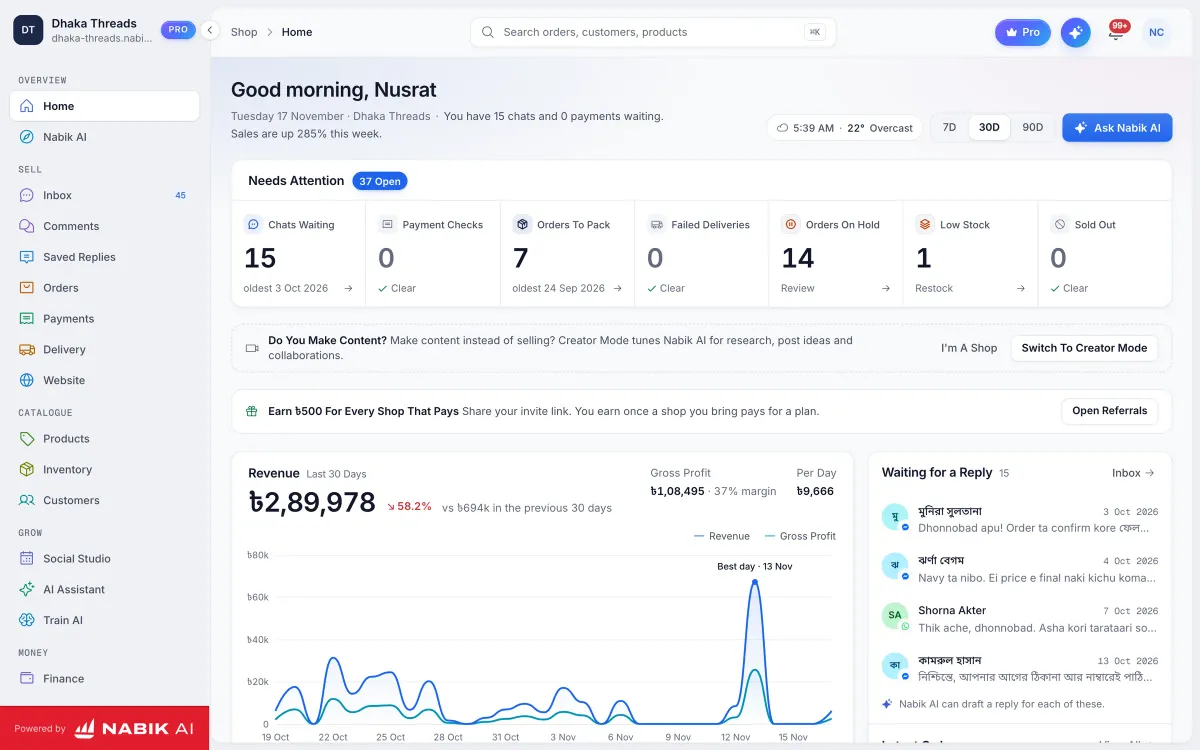
All your Messenger, Instagram, WhatsApp and Page comments come into one Social Inbox. From there, AI agents can reply, collect order details in your chosen format and confirm COD terms, while you watch and jump in when needed. The moment a customer says "Confirm", the AI can create an order with cash on delivery and pass it into your Order Management section.
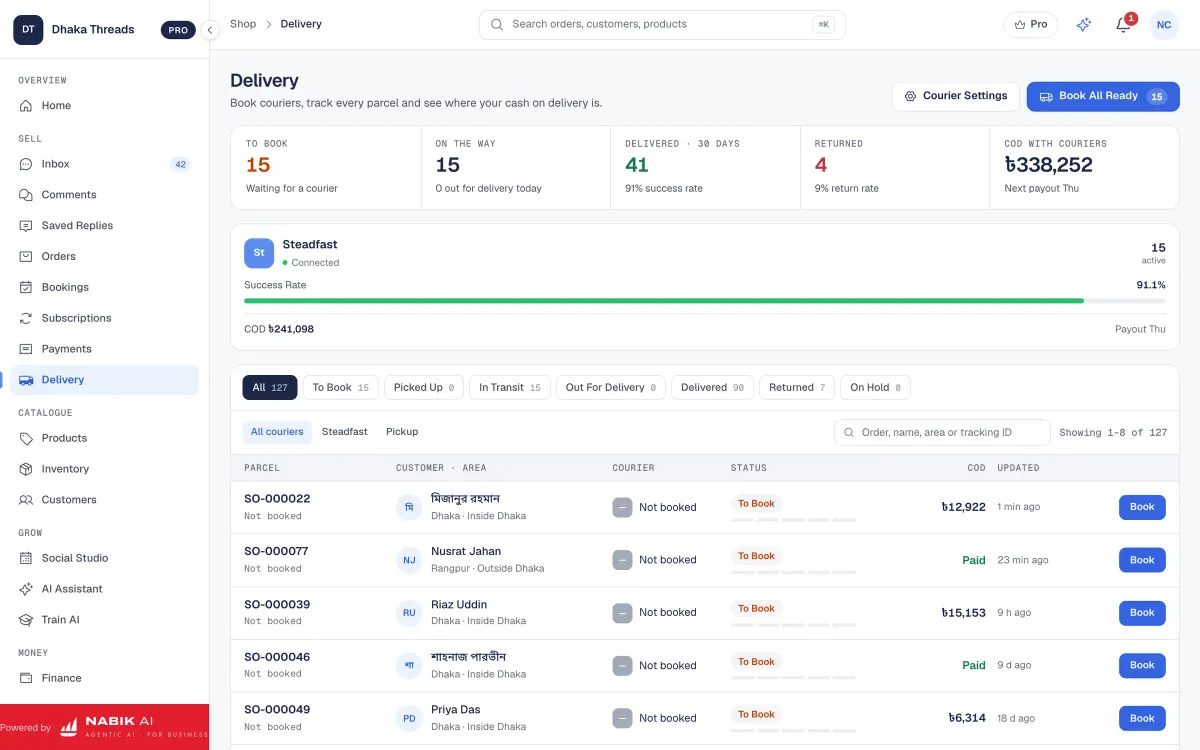
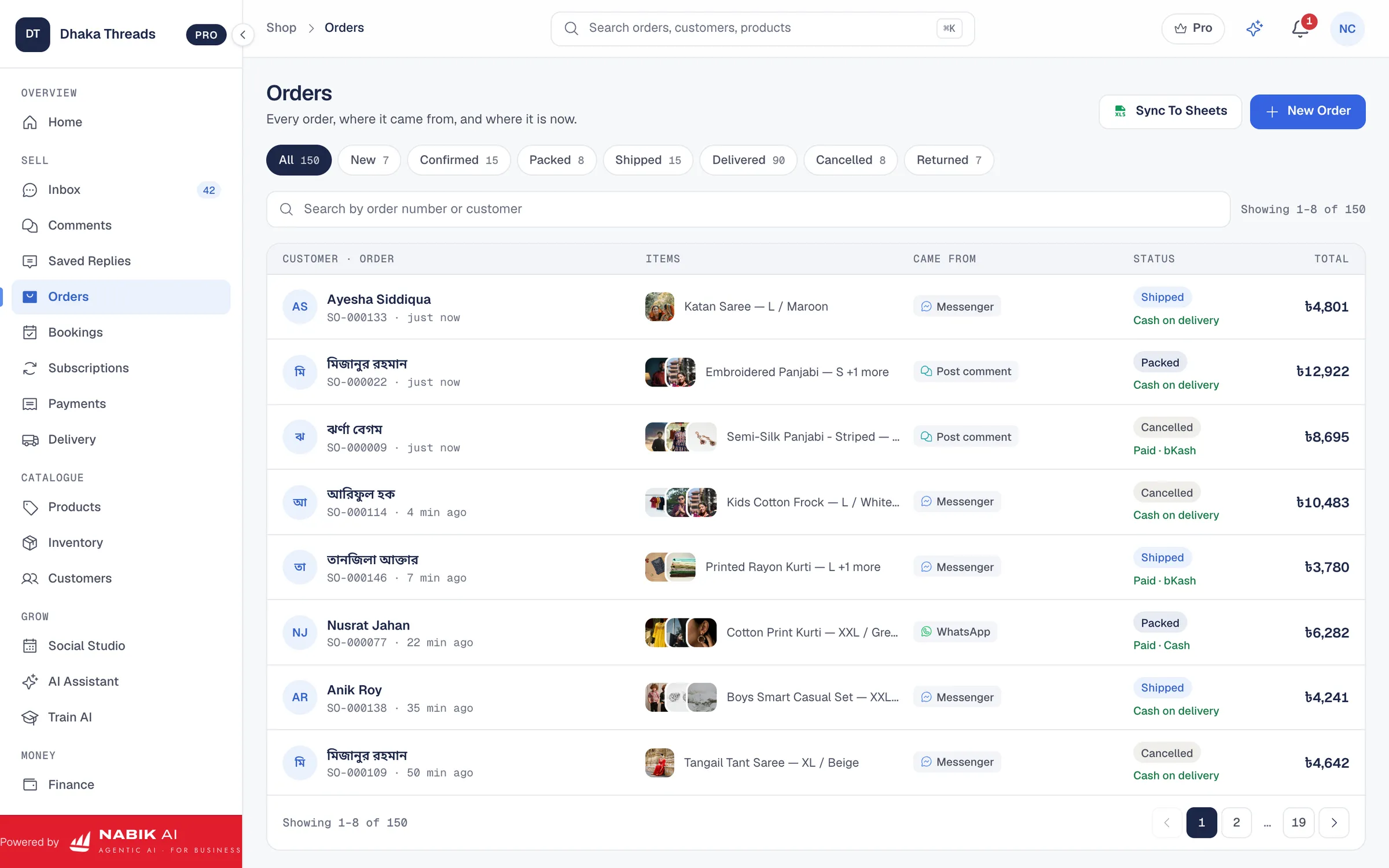
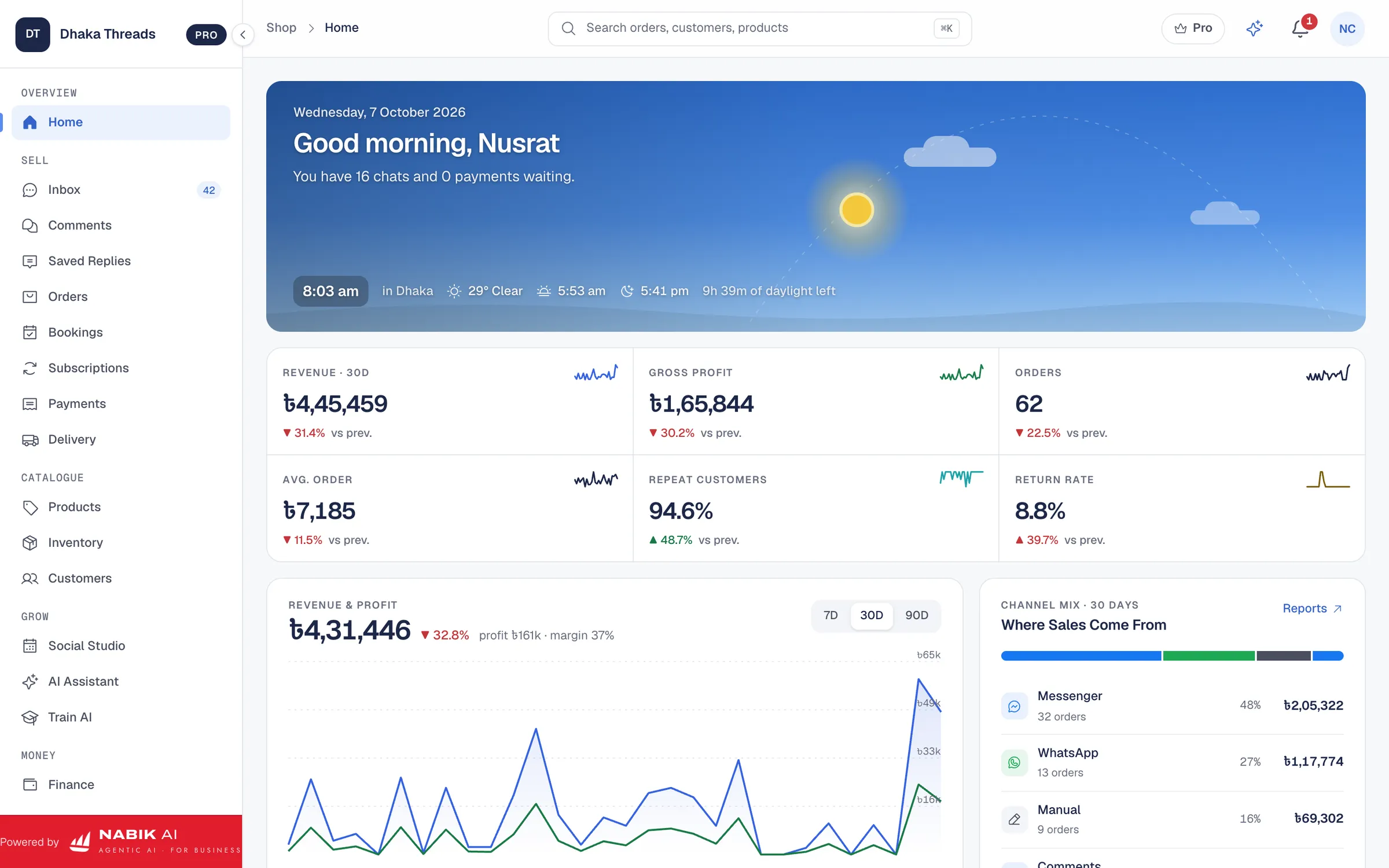
Inside the orders screen you see customer details, products, COD status and courier information in one place. You can then book a delivery directly through supported couriers using Courier Integration, so confirmed orders move smoothly from chat to parcel pickup without copy-pasting between apps.
You teach Nabik AI by chatting with it and correcting its replies, using a process similar to this guide and the deeper walkthrough in how to train AI on your products and prices. Plans start free, with paid plans from ৳999 per month for Pro and ৳3,780 per month for Business, and AI usage is controlled with top-ups described at /ai-credits. You can sign up anytime at https://app.nabik.ai/signup and test your COD confirmation flow on a few products before rolling it out across your full catalogue.
- AI agents confirm COD orders in Bangla, Banglish or English using your script
- One inbox for Messenger, WhatsApp, Instagram and comments makes follow-up easier
- Orders, couriers and COD status are tracked in one dashboard
- You stay in control with easy human takeover when a chat needs personal attention
Step 1: Connect Your Facebook, Instagram And WhatsApp
After creating your Nabik AI account, connect the channels where you get orders so all COD chats land in one inbox.
Step 2: Teach Your COD Rules To The AI
Chat with the AI assistant and explain delivery times, COD policy inside and outside Dhaka, and when you require bKash advance.
Step 3: Test With 10–20 Orders
During a normal day, let Nabik AI handle confirmations for a small batch of orders while you watch. Adjust the script based on customer replies and your team’s feedback.
How Do You Track And Improve Your COD Confirmation Flow?
Once your COD confirmation is mostly automated, the work is not finished. You should track a few simple numbers every week to see if your messages and call rules are actually reducing problems.
Useful numbers include: percentage of orders confirmed within 15 minutes, RTS rate by courier, RTS rate inside versus outside Dhaka, and how many orders get cancelled at the confirmation step. You can keep this in a simple sheet or pull it from your order system or finance tools like Nabik AI’s Accounting & VAT module.
When you change your script or rules, change only one thing at a time. For example, one week you might add "Please keep phone on when rider calls" to see if successful deliveries go up. Another week, you might offer bKash prepayment with a small bonus and add a payment link to reduce COD overall.
Over time this testing will show you which message styles work best for your Bangla and Banglish customers. The goal is not just fewer fake orders, but smoother experience: customers should feel respected, clearly informed and in control of their delivery.
- Watch confirmation speed (minutes from order to confirmation)
- Track RTS by courier and by area, not just total
- Test one script change at a time for one full week
- Gradually encourage reliable customers to use bKash or card instead of COD
Step 1: Create A Weekly COD Report
Every Friday, note total COD orders, confirmed within 15 minutes, RTS count and main reasons for RTS. This can be one simple page in a notebook or sheet.
Step 2: Run Small Experiments
Pick one change, like a new line in your message, and test it on all orders for one week. Compare that week’s report with the previous week.
Step 3: Review With Your Team
Sit with your chat and call staff for 15–20 minutes each week. Ask what customers are saying, which parts confuse them, and adjust your flow based on real feedback.
FAQ
What is the best COD confirmation message for Bangladeshi customers?
The best COD confirmation message is short, clear and in natural Bangla or Banglish. It should repeat product, size, total taka (including delivery), area and delivery time, then ask the customer to reply "Confirm" or mention any change needed.
Do I need to call every COD order in Bangladesh?
You do not have to call every COD order. Many shops confirm most orders through automated messages and keep calls only for first-time customers, outside Dhaka deliveries, high-value orders or customers who did not reply to messages.
Can I automate COD confirmation on Facebook and Instagram?
Yes. You can use auto-replies and AI chatbots connected to your Facebook Page and Instagram account to collect order details and send confirmation messages automatically. A tool like Nabik AI’s Facebook AI chatbot plus its Social Inbox helps you manage this from one place.
How does automation reduce fake COD orders?
Automation lets you confirm key details for every order quickly and consistently, even during busy hours. When your system always asks for full address, phone number and a clear "yes" to confirm, time-pass customers usually drop off, and serious buyers respond properly.
Is Nabik AI suitable for small shops with few COD orders?
Yes. Nabik AI has a free plan and paid plans starting from ৳999 per month, so small shops can start with basic automation and grow into advanced features later. You can connect your channels, let the AI handle simple COD confirmations, and still manage everything from a browser on your phone or computer.