Appointment Software For Salon Owners Who Live In Messenger
Most salons and clinics in Bangladesh take bookings in chat: “কাল বিকালে ফ্রি আছে?”, “kal bikale free ache?”, “Friday te hobe?” Someone has to look at the diary, offer a time, ask for a name and number, and then remember to confirm. When two people do this at once, double bookings happen.
With Nabik.ai, Nabik AI can run that conversation. It understands the service, the day and the time in Bangla, English or Banglish, offers two or three real free slots from your calendar, collects the name and phone number, repeats the summary and books once the customer says yes. It never invents a slot, and you choose whether new bookings are confirmed straight away or wait for your team.
A Clinic Booking System That Fits The Front Desk
A service is a catalogue item with a duration, a price and a place. The price can be fixed, “from” or on quote, and the place can be at your shop, at the customer’s address or online. Add your staff and rooms as bookable resources, set weekly opening hours with breaks, and add time off for holidays or a team member’s leave.
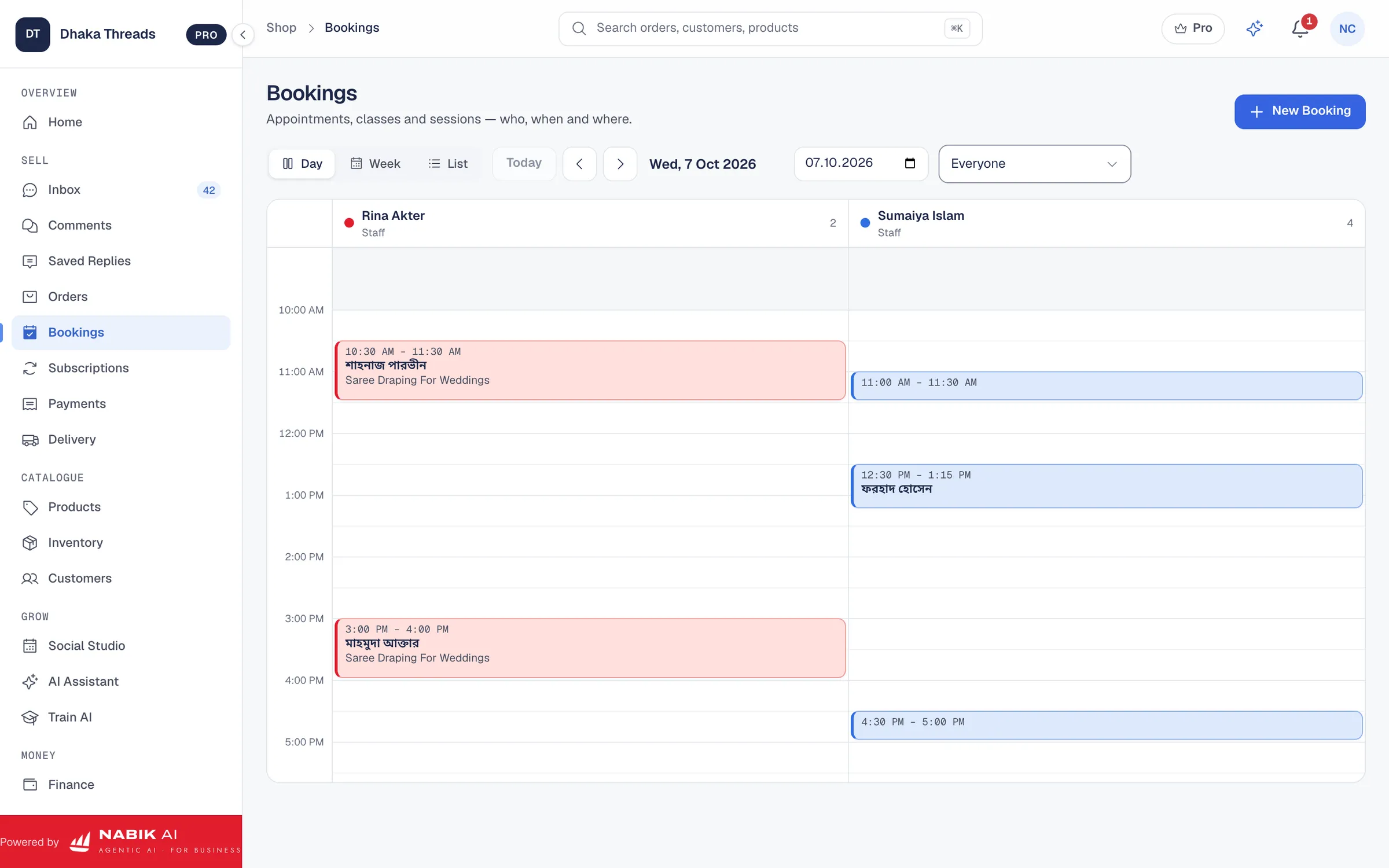
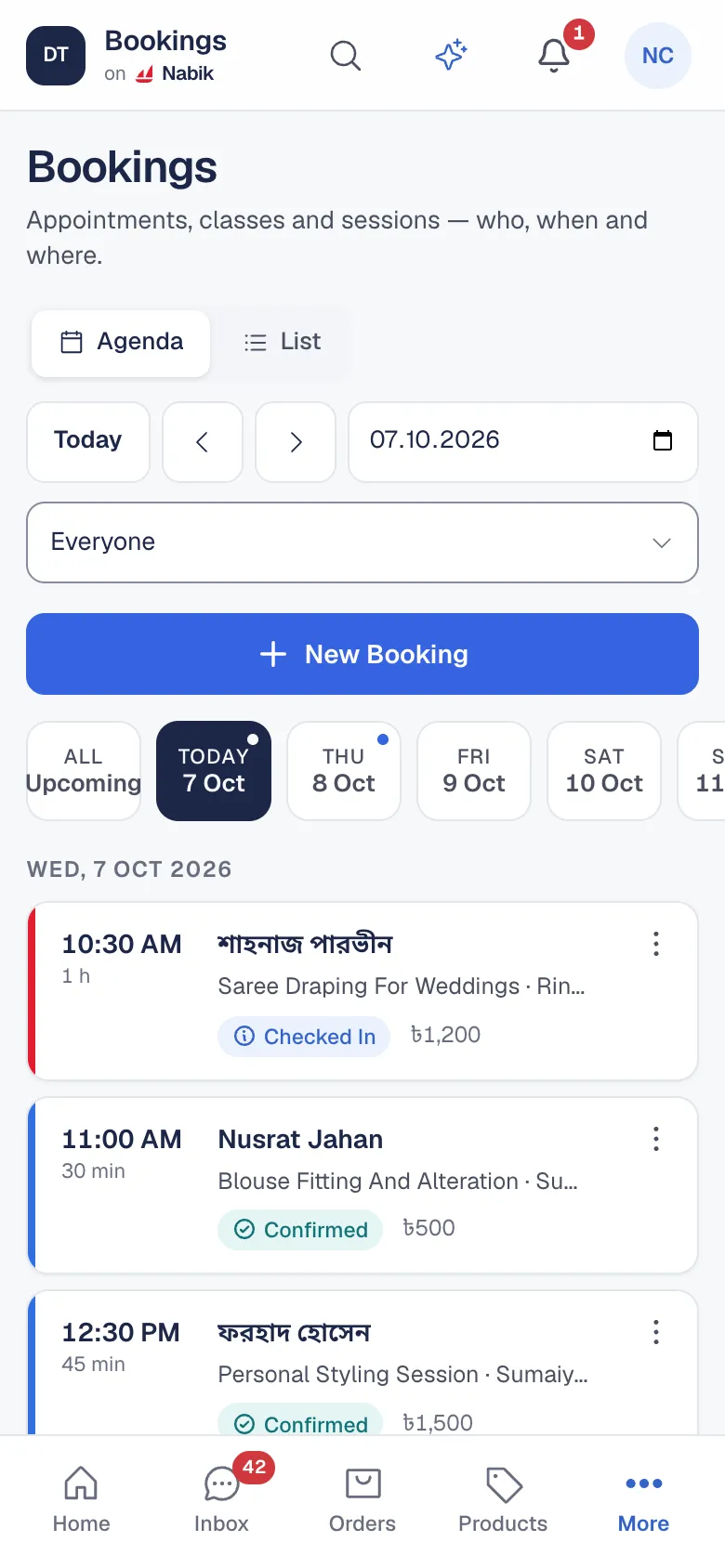
The calendar shows one column per staff member or room for the day, and a week view for planning. On a phone it becomes a simple agenda. Double booking is blocked by the database itself, so two customers can never hold the same staff member at the same time. A service can also take a group, such as a class of eight, and the slot shows how many seats are left.
- Services with duration, buffer time, price and location
- Staff and rooms with their own opening hours and time off
- Day and week calendar on desktop, agenda on phone
- Group sessions with a seat count
An Online Booking Page For Your Customers
Turn on online booking in Settings and your shop gets a booking page. Customers choose a service, see only the times that are really free, and send a booking request without signing in. Staff appear by name, the page is protected against spam, and the request lands in your calendar and inbox. You can confirm it yourself or let Nabik.ai confirm automatically.
Put the link in your Page bio, your Instagram profile and your WhatsApp replies, and Nabik AI can share it too when a customer prefers to choose the time themselves.
Reminders, No-Shows And Changes
A missed appointment is an empty chair you cannot sell twice. Nabik.ai sends reminders before the visit, by default 24 hours and 2 hours ahead, on the customer’s own channel. If someone does not turn up, mark the booking as a no-show, and the customer’s profile keeps that history so you can see who repeats it.
Customers can ask to reschedule or cancel in chat, within the rules you set, such as how late a change is allowed. Anything outside those rules goes to a person. You can also ask for a deposit on a service through a payment link on your own gateway or your bKash, Nagad, Rocket or Upay number.
At The Shop, At Home Or Online
Not every appointment happens in your chair. A makeup artist travels to the customer, a tutor meets online and a consultant works by video. Choose the location for each service, and for an online session connect your Google account and Nabik.ai adds the booking to Google Calendar with a Google Meet link, which is sent to the customer and updated if you reschedule.
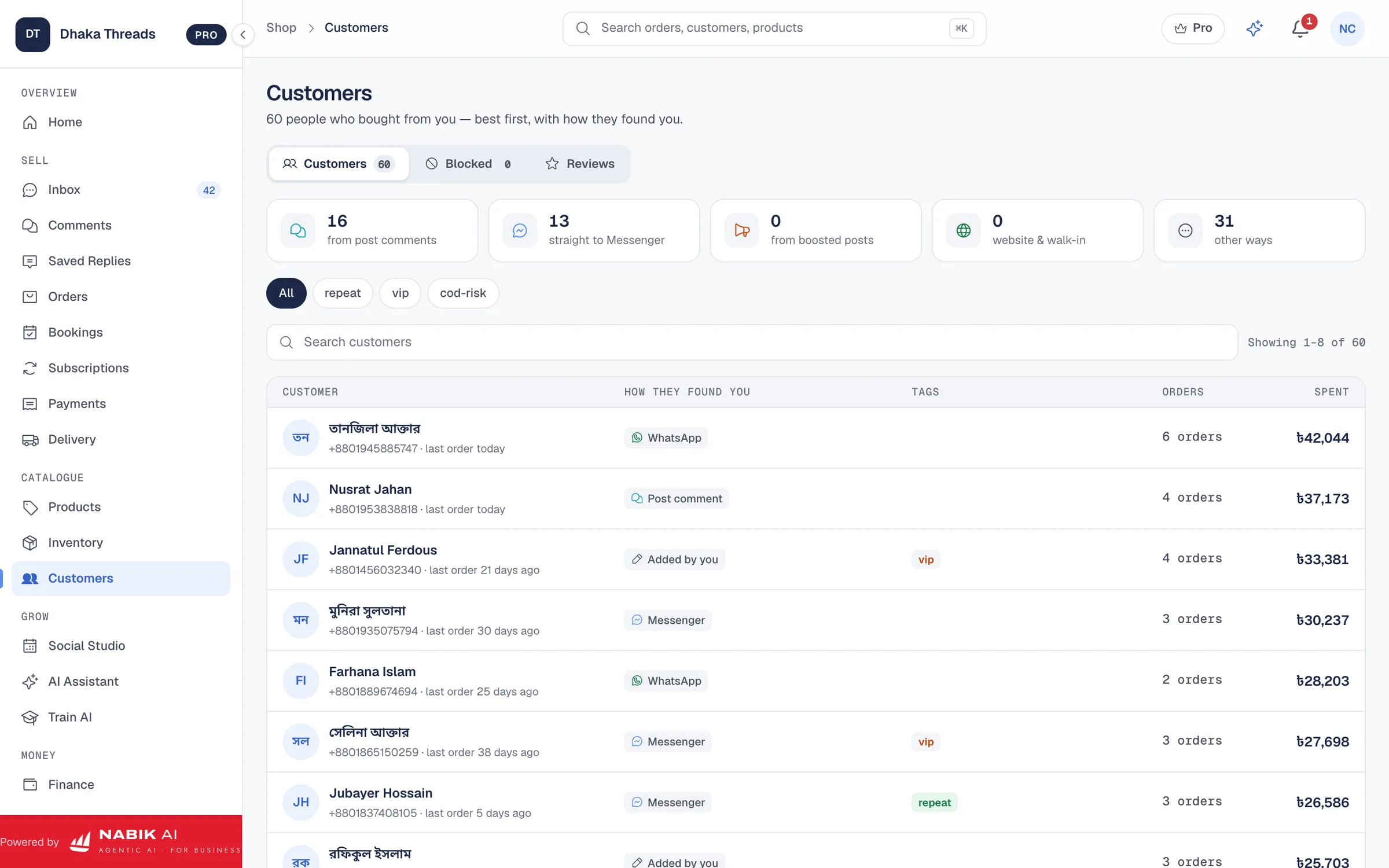
Each customer has one profile that shows their upcoming and past bookings, no-shows, orders and conversations. If your shop only sells services, you can hide the stock and delivery parts of the app so it speaks your business’s language.
Set Up Your First Services In An Afternoon
Add your services with a duration, a price and a place. Add your staff or rooms, set opening hours and any time off, and turn on online booking when you are ready. Then connect your Facebook Page or WhatsApp so Nabik AI can take booking questions in chat.
Services and bookings are available on every plan, including Free, so you can set up the calendar and try the booking page with your own team before deciding anything else.
Questions People Ask
Can Customers Book Without Logging In?
Yes. When you turn on online booking, customers use your booking page to pick a service and a free time without an account. The booking arrives as a request, or is confirmed automatically if you prefer.
Can Two Customers Book The Same Staff Member At The Same Time?
No. A staff member or room cannot be double booked, because the database blocks overlapping bookings, and slots shown to customers already exclude busy times, time off and your opening hours.
Does Nabik.ai Send Appointment Reminders?
Yes. Reminders go to the customer before the visit, by default 24 hours and 2 hours ahead, and you can adjust them in Settings.
Can I Use It For A Business That Only Sells Services?
Yes. Set the business to services and Nabik.ai hides the inventory and delivery parts. Shops that sell both can keep both, and the setting can differ for each connected Page.
Does It Work For Clinics?
Yes, for the appointment side: services, staff, time slots, reminders, no-shows and customer chats. Keep clinical notes in the record system you already use.