Before you pay for any f-commerce software in Bangladesh, you should check if it really matches your channels, order flow, COD rules and courier needs. This checklist will help you compare tools side by side so you do not waste money or upset customers.
We will stay practical and focus on common setups in Bangladesh: Facebook Page, Instagram, WhatsApp, cash on delivery, bKash/Nagad and couriers inside and outside Dhaka. Keep a notebook or Google Sheet open while you read, and turn each section into your own checklist for talking to software sales teams.
Key Takeaways
- Always start with your exact channels and customer languages before looking at any f-commerce software features or prices.
- For Bangladeshi shops, must-have features are: organised inbox for all chats, simple order taking, COD support and courier integrations.
- A good tool should keep one stock pool for every channel and support basic finance tracking and NBR VAT needs.
- Test real scenarios during the trial: busy evening inbox, wrong address, outside Dhaka delivery, exchange and refund.
- Compare total monthly cost, including extra users, AI usage and per-order fees, not just the headline subscription price.
What F-Commerce Software Do You Actually Need In Bangladesh?
The right f-commerce software in Bangladesh should match the way you already sell, not force you to change everything in one day. For most small shops, that means tools for inbox, orders, delivery, stock and simple money tracking. If a tool cannot handle these basics, fancy extra features will not save it.
First, write down your current sales channels. For many Bangladeshi shops this is: 1) Facebook Page (inbox + comments), 2) Instagram (DM + comments), 3) WhatsApp, and maybe 4) a simple website or Google Sheet. Any software you pay for should clearly say which of these it supports and how (official connection, or half-manual copy-paste).
Next, list the problems you feel every day. Examples: you miss messages at night, you forget to write down orders, your staff double-books stock, or you lose track of which parcel went with which courier. Your checklist should come from these pains first, then from software brochures later.
Finally, decide what you will not use right now. If you do not run ads yet, you may not need deep ad tools. If you sell only within Dhaka by same-day bike, full nationwide logistics automation can wait. This protects you from paying for features you do not understand or need today.
- List your active channels: Facebook, Instagram, WhatsApp, website.
- Write 5–10 daily problems from chats, orders, stock and delivery.
- Circle the three problems that cost you the most time or money.
- Use those three as your main filters when you talk to any software seller.
How Do You Check Channel Fit And Language?
In Bangladesh, most online sales still start in Messenger, WhatsApp and Instagram DMs, often in Bangla or Banglish. Any f-commerce software you consider should make handling these chats easier, not harder. The first checklist item is always: “Does this tool properly support my exact channels and languages?”
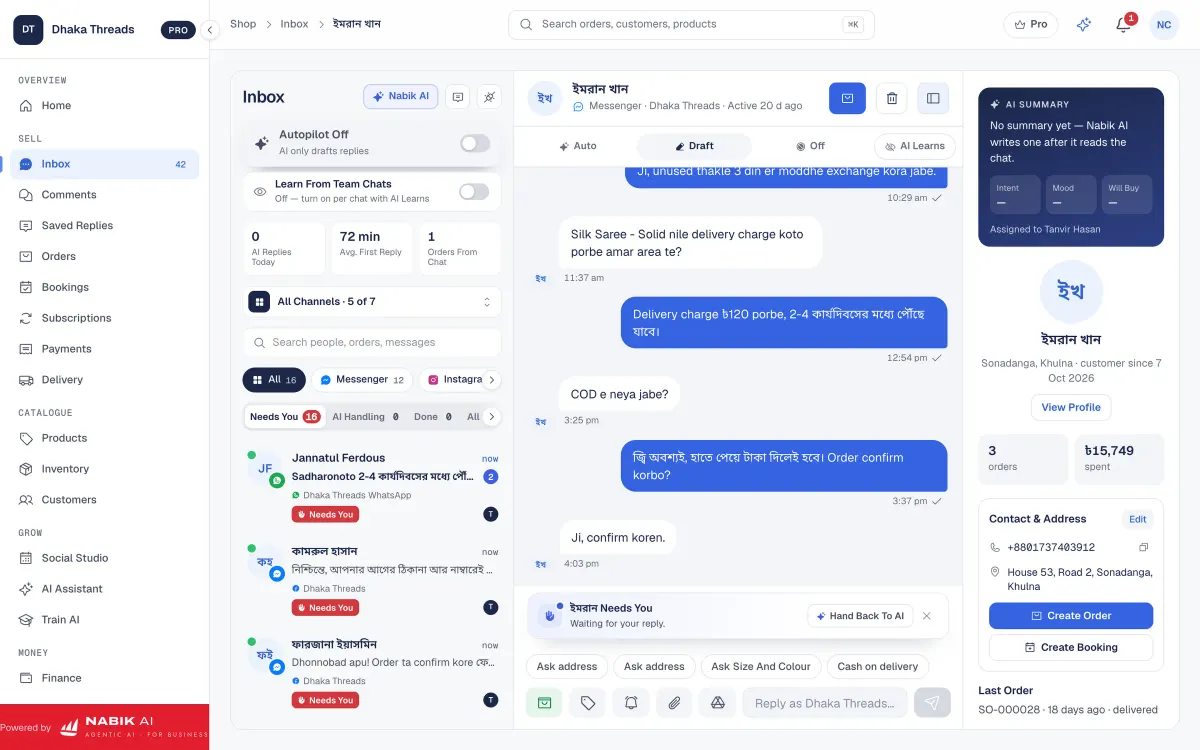
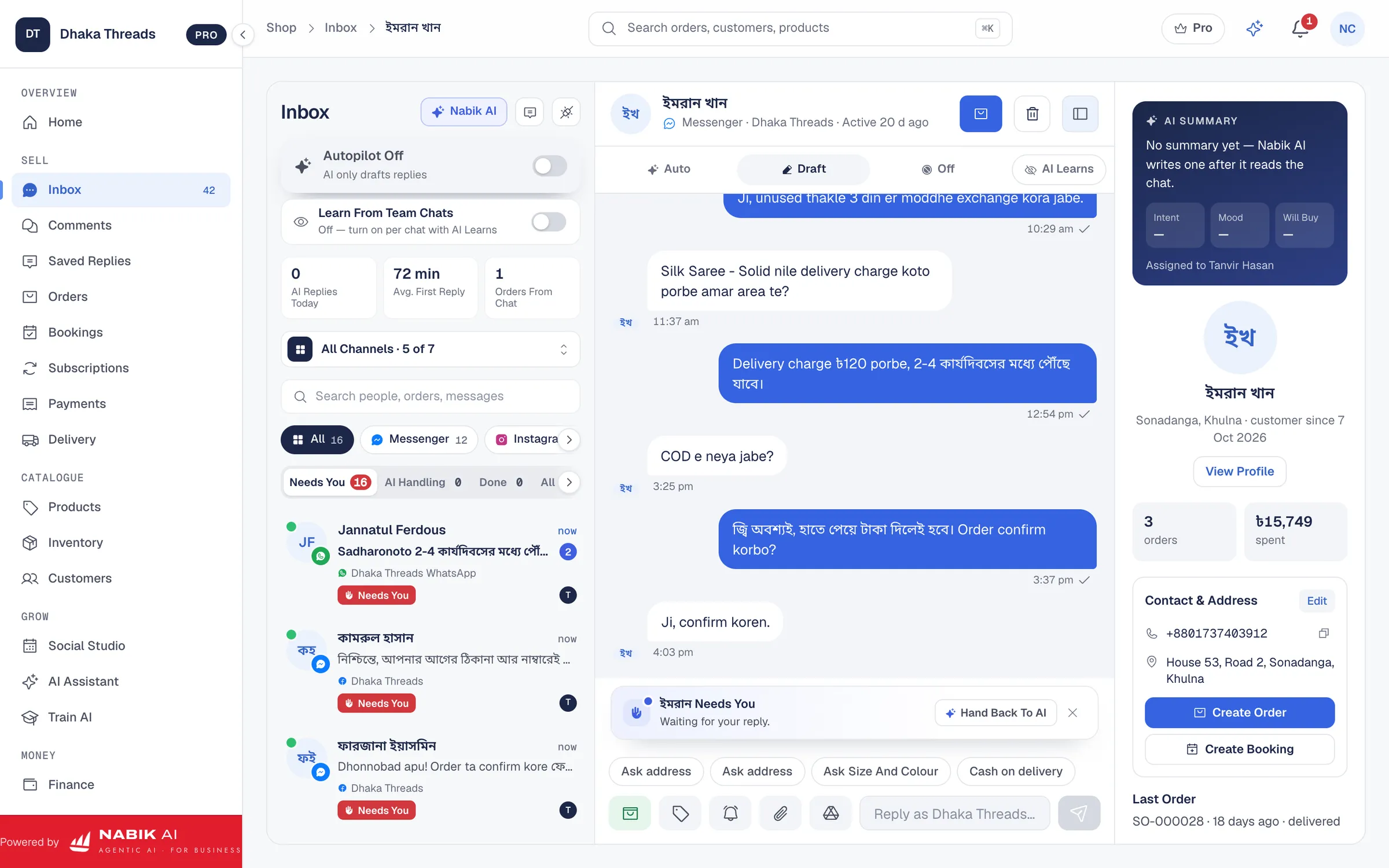
Look for a shared inbox, so Facebook, Instagram and WhatsApp messages and comments come into one screen. That lets you and staff reply faster during busy evenings or Eid sales. A shared inbox tool like the one in Social Inbox also lets you see who already talked to the customer, so you avoid double replies or missed follow-ups.
Language is just as important. Your customers will write, “vai, stock asey?”, “apa, cash on delivery hobe?” and long Bangla voice messages. Check if the software supports Bangla input well, handles Banglish names correctly and lets you save quick replies in Bangla, English and Banglish.
During demo or trial, act like a real customer. Message your Page in Bangla, comment under a post, and DM your Instagram in Banglish from your personal account. See how these messages appear inside the tool, how fast you can reply and how easy it is to switch between customers without confusion.
- Confirm official connection for Facebook, Instagram and WhatsApp, not just email notifications.
- Check if Page comments also come into the inbox, not only private messages.
- Make at least 5–10 test messages in Bangla and Banglish from different channels.
- Ask if there is a mobile-friendly version so you can reply from phone on the go.

What Order, COD And Courier Features Should You Demand?
Most Bangladeshi f-commerce shops run on cash on delivery, fragile customer trust and multiple couriers. So your software must make order taking and delivery handling very simple. If you still need separate notebooks or Excel to track orders, the tool is not doing its job.
At minimum, the order system should: create an order directly from a chat, store customer name, phone, full address (including thana and district), product, size/colour, price, delivery charge and payment method. A system like Order Management is built around this idea. You should be able to see order statuses like “Pending”, “Confirmed”, “Shipped”, “Delivered” and “Returned” at a glance.
For COD, check if you can set different delivery charges for Dhaka and outside Dhaka, and mark partial or full advance via bKash or Nagad. Many shops now take small advance to reduce fake orders and returns. Your checklist should include: “Different delivery charge zones”, “Advance payment option” and “Easy way to mark paid/unpaid”.
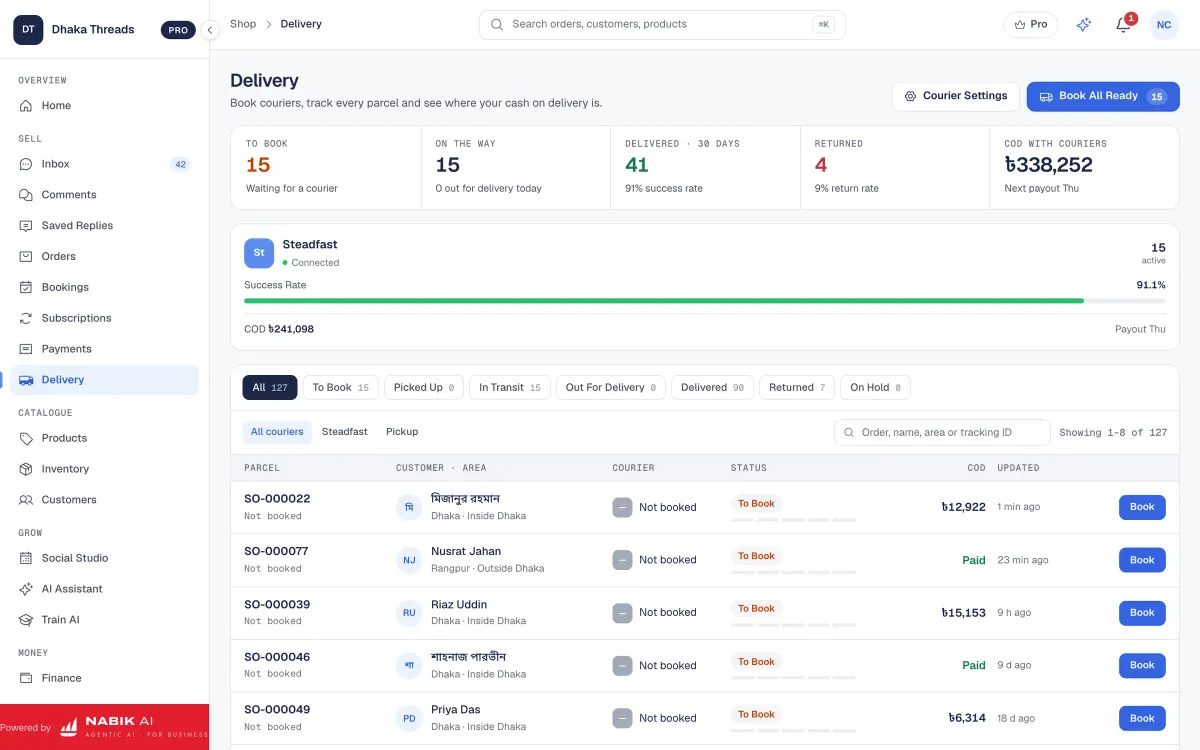
On courier side, ask if the software connects directly with popular courier APIs or if you have to book parcels manually. Tools with courier integration, like Courier Integration, let you create parcel slips and tracking IDs from inside the order screen. Even if you are not ready yet, plan for a future where you use more than one courier and need to see basic tracking inside your system.
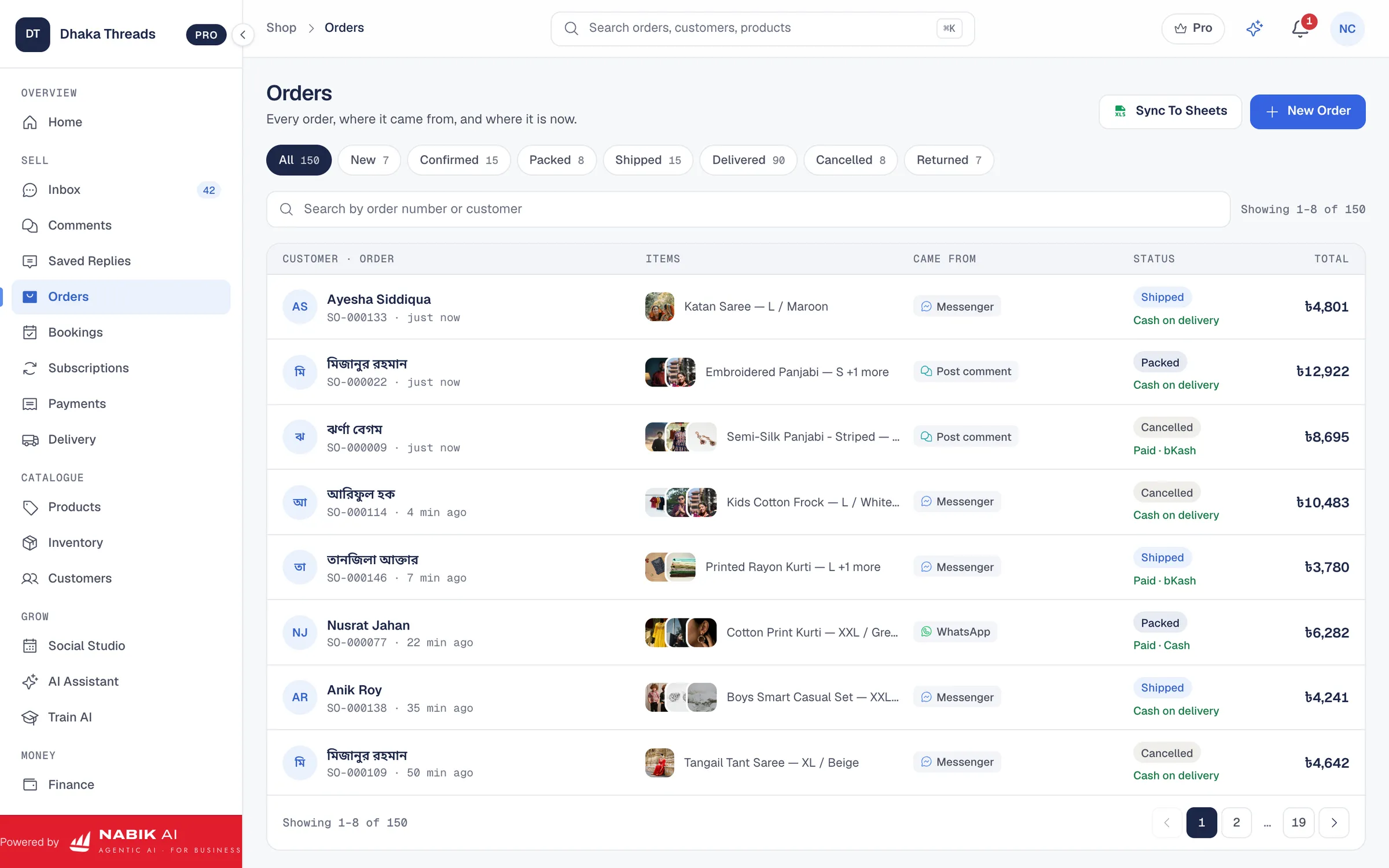
- Must-have: create orders from chat in 2–3 clicks, not manual typing every time.
- See full order history for a customer when they message again.
- Set different delivery fees and COD rules for Dhaka vs outside Dhaka.
- Export orders to Excel if you ever change tools or need backups.
How Should Inventory And Money Features Work?
Even small Facebook shops in Bangladesh now carry many sizes, colours and designs. Without proper inventory tracking, you risk telling three customers “stock asey” for the last piece. Good f-commerce software should give you one stock pool for every channel and clear low-stock alerts.
Check if the tool lets you set stock per product variant, such as size and colour. An inventory system like Inventory Management helps you see when a size is almost finished so you can stop promoting it or reorder. Your checklist should say: “One stock pool for Facebook, Instagram, WhatsApp and website” and “Stock automatically reduces when I mark an order as confirmed or shipped”.
On finance, you do not need full ERP at the start, but you do need basic control. This usually means: daily sales total, COD receivable from each courier, advance payments taken by bKash/Nagad, and simple profit view. If you are or plan to be VAT-registered, check if the software supports NBR formats such as Mushak 6.3, like the features in Accounting & VAT.
Ask how you can get your data out if needed. Can you download sales and expense reports as Excel or CSV? If you switch tools later, you will not want your past orders, customers and VAT records locked inside some system you no longer use.
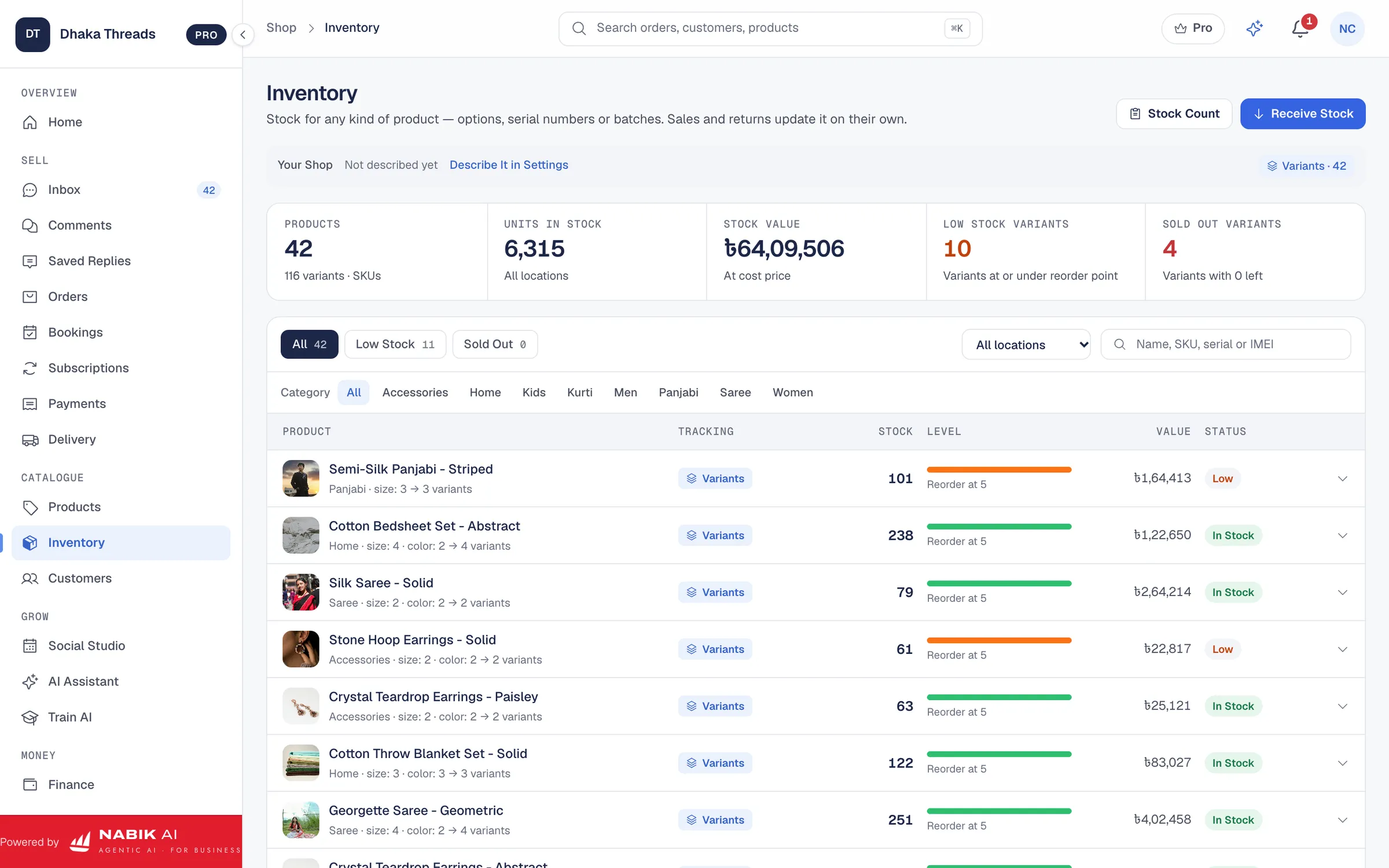
- Confirm: “One stock pool for all channels”, not separate stock per channel.
- Check for size/colour variants, not just single product count.
- Look for low-stock alerts before you run Facebook or Instagram campaigns.
- If you collect VAT, ask to see a sample VAT report or Mushak 6.3 output screen.
Do You Really Need AI And Automation Tools Now?
AI and automation can be very helpful for Bangladeshi shops that get many repeat questions like price, size, colour, delivery time and location. But you should add AI on top of a solid basic system, not instead of it. Your first question is, “Will this AI actually understand Bangla and Banglish from my customers?”
An AI chatbot should answer from your own products, prices and policies, not random internet information. It should also hand over to a human smoothly when the question is complex or the customer is angry. Tools like Facebook AI Chatbot are designed exactly for this use case, including Bangla and Banglish replies.
Automation is not only for replies. Look for simple, safe automation first: auto-tagging customers, saving frequent replies, creating draft orders when someone sends their name, phone and address, and sending basic follow-up messages for pending payments. Check if these automations are easy to edit and pause during sensitive times like big sales or when your courier is overloaded.
On your checklist, mark AI and automation as “optional but high impact” if you receive more than 50–100 messages per day or you get many late-night queries. If your current volume is small, choose software that can add AI later, so you do not have to change system when your Page grows.
- Ask to see real Bangla/Banglish example replies from the AI, not only English ones.
- Check that you can approve or edit AI messages at the beginning if you are not comfortable with full automation.
- Confirm there is a clear ‘stop’ or ‘pause’ button for automation during crises.
- Make sure AI answers come from your own data, not guessed prices or policies.
How Do Pricing And Hidden Costs Really Work?
Many shop owners in Bangladesh only look at the monthly subscription price and then get surprised by extra costs. Your checklist must cover the full cost of using any f-commerce software for at least six months. That includes extra users, AI usage, WhatsApp charges, integrations and support.
Create a small table while comparing tools, like the example below. Fill it with numbers or notes for each software you are checking. Remember that a cheaper monthly fee with high per-order charges can cost more than a higher flat fee with zero hidden extras.
Also, check how payments work: bKash, Nagad, card or bank transfer. For Bangladeshi small businesses, easy bKash or Nagad payment is usually more practical than international cards. If a tool makes payment difficult, you will delay renewals and risk losing access during busy times.
Finally, check contract terms. Can you stop anytime, or is it a yearly lock-in? Can you download your data before you leave? A transparent Pricing page with clear plan limits, like number of users and channels, is usually a good sign that the company will not surprise you later.
- Write down all potential cost items before you talk to sales teams.
- Compare at least two tools side by side using the same cost checklist.
- Ask directly: “What other charges might appear on my bill after three months?”
- Avoid tools that cannot give you a clear written answer about extra costs.
| Base monthly fee | Note the amount and what features are included. |
|---|---|
| Extra users or staff | Check cost per extra login if your team grows. |
| AI or automation usage | Ask if replies or messages have separate limits or fees. |
| WhatsApp or SMS charges | See if there are per-message fees on top of the subscription. |
| Courier or payment integrations | Confirm if there are setup or per-order integration fees. |
| Training and support | Ask if onboarding, training or priority support cost extra. |
How Should You Test Any F-Commerce Software Before Paying?
A proper test is more than just clicking around a dashboard for ten minutes. In Bangladesh, your real test is one full working day’s flow: evening rush messages, COD confirmations, courier bookings and next-day follow-up. Design a simple but realistic test plan before your free trial starts so you do not waste the trial period.
Start with your busiest channel, usually Facebook Page inbox and comments. During trial, handle real customers from inside the new tool for at least a few hours. If your staff complains that it is slower or more confusing than Facebook itself, note that down. Your checklist should include their feedback, not just your own impression.
Next, run at least 3–5 real or fake orders end-to-end: chat to order, order to courier, courier to delivery/return. Record how long each step takes and where mistakes appear (wrong address, wrong price, missed status change). Do the same for one refund or exchange scenario, since these are common in Bangladesh with clothing and cosmetics.
Finally, test on mobile data and average Bangladeshi internet speeds, not only fast office Wi‑Fi. Many shop owners and staff reply from phones while on the move. If the system feels heavy or hangs often on 4G, it will be painful during Eid rush or load-shedding.
- Prepare 5–10 typical customer messages you get every day and replay them in the trial.
- Include at least one outside Dhaka delivery with full address and thana.
- Time how long it takes to create an order and book a courier compared to your current method.
- Take written feedback from any staff who used the system during trial.
Step 1: Plan Your Trial Week
Choose a 3–5 day period when you expect normal or slightly busy sales, and commit to using the new tool as your main inbox and order system.
Step 2: Run Real Conversations And Orders
Tell your team to reply from inside the software, not from Facebook or WhatsApp directly, and create real orders from those chats.
Step 3: Review And Decide
At the end of the trial, review notes on speed, mistakes and staff comfort, then compare them against your original problem list and budget.
How Does Nabik AI Fit This Checklist For Bangladeshi Shops?
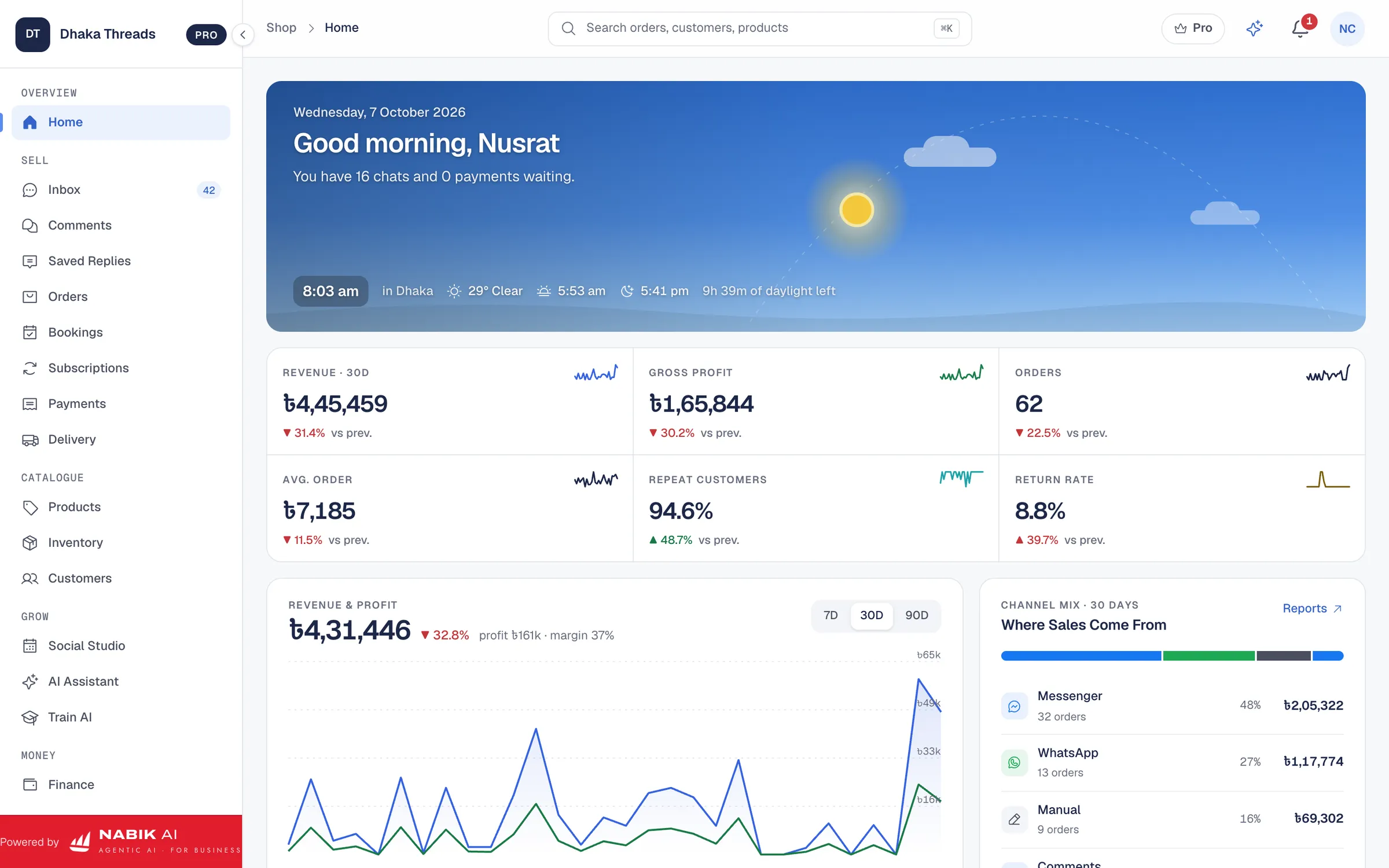
Nabik AI is web software made in Bangladesh exactly for shops that sell on Facebook, Instagram, WhatsApp and their own websites. It is built around the same checklist we have discussed: shared inbox, chat-to-order workflow, COD and courier handling, one stock pool, basic finance and optional AI help in Bangla, Banglish and English. You can run it in a browser on desktop or phone, with plans priced in taka and starting from a free tier.
For your inbox checklist, Nabik AI offers a one-inbox view for Messenger, WhatsApp, Instagram and Page comments, similar to the description in Social Inbox. You and your staff can reply from there, see past chats and create orders directly from conversations. Its AI agents can answer common questions from your own product list, prices and policies, then hand over to a person when needed.
For order and delivery, Nabik AI includes an order module like Order Management with COD, different delivery charges for Dhaka and outside Dhaka and integration with courier systems described in Courier Integration. Inventory features like Inventory Management keep one stock pool across every channel. Finance tools combined with Accounting & VAT help you track sales, courier dues and NBR VAT, including Mushak 6.3.
You teach Nabik AI by chatting with it about your products and rules, and it learns from every correction. Pro plans start from ৳999 per month and Business plans from ৳3,780 per month, with details on the Pricing page. The app is at app.nabik.ai and sign-up is at https://app.nabik.ai/signup, so you can test it against your own checklist before deciding if it fits your f-commerce business.
- Use Nabik AI’s free plan to run your trial checklist with real conversations and orders.
- Start with human replies only, then slowly enable AI agents on common questions.
- Set up your products and stock once to use across Messenger, WhatsApp, Instagram and your website.
- Review reports weekly to see if reply time and missed-order rates are improving.
FAQ
What is the most important feature in f-commerce software for Bangladeshi shops?
For most small shops in Bangladesh, the most important feature is a clear, shared inbox that brings Messenger, WhatsApp and Instagram messages into one place. If you cannot see and reply to all customer messages quickly, even the best order and inventory features will not matter.
Do I need inventory software if I only sell on Facebook and WhatsApp?
Yes, you probably do, especially if you sell clothing, cosmetics or gadgets with sizes and colours. A simple inventory system with one stock pool across channels helps you avoid overselling, angry customers and expensive return deliveries.
Can I start with manual methods and add software later for my f-commerce business?
You can start with manual notebooks and Excel, but it becomes painful once you cross even 10–15 orders a day. It is usually better to adopt a basic f-commerce system early, so you grow into it instead of trying to move hundreds of customers and orders at once later.
How much should I budget monthly for f-commerce software in Bangladesh?
Budgets vary, but many Bangladeshi shops spend less than the profit from a handful of orders per month on software. Focus on whether the tool saves enough time, reduces COD returns and prevents stock mistakes so that it clearly pays for itself.
Is AI customer service safe for my Facebook Page?
AI can be safe if you keep control and use tools that are trained only on your products and policies. Start with AI suggestions that you approve before sending, then slowly turn on more automation once you trust how it answers and you have clear fallbacks to a human agent.
Can I change f-commerce software later without losing my data?
Yes, if you plan ahead and choose tools that let you export customers, orders and reports to Excel or CSV. Always check data export options before you sign up, and keep regular backups so you are free to switch when your business needs change.