Chatbot Or Agent: What Is The Difference?
A classic Facebook chatbot follows a script: press a button, get a fixed message. It cannot tell a customer whether size 42 is still in stock, because it never looks.
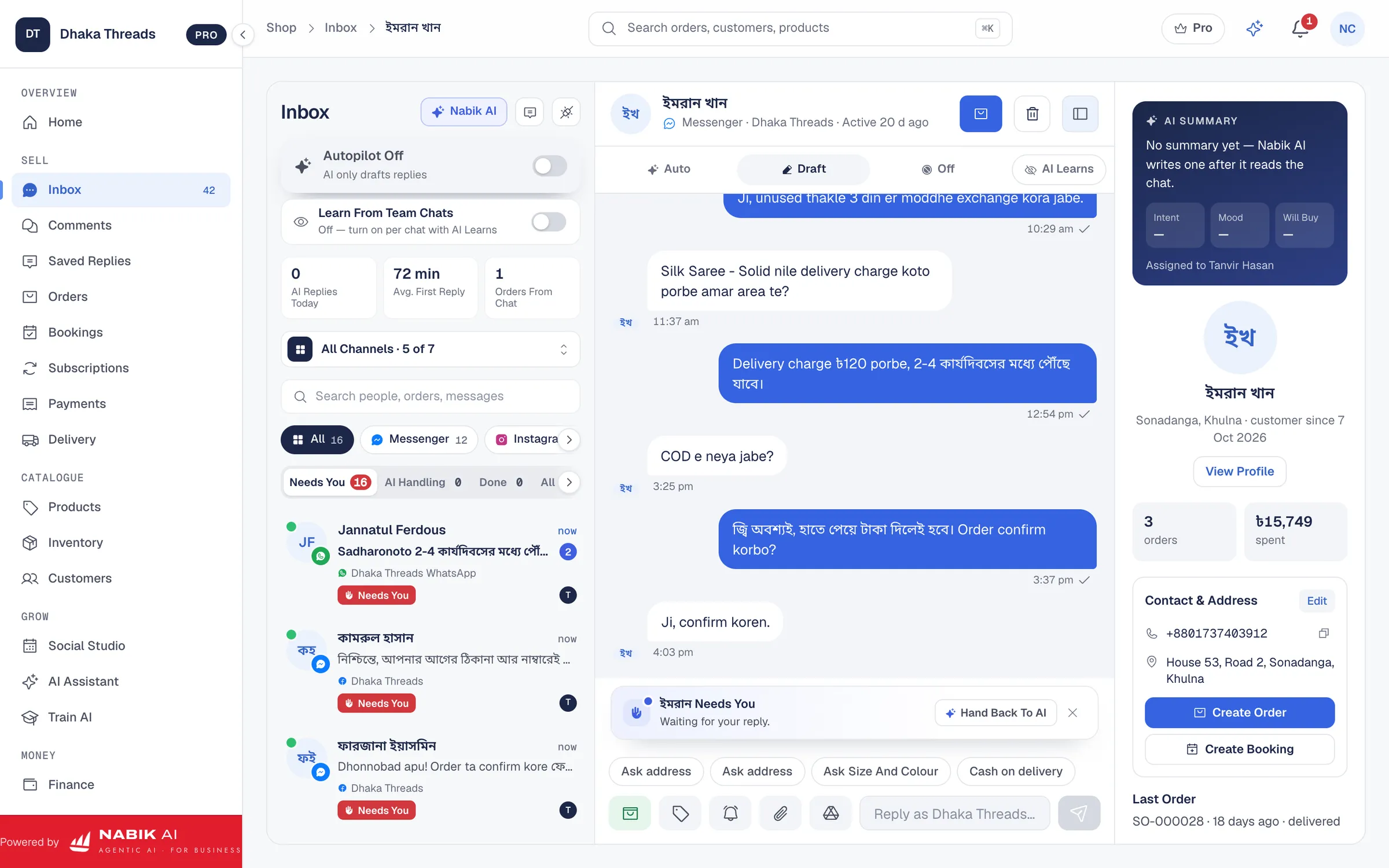
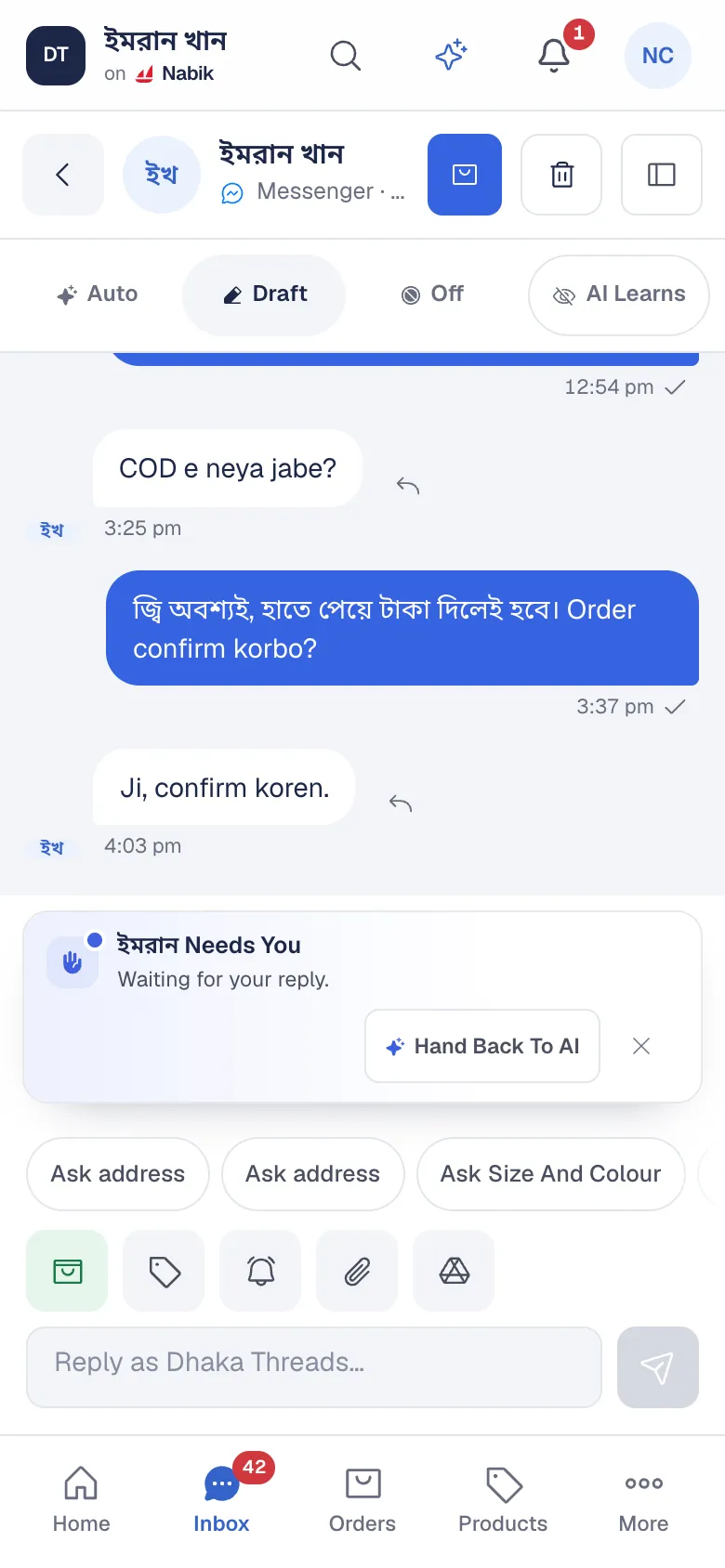
An AI agent works from your data and takes the next step. Nabik AI reads the question, checks the product, the variant and your delivery charges, answers, and when the customer is ready, creates the order. It still asks before it acts and stops when it is unsure.
What The Agent Does On Your Page
A typical chat, from first message to order:
Understands The Question
A customer writes “Ei panjabi ta 42 size ache? Dhakar baire delivery koto?” The agent recognises the product, the size and the two questions.
Checks Your Real Data
It looks up live stock for size 42, the price and your delivery charge outside Dhaka. If the product is not in your catalogue, it does not invent one.
Answers And Asks For What Is Missing
It replies with the price, stock and delivery charge, then asks for the name, phone and address one question at a time.
Confirms Before It Acts
It sends one order summary and waits for a yes. Only then is the order created, with the chat attached.
Hands Over When It Should
A request outside your policies goes to your team, marked Needs You, with a bell in the app.
Trained On Your Shop, Not The Internet
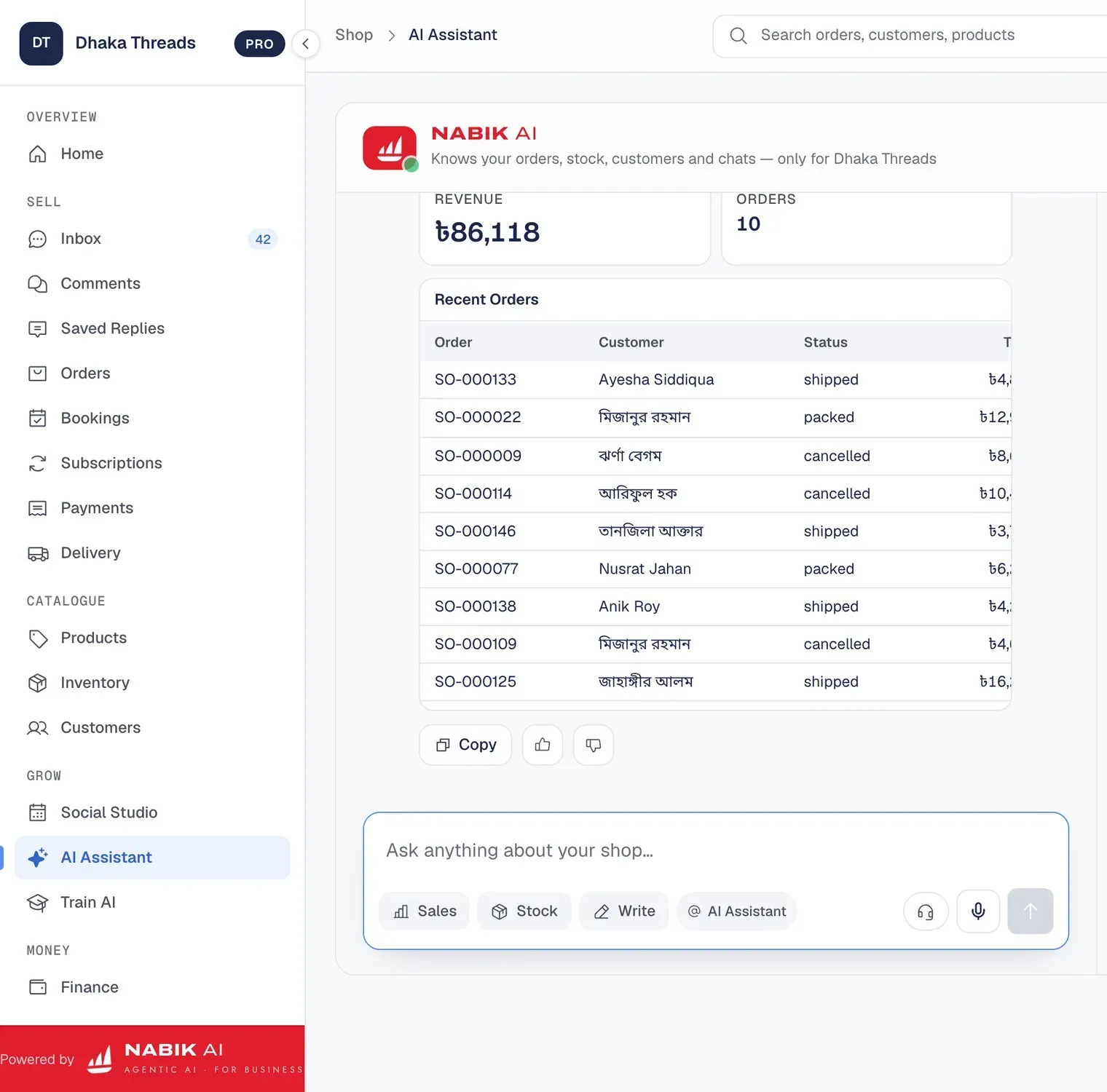
The agent answers from your products, prices, stock, delivery charges and policies. Tell it your rules on Train AI, and when you correct a reply, the correction becomes a fact or rule you can approve, so the same mistake does not come back.
Try As Customer lets you chat with the agent yourself before any real customer does.
You Decide How Much It Does
With Autopilot Off the agent drafts each reply and your team sends it. With Autopilot On it replies on its own. You also choose when it replies: after hours only, only the first reply, or every chat, and which channels it may answer.
Facebook Software For The Whole Shop
The agent is one part of Nabik AI. Around it sits the rest of the Facebook software a Page shop needs, on one screen:
- One inbox for Messenger, Page comments, Instagram and WhatsApp, shared by your team
- Comment replies, private replies and automatic hiding of spam and phone numbers
- Scheduled posts with AI captions and AI product pictures in Social Studio
- Orders, stock, courier booking and cash on delivery from the chat to the courier’s payment
Connect Your Page Safely
Your Page connects through your own Meta app with its App ID and App Secret, using Facebook’s official APIs, in guided steps with a video. Nabik AI never asks for your Facebook password.
Every new shop starts with a free Pro month, no card needed. Agent replies use AI credits, charged at cost plus a small margin; a short reply usually costs a fraction of a credit.
Questions People Ask
What Is A Facebook AI Agent?
An AI that works on your Facebook Page like a trained salesperson: it answers Messenger and comments from your real shop data, takes the order after the customer agrees and hands hard chats to your team.
Is It Different From A Facebook Chatbot?
Yes. A chatbot follows fixed buttons and messages. The agent reads free-form Bangla, Banglish and English, checks stock and prices, and creates the order.
Can It Answer Facebook Comments?
Yes. It can answer Page comments publicly or move the buyer into Messenger with a private reply, and hide spam and phone numbers.
Do I Need To Give My Facebook Password?
No. Your Page connects through your own Meta app with its App ID and App Secret. Nabik AI never asks for your password.
Can I Approve Replies Before They Go Out?
Yes. With Autopilot Off the agent only drafts replies. Switch Autopilot On when you trust the answers.