Why Facebook Page Inbox Management Breaks Down
A busy shop gets messages from everywhere. Messenger on the Page, a comment under yesterday’s post, an Instagram message, a WhatsApp number printed on the parcel. Staff switch between apps, two people answer the same customer, and a comment asking for the price sits unread for two days.
The cost is not only lost sales. It is the customer who asked the same question twice because nobody could see the earlier chat.
Messenger, WhatsApp And Instagram In One Inbox
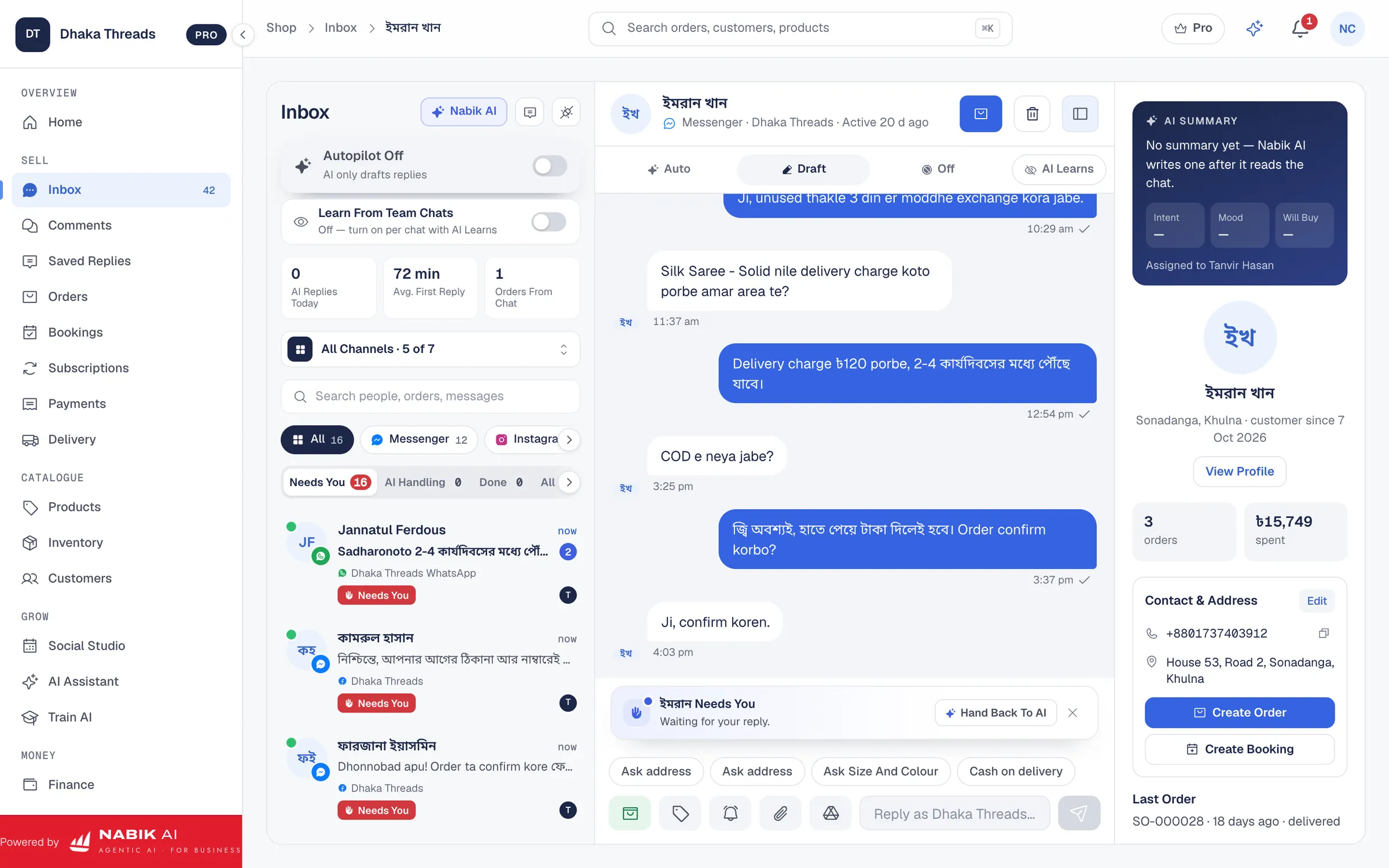
Nabik.ai brings Messenger, Instagram, Page comments and WhatsApp into a single inbox. Every conversation shows the customer, the channel, the latest message and who is handling it. Open one and you see the whole history, the customer’s earlier orders and their notes.
You connect the channels you use from Settings. The Free plan connects one Facebook Page or Instagram account, Pro connects three Pages and numbers including one WhatsApp number, and every connected channel feeds the same inbox.
- One list for messages and comments, with the channel shown on every conversation
- The customer’s history, orders and notes beside the chat
- Product cards you can send in a message
- Saved replies for the questions you answer every day
A Facebook Comment Reply Tool That Does Not Lose Sales
Comments under a post are often the first sign of a buyer: “price?”, “inbox”, “available?”. In Nabik.ai they arrive in the same inbox as messages, so a comment is not forgotten. You can reply publicly, or send a private reply that moves the customer into Messenger.
When AI comment replies are switched on, Nabik AI can answer the simple ones for you, such as price and availability, and pass the rest to a person. You decide which comments it may answer.
Teamwork: Assign, Note, Snooze And Follow Up
Assign a chat to a teammate so two people never answer the same customer. Leave an internal note that only your team can see, for example “customer wants the red one only after Friday”. Snooze a conversation until the customer is due to reply, and set a follow-up so it comes back to the top at the right time.
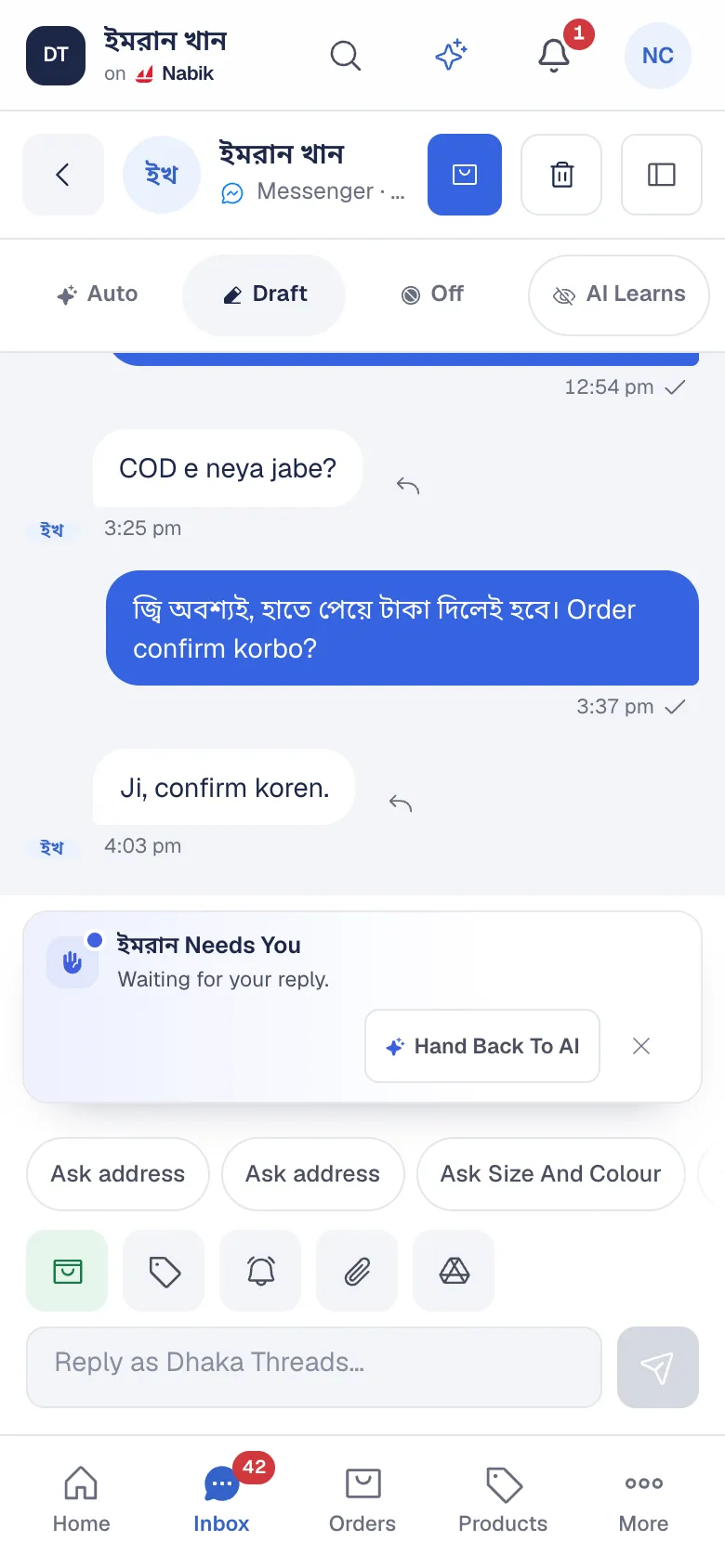
Chats that need a person are marked Needs You, so the team starts with the ones that matter. Pro includes five team members and Free includes two.
Turn A Chat Into An Order
When a customer says yes, create the order from the conversation. Product, quantity, name, phone and address come across, and the chat stays attached to the order. Nabik AI can fill the order form from the chat for you, and your team checks it before it is saved.
From there the order follows the normal path: confirmation, invoice, courier booking and cash on delivery. If the customer starts a service or appointment instead, you can create a booking from the same chat.
Let Nabik AI Take The First Reply
Nabik AI can answer in Bangla, Banglish or English from your own products and policies, and hand the chat to your team when it is unsure. Start in Suggest mode, where it writes and your team sends, and move to automatic replies when you are comfortable.
Built For The Busy Days
On an ordinary day an inbox is manageable. In the week before Eid it is not. Saved replies cover the questions you answer fifty times a day, Needs You puts the chats that matter first, and Nabik AI can take the first reply so a customer is never left waiting while your team is packing.
Because every message, note and order sits in one place, a new team member can pick up a conversation without a handover call.
Questions People Ask
Which Channels Can I Put In The Inbox?
Facebook Messenger and Page comments, Instagram and WhatsApp. How many you can connect depends on your plan: Free connects one Page or Instagram account, and Pro connects three Pages and numbers including one WhatsApp number.
Can My Team Work In The Inbox Together?
Yes. You can assign conversations, leave internal notes, snooze and set follow-ups. Free includes two team members and Pro includes five.
Can I Reply To Facebook Comments From Nabik.ai?
Yes. Comments arrive in the inbox, and you can reply publicly or send a private reply into Messenger.
Can I Create An Order From A Chat?
Yes. Create the order from the conversation, and the customer’s details and the chat come across to the order.