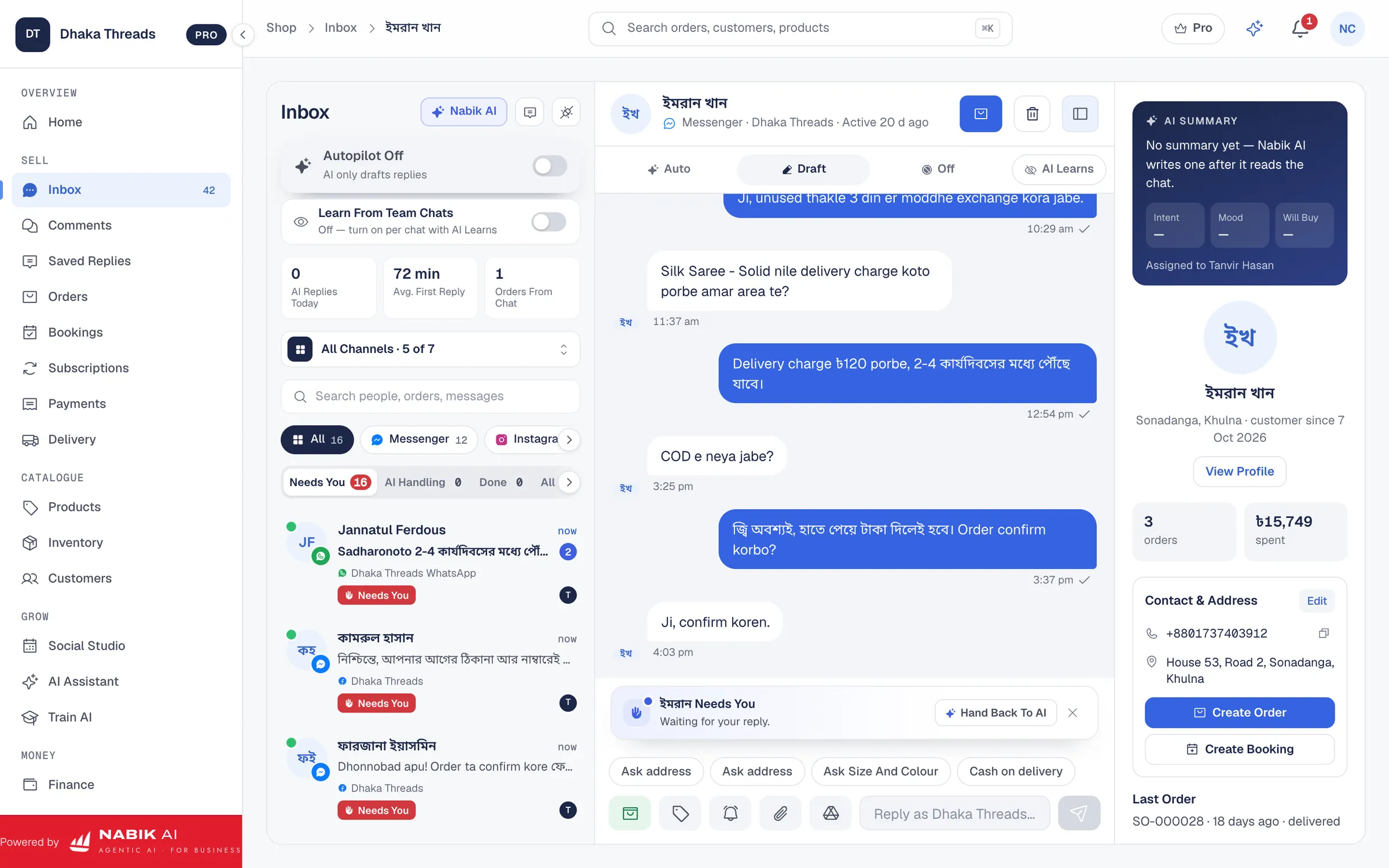
To automate facebook messages for your Bangladeshi shop, start with simple instant replies and then add AI for common questions. This gives customers fast answers in Bangla, Banglish or English while you and your team handle only the tricky chats.
When you do it properly, you stop missing inbox messages at midnight, reduce copy-paste work for staff and still keep control of refunds, complaints and bargaining. This guide shows you a practical, low-risk rollout plan you can follow over a few weeks.
Key Takeaways
- Automate Facebook messages first for greetings, FAQs, delivery details and order status while keeping complaints, refunds and complex cases with people.
- Use Facebook’s built-in instant replies and away messages as your base, then add AI that understands Bangla, Banglish and English and knows your prices and stock.
- Define clear rules for when chats must go to a human, especially for high-value orders, angry customers and special discounts.
- Roll out automation in stages over 3–4 weeks, starting with limited hours and common questions, then expanding as you gain confidence.
- Tools like Nabik AI help you run an AI Messenger agent trained on your own products, with one inbox, orders, inventory and pricing in taka.
Why Should You Automate Facebook Messages?
If you sell on Facebook from Bangladesh, your inbox is probably full of “size ase?”, “outside Dhaka delivery?”, “bkash ache?” all day and night. Answering the same questions again and again wastes time, and if you reply late, customers often buy from another Page instead.
Automation fixes this by giving every customer a fast, polite reply, even at 2am, without you staring at your phone. Your team then spends time on real selling, not just copy-pasting delivery charges or payment details.
For a typical F-commerce or small brand, automating Facebook messages means three things: instant greetings, auto replies for common questions and an AI assistant that can read your product list, prices and stock. Done right, customers feel you are more professional, not less human, because they get clear answers quickly.
The key is balance. You want the system to handle simple, repeat questions, and hand over to a person for complaints, refunds, bargaining and sensitive money issues. This guide will show you how to set that balance for a Bangladeshi shop, step by step.
What Parts Of Messenger Should You Automate First?
You do not need to automate everything on day one. Start with the parts of your Facebook messages that are simple, repetitive and low-risk if the wording is slightly off.
For most Bangladeshi shops, the first priority is a greeting and basic info. When a customer messages “Hi” or just sends a product picture, your automated reply can share your opening hours, delivery coverage (Dhaka vs outside Dhaka) and how long it usually takes to get a reply from a person.
Next, automate common FAQs. These are questions like courier options, delivery charge by area, cash on delivery rules, exchange and size guide for clothing, or “how to order”. Your auto reply or AI can answer these the same way every time, which is often better than different admins saying slightly different things.
You can also safely automate order status checks. If your system knows the order ID and courier, the bot can answer messages like “amar parcel koi?” with tracking info or expected delivery date. This reduces pressure on your team, especially during Eid and sale campaigns.
- Greeting and basic shop info
- Delivery areas and courier options
- Delivery charges inside and outside Dhaka
- Payment methods like bKash, Nagad and cash on delivery
- Exchange/return time limits and conditions
- Order status tracking and "where is my parcel" questions

How Do You Set Up Basic Instant Replies And Away Messages?
Before you bring in AI, use Facebook’s own tools for instant replies and away messages. These handle the basic “we got your message” and “we are closed now” responses without any extra software.
Inside your Page’s messaging settings you can set an instant reply that goes to anyone who messages you. Keep it short and useful. For example: “Thanks for your message! We usually reply within 15–30 minutes between 10am–10pm. For faster help, please send: product screenshot, size, colour, full address, phone number.”
Away messages are for when you and your team are offline, like 11pm–9am or during Jummah. Instead of silence, customers get a clear expectation: “We are currently away and will reply tomorrow after 10am. You can still place orders by sending your name, phone and address now.” This reduces pressure to be online 24/7, but customers still feel looked after.
If you are not comfortable clicking around the Page settings, follow a step-by-step guide such as our Bangla-focused tutorial on setting an auto reply on a Facebook Page. Once instant and away replies are working, you have a strong foundation for deeper automation later.
- Always mention your normal reply time and working hours.
- Ask for key details in the instant reply so you do not have to chase later.
- Update your away message during Eid holidays or unexpected closures.
Which Messages Should Still Go To A Person?
Automation is powerful, but some types of Facebook messages are too sensitive or complex to leave fully to a bot. If you automate everything, you risk angry customers, wrong promises and public comment drama on your Page.
As a rule, any message that involves strong emotion, big money or special cases should go to a human. This includes complaints, refunds, exchanges with problems, and bargaining for large orders like wedding outfits or bulk electronics.
You can still let the bot do the first reply: “Sorry you faced a problem. One of our team members will check this and reply within 30 minutes.” After that, a person should take over the chat, listen properly and decide what to do. Your system should make that handover very clear so the customer knows a real person is now speaking.
Use tags or rules inside your inbox tool so messages with certain words (“cancel”, “faulty”, “broken”, “wrong size”, “refund”, “complain”) are highlighted for staff. This way your team can jump in quickly before a small issue becomes a Facebook post calling you “fraud seller”.
| Message Type | Can Be Automated? | Notes For Bangladeshi Shops |
|---|---|---|
| Basic product info (color, size, material) | Yes, mostly | Safe to automate from your product data; keep answers short and clear. |
| Delivery charges and areas | Yes | Make sure charges for Dhaka vs outside Dhaka stay updated. |
| Order placement for simple items | Yes, with review | Bot can collect details; staff should quickly confirm before shipping. |
| Order changes, cancellations | Partly, then human | Auto reply can acknowledge; a person should apply the change. |
| Complaints and faulty products | No | Always move to a human; apologise and offer a clear next step. |
| Refunds and complex exchanges | No | Policy is sensitive; staff should decide and explain carefully. |
| Bargaining and special discounts | Mostly no | Bot can share price range; humans handle final “last price” discussions. |
| High-value B2B or bulk orders | No | These need negotiation and custom payment or delivery plans. |
How Can You Use AI To Answer From Real Prices And Stock?
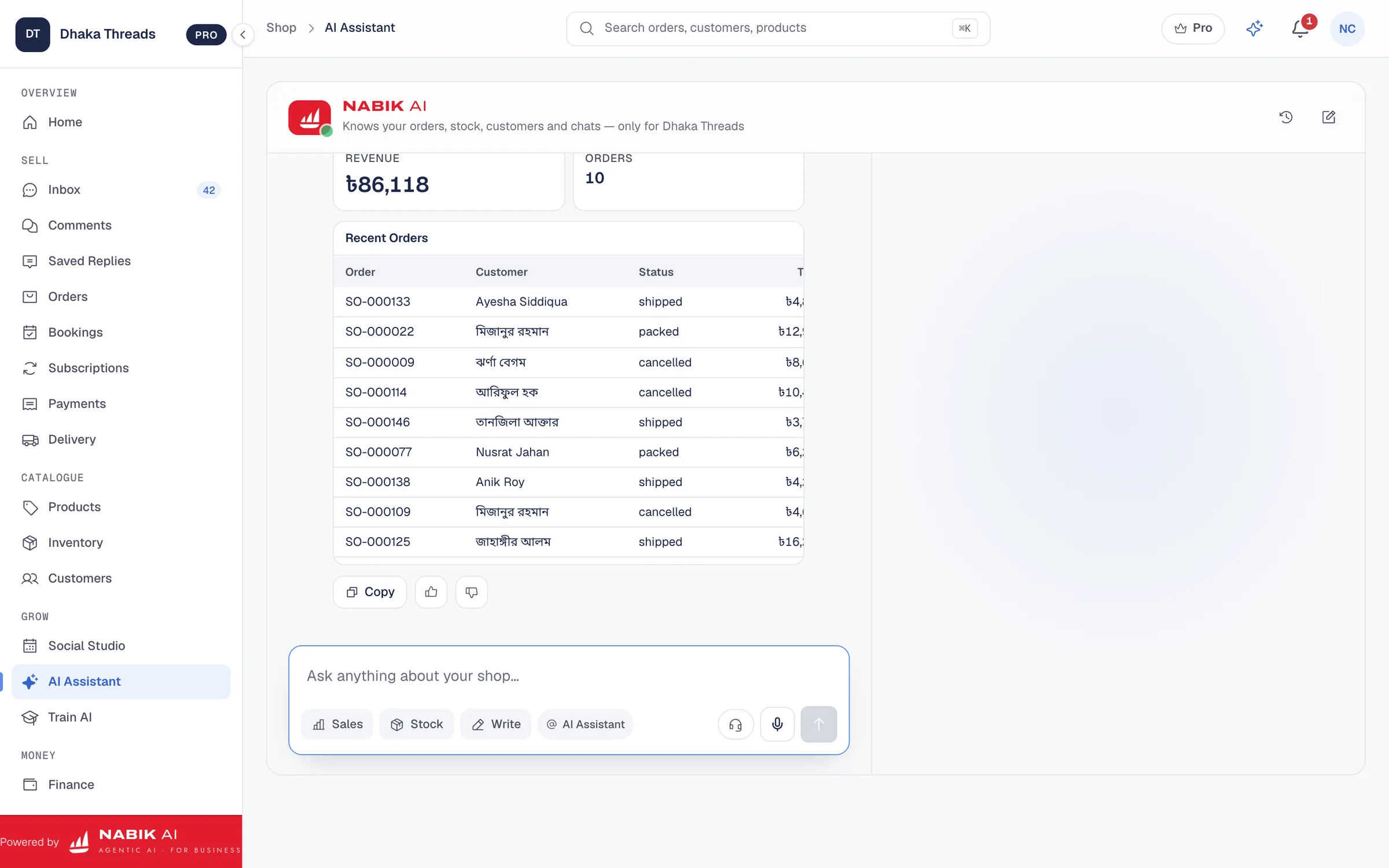
Basic auto replies are useful, but they cannot answer “XL black available?” based on your actual stock. For that you need AI that can read your own product list, prices and inventory and then chat with customers in Bangla, Banglish or English.
Tools like the Facebook AI chatbot for Pages inside Nabik AI are built exactly for this. You load your products, variations and current prices into the system, or connect your existing online shop using the online store integrations. The AI then answers questions directly from that data, not from guesswork.
For example, a customer writes: “Apu, ei panjabi ta L size white colour ase naki?” The AI checks the product, sees which colours and sizes are in stock from your shared inventory, and replies only with real options. If stock goes to zero, the AI stops offering that option. This reduces cases where staff promise something that is actually out of stock.
Because Nabik AI is trained from your own corrections, your team can chat with the AI and fix mistakes. Over time, the AI learns your tone (“vai/apa” style), your normal discount rules and your delivery commitments for Dhaka vs outside Dhaka. That keeps your automated messages close to how you would personally reply.
- Connect AI to a clean product and price list before going live.
- Include delivery time and courier details in the data you give the AI.
- Review the AI’s early conversations daily and correct any wrong answers.
How Can You Roll Out Automation In 3–4 Weeks?
You do not have to flip a big switch and automate everything overnight. A calm, staged rollout over a few weeks is safer for your brand and easier for your team.
Here is a practical 3–4 week plan that many Bangladeshi shops can follow. Adjust the timing based on how many messages you get per day and how confident your team is with new tools.
By the end of this rollout, your instant replies, FAQs and simple orders can run mostly on their own. Your team will still handle complaints, refunds, VIP customers and complex sales.
Step 1: Audit Your Current Messenger Chats
Spend one or two evenings reviewing last 100–200 chats. Note which questions repeat, which ones lead to sales and which ones are problems. Make four columns on paper: FAQs, order taking, complaints/refunds, special cases.
Step 2: Turn On Instant And Away Replies
Set up your greeting, instant reply and away message as described earlier. Keep the language simple and friendly in Banglish, and be clear about reply times. Run only this for a few days and see if message quality improves.
Step 3: Add Simple FAQ Answers
Use Facebook’s basic Q&A or a chatbot tool to answer 5–10 very common questions automatically, like delivery charge, courier names and payment methods. Avoid money-sensitive topics like refunds at this stage. Monitor how customers react and tweak the wording.
Step 4: Introduce AI For Product Questions
Connect an AI chatbot like Nabik AI to your Page, pointing it to your products and prices. In week one, limit it to answering product details and availability only. Keep your staff ready to jump in if the AI is unsure or the customer seems confused.
Step 5: Connect Orders And Stock
Once product answers are working well, let the AI collect order details (name, phone, address, variation) and create draft orders in your system. Connect inventory so the AI stops selling out-of-stock items. Staff should review and confirm orders, especially for cash on delivery outside Dhaka.
Step 6: Expand Automation Hours
At first, you might use AI only outside office hours and on busy evenings. As confidence grows, allow it to handle first replies all day, with rules that escalate complaints and big orders to humans. Watch daily how many chats needed human help, and adjust your rules.
Step 7: Train Your Team And Finalise Rules
Hold a short meeting to explain which messages are now automated and when staff must take over. Write simple rules like “complaints, refunds, VIP and wholesale customers are always human”. Review and update these rules every month based on new issues you see.
What Common Automation Mistakes Should You Avoid?
The most common mistake is switching on full AI automation for every message from day one. Customers ask about sensitive things like refunds, damaged products or delayed couriers, and a new bot may not handle these well. Always start narrow and keep humans close by.
Another mistake is not updating your prices and stock in the system. In Bangladesh, supplier prices and courier charges change frequently. If your AI or canned replies keep saying “inside Dhaka 60 taka” but you already moved to 70 taka, customers will feel cheated and may refuse the parcel at the door.
Language tone is another issue. If your Page normally talks in friendly Banglish but your bot replies in very formal English, it feels fake. Teach the system with examples like “Vai, inside Dhaka 70 tk home delivery, outside Dhaka 130 tk advance 100 tk bKash.” Then refine based on real chats.
Finally, many shops forget to clearly show when a human has taken over. Customers then blame “robot” even when a staff member made a mistake. Train your team to introduce themselves, for example: “Apu, now I’m Rehen from the support team, checking your issue.” This keeps trust high, even with lots of automation behind the scenes.
- Do not automate refunds and complaints at the beginning.
- Update delivery, price and policy information in your system monthly.
- Match the bot’s tone and language with your Page’s usual style.
- Make it obvious when a real person joins the conversation.
How Does Nabik AI Help You Automate Facebook Messages Safely?
Nabik AI is web software made in Bangladesh for shops that sell on Facebook, Instagram, WhatsApp and their own websites. Its AI agents answer customers in Bangla, Banglish or English using your own products, prices and policies, then hand over to a person when needed.
You connect your Page and WhatsApp to Nabik AI and use the social inbox to see Messenger, Instagram DMs, WhatsApp and Page comments in one place. From that same screen, your AI agent can reply to common questions, and you or your staff can jump in for complaints, refunds or bargaining. The order management tools then turn confirmed chats into orders with cash on delivery, courier booking and order statuses.
Because Nabik AI also has inventory management, the AI can speak based on one shared stock pool across Facebook, Instagram and your website. That reduces overselling and “stock shesh” embarrassment. Finance features with accounting and NBR VAT help you keep a clean record of sales and Mushak 6.3 invoices if you need them.
You teach Nabik AI by chatting with it, and it learns from every correction, so its answers improve over time. Plans start with a Free option, and paid plans like Pro (৳1,990/month) and Business (৳5,990/month) are priced in taka; you can compare them on the pricing page and top up extra AI credits when needed. You can sign up at https://app.nabik.ai/signup and run it in your browser on desktop or phone, which is practical for busy shop owners and their teams.
- One inbox for Messenger, WhatsApp, Instagram and comments.
- AI answers based on your real products, prices and policies.
- Orders, inventory and finance in one system, with NBR VAT support.
- Bangla, Banglish and English conversations that fit your customers.
FAQ
Can a small Facebook Page in Bangladesh really benefit if I automate Facebook messages?
Yes. Even if you get only 10–20 messages a day, automation saves time and makes you look more professional. Instant replies and a few automated FAQs mean customers never feel ignored, even when you are busy in the shop or at the courier.
Will customers get angry if a bot replies instead of a human?
Most Bangladeshi customers do not mind as long as they get clear, honest answers and can reach a person when needed. Tell them transparently in the first reply that an assistant is helping and that a team member is available for problems, refunds or special cases.
How do I handle Bangla and Banglish when I automate Facebook messages?
Use tools that understand Bangla script and Banglish spelling, not only pure English. In your templates, write examples the way your customers talk, like “vai”, “apu”, “tk” and common short forms, so replies feel natural for local buyers.
Can I automate cash on delivery orders safely?
You can let automation collect customer details and confirm the order format, but a human should quickly review before booking the courier, especially for outside Dhaka. Use clear rules like advance payment for high-risk areas and confirm sensitive points such as colour and size manually for expensive items.
How much does it cost to use AI to automate Facebook messages in Bangladesh?
Costs depend on how many chats you have and which tools you use. Nabik AI has a Free plan plus paid plans in taka shown on the pricing page, and you can also review a detailed breakdown in our guide on what an AI chatbot costs in Bangladesh.
How do I make sure my AI chatbot does not give wrong answers?
First, feed it correct, updated product and policy data and keep that data clean. Then, during the first few weeks, check its conversations daily, correct mistakes and use a system like Nabik AI that learns from those corrections and can hand over tricky chats to humans.