You can manage Facebook shop orders without a notebook or Excel by using a simple order management system that tracks every order from message to delivery. In Bangladesh, this can be a proper app or a structured process, as long as you follow clear steps and stop mixing chats, loose papers and random files.
If you want simple facebook order management bangladesh style, you do not need a big ecommerce website. You just need clear data for every order, a routine you and your team follow every day, and one place to see order status, payments and couriers.
This guide walks you through that step by step, using examples from Bangladeshi F‑commerce shops. You will see what to stop doing, what to track, and how tools like Nabik AI can help when you are ready to move beyond manual work.
Key Takeaways
- Stop using notebooks and random Excel files; switch to one structured system for all Facebook, Instagram and WhatsApp orders.
- Track the same core fields for every order: customer, products, price, payment, courier and status from New to Delivered or Returned.
- Create a daily routine: log orders from inbox, confirm, pack, hand over to courier, then update statuses and payments.
- Treat cash on delivery and courier payments like a simple account: what customer pays, what courier collects, and what you receive.
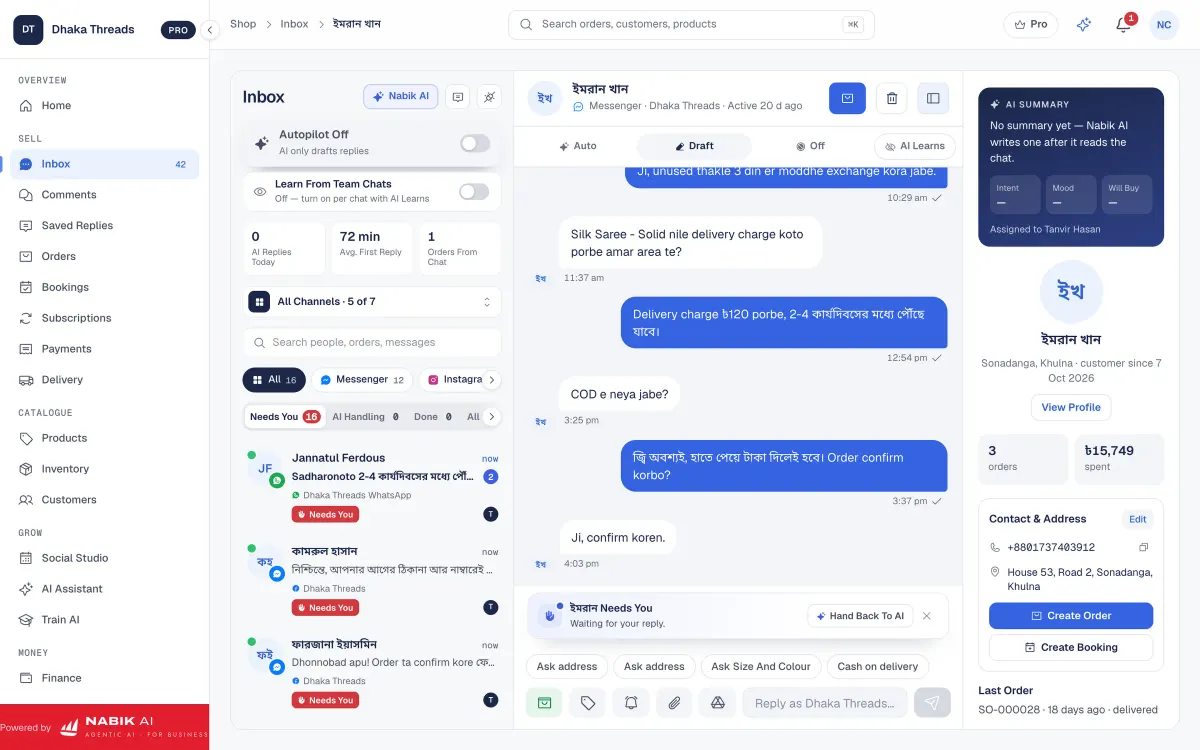
- When you are ready, tools like Nabik AI give you one inbox, order management, courier booking and stock control in one place.
Why Are Notebooks And Excel Dangerous For Facebook Orders?
Notebooks feel easy at the start, but they break as soon as you get busy. You flip pages to find an order, forget to mark something as delivered, or misread a phone number written in a hurry during load-shedding.
Excel or Google Sheets are better, but they still go wrong if several people type at the same time, or if you keep making new files like “Orders June final FINAL (2).xlsx”. When you cannot see the full list of orders by status, you lose parcels, miss follow-ups and fight with couriers about who is wrong.
For Facebook shop sellers, the main risk is simple: you think a customer is confirmed, but the address is wrong, size is mixed, or the order was never even written down from Messenger. That is where returns, bad reviews and wasted courier charges come from.
Before choosing a tool, understand the trade-offs:
| Tool | Good For | Main Problems With Facebook Orders |
|---|---|---|
| Notebook | Very small volume, single seller, offline days | Hard to search, cannot filter by status, easy to forget orders or misread handwriting |
| Excel / Google Sheet | Early-stage F‑commerce with one or two staff | People forget to update status, multiple versions of the file, no link with inbox or stock |
| Proper Order System | Growing shops with daily orders and staff | Needs a little setup and discipline, but prevents most mistakes and missing data |
What Information Should You Track For Every Facebook Order?
To manage orders without mess, first decide exactly what you will record for every single order. Whether you use a basic sheet or a full order system, the fields must be the same every time.
For Bangladeshi F‑commerce shops, a minimum order record should include:
Once you fix these fields, never take a new order without filling all of them. Tell your team clearly: “Jokhon order nebo, ei sob field na thakle order complete na.” That one rule alone cuts many mistakes and fake orders.
- Order ID (simple running number, e.g. 2026-0001)
- Order date and time
- Customer name and mobile number (WhatsApp / bKash number if different)
- Full address (area, thana, district; mention Dhaka/outside Dhaka)
- Channel (Facebook Inbox, Comment, Instagram, WhatsApp)
- Product details (name, colour, size, quantity, variant)
- Price per product and total product amount
- Delivery charge (inside Dhaka / outside Dhaka)
- Payment method (Cash on Delivery, bKash, Nagad, card, bank)
- Advance amount, if any
- Courier name and tracking/consignment number
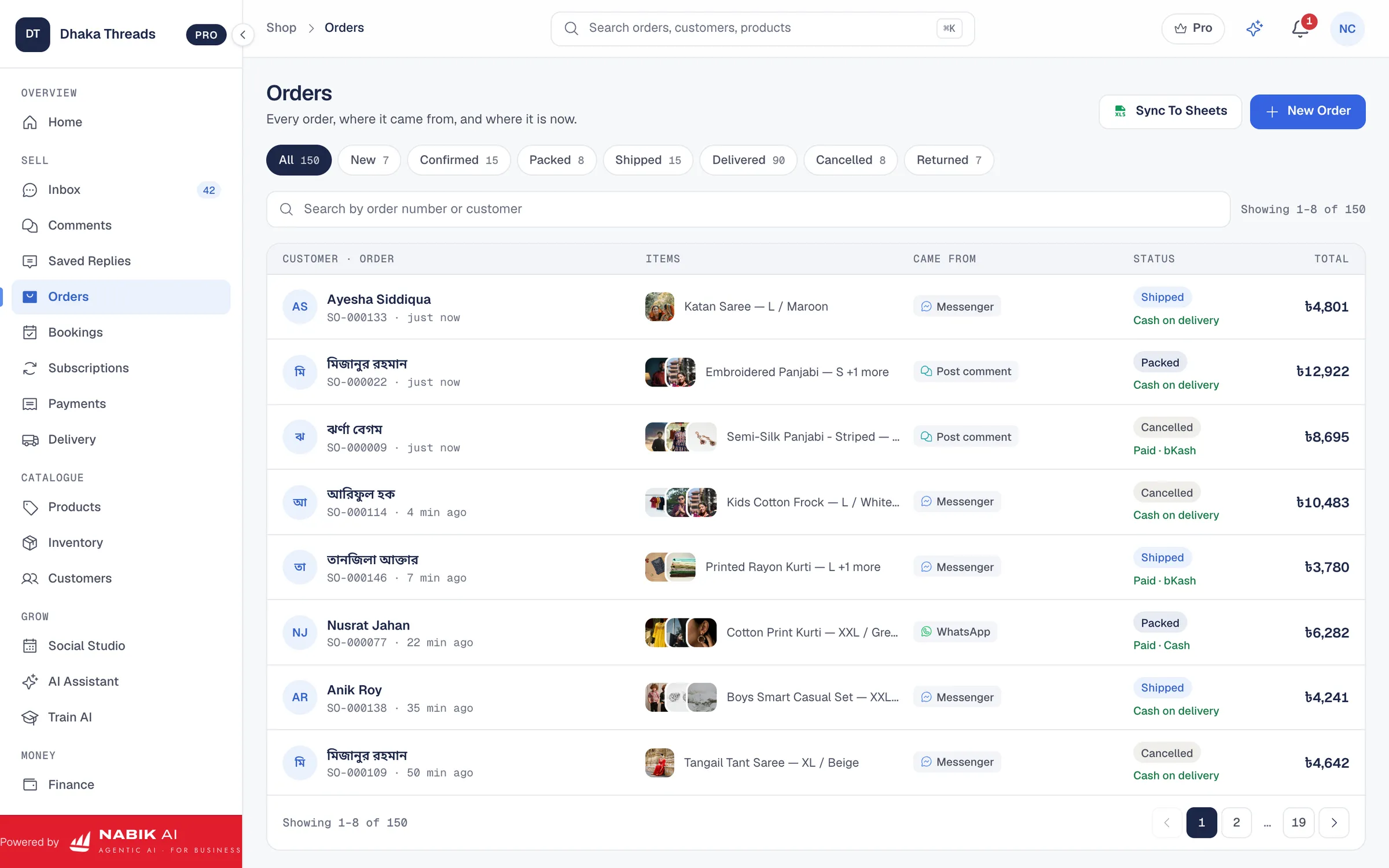
- Order status (New, Confirmed, Packed, Shipped, Delivered, Returned, Cancelled)

What Should Your Daily Facebook Order Workflow Look Like?
Once you know what to record, build a simple daily workflow and follow it every day. The goal is: every customer message becomes either a clear order or a clear "no", and nothing gets lost in Messenger or WhatsApp.
Think of your work in three blocks: morning catch-up, daytime processing, and end-of-day closing. Each block has specific tasks so you and your team always know what to do next.
Here is a practical workflow you can start this week:
Step 1: Morning: Clear Yesterday’s Chats
Open your Facebook and Instagram inbox and scroll from the previous evening. For every "price?", "available?", or "eta dibe?" message that became an order, make sure it is entered in your order list with full details and an Order ID.
Step 2: Daytime: Convert Chats To Orders
During the day, reply to new customers and, the moment someone says something like "Okay apu, confirm" or sends address and number, immediately create an order record. Do not leave any confirmed order only inside Messenger or WhatsApp.
Step 3: End Of Day: Update Status And Payments
Before closing, update each order with its latest status: Confirmed, Packed, Shipped, Delivered or Returned. Also fill courier name, tracking number and any advance or full payment received by bKash, Nagad or card.
How Do You Handle Cash On Delivery And Couriers Without Confusion?
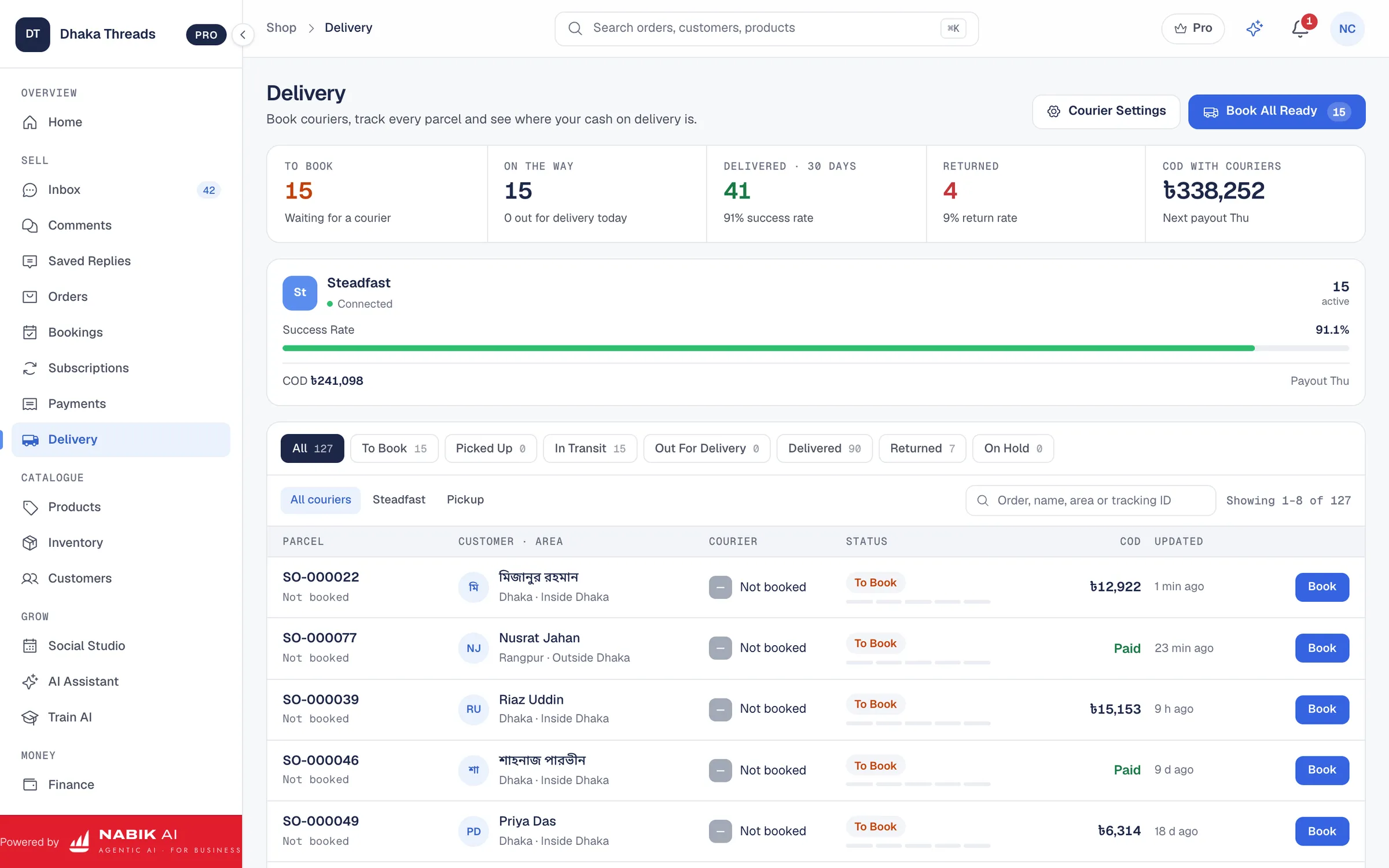
Cash on delivery (COD) and couriers are where most Bangladeshi Facebook sellers lose money quietly. The main reason is simple: nobody keeps the numbers straight from customer to courier to shop account.
You need to track three different figures: what the customer should pay, what the courier will collect, and what amount will finally reach you after delivery charges and returns. If these are not written clearly, you cannot argue when something goes wrong.
Set up your order process so COD and courier details are always clear:
- For each order, write the product total, delivery charge and grand total separately.
- Mark whether delivery charge is taken from customer or given free by you.
- Note which courier you used (e.g. Steadfast, RedX, local rider) and their COD charge or percentage.
- When you get a courier payout sheet or app report, match it against your order records for that period.
- Mark orders as Delivered only when both customer has paid and courier has settled the money to you.
How Can One System Manage Orders, Stock And Customers Together?
If orders, stock and customers are in different places, mistakes are guaranteed. Someone will sell a size that is already finished, forget a loyal customer’s previous order, or miscount returns when stock comes back from the courier.
The best setup for facebook order management bangladesh is one system where you can see: orders, customers, products and stock together. Then, when you open an order, you know exactly which variant was sold, what stock remains and what the customer bought before.
In practice, this means:
When you grow beyond a simple sheet, a proper stock and order tool pays for itself by reducing oversell, returns and angry "apni size confirm korsen, kintu wrong pathaise" messages.
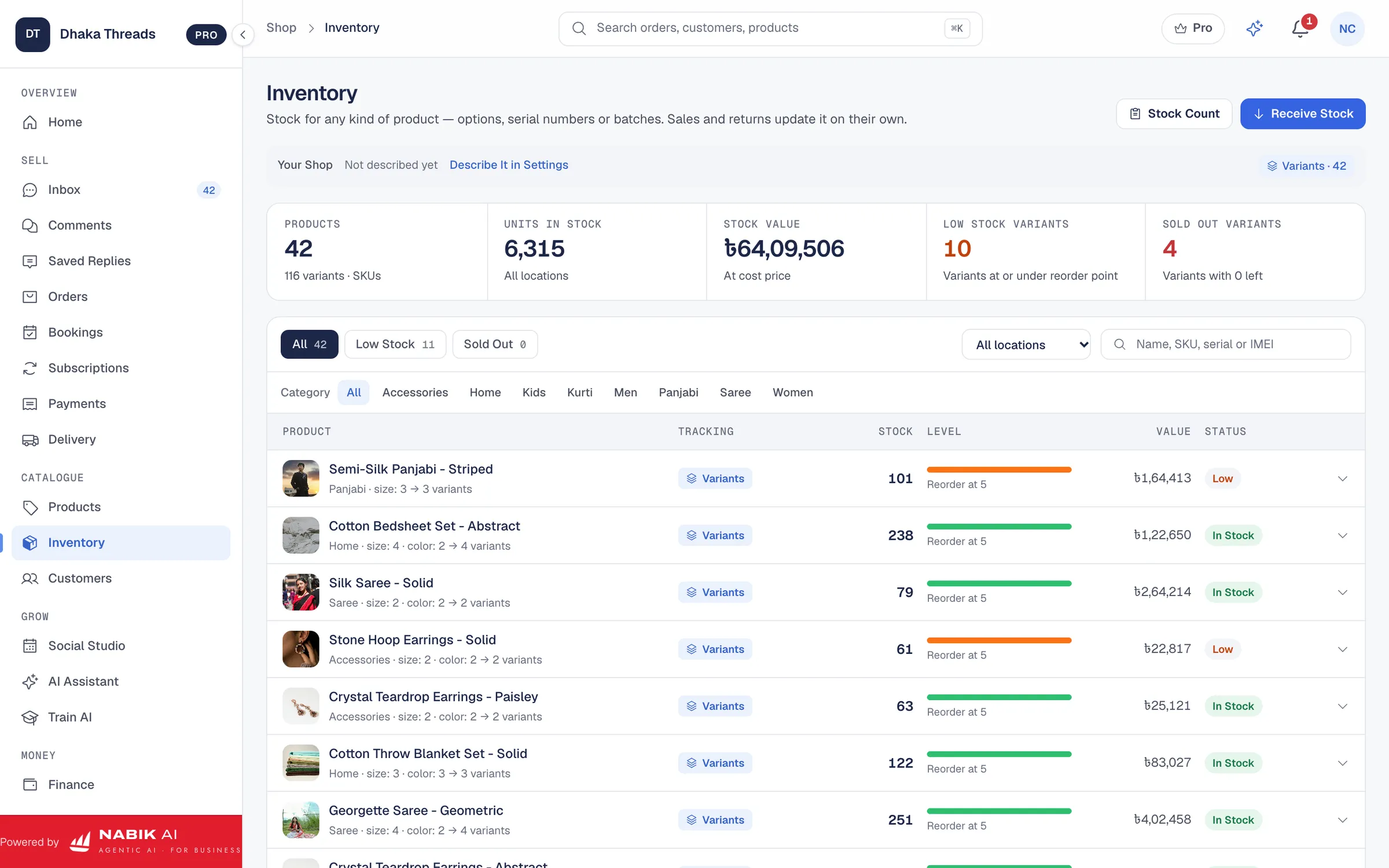
- You update stock quantity once, and it applies to Facebook, Instagram and any website you run.
- Each order automatically reserves stock, so you cannot accidentally sell the same last piece twice.
- Customer history is linked to mobile number, so you can see what they bought before and offer better suggestions next time.
- Return orders automatically put stock back into available quantity after you actually receive the product.
How Does Nabik AI Help You Manage Facebook Orders?
When you are ready to leave notebooks and scattered Excel files, Nabik AI gives you a single system for your social orders. It is web software made in Bangladesh by Auto Probaho Technology for shops that sell on Facebook, Instagram, WhatsApp and their own websites.
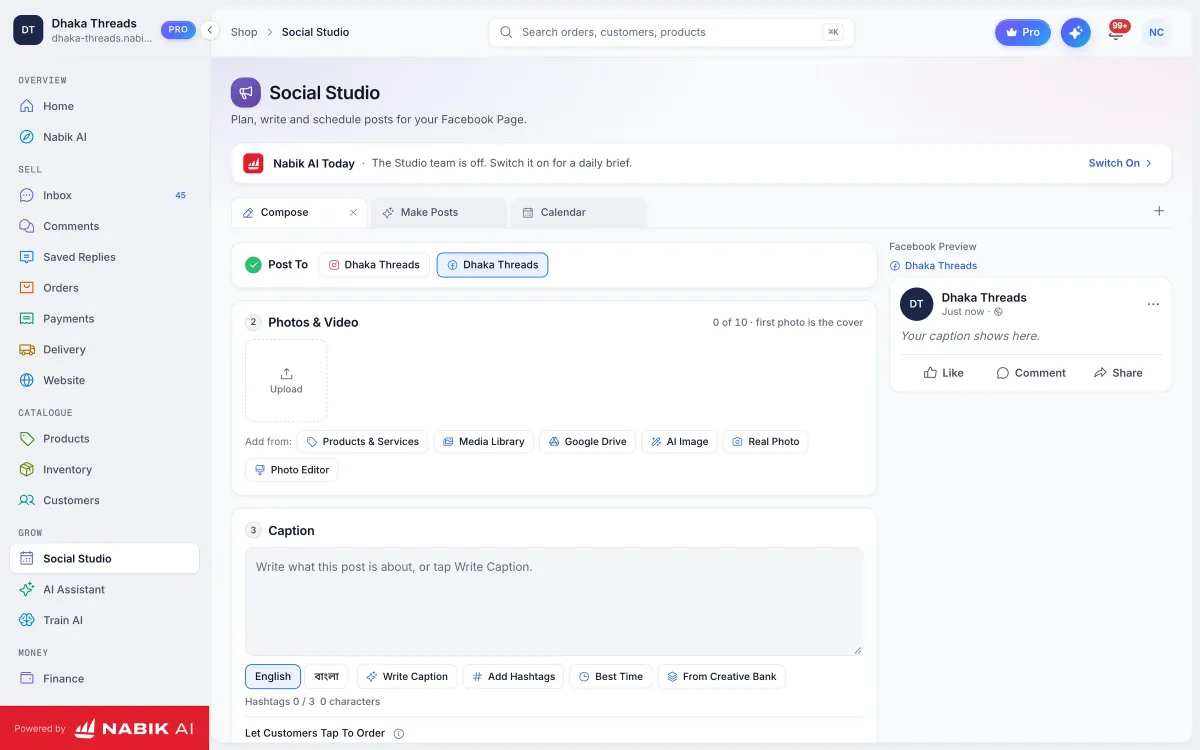
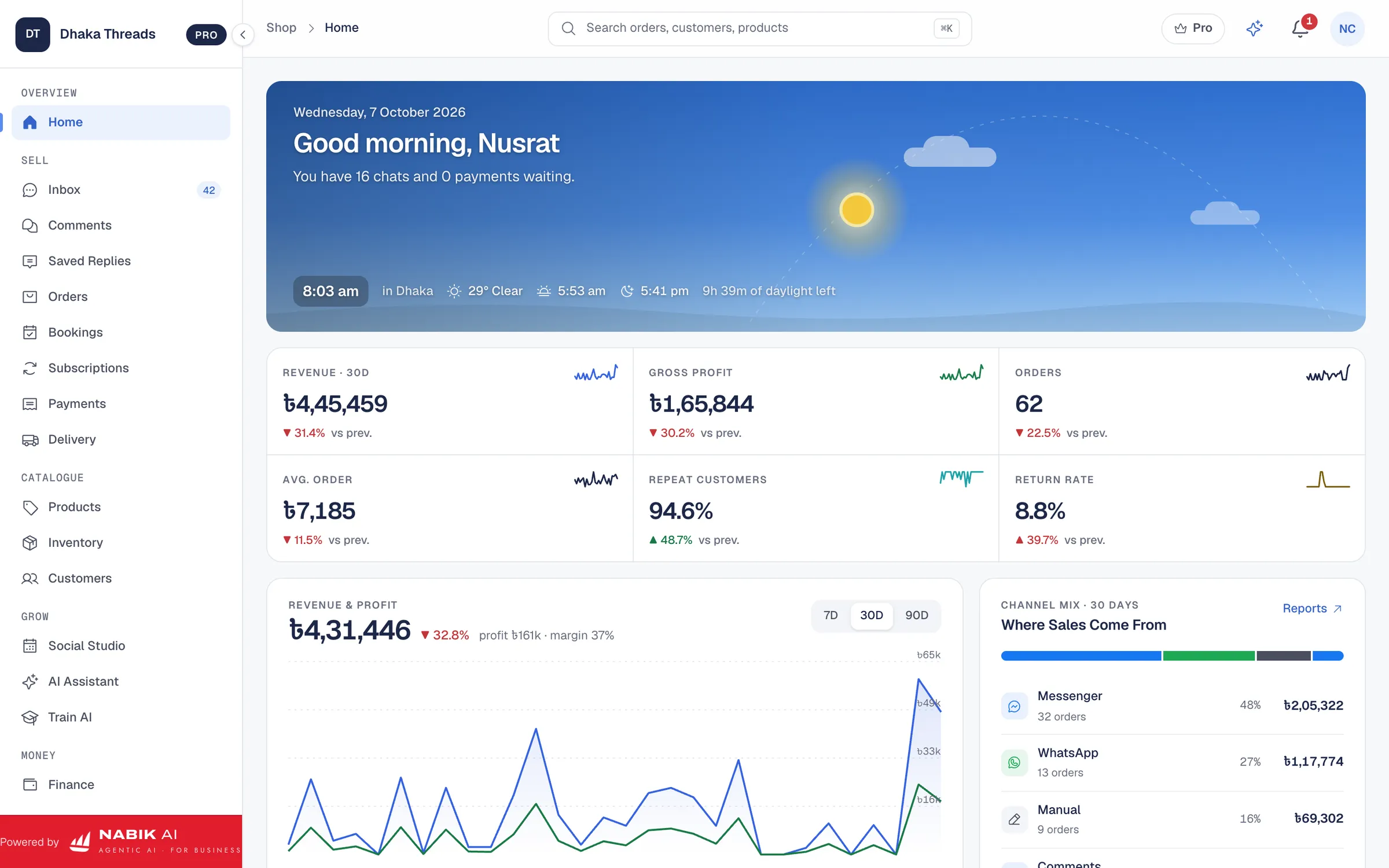
With one inbox, you see Messenger, WhatsApp, Instagram and Page comments in one place, so you do not miss customer messages. Nabik AI’s agents can answer in Bangla, Banglish or English from your own products, prices and policies, take the order, and hand over to you when needed.
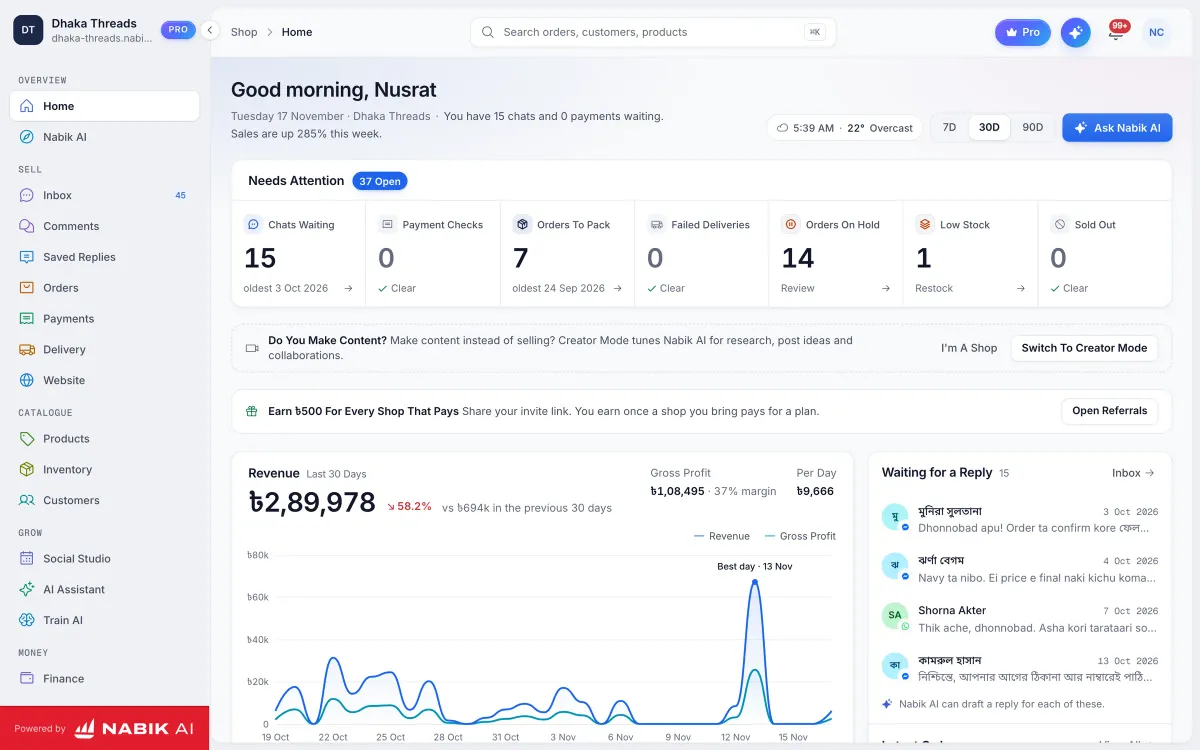
Inside the app, you can manage orders from chats, cash on delivery and order statuses in one dashboard. From there you can also use courier booking and parcel tracking, so each order has its courier and tracking number recorded automatically instead of written on paper.
Nabik AI also keeps inventory with one stock pool for every channel, plus customers and finance with NBR VAT support. Plans are priced in taka, start with a free option, and paid plans like Pro (৳999/month) and Business (৳3,780/month) are listed on the pricing page. You teach Nabik AI about your products by chatting with it, it learns from every correction, and you can use it in your browser on both desktop and phone at app.nabik.ai (sign-up: https://app.nabik.ai/signup).
What Should You Do This Week To Move Off Notebook And Excel?
Moving away from notebooks and messy Excel files does not have to be a big jump; you can do it in one organised week. The idea is to change your habits slowly while keeping your current sales running.
Here is a simple seven-day plan you can follow:
- Day 1: Decide your standard order fields (name, phone, address, product, price, courier, status, etc.) and write them down.
- Day 2: Clean up today’s orders into one list with those fields, even if it takes extra time.
- Day 3: Train your team: no order is “confirmed” until it is in the list with all fields filled.
- Day 4: Add clear statuses (New, Confirmed, Packed, Shipped, Delivered, Returned, Cancelled) and update all existing orders once.
- Day 5: Start tracking COD vs delivery charge vs courier payout, at least in extra columns.
- Day 6: Test a proper order tool like Nabik AI side-by-side with your current method for a small set of orders.
- Day 7: Review what felt easier, what reduced mistakes, and decide your long-term system (sheet or app), but keep the same fields and workflow.
FAQ
Can I manage Facebook orders with just Google Sheets instead of a system?
Yes, you can manage a small Facebook shop with a well-structured Google Sheet if you are disciplined. Use fixed columns for customer, address, product, price, courier, payment and status, and update it at least twice a day. As soon as multiple people need to work together or mistakes start rising, consider moving to a proper order tool.
How do I reduce fake cash on delivery orders from Facebook?
First, always confirm orders with a short call or voice note and repeat the total and delivery charge clearly. Second, write a clear COD policy on your Page about answering calls and refusing repeated fake orders. Finally, track returns carefully by customer number so you can block repeat offenders and tighten your rules; tools like Nabik AI make this easier by keeping all orders and customers in one place.
Do I need a full ecommerce website to manage orders properly?
No, many Bangladeshi sellers run fully from Facebook, Instagram and WhatsApp and still manage orders well. What you need is not a big website, but a simple, consistent system for capturing and tracking every order. Later, if you add a website, you can connect it to the same order and stock system.
How often should I update order statuses and stock?
At minimum, update order statuses once a day at closing time and adjust stock when you pack and when returns arrive. Busy shops often update statuses twice a day: midday and night. The key is consistency: pick specific times and stick to them so nothing stays in “New” or “Packed” for days.
Can Nabik AI handle orders from both Facebook and WhatsApp together?
Yes, Nabik AI brings Messenger, WhatsApp, Instagram and Page comments into one inbox, and from there you can create and manage orders in a single order list. That way, you do not need separate notebooks or files for each channel, and you can see all your social orders in one dashboard.