A Facebook Page Chatbot That Actually Knows Your Shop
Most Facebook page chatbot tools send the same canned line to everyone: “Thanks for your message, we will reply soon.” A customer who asked about the blue panjabi in size 42 gets nothing useful, and goes to the next Page.
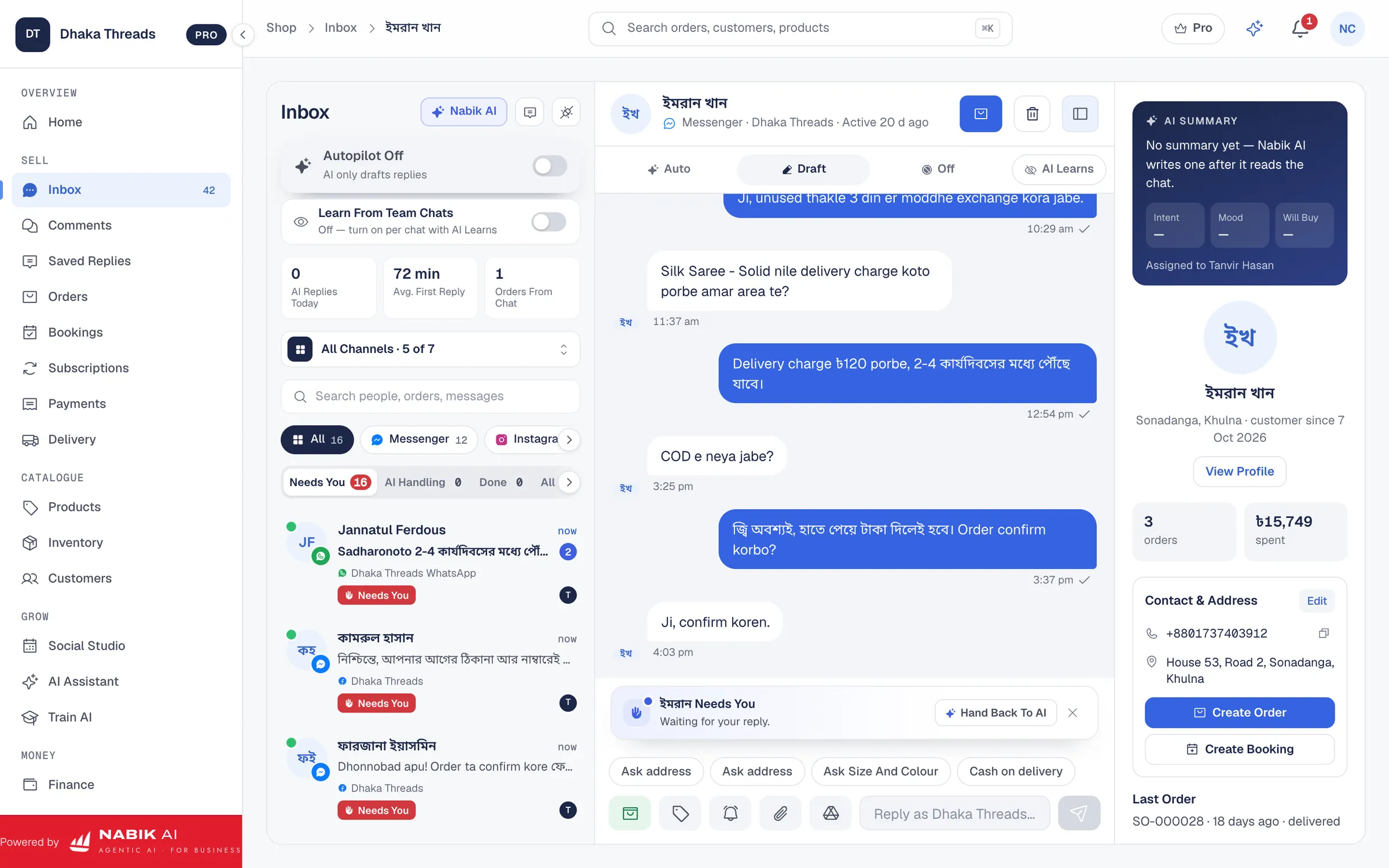
Nabik AI works differently. It reads your own products, prices, stock, delivery areas and policies, so it can answer the question that was actually asked: is it available, how much, how long will delivery take, what is the charge inside and outside Dhaka. If the answer is not in your shop’s knowledge, it does not guess. It hands the chat to your team.
It only answers when you switch it on, and only for the channels and topics you allow. You stay in charge of your Page.
Messenger Auto Reply In Bangla, Banglish And English
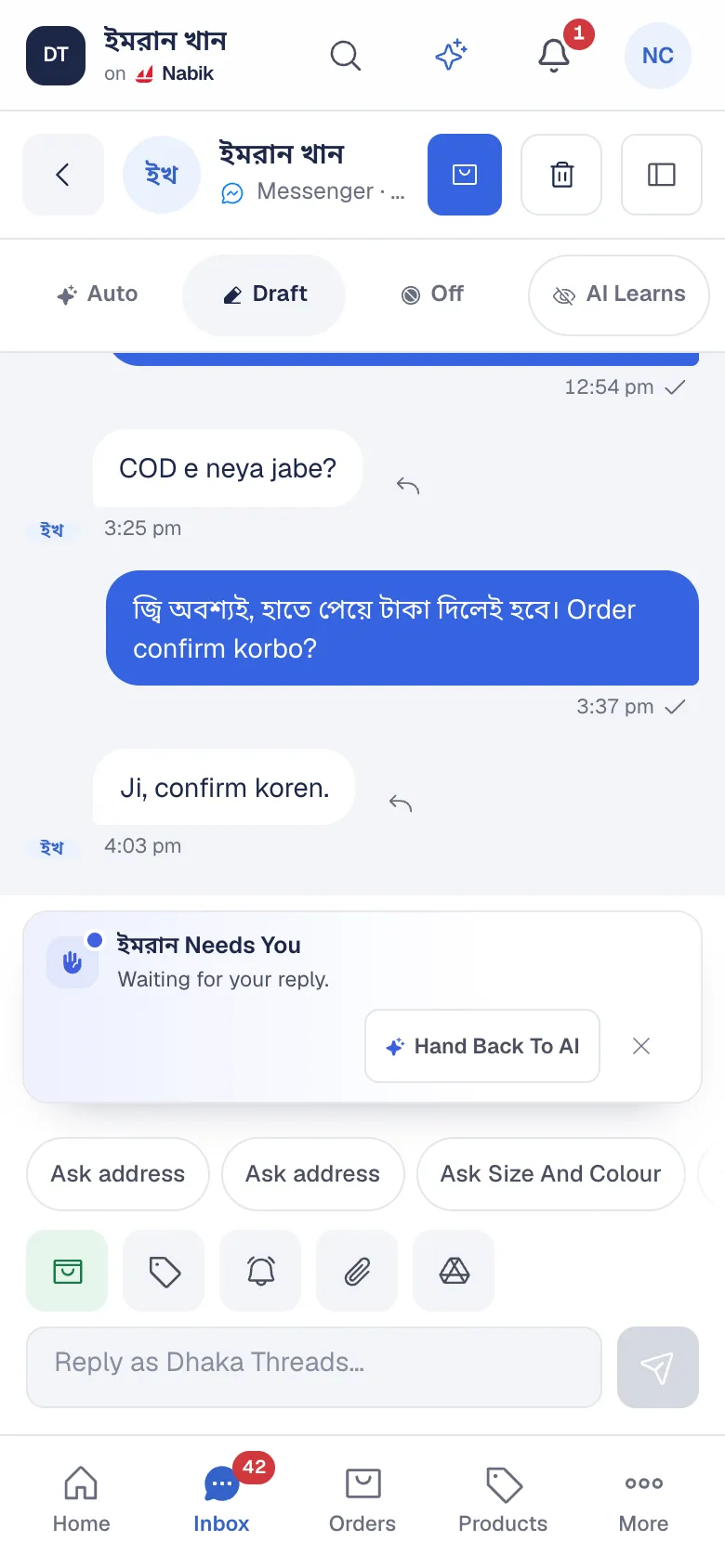
Customers in Bangladesh do not write in one language. One writes “Dam koto?”, the next writes in Bangla script, a third writes a full English sentence. Nabik AI matches the customer: Bangla script gets Bangla, Banglish gets a natural Banglish reply, English gets English.
This is Messenger auto reply in Bangla that sounds like your shop and not like a translation tool. The tone is calm and respectful every time, including when a customer is upset or asks the same thing for the third time.
- Replies to Messenger chats, Page comments and private replies to comments
- The same AI works on Instagram and WhatsApp when you connect them
- Answers come from your own catalogue, prices and policies, not from the open internet
It Takes The Order, Not Just The Question
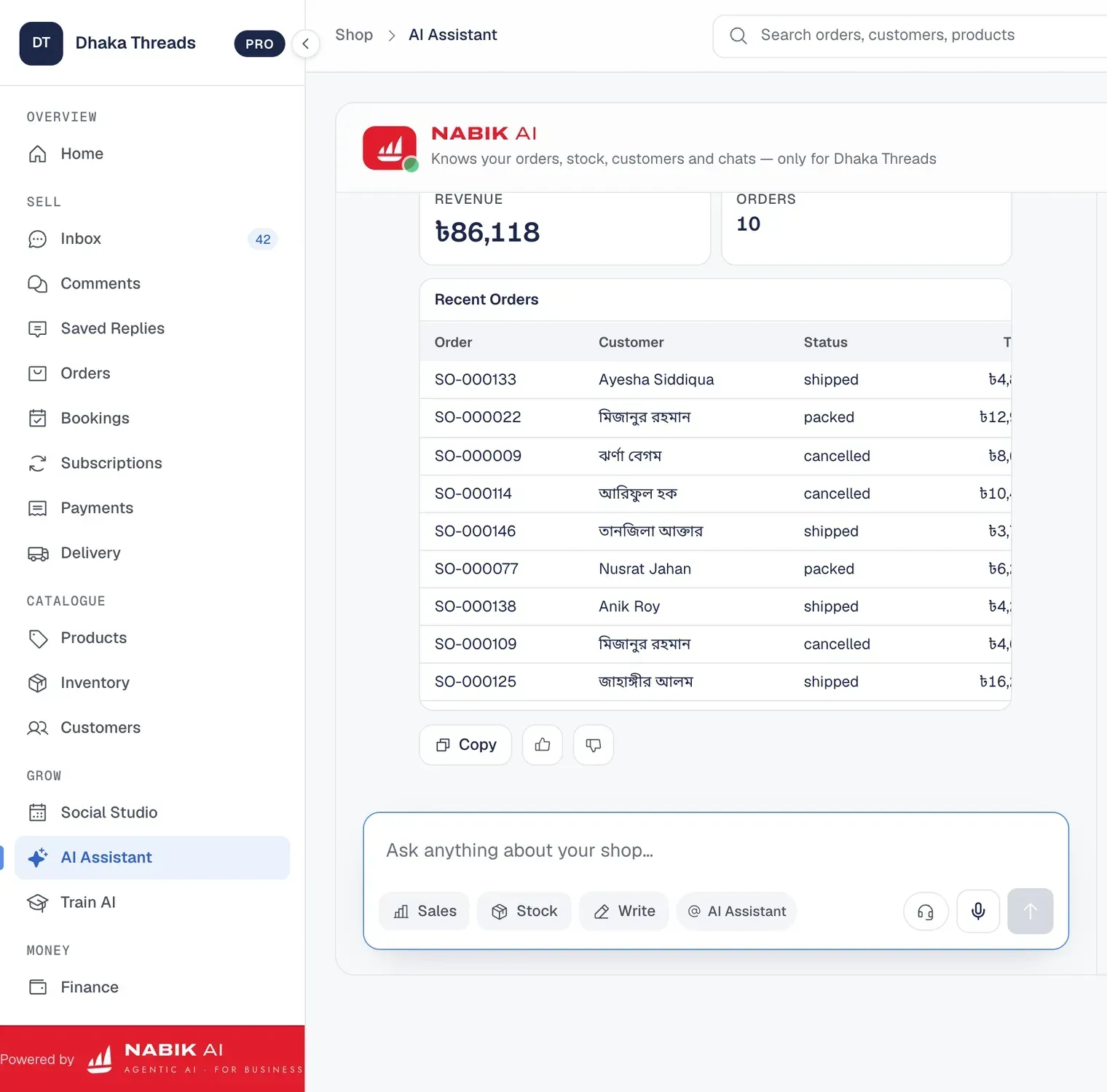
The usual chatbot stops at “please inbox us your details.” Nabik AI goes on to collect what an order needs: the product and variant, quantity, name, phone number and delivery address. It shows the customer a summary and waits for a clear yes before anything is created.
The order lands in your orders list with the chat attached, next to every other order. Stock, the invoice, the courier booking and cash on delivery all follow from there, so nobody retypes a thing from a chat into a notebook.
Start In Suggest Mode, Move To Autopilot When You Trust It
You do not have to hand over the Page on day one. In Suggest mode Nabik AI writes the reply and your team reads it and sends it. When the answers look right, you can let it reply on its own, and you can switch it off again at any time.
Before you go live, use Try As Customer to chat with the AI yourself and see how it answers. Every conversation, whether the AI or a person replied, sits in one inbox, and your team can take over any chat in one tap.
It Learns From Every Correction
When you fix a reply, Nabik AI proposes the fact, rule or wording that would have made it right, and you approve it. A delivery rule for outside Dhaka, an exchange policy, the way you greet customers before Eid: each one becomes something it knows.
You can also teach it directly with messages, documents, photos and voice notes. The longer you run the shop, the more of the daily questions it answers by itself.
What It Costs To Run
AI replies use AI credits. A reply to a message or a comment starts at 2 credits, and an expert reply for harder questions starts at 5. Every plan adds fresh credits on the 1st of each month, including the Free plan, so you can try it on your own Page before you pay anything. On Pro, customer replies cost 6 credits once a month passes 300 AI-handled conversations.
If your credits run out, customer chats go to your team marked Needs You, and no message is lost. The AI Credits page lists every price.
Questions People Ask
Does The Chatbot Reply In Bangla?
Yes. Nabik AI replies in Bangla, Banglish or English, matching the language of each customer. The app’s own screens are in English.
Can I Use It On My Facebook Page Without Giving Away My Password?
Yes. You connect your own Page through your own Meta app in guided steps inside Settings. Nabik.ai never asks for your Facebook password.
Will It Reply To Facebook Comments Too?
Yes. Nabik AI can reply to Page comments and send a private reply to the commenter, when you switch comment replies on.
What Happens When The AI Does Not Know The Answer?
It hands the chat to your team, marks it Needs You and rings the bell in the app. Nothing is lost and the customer is not given a made-up answer.
Is There A Free Way To Try It?
Yes. The Free plan connects one Facebook Page or Instagram account and includes 60 AI credits every month, with no time limit and no card.