Courier Booking Software Built Around The Order
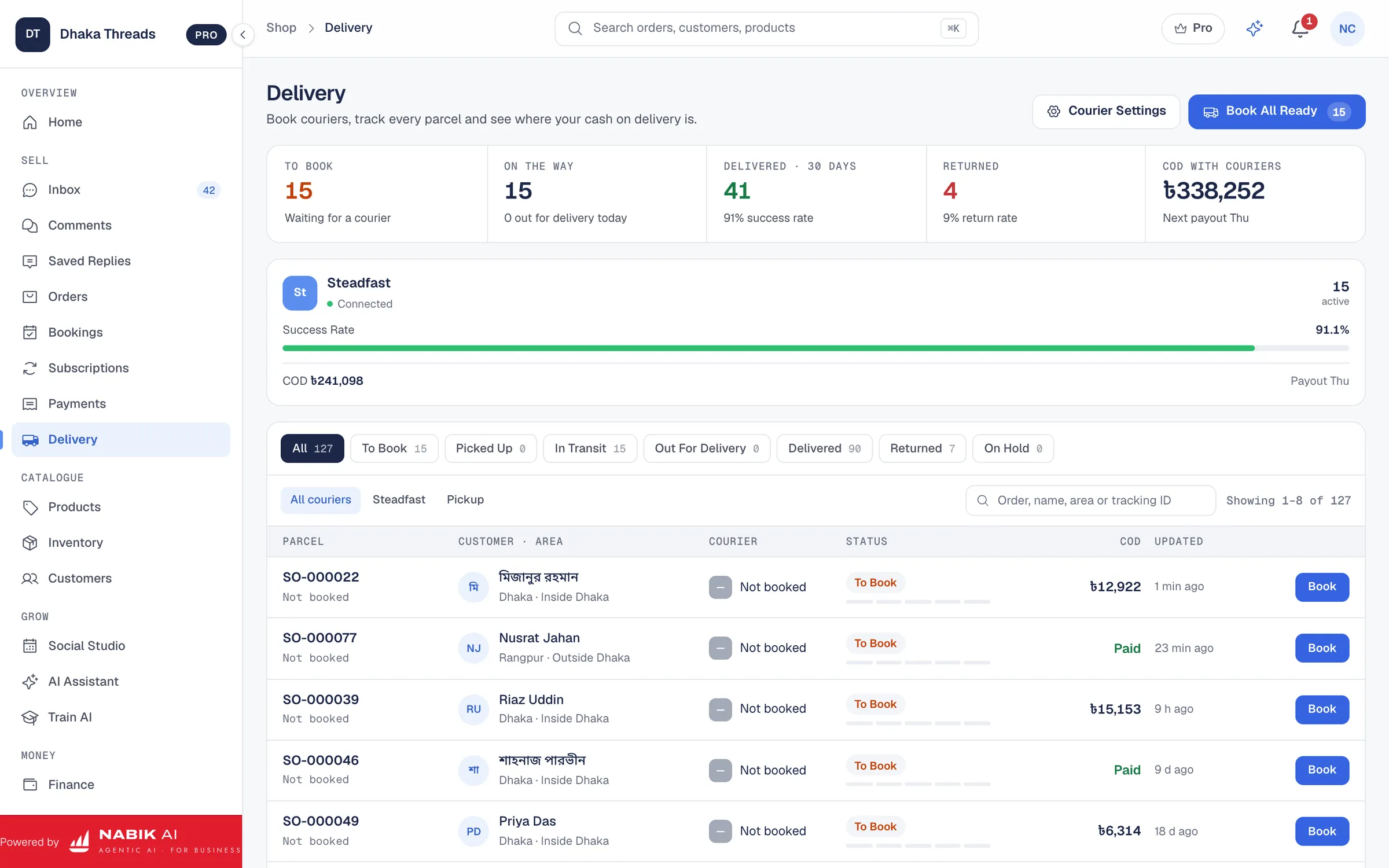
Booking a parcel should not mean copying a customer’s name, phone number, address and amount into another website. In Nabik.ai the courier is a step inside the order. The details are already there, so you choose the courier and book.
That removes the commonest mistakes: a wrong phone number typed by hand, a cash on delivery amount that does not match the invoice, a parcel booked twice.
Pathao, Steadfast, RedX And eCourier On Your Own Account
Nabik.ai connects Pathao, Steadfast, RedX and eCourier using your shop’s own merchant account. You add the keys from your courier dashboard in Settings, run the connection test, and the courier appears in the Book Courier drawer on every order.
Because it is your own account, your rates, pickup arrangements and settlements stay exactly as agreed with the courier. Nabik.ai does not sit in the middle of your money. Your credentials are encrypted with a key unique to your shop.
- Connect several couriers and choose per parcel, for example one for Dhaka and another for outside Dhaka
- Record a delivery by your own rider, or by a courier that is not connected, so every order has a status
Print The Label, Book The Parcel, Follow The Tracking
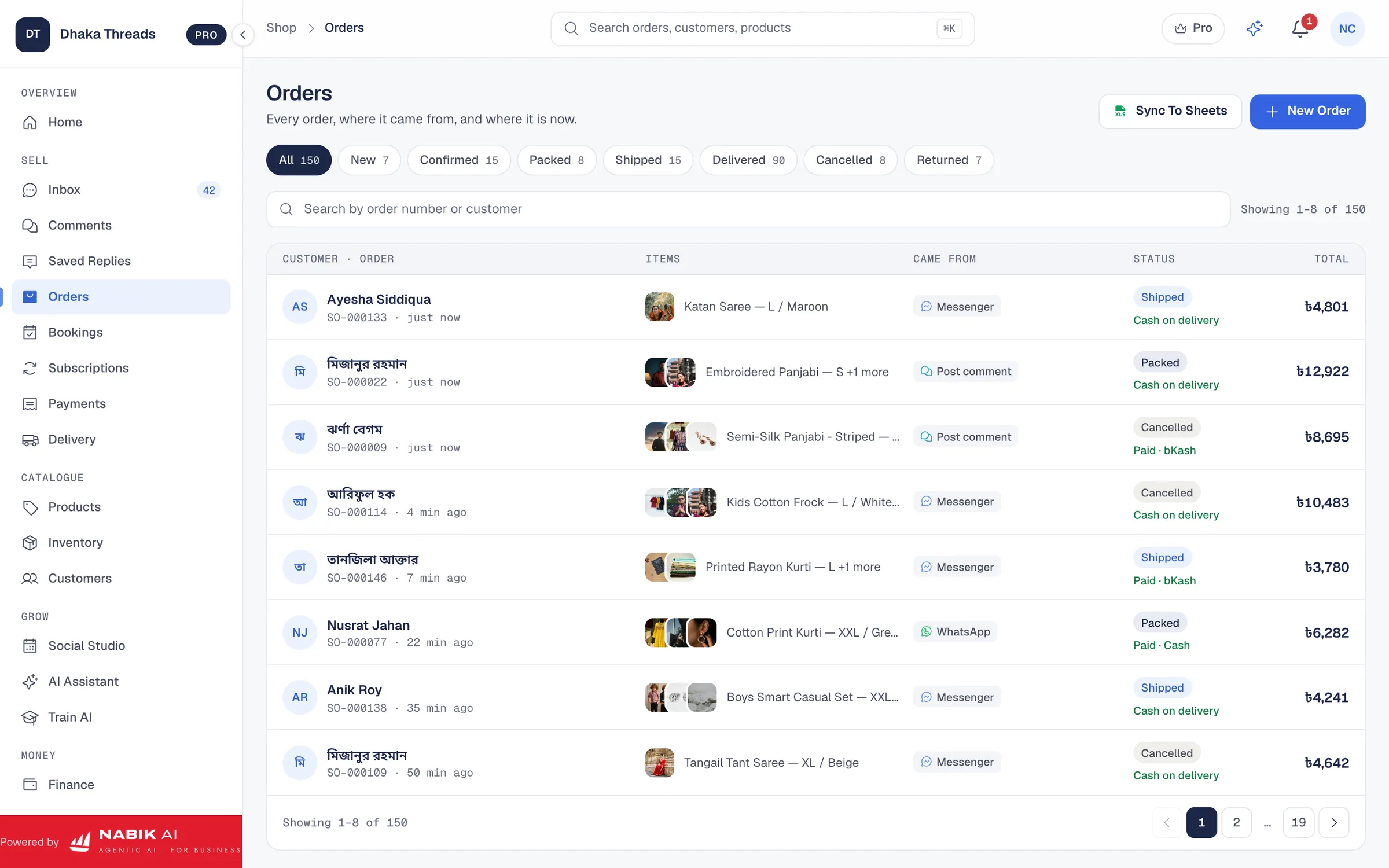
The same screen shows the tracking number and a tracking link, so you can answer a customer’s “where is my order?” in seconds.
Open The Confirmed Order
The customer, address, items and cash on delivery amount are already on the order.
Choose The Courier
Pick a connected courier in the Book Courier drawer and confirm the details.
Print The Label And Invoice
The delivery label and invoice print from the same order, ready for the parcel.
Follow The Tracking
Status updates from the courier come back to the order, and the order status follows them.
Know Which Courier Owes You Money
For a cash on delivery parcel, delivered is only half the story. Nabik.ai keeps the amount on your COD receivable view until the courier’s remittance arrives, so you can see what each courier still owes and for which parcels.
A failed delivery or a return is recorded against the order, and the items you accept back are restocked through the movement ledger.
Choosing A Courier For Dhaka And Outside Dhaka
Delivery charges, speed and reliability differ between couriers and between Dhaka and the districts. Because Nabik.ai records the courier, the delivery charge and the outcome on every order, your own data shows which courier works best for which area. Our guide to choosing a courier service in Bangladesh walks through how to compare them.
What You Need To Connect A Courier
You need an active merchant account with the courier and the access keys from its dashboard. In Nabik.ai, open Settings, choose the courier, paste the keys where the guide shows and press connect. Nabik.ai runs a quick read-only test before it saves anything, so a wrong key is caught straight away.
Once connected, the courier is available on every order. Courier status updates reach Nabik.ai on their own, which means your team stops opening the courier’s website to check where each parcel is.
Questions People Ask
Which Couriers Can I Connect?
Pathao, Steadfast, RedX and eCourier connect from Settings with your shop’s own merchant account. A delivery by your own rider or another courier can be recorded on the order.
Do I Need A Courier Account First?
Yes. You connect your shop’s own merchant account, so your rates and settlements stay with the courier.
Can I Print Labels?
Yes. The delivery label and invoice print from the order after you book the parcel.
Can I Track Where The Parcel Is?
Yes. The courier’s tracking updates come back to the order, with the tracking number and link.
Does It Follow The Cash On Delivery Money?
Yes. A cash on delivery amount stays on your receivable view until the courier remits it.