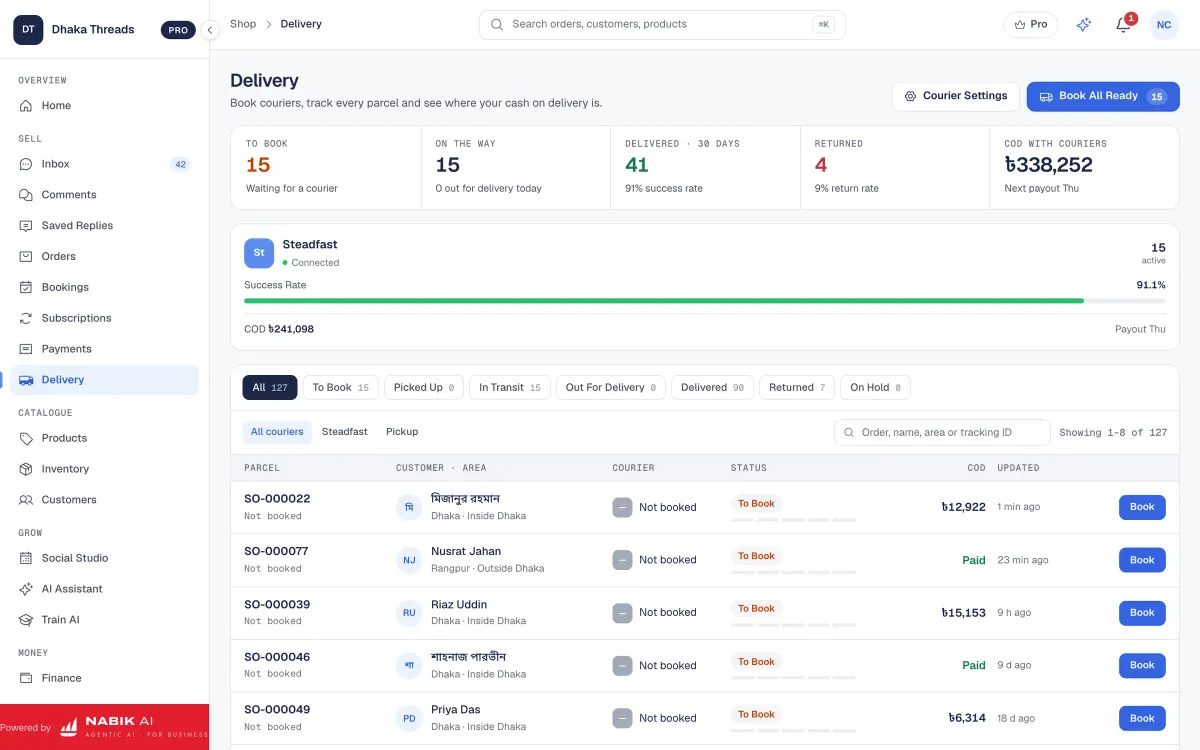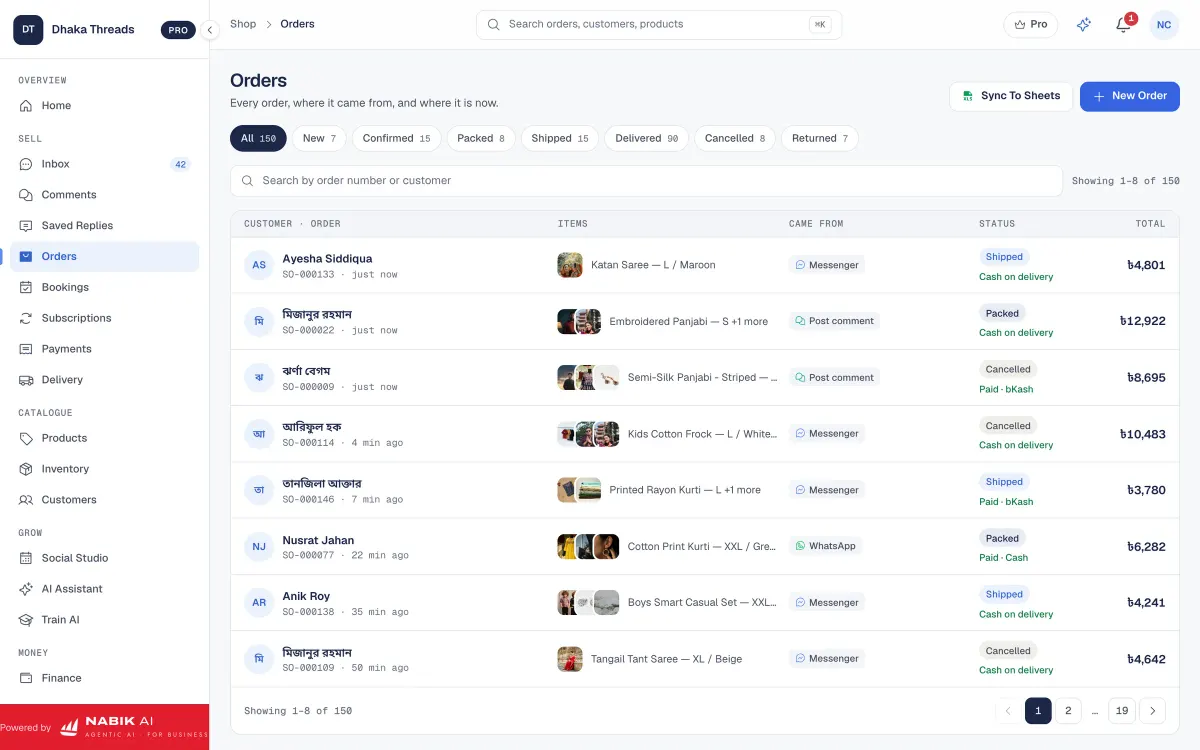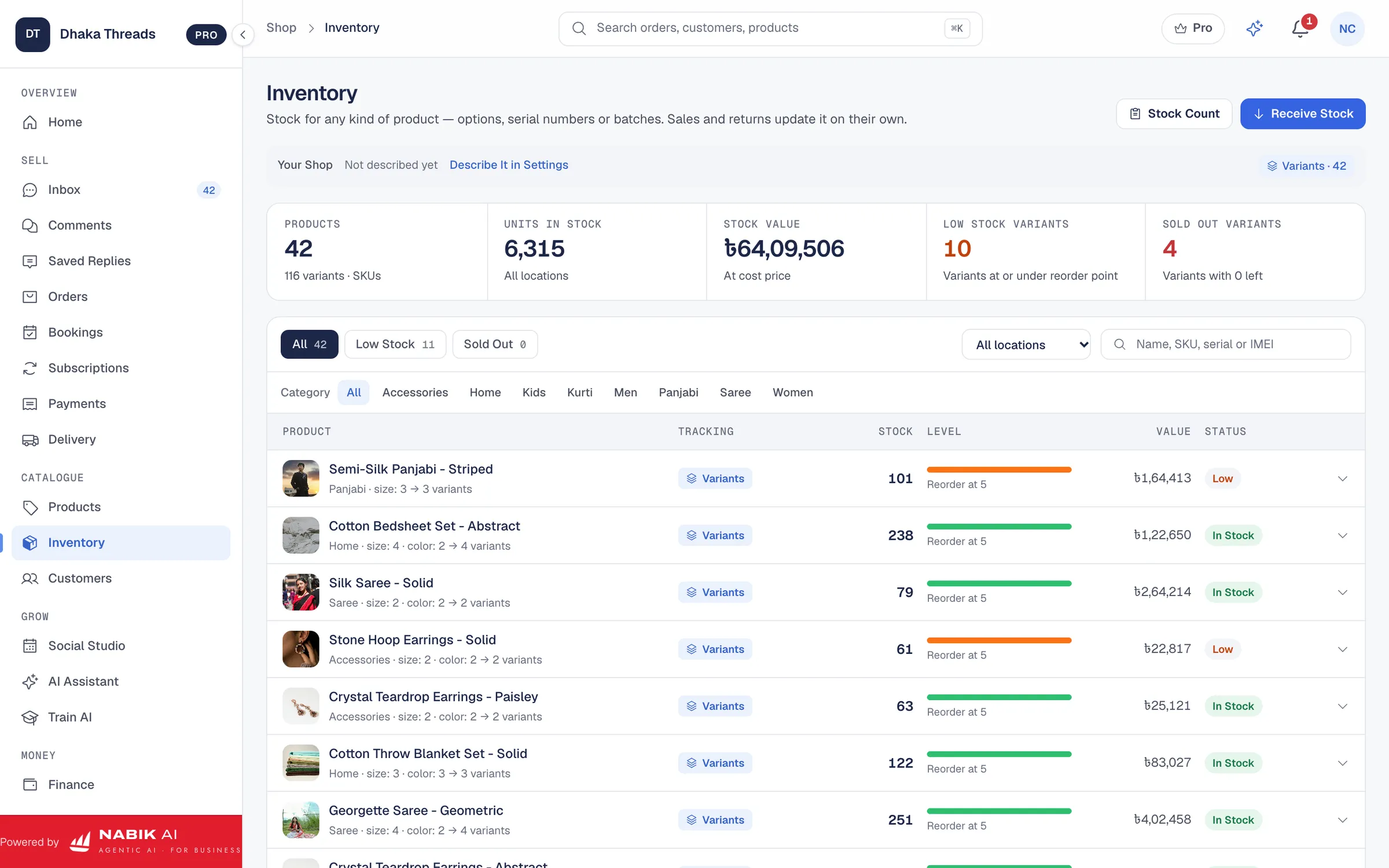
Yes, you can keep one stock count for Facebook, Instagram, WhatsApp and your website using a single inventory system that updates every sale in real time. For most Bangladeshi shops, that means moving from notebooks and Excel to proper one stock inventory for Facebook shop and all other channels so overselling stops.
This guide will show you how to plan and run one stock pool step by step, in a way that fits f‑commerce and COD in Bangladesh. You will see how to track sizes and colours, manage returns from couriers, and how tools like Nabik AI can keep stock in sync automatically.
Key Takeaways
- One stock pool means every Facebook, Instagram, WhatsApp and website order reduces the same central quantity, so you stop overselling.
- To make one stock work, you must centralise orders, name products clearly with SKUs, and fix a simple daily stock routine.
- Variants like size and colour, bundles and pre-orders all need clear rules so staff do not guess from memory.
- Returns, damaged items and staff sales must also come through the system, or your stock will slowly go wrong again.
- Nabik AI gives Bangladeshi shops one inventory across channels, auto-updates stock when AI or humans create orders, and starts on a free plan.
What Does One Stock Inventory Actually Mean?
One stock inventory means you keep just one official quantity for each product (and variant) that every channel uses. When a customer orders on Facebook Messenger, Instagram DM, WhatsApp or your website, that same stock count goes down immediately. You stop saying “available” in chat when the last piece already sold 5 minutes ago on another channel.
Many Bangladeshi shops are still running separate ideas of stock: one in the owner’s head, one on an Excel sheet, one in the live seller’s notebook and another in the web developer’s panel. That guarantees overselling during rush hours, Eid, wedding season, 11.11 or flash sales. Customers then hear, “Apner size out of stock hoye geche, sorry,” and some never come back.
You can fix most of this by deciding that there will be only one place that is “truth” for stock. Every sale, return, damage and staff use must pass through that place. Whether you use a simple Google Sheet or proper inventory software, the rule is the same: if it is not in the system, it did not happen.
Once you accept this rule, your work becomes simpler. Staff ask the system, not the owner, “M size koto ache?” Live sellers check the stock screen before saying “last 3 pcs” on a Facebook Live, and website stock matches what is really in your rack.
- One quantity per product and variant, shared by all channels
- Every sale reduces the same central stock count
- No separate “Facebook list”, “website list” and “WhatsApp list”
- Stock screen, not memory, becomes final authority
How Are You Overselling Across Facebook, Instagram, WhatsApp And Website?
To build one stock pool, you first need to see exactly where overselling is happening now. In Bangladeshi f‑commerce, the same patterns repeat: too many admins, too many notebooks and no single list everyone trusts. During peak hours, people guess stock from memory because opening a sheet on the phone feels slow.
Common story: One customer orders a size 38 shoe on Facebook Messenger with cash on delivery. At the same time, your cousin sells the last pair from the same size on Instagram Live. Website stock was never updated from yesterday’s courier return, so it still shows 2 pairs available. End result: three sales fighting for one pair of shoes.
You can list your current problem points on paper today. Look at last week’s cancelled orders and write the reason: “stock finished”, “staff mistake”, “website wrong”, “live sale counted late”. You will probably see that Messenger, Instagram and WhatsApp chats are not connected to your stock at all. Phone and walk‑in sales from home stock also often never touch any system.
As an emergency fix, you can at least bring everything into one temporary Google Sheet today. Make simple columns: Product name, Variant (size/colour), Stock in hand, Sold today (FB), Sold today (Insta), Sold today (WA), Sold today (website). Update this once in the morning and once at night. It is painful, but you will already see overselling go down while you prepare to move to proper inventory software later.
- Multiple admins replying without seeing the same stock list
- Separate lists for live sales, website and wholesale
- Courier returns not added back to stock quickly
- Prepaid and COD orders treated the same, so reserved stock gets sold again
- No one responsible for final daily stock check

How Should You Plan Your One Stock System?
Before jumping into software, decide a few rules about how stock will work in your business. These rules should be clear enough that even a new staff member in Dhaka warehouse or a cousin packing parcels outside Dhaka can follow them. Think about where you store products, who touches them and how orders reach you.
Start with locations. Do you keep everything in one room, or separate Dhaka and outside‑Dhaka storages? If you have more than one place, you still want a total “in hand” count, but you may track locations inside the same system (for example: main rack vs ready‑to‑ship shelf). Decide which location can sell freely to customers and which is just backup.
Next, agree how stock is reserved for orders. For example, you can decide that stock reduces as soon as an order is confirmed by customer (for COD) or paid online (bKash, Nagad, card). If someone just says “ok rakhben” but does not confirm address and phone, you may not want to reserve stock yet. Write this rule down so admins stop using their own judgement.
Finally, create a simple product naming and SKU pattern before you load items into any system. For example: “KURTI-RED-M”, “SHOE-SNK-WHT-42”. The exact code does not matter as long as it is consistent and short. When live sellers, packers and admins use the same names and SKUs, one stock pool becomes much easier to maintain.
- Decide main stock location and any sub‑locations
- Set a rule for when stock is reduced (confirmed COD / online paid)
- Create short, consistent SKUs for every variant
- Write these rules in a shared Google Doc or printed paper
Step 1: Write Your Stock Rules
Take 30 minutes to write: where your stock lives, when stock reduces, when returns are added back, and how you name products. Share this with every staff member who touches orders or inventory.
Step 2: List All Products With SKUs
Open a fresh sheet and list each product with size/colour variants and a clear SKU code. Use this as the base to load into any software later.
How Do You Track Every Sale In One Place?
Having one stock pool only works if all orders land in one system. For Bangladeshi f‑commerce, that means Messenger, Instagram DM, WhatsApp, website checkout, even phone calls and walk‑ins should turn into proper orders somewhere. If some sales are “system orders” and the rest are “mone rekhe dibo”, your stock will drift again.
You have two general options. Option 1: manual, where admins and packers write every order into one master Excel or Google Sheet. This can work for very small volume, but it breaks easily during a sale or when one staff member forgets. Option 2: software that pulls orders automatically from your channels and website so humans only handle exceptions.
To see the difference, imagine a busy Friday night sale. On manual sheets, three admins are asking each other, “eta ke likhse?” and “order ID koi?”. With connected software, every confirmed order from chat or website appears in an Orders screen with one ID, payment type (COD, bKash, Nagad, card), and status (new, packed, shipped, delivered). Inventory reduces from the same place every time.
If you already run a website on WooCommerce or Shopify and sell on Facebook/Instagram, you should look for tools that connect these. In Nabik AI, for example, website orders and social orders can share the same inventory management and order management module. That way you do not depend on the web developer to “update stock” after every campaign.
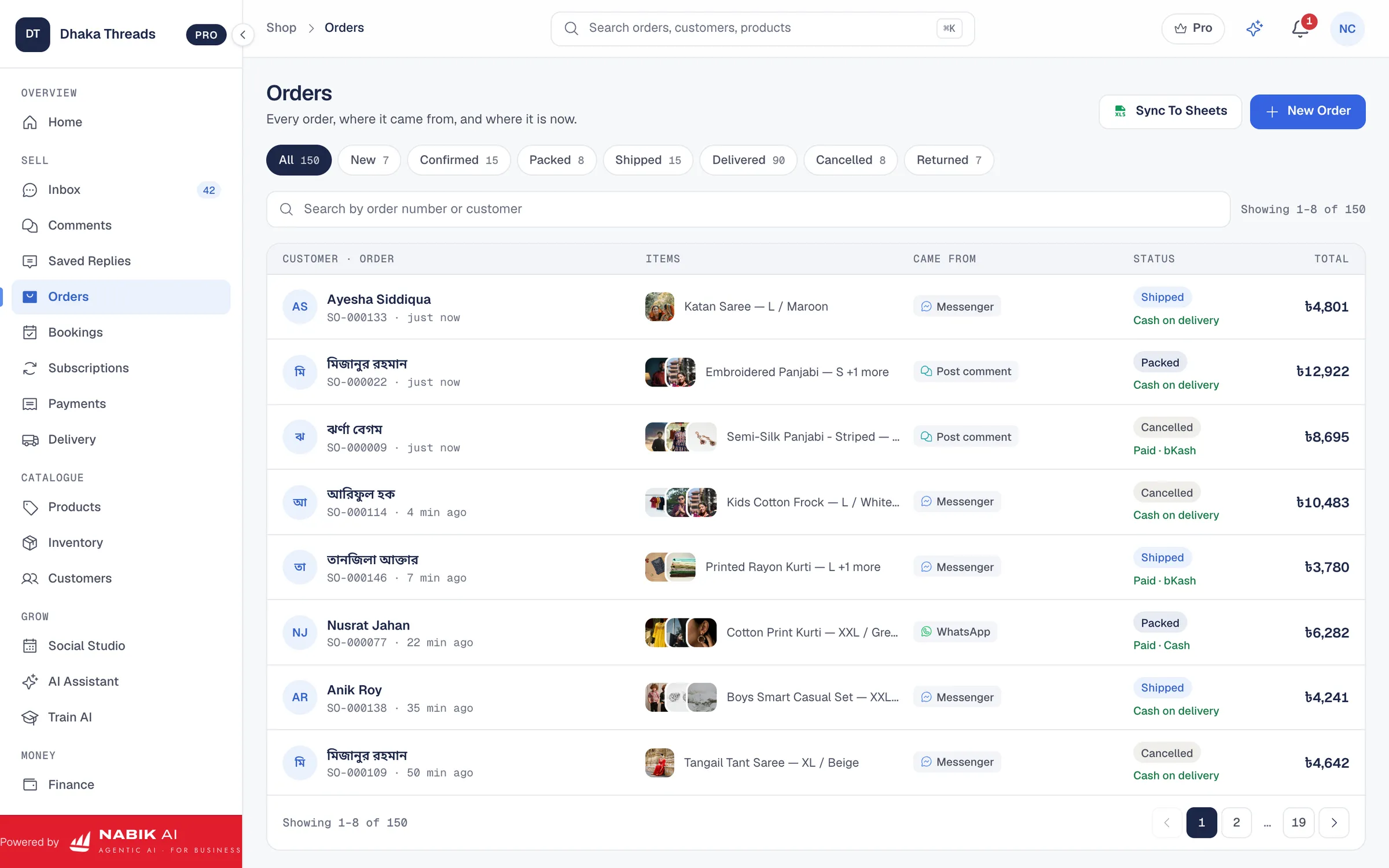
- Bring all orders (social, website, phone) into one list
- Avoid side notebooks and personal Excel files for stock
- Decide who will create orders from phone or walk‑in sales
- Use software that reduces stock automatically when orders are created
| Separate Lists Per Channel | One Central Inventory System | |
|---|---|---|
| Stock Updates | Manual, easy to forget during rush hours | Automatic when order is created or updated |
| Overselling Risk | High: same piece sold on two channels | Low: stock reserved as soon as order is confirmed |
| Workload In Sales | Admins must update sheets after every chat | Admins just create/confirm orders; system handles stock |
| Live Sale Control | Seller guesses stock from memory | Seller watches live stock count on screen |
| Website Sync | Developer updates products when free | Website pulls stock directly from the same inventory |
How Do You Handle Sizes, Colours, Sets And Pre-Orders?
For clothing, shoes, cosmetics and electronics, one product usually has many variants. If your Facebook album only says “Lawn 3‑piece – 1450 taka” without size and colour separation, your stock will never be correct. One stock inventory needs to track each size and colour separately, because customers ask very specifically: “apnader kache XL black ache?”
First, break every product into variants. For example, a t‑shirt might become: TSHIRT-BLK-M, TSHIRT-BLK-L, TSHIRT-BLU-M, and so on. Each of these should have its own stock count in your system. When you sell 1 piece of TSHIRT-BLK-M on WhatsApp, only that SKU reduces, not the whole “t‑shirt” group.
Next, think about bundles and gift sets. If you sell a skin‑care combo where each unit contains one facewash and one moisturiser, decide how stock should behave. Many shops treat the bundle as just another SKU and manually assemble it from parts. Slightly more advanced setups can auto‑reduce component items when a bundle sells, but even then you must define which components belong to which bundle.
Pre‑orders and “coming soon” items are another trap. If you let admins sell unlimited pre‑order pieces without any limit, you can get stuck later when supplier cannot deliver full quantity. Safer approach: track pre‑order stock in a separate field or with a tag, and set a clear maximum based on supplier promise. Once the pre‑order quota is reached, system and admins should stop accepting new orders for that item.
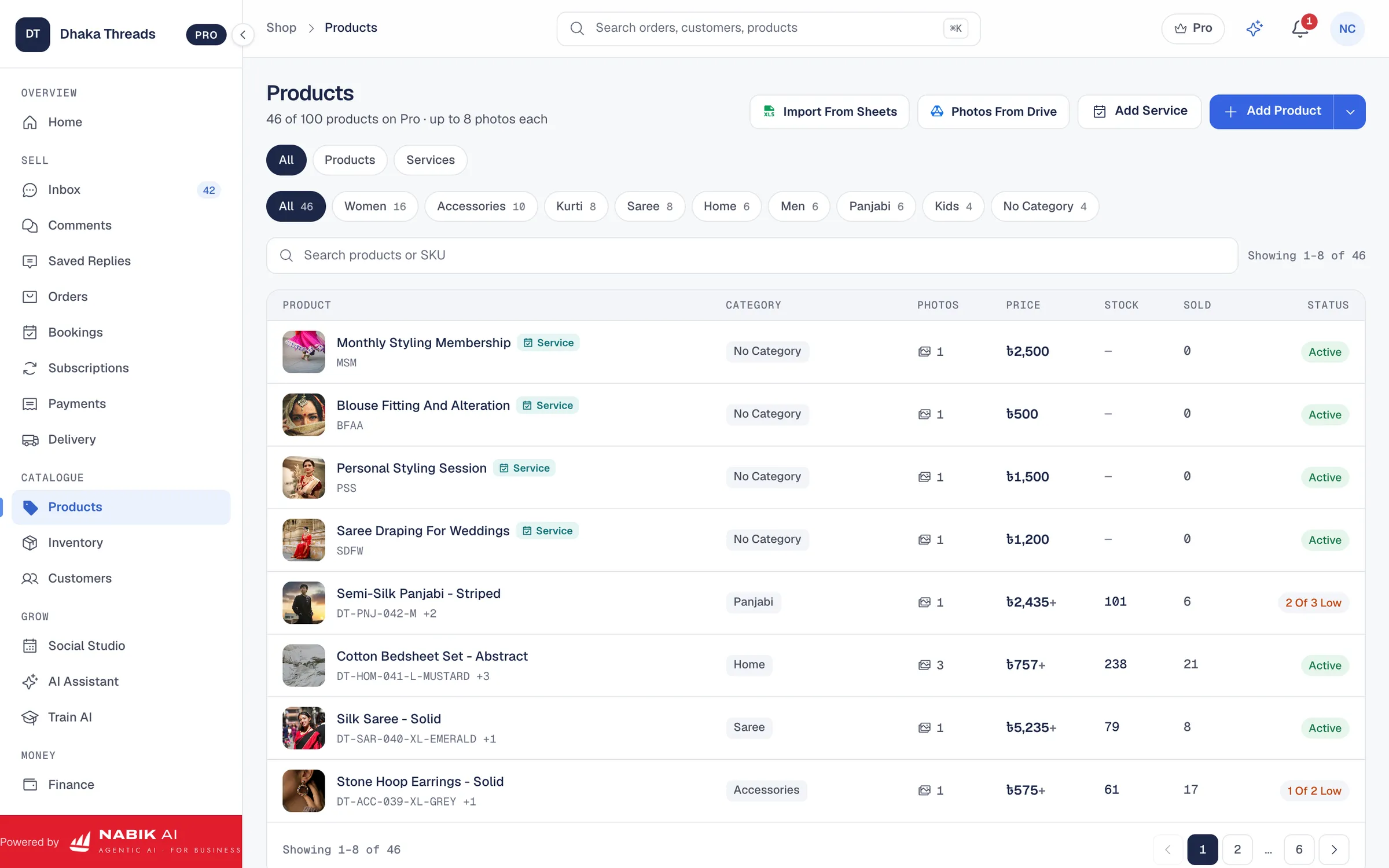
- Track each size and colour as a separate variant SKU
- Give bundles their own SKU and written packing rule
- Decide how bundle sales reduce component stock (even if manual)
- Set a maximum quantity for pre‑orders based on supplier commitment
How Do You Run Daily Work With One Stock Count?
A good system still fails if daily habits are poor. To keep one stock pool accurate, you need a simple routine that admins, packers and even the owner follow every day. Think of it like namaz times: fixed, repeated, non‑negotiable.
Start with a morning check. Before replying to “available?” messages, someone should quickly review yesterday’s orders and courier handovers to make sure statuses are correct. Any cancelled or fake COD orders must have their quantities added back to stock in the system. If you deliver inside Dhaka with riders and outside Dhaka by courier, both return flows need a clear rule for when stock comes back.
During the day, make sure every order has a unique ID and lives in the system before packing. When a live seller shouts, “comment kore order confirm korun”, the admin watching comments should create orders immediately, not “ekshathe raat e dibo”. For WhatsApp and Instagram DM, use templates so admins do not forget to collect full address, phone and payment choice before marking an order confirmed.
At night, do a short closing routine. Check if any payments came by bKash or Nagad for which orders are still “pending”. Confirm them, change status and let stock reduce properly. For fast‑moving products, you can also do a quick physical count once or twice a week and adjust minor differences. This stops small mistakes from becoming big stock gaps over one month.
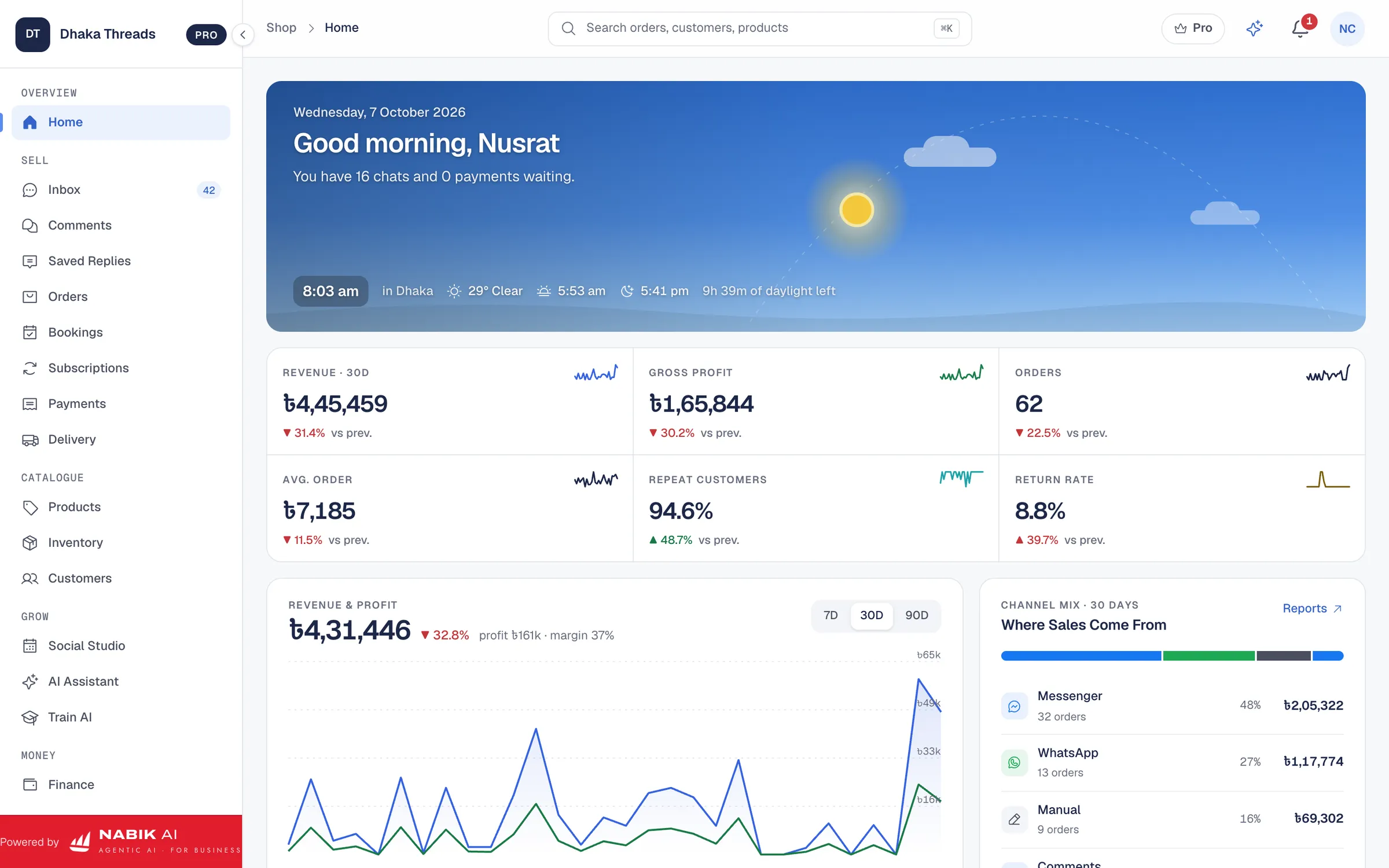
- Morning: fix yesterday’s statuses and returns before new selling starts
- During day: no packet without system order ID
- Night: match bKash/Nagad payments and COD confirmations to orders
- Weekly: quick physical count of fast‑moving items to correct small errors
Step 1: Set Your Daily Inventory Alarm
Put three repeating alarms on one manager’s phone: 10am (morning check), 4pm (mid‑day check during rush), 10pm (closing). Use these times to quickly review orders and returns so stock stays trusted.
How Can Nabik AI Give You One Stock Pool Automatically?
If you want software built for Bangladeshi f‑commerce that already follows these ideas, Nabik AI can help. Nabik AI is web software made in Bangladesh by Auto Probaho Technology for shops, service businesses and content Pages that sell on Facebook, Instagram, WhatsApp and their own websites. It runs in your browser on desktop and phone, plans start free, and paid plans begin from ৳999 per month for Pro and ৳3,780 per month for Business.
With Nabik AI’s inventory management, you keep one stock pool for every channel. Each product and variant (size, colour, flavour, model) has its own quantity. When an order is created from Messenger, Instagram, WhatsApp or website, stock reduces from the same pool. Low‑stock alerts help you avoid saying “stock shesh hoye geche” after customers send money.
Nabik AI connects your chats and comments in a social inbox so your team does not jump between apps. Its AI agents can answer customers in Bangla, Banglish or English from your own products, prices and policies, take orders, and then hand over to a person when needed. All those orders live in one order management screen with COD support and courier booking through courier integration.
If you already have a WooCommerce or Shopify website, Nabik AI’s online store integration lets website sales share the same stock as your social orders. You teach the system about products and prices simply by chatting with the built‑in AI assistant, and it learns from every correction. You can explore plans and decide what fits your size at the pricing page, and add more AI usage later from the AI credits page when you need it.
- One stock pool across Messenger, Instagram, WhatsApp and website
- Inventory per variant with low‑stock alerts
- AI agents that answer from your own catalogue in Bangla/Banglish/English
- Single inbox and single order list feeding the same stock
- Works from browser on desktop and phone with plans in taka
FAQ
Do I really need software for one stock inventory, or can Excel work?
If you have very low volume and only one or two people selling, a carefully managed Excel or Google Sheet can work for some time. The moment you run campaigns, Lives or use multiple channels together, software that updates stock automatically with each order will save you from daily mistakes and arguments.
How do I handle stock if I sell both online and from a physical shop?
You should still keep one central stock count for each product and variant, then mark which sales are “online” and which are “shop counter”. Whenever you sell from the shop physically, create a quick order in your system so inventory reduces properly instead of just taking items from the shelf quietly.
What if my internet is slow or goes down during a busy sale?
In Bangladesh, connections can drop, so keep a simple paper backup for live sale counts. As soon as internet is back, enter those orders into the system immediately so your one stock pool becomes correct again; do not wait till next day, or you will oversell from other channels in the meantime.
How should I treat fake COD orders and courier returns in my stock?
When a COD order is confirmed, you should reserve stock immediately and reduce from your inventory. If the courier later returns the parcel or the order is fake, change its status to returned or cancelled and add that quantity back into stock in the system the same day, not at the end of the month.
Can I start using Nabik AI for inventory without changing my current Facebook Page setup?
Yes, you keep using the same Facebook Page, Instagram account and WhatsApp numbers. Nabik AI connects to them through its inbox, and you manage products, stock and orders from app.nabik.ai in your browser while customers continue messaging you in the usual way.
Is one stock inventory useful if I only sell from Facebook, not website or WhatsApp?
Yes, because even inside Facebook you may have Page inbox, comments and Lives all running together. One stock pool makes sure that what your team promises in chat and comments matches what you actually have on the shelf, and it also prepares you for adding new channels later without new chaos.