You can set up Facebook comment auto reply in Bangladesh using Facebook’s built-in tools and, if you want, AI helpers like Nabik AI. This lets you answer “price?”, “dam koto?”, and “inbox please” comments even when you are busy or sleeping.
For most Bangladeshi Facebook shops, comments are where the sale starts. If you reply fast, you move the customer to inbox, share price clearly, collect address and confirm cash on delivery before they forget you.
Key Takeaways
- Use Facebook’s built-in tools to auto reply to common comments like “price”, “dam koto”, and “inbox please”.
- Decide clearly when you will show price in comments and when you will move the customer to inbox.
- Connect comment auto replies with your inbox, order-taking and courier process so you do not lose sales.
- Check and update your auto reply keywords regularly, including Bangla spellings and Banglish slang.
- Nabik AI can then handle the inbox chats from those comments, manage orders and keep everything in one social inbox.
Why Use Facebook Comment Auto Reply In Bangladesh?
In Bangladesh, most Facebook sales still start from one small comment: “price?”, “dam koto?”, or just “inbox”. If you miss that comment for a few hours, the customer buys from another Page. Auto reply makes sure every comment gets at least a basic answer within seconds, even on Friday, at night, or when you are in traffic.
Fast replies also build trust. Customers feel, “Page ta active, reply dey, fake na mone hoy.” When your comment section looks active and answered, new visitors see real people engaging and feel safer placing a cash-on-delivery order.
Finally, auto replies reduce pressure on you or your team. Instead of manually typing the same answers 200 times a day, you save your energy for complex questions, courier issues, returns, or NBR VAT and finance work. You still need to check and adjust your system, but the boring part is handled for you.
Before you set anything up, list your top 10 most common comments. Include spelling mistakes and Banglish, like “dem koto”, “damm koto”, “inbox pls”, “price plzz”, and Bangla text. This list will power your rules through the rest of this guide.
- Missed comments = missed orders, especially on busy days and special sales.
- Auto reply gives every commenter a quick answer and moves them towards inbox.
- Your team can focus on real conversations, not typing “price sent inbox” all day.
- A clean, replied comment section increases trust for new visitors.
How Do Facebook’s Built-In Comment Auto Replies Work?
You do not need any paid tool to start basic Facebook comment auto reply. Facebook Pages have built-in tools where you can tell it, “When a comment contains these words, send this reply.” The exact menu names change sometimes, but the core idea is the same on desktop and phone.
Normally, you will create two types of automation. First, a comment reply that appears under the customer’s comment (for example, “Price sent inbox”). Second, a private reply sent to their Messenger (for example, full price, size details, and a question to continue the chat). Together, this keeps both your public comment section and your inbox active.
When you set these up, think about language. Many customers are more comfortable in Bangla or Banglish, so you can write, for example: “Ji apu, price inbox kora hoise. Please message dekhben.” Test a few versions and see which one brings more inbox replies and real orders.
If you are not sure about Facebook’s menus, you can also follow our step-by-step guide on Page messaging automation in Bangla at this guide. Read that in parallel with this article so you understand which options are for comments and which are for inbox only.
- Use comment reply for public “Price inboxed” type messages.
- Use private reply for real details like price, sizes and payment options.
- Always include a small call to action: “Please check inbox”, “Reply here to confirm size”.
- Write replies in the language your buyers usually use: Bangla, Banglish or English.
Step 1: Open Your Page’s Messaging Settings
From your Page, go to the settings area, then find the section for messaging or automated responses.
Step 2: Find Comment Auto Reply Or Automation
Look for options related to “keywords”, “comment” or “FAQ” that trigger automatic replies when certain words appear.
Step 3: Create A New Rule For Comments
Add a rule that says: when a comment on a post contains certain words, send this specific reply and (optionally) also send a message to the commenter’s inbox.
Step 4: Test On One Post First
Publish a test post, comment from another account using your keyword, and check both the public comment reply and the inbox message.

What Should You Reply To "Price", "Dam Koto?" And "Inbox Please"?
Your reply text matters as much as the automation itself. A boring reply like “check inbox” may get ignored, while a useful, friendly reply can turn a curious comment into a confirmed cash-on-delivery order. The best replies usually have three parts: greeting, useful information, and a clear next step.
For example, for a “price?” comment, your public reply could be: “Ji apu, price inbox e diyechi, please message dekhben.” Then, in inbox, your auto or AI reply can share exact price, size/colour options and a quick question, like “Which size lagbe apnar?” This invites the customer to continue the chat instead of just reading and forgetting.
You can also tailor replies for Bangla comments. For “dam koto?”, a simple pattern is: “Assalamu Alaikum, dam inbox e pathano hoise. Offer cholse ajker moddhe order korle delivery charge kom porbe.” Of course, only promise offers you really give, and make sure your courier and COD process can handle it.
Here are some templates you can copy, paste and adjust for your Page. Mix Bangla and Banglish the way your customers usually write to you.
- For “price”, public: “Ji apu, price inbox e diyechi. Please inbox check korben.”
- For “dam koto?”, public: “Dam inbox e pathano hoise apu. Kon size/colour ta chan bolben?”
- For “inbox please”, public: “Apu, message diyechi inbox e. Please dekhe reply dile order confirm kore dibo.”
- For offers, public: “Ajker offer choltese. Inbox e full details diyechi, confirm korle ajkei courier e diba inshaAllah.”
Should You Show Price In Comments Or Only Inbox?
In Bangladesh, many sellers feel afraid to show price in comments because of competitors and “price komao” type arguments. Others say showing price publicly saves time and filters out non-serious people. Both sides have valid points, so you should choose based on your margin, competition and target customer.
If your products are common (for example, generic t-shirts, cosmetics, phone covers), hiding price can make customers suspicious. They may think price is too high or that COD charge will be hidden later. In that case, a clear price in comments often works better, such as “Price 850 taka, Dhaka delivery 70, outside Dhaka 120, cash on delivery available.”
If your products are more unique (custom dresses, imported skincare, limited gadgets), you might prefer a mixed approach. Give a price range in comments, then final price in inbox after asking size or variant. Example: “Price range 1,850–2,250 taka, details inbox e diyechi apu.”
The table below shows a simple way to think about it. You can even test one style for one week and the other style next week, then compare total orders and COD returns.
| Approach | When It Works Best | Pros | Cons |
|---|---|---|---|
| Always show full price in comments | Common products, tight competition, simple pricing | Builds trust, fewer inbox questions, filters low-budget buyers early | Competitors see price, more public bargaining comments |
| Show price range in comments, full details in inbox | Products with sizes, variants or customisation | Gives buyers an idea, keeps some flexibility, looks professional | Still need inbox chat to close sale |
| Hide price, only say “price inboxed” | Very unique items, limited stock, high-margin products | Less price war, can adjust offers per customer | More suspicion, many people ignore inbox, more wasted messages |
How Do You Connect Comment Auto Reply With Orders, COD And Couriers?
Comment auto reply is only the first step; you still need a clean way to turn comments into confirmed orders. After the auto reply moves the customer to inbox, you (or your team, or your AI chatbot) must collect name, phone, address, size/colour and payment method. Without a clear process, you end up with lots of comments and messages but few parcels ready for courier pickup.
Many Bangladeshi shops still use manual notebooks or scattered Google Sheets. That can work when you have 5–10 orders a day, but it becomes risky when you cross 30–50 orders: missing addresses, wrong sizes, and more fake CODs. A better habit is to have one place where comments lead to chats, chats lead to orders, and orders lead to courier bookings.
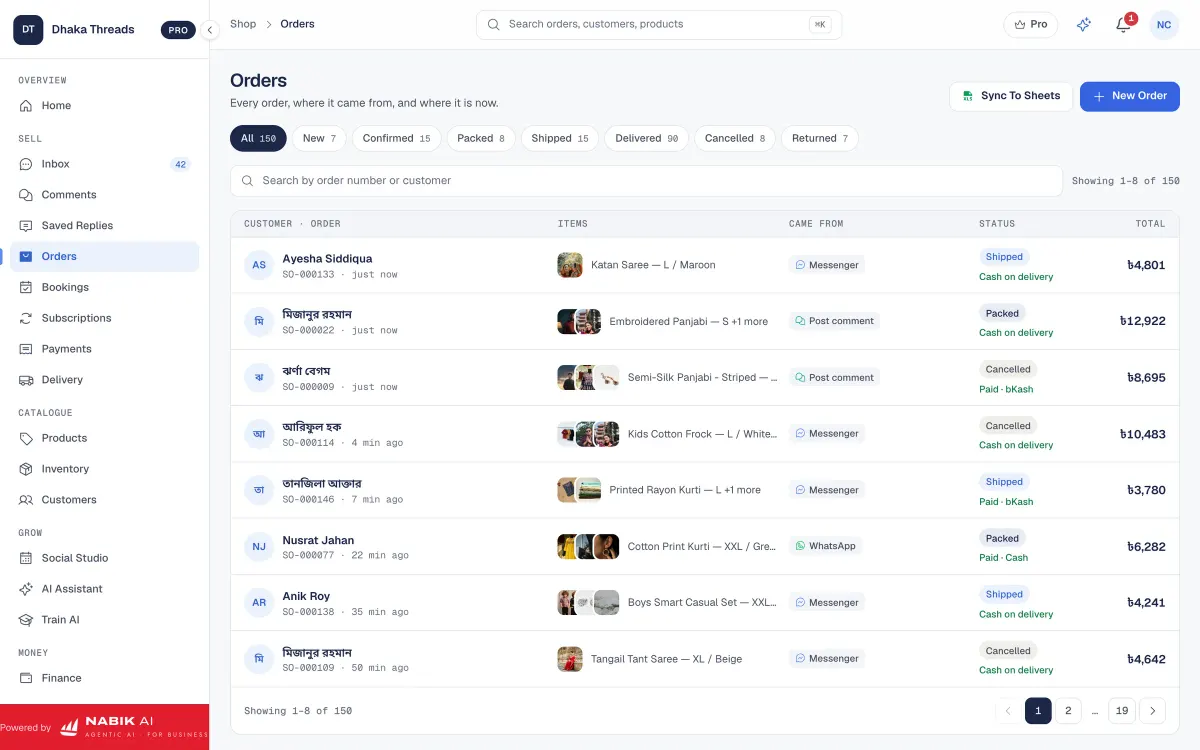
Nabik AI includes order management where you can create orders directly from chats and track statuses like pending, packed, shipped and delivered. It also has order tools for cash on delivery, advance payments and basic customer details. From there, its courier features can help with courier booking and parcel tracking from the same browser tab.
Even if you do not use any software, you can still improve flow. Decide one standard script: after a “price” comment, your inbox message shares price and immediately asks, “Name, full address, phone number & size dilei order confirm kore dibo.” Then you enter that into your chosen order sheet the same day, so nothing stays only in Messenger.
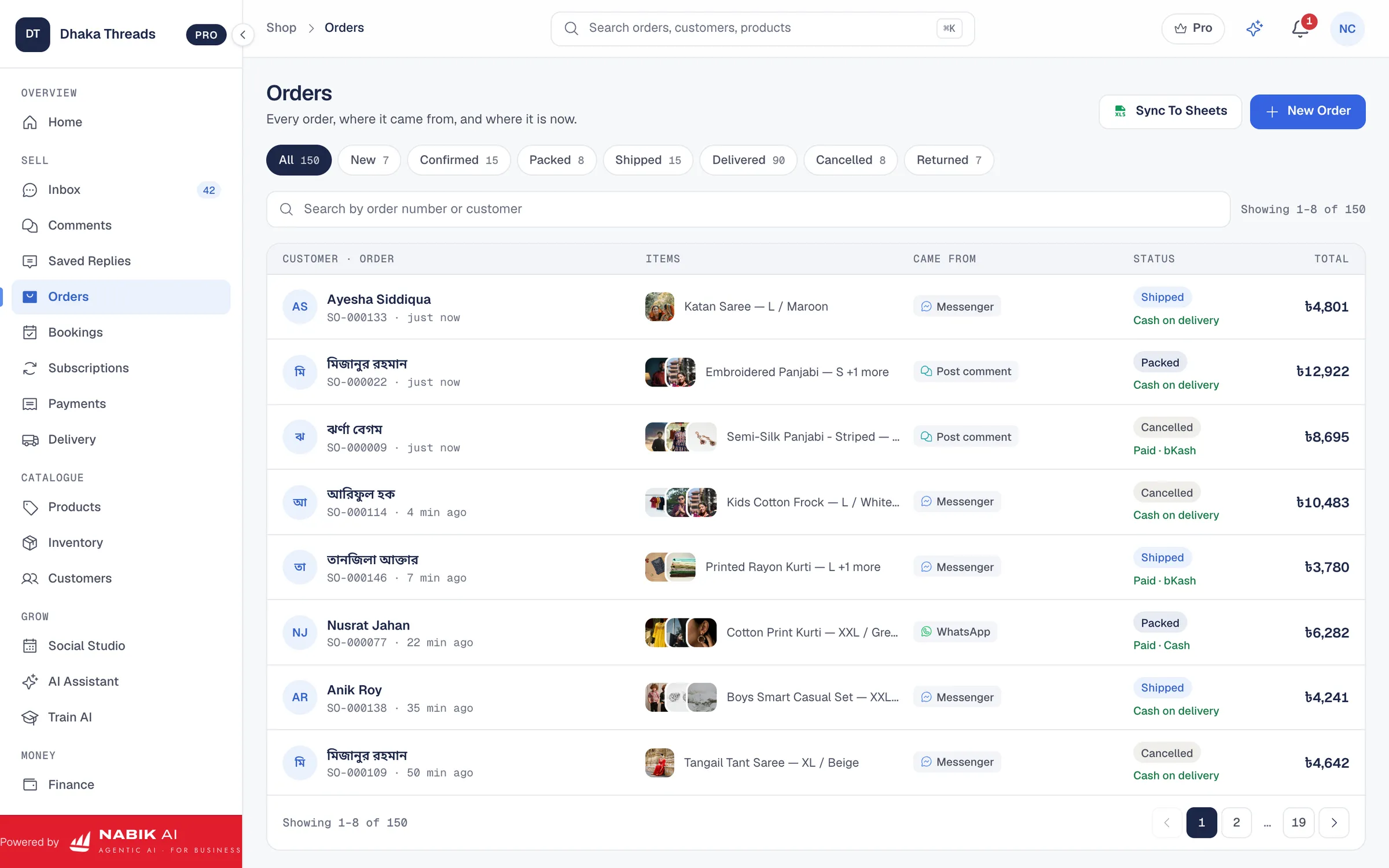
- Do not stop at auto reply; design the full path from comment to parcel.
- Use one central list (software or sheet) where every confirmed order is recorded.
- Mark orders clearly as COD or pre-paid (bKash/Nagad) to avoid confusion on delivery day.
- Set a daily cut-off time for sending addresses to your courier partner.
How Does Nabik AI Help With Facebook Comments?
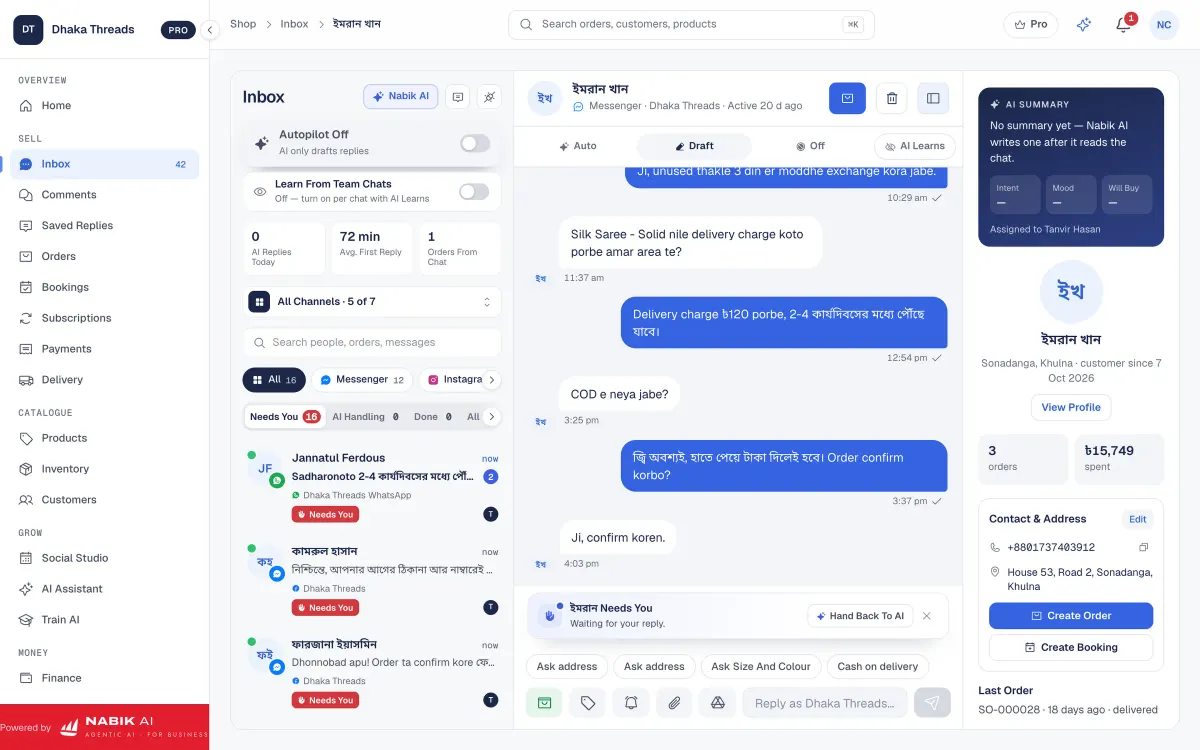
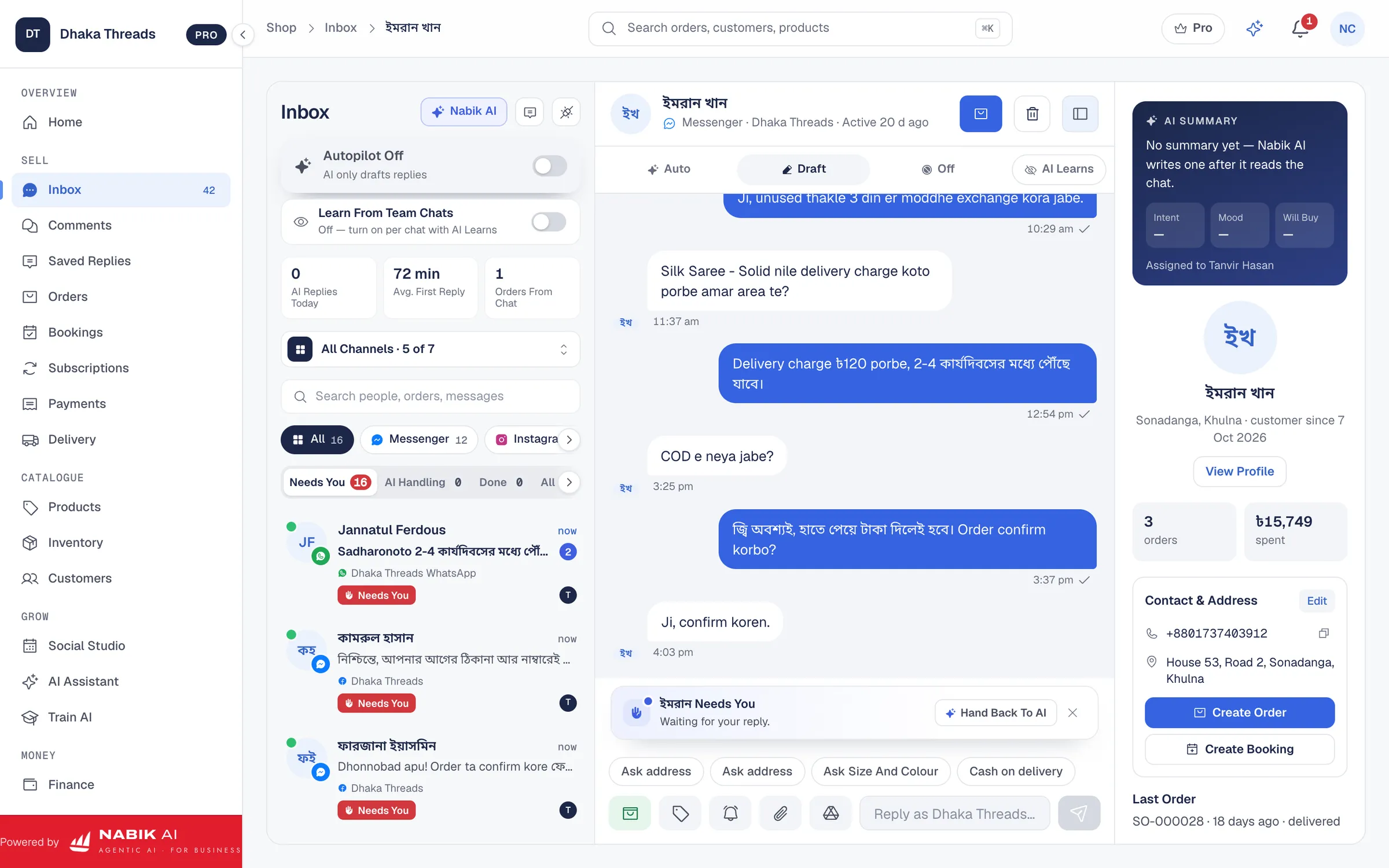
Nabik AI cannot replace Facebook’s own comment automation switches, but it fits immediately after them. When your comment auto reply pushes a customer to Messenger, Nabik AI’s AI agents can continue the conversation in Bangla, Banglish or English using your own products, prices and policies. This means you still get the benefit of instant comment reply plus a smart inbox assistant that understands your catalogue.
With Nabik AI you also get a social inbox: one place for Messenger, WhatsApp, Instagram and Page comments. That makes it much easier for a small Bangladeshi team to keep track of who commented, who got an auto reply, who moved to inbox and who finally placed a cash-on-delivery order. You can read more about this shared inbox on the social inbox page.
Because Nabik AI learns from your corrections, you do not need complicated setup. You just chat with it like a staff member, explain your products and prices, and it improves over time. Its Facebook AI chatbot tools focus on answering customer questions, taking orders and handing over to a person when needed.
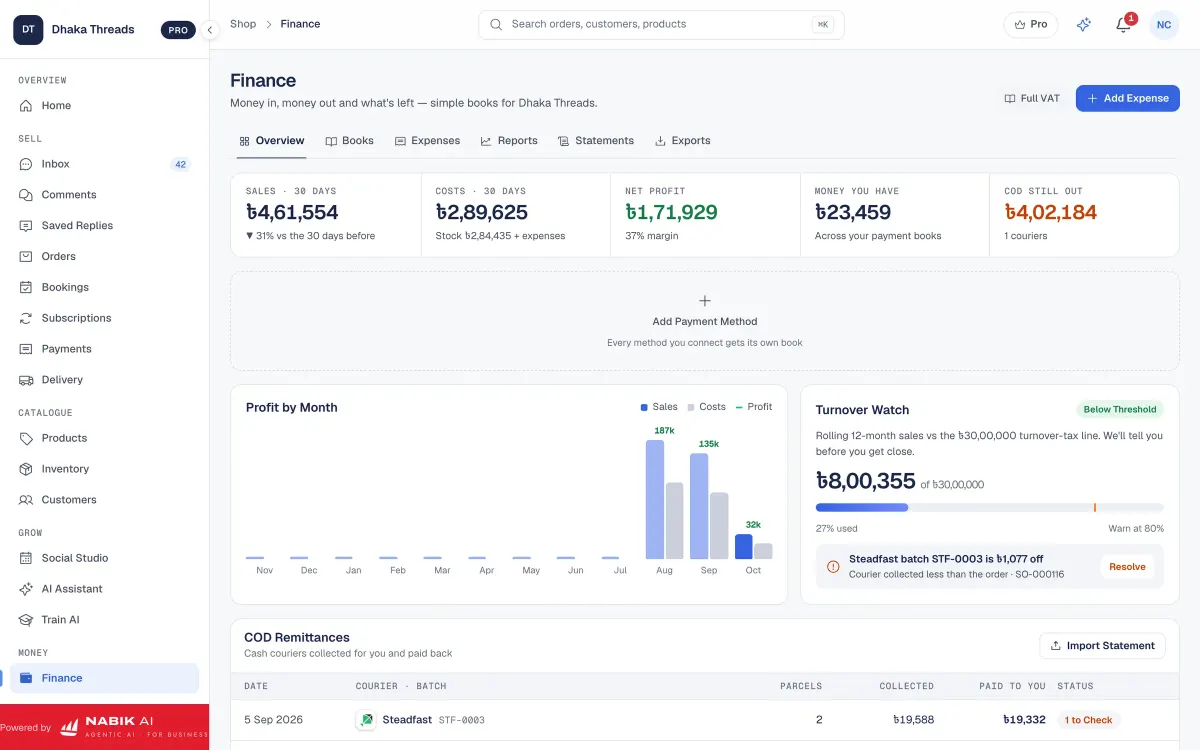
Beyond chats, Nabik AI connects messaging with actual business work: inventory, orders, finance with NBR VAT and more. Plans are priced in taka and start free, with Pro at ৳1,999 per month and Business at ৳3,780 per month; details are on the pricing page. If you already feel overloaded by comments, messages and order tracking, testing Nabik AI in your browser on desktop or phone can show you how much load an AI assistant can take off your hands.
- Let Facebook handle triggering the comment auto reply; let Nabik AI handle the inbox chat that follows.
- Use Nabik AI’s one inbox to see comments and messages from Facebook, Instagram and WhatsApp together.
- Teach Nabik AI about your products, prices and policies by chatting with it like a new staff member.
- Use its order and finance tools to connect comments → chats → orders → NBR VAT reporting.
What Daily Routine Keeps Comment Auto Replies Working Well?
Auto reply is not “set and forget”, especially in Bangladesh where slang and product trends change every few months. You need a simple daily or weekly routine to keep your keywords, reply texts and order flow healthy. This does not need to take more than 15–20 minutes a day if you are organised.
First, review yesterday’s comments quickly. Check if anyone commented with a new spelling or phrase that did not trigger your auto reply, like “prize koto”, “inbox koren”, or emoji-only comments. If needed, update your keyword list inside Facebook so future comments with those words get an instant reply.
Second, check your inbox to see how many people replied after your auto reply messaged them. If many people see the auto message but do not respond, your reply might be too cold or confusing. Try adding a simple question in Banglash like, “Kon size niben?” or “Dhaka na outside Dhaka delivery lagbe?” to invite answers.
Third, connect this with your orders and COD performance. If you see many fake orders or returned parcels from comments, review your reply texts and confirmation process; you may also want to read our guide on reducing fake orders and COD returns. Over time, a stable routine plus tools like Nabik AI will give you a comment section that not only looks active but also feeds real, profitable orders into your business.
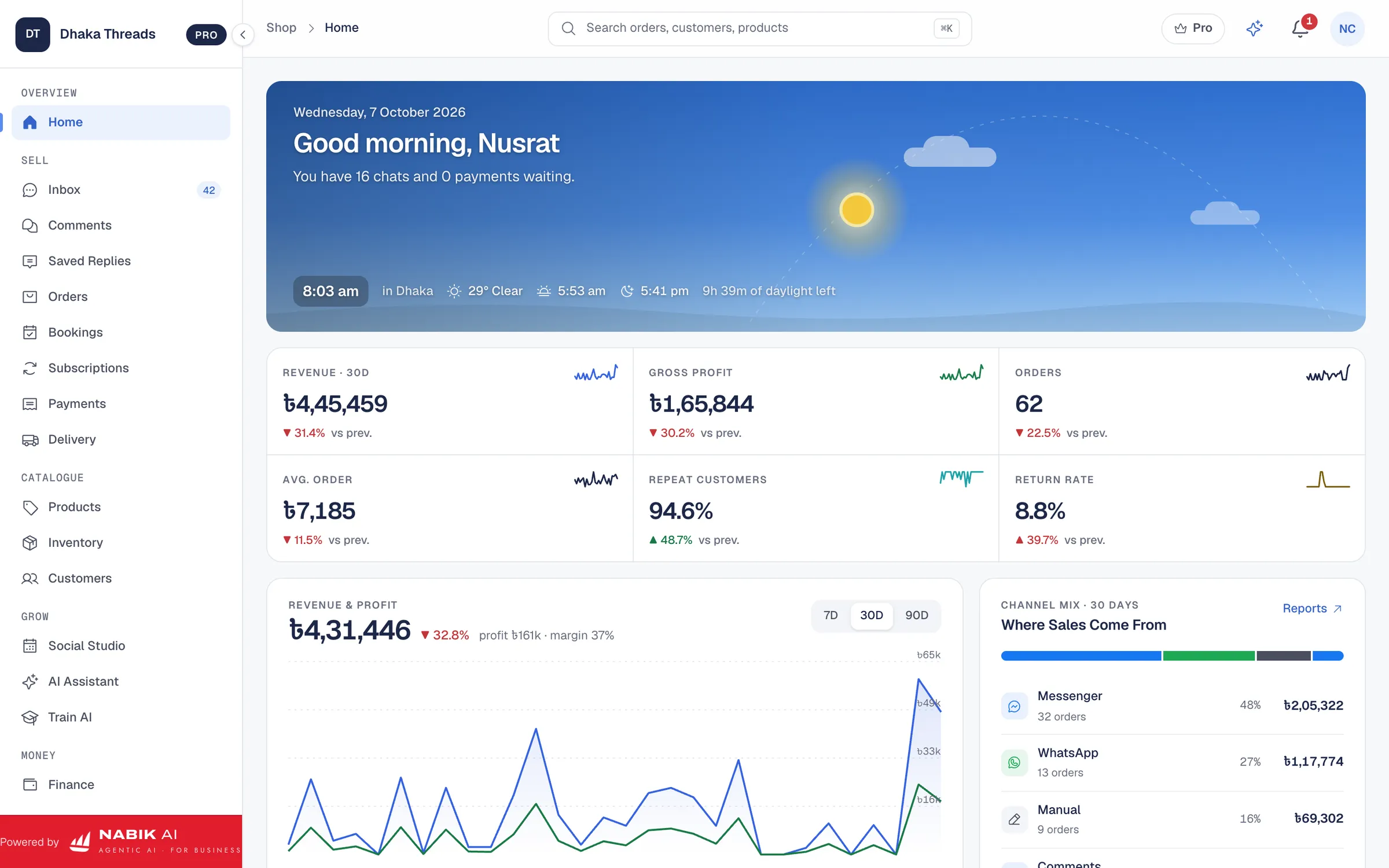
- Check recent comments and catch any that auto reply missed.
- Regularly add new spellings and slang words into your keyword triggers.
- Improve your reply texts if inbox response rate is low.
- Compare how many comment threads become confirmed COD orders each week.
FAQ
Can I set different auto replies for different Facebook posts?
Yes, Facebook usually lets you create rules that apply to all posts or to specific posts and ads. For special campaigns or offers in Bangladesh, it is better to set post-specific auto replies so the message matches the exact price and promotion.
What keywords should I add for auto reply in Bangladesh?
Start with “price”, “dm”, “inbox”, “msg”, “detail”, plus Bangla and Banglish versions like “dam koto”, “dem koto”, “damm koto”, “price plz”, “price pls”, “inbox plz”, “inbox please”, and “inbox den”. Over time, watch your comments and keep adding funny spellings and local slang you see customers use.
Will auto replying to comments reduce my Facebook reach?
Normally, quick replies to comments help your reach because they increase engagement and show Facebook that your Page is active. Just avoid spammy copy-paste replies that look like bots posting the same text hundreds of times with no variation.
Should I auto reply to negative comments too?
For negative comments, a gentle manual reply is usually safer, especially with strong language or complaints about delivery and COD. You can still use a saved reply template, but have a person press send so you can adjust wording to the real situation.
How does Nabik AI fit with Facebook’s own auto reply features?
Facebook handles the triggering of comment auto replies and moving people into Messenger. Nabik AI then works inside your inbox, answering in Bangla, Banglish or English based on your own data, taking orders, and helping you manage customers, inventory and orders from one place.