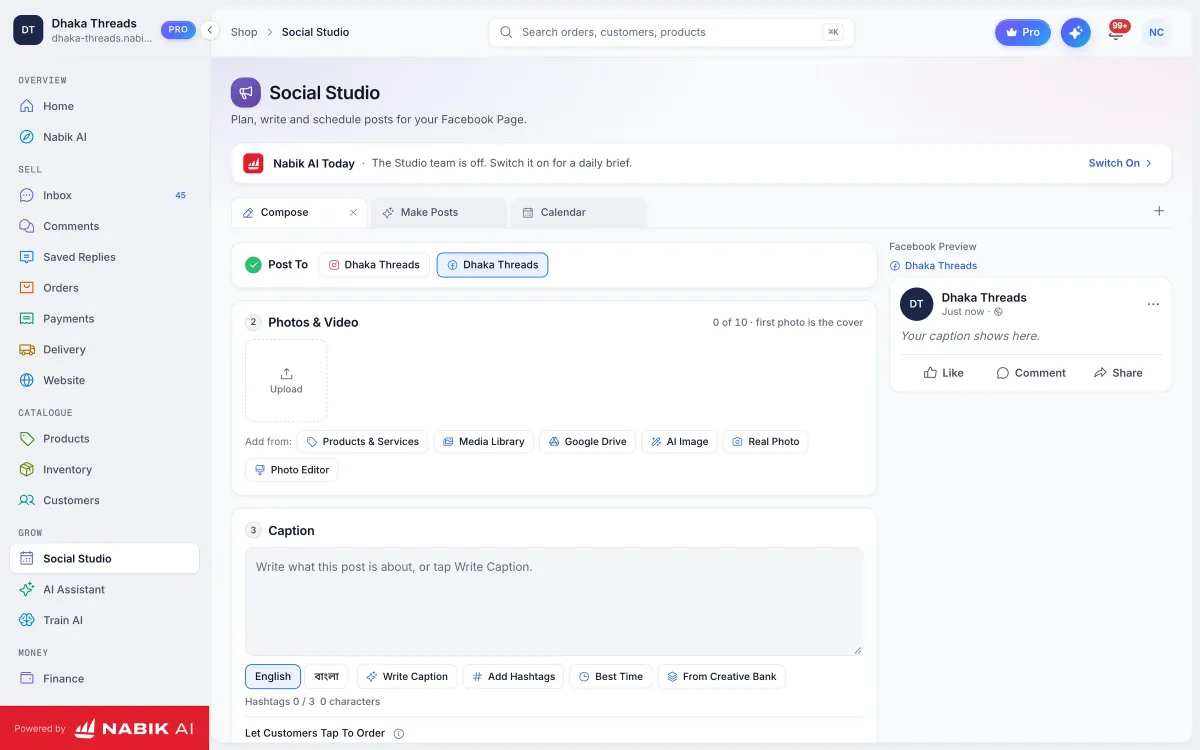
How do you edit a photo with AI, and what caption do you put on it? For an online shop the answer is simple: start from your product's own photo, let AI clean and style it, finish it by hand, then post it with a caption that sells. This guide shows how to edit product photos with AI step by step, and gives you ready captions for AI pictures in Bangla and English.
Key Takeaways
- A sharp, well-lit phone photo is the most important input. AI improves a good photo; it cannot rescue a blurry one.
- Use AI for the background, styled product shots, model shots and posters. Use hand editing for price, badges and exact Bangla text.
- Never let AI change the product itself: colour, design and size must match what the customer receives.
- A good caption says what it is, why it is worth it, the price and how to order.
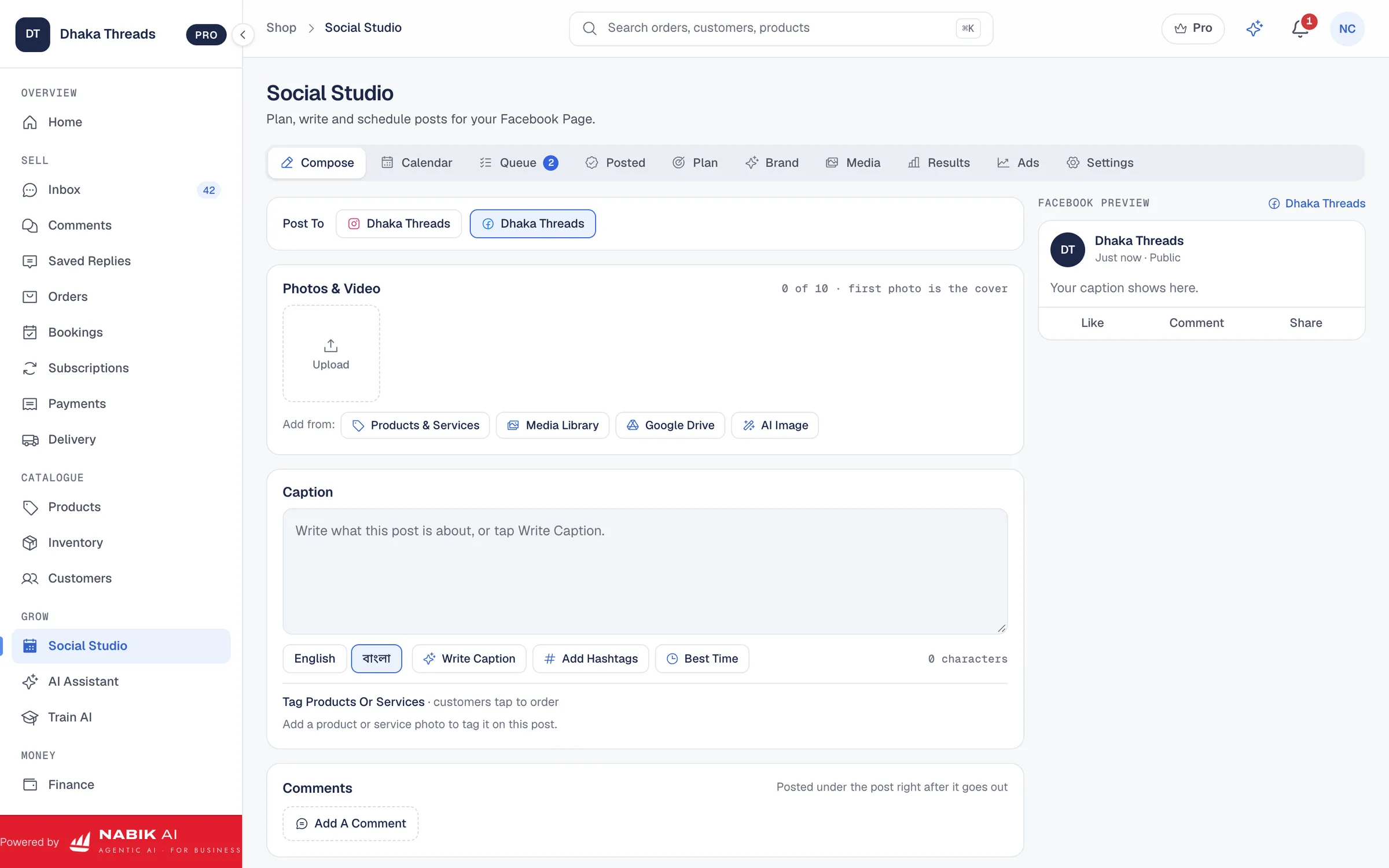
- In Nabik AI, AI pictures and captions are made from your own product in Social Studio and saved to your Media library.
Why Edit Product Photos With AI?
Customers decide from the picture before they read the caption. Most small shops photograph products on a bedsheet or a busy table, with no studio and no model. AI closes that gap in minutes: a clean background, a styled scene, the dress on a model, a poster for tonight's offer.
How to Edit a Product Photo With AI: Step by Step
Step 1: Take a Good Base Photo
- Daylight near a window, no direct sun, no flash
- A plain wall, sheet or table top behind the product
- The whole product in frame, in focus, phone held straight
- One photo per colour if you sell several colours
Step 2: Clean the Background
Remove the clutter so only the product stands out. In the Nabik AI Photo Editor, Plain Background removes a plain wall, sheet or table behind a product. On a busy background, such as a street or a room, it removes nothing and tells you, so retake the photo against something plain.
Step 3: Make a Styled Photo or a Model Shot With AI
Ask for what you need in plain words, for example "my kurti on a model, soft studio light, beige background" or "this perfume on a marble table with flowers". In Nabik AI this is in AI Product Photos: it starts from your real product photo, so the result stays your product. You see the credit price before it starts.
Step 4: Add Price, Badge and Bangla Text by Hand
Many AI image tools break Bangla letters. Put the words on by hand instead: the price, "ক্যাশ অন ডেলিভারি", "ঈদ অফার". The Photo Editor has over 80 fonts including Bangla ones, sale and free-delivery badges, an old-price strikethrough, and sizes for feed, square and Story. Hand editing uses no credits.
Step 5: Check It Is Still the Real Product
Before you post, compare the picture with the product in your hand: same colour, same print, same shape. If the AI picture shows something the customer will not receive, you will pay for it in returns. Read AI product photos: honest or fake? for where the line is.
Ready Captions for AI Pictures
The search "ai দিয়ে ছবি বানানোর ক্যাপশন" has two meanings: captions for your own AI-made pictures, and captions for shop posts with AI product photos. Here are both.
Captions for Your Own AI Picture
- "AI made the picture, the dream is mine."
- "Not a photoshoot, just imagination and a little AI."
- "If AI could draw my mood, this would be it."
- "Real me is lazier. AI me went to the studio."
Captions for Shop Posts
- "New arrival, ready to ship. Price ৳1,250, cash on delivery all over Bangladesh. Comment 'price' or message us to order."
- "Same quality, new look. Order today, delivery in Dhaka in 1–2 days."
- "Only a few pieces left in this colour. Inbox for size."
- "Eid collection is live. Your size, your colour, delivered to your door."
Change the price, delivery time and words to match your shop. For more, see Facebook post captions that sell.
Let AI Write the Caption for You
In Nabik AI's Social Studio, the caption is written in your shop's voice together with the picture and hashtags, in Bangla or English, and you can publish now or schedule it for your Facebook Page and Instagram.
Prompts for AI Product Photos by Category
A good prompt names the product, the scene, the light and the mood. Start from your own product photo, then try one of these:
| Category | Prompt to try |
|---|---|
| Clothing | "This three-piece worn by a South Asian model, standing, soft daylight, plain beige wall, full outfit visible" |
| Cosmetics | "This lipstick on a pink marble surface with soft shadows and a few rose petals, close-up, clean and bright" |
| Jewellery | "These earrings on a dark velvet stand, warm spotlight, sharp focus on the stones" |
| Food and snacks | "This jar of homemade pickle on a wooden table with green chillies and mustard seeds around it, morning light" |
| Gadgets | "This power bank on a white desk next to a laptop and a coffee cup, modern and minimal" |
| Shoes and bags | "This handbag on a café table, shallow background blur, natural window light" |
If the first result is not right, change one thing at a time: the background, then the light, then the angle. Changing everything at once makes it hard to know what worked.
Photo Sizes for Facebook and Instagram
| Where it goes | Size | Shape |
|---|---|---|
| Feed post (portrait) | 1080 × 1350 | 4:5 |
| Feed post (square) | 1080 × 1080 | 1:1 |
| Story and Reel cover | 1080 × 1920 | 9:16 |
| Product photo in your shop | 1080 × 1080 or larger | 1:1 |
Portrait 4:5 takes more space in the feed on a phone, so it usually gets more attention than a square or a wide picture. Keep the price and the main words away from the edges, where a phone may crop them.
A Simple Weekly Photo Routine
- Monday: photograph every new product in daylight, one plain background, every colour.
- Tuesday: make one styled photo and one model shot for each, check them against the real product.
- Wednesday: make posters for the week's offer with the price and Bangla text by hand.
- Thursday: write captions and schedule the posts for the coming days.
- Every day: answer the comments and messages the posts bring, or let an AI agent answer them from your real products.
Common Mistakes
| Mistake | What happens | Fix |
|---|---|---|
| Blurry base photo | AI invents details | Retake in daylight |
| AI changes the colour | Returns and bad reviews | Compare with the real product |
| Bangla text drawn by AI | Broken letters | Add text by hand with a Bangla font |
| Caption without price | Endless "price?" comments | Put the price in the caption |
FAQ
How Can I Edit a Photo With AI for Free?
Many apps have free AI tools with daily limits. For shop photos, start with a good phone photo, use a free background remover, and add text by hand. In Nabik AI, the Photo Editor is free to use; AI pictures use credits and new shops start with free credits.
Is It OK to Sell With AI Product Photos?
Yes, as long as the product in the picture is exactly what the customer gets. Use AI for the background, light and model, not to change the product.
What Is a Good Caption for an AI Picture?
Short and honest: what the picture is, one feeling or benefit, and for a shop post the price and how to order.
Can AI Write Captions in Bangla?
Yes. Nabik AI writes captions in Bangla, Banglish or English in your shop's voice, and you edit before posting.