If you run a small shop with a few WhatsApp orders a day, the WhatsApp Business App is usually enough. If you get many chats, have a team, or want AI and automation, you will need WhatsApp API through software like Nabik AI.
This guide explains WhatsApp Business App vs WhatsApp API in simple language for Bangladeshi shop owners. You will see which one fits your current size, how automation really works, and how tools like Nabik AI can connect WhatsApp with orders, stock and payments.
Key Takeaways
- Use WhatsApp Business App if you are a solo seller or very small team with manageable daily chats.
- Move to WhatsApp API when you have high chat volume, a team, or need proper automation and system integration.
- WhatsApp API itself is not an app; you use it through software platforms such as Nabik AI.
- Bangladeshi shops can use WhatsApp automation to answer FAQs, take COD orders, and update customers about couriers.
- Nabik AI connects WhatsApp with AI chat, orders and one inbox, with plans in taka starting from a free tier.
What Is The Difference Between WhatsApp Business App And WhatsApp API?
Both options use the same WhatsApp network, but they work very differently for your shop. The WhatsApp Business App is a mobile app you install on one phone; the WhatsApp API is a technical connection that software like Nabik AI uses to talk to customers on your behalf.
With the WhatsApp Business App you get simple tools: business profile, quick replies, labels, basic catalogue and a connected WhatsApp Web tab. It is mostly designed for one person (maybe two) replying manually. It is good for small F‑commerce shops that reply to each message one by one and do not need deep automation.
The WhatsApp API has no official app you open. Instead, you connect your WhatsApp number to a platform that supports the API, and that platform gives you features like multi-agent inbox, chat routing, automation, AI bots, and integrations with order or inventory systems. Your customer still just sees a normal WhatsApp chat; they do not see the complexity behind.
So the key difference is this: the Business App is a simple tool on a phone; the API is an industrial connection used by proper software systems. Which one you need depends on your chat volume, team size and how much you want to automate.
How Do WhatsApp Limits Affect Bangladeshi Shops?
To choose between WhatsApp Business App and API, you must understand their limits. The Business App is limited mainly by device and people: one primary phone (plus Web/desktop) and usually one person really using it properly. Once you have multiple admins using the same phone or Web session, things quickly become messy and risky.
For Bangladeshi shops, the first pain appears when daily chats grow. When you are dealing with 40–80 customers a day asking, “Size available?”, “Outside Dhaka delivery koto?” or “bKash ache?”, the Business App becomes slow, and you start missing replies. There is no proper way to assign chats to staff, track who replied, or see which chats are still pending.
WhatsApp API is designed for higher volumes and teams. Multiple agents can log in from their own accounts on one platform and reply to customers from the same WhatsApp number. You can organise chats by queue, status, or topic, and build automation so common questions are answered instantly.
Think about your last busy day: if you felt you were drowning in messages, screenshots, and missed follow‑ups, that is a signal you are hitting the natural limits of the Business App and should start planning for the API.
bullets
- Are you using the same WhatsApp on multiple phones? That is a warning sign for mistakes and blocked numbers.
- Do you lose track of who confirmed address, payment and courier with which customer? Then you need a more structured inbox.
- If one day of strong sales (sale day, Eid, 11.11) completely breaks your WhatsApp flow, plan for the API now, before the next peak.

Which One Fits Your Shop Size And Team?
You do not need WhatsApp API just because it sounds advanced. Many Bangladeshi shops will earn very well for years using only the WhatsApp Business App plus Facebook and Instagram inboxes. The right choice depends on your team, monthly order count, and how you want to grow.
Use this simple comparison to see where you stand. Remember, these are practical ranges, not strict rules. If you are on the edge, think about where your shop will be in 6–12 months, not only today.
After the table, there is a checklist you can use this week to decide, without talking to any software vendor yet.
| WhatsApp Business App | WhatsApp API | |
|---|---|---|
| Typical user | Solo seller or very small team | Growing brand, multi‑person team, agency |
| Devices | One main phone + Web | Many users from many devices via one platform |
| Daily chat volume | Low to medium (manageable manually) | Medium to very high (needs structure and automation) |
| Automation | Basic quick replies and welcome messages | Advanced flows, AI bots, routing, integrations |
| Integration with systems | Manual copy‑paste into Excel, couriers, accounts | Direct links with orders, inventory, payments, CRM |
| Reporting | Very limited | Detailed reports by agent, channel, campaign |
| Setup time | Install app, update profile, done | Need platform, number onboarding, approval steps |
| Best for | Starter F‑commerce, home businesses, early‑stage | Scaling brands, franchises, service chains, agencies |
Is WhatsApp Business App Enough For Your Shop Right Now?
For many Bangladeshi F‑commerce shops, the honest answer is yes. If you sell a few dozen orders a month from Facebook or Instagram, and customers mostly message during the evening, the Business App with simple labels can work fine. You do not have to jump into API and complex setups before you are ready.
WhatsApp Business App is usually enough if this sounds like you: one or two people handle all chats; you check WhatsApp on one main phone (maybe with Web on a laptop); and you are okay with replying manually to every message. You do not feel a strong need for detailed reports or system integration yet.
You can squeeze more value from the Business App before upgrading. Create quick replies for your most common Bangla/Banglish answers, like size charts, delivery charge inside/outside Dhaka, and payment options (bKash, Nagad, COD). Use labels to track leads like “New”, “Confirmed”, “Paid”, “Shipped” and “Completed” so you do not forget follow‑ups.
If you organise your current Business App this way and it still feels under control, stay there for now. You can always move to WhatsApp API later when your chat volume and team really demand it.
- Set 5–10 quick replies for FAQs instead of typing the same lines again and again.
- Use different label colours for stages of an order so you can visually scan your chats.
- Keep one dedicated business phone so WhatsApp does not mix family chats with customers.
When Do You Clearly Need WhatsApp API Instead Of The App?
WhatsApp API is not for hobby selling; it is for shops that treat messaging as a serious sales and service channel. You know you are ready when WhatsApp feels like a small call centre, not just an inbox. At that stage, trying to manage everything from one phone starts to cost you real money in lost orders and angry customers.
You should strongly consider API when you have a team replying to customers, even if they sit in the same room. Each person should have their own login, and chats should be assigned or auto‑routed. You also need API when you want chatbots or AI to answer first, collect order details, and then hand over to a human when needed.
API becomes almost mandatory if you want WhatsApp tightly connected to your systems: automatic order creation, stock checks, personalised messages by customer history, or status updates when a courier status changes. For a Bangladeshi shop with hundreds of COD deliveries a month, this can reduce fake orders and missed updates.
Think of WhatsApp API as moving from a personal phone to a proper customer service system. It is an extra layer of work to set up, but once in place, it gives you control, visibility and the option to bring in AI and automation safely.
- You have more than one full‑time staff member answering WhatsApp.
- You miss or double‑reply to customers because you cannot see who handled what.
- You want AI or bots to answer in Bangla/Banglish 24/7 and only bring staff in when needed.
- You want reports: how many chats per day, who closed them, conversion to orders, etc.
How Does WhatsApp Automation Actually Work For Shops?
With the Business App, “automation” is mostly basic greetings and away messages. With WhatsApp API, automation can guide your customer from “Hi” to “Order confirmed” with very little typing from your side. For Bangladeshi shops, this means getting size, colour, address, area, courier choice and payment method quickly and cleanly.
A typical automated flow might look like this: the customer clicks your WhatsApp button from Facebook or Instagram; they get a welcome message and menu in Bangla/Banglish; they choose product category or send a screenshot; the system asks for size and confirms price plus delivery charge inside or outside Dhaka. After that, it collects name, full address, phone, and COD or bKash/Nagad preference.
AI can make this even smoother. Instead of pressing 1/2/3, your customer can type free text like “Bro, Magura delivery hobe? bKash dile advance niben?” and an AI agent can reply correctly based on your real policies. Tools like Nabik AI are built to answer in Bangla, Banglish or English from your own products, prices and rules and then pass the chat to a human when needed.
When your WhatsApp number is connected into a shared inbox such as the Social Inbox, all these automated and manual chats sit in one place along with Messenger and Instagram. From there, your team can confirm orders, add notes, and keep service consistent even on busy sale days.
- Automate first response and FAQs so humans focus on special cases and high‑value customers.
- Design flows that collect all order details in one go to reduce back‑and‑forth and mistakes.
- Always give an easy way to talk to a real person; do not trap customers in menus.
How Does Nabik AI Help With WhatsApp For Your Shop?
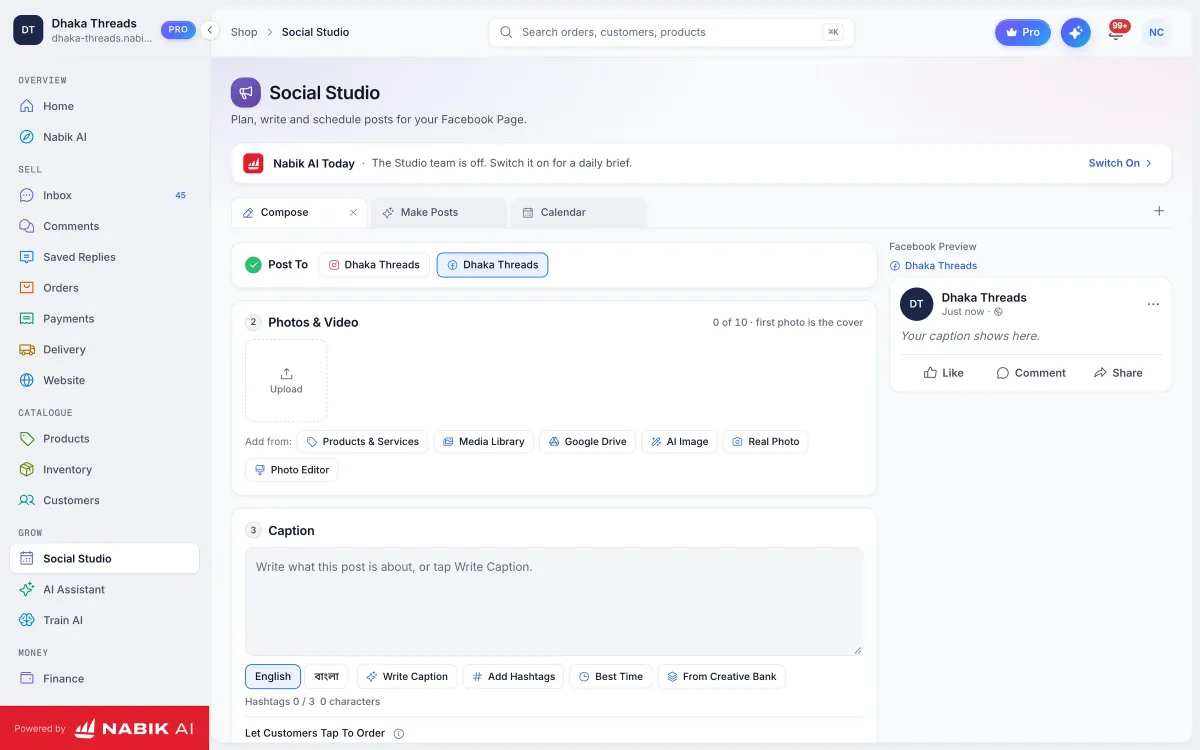
Nabik AI is web software made in Bangladesh by Auto Probaho Technology for shops, service businesses and content Pages that sell on Facebook, Instagram, WhatsApp and their own websites. It connects your chats into one place and uses AI agents to answer customers in Bangla, Banglish or English from your own product list, prices and policies.
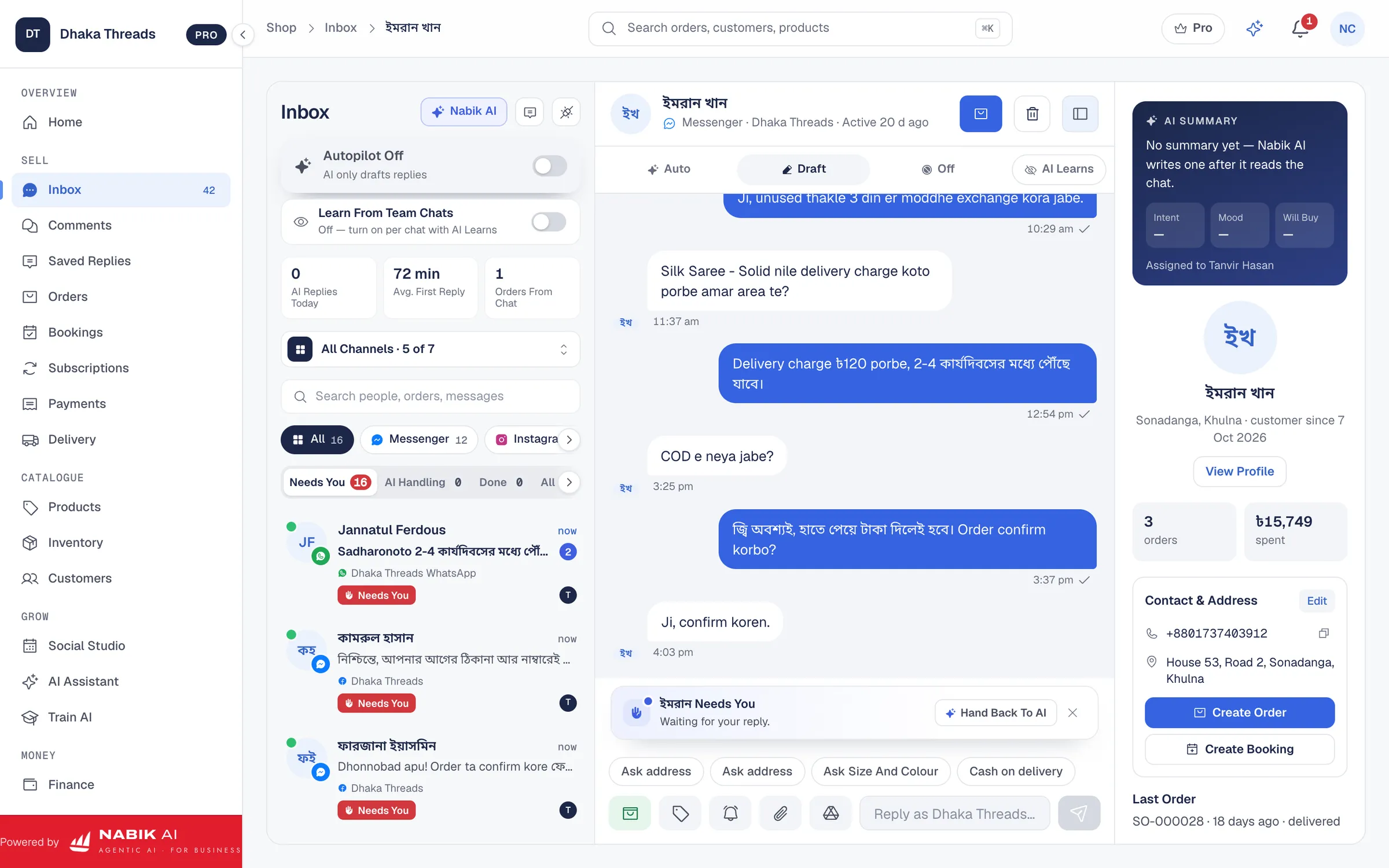
When your WhatsApp number is connected through API to Nabik AI, your team gets a shared inbox together with Messenger, Instagram and Page comments via the Social Inbox. Each chat can be assigned, tagged and followed up, so no customer is lost even when multiple staff are online. AI agents can answer common questions, take the order, then hand over to a person whenever something is sensitive or unusual.
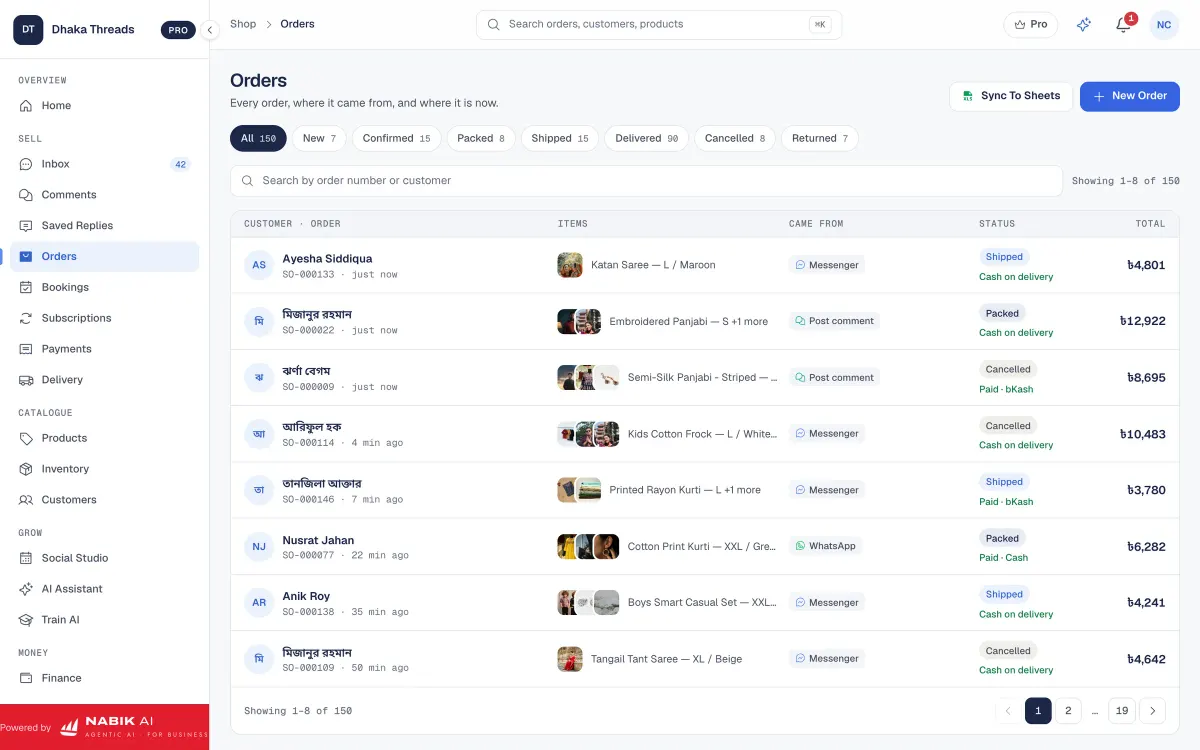
Orders from WhatsApp, Messenger and Instagram can be created directly from the chat using Order Management. Stock is kept in one pool across channels, and AI can see what is in stock before confirming with the customer. The AI learns from your corrections and from how you chat with it, so over time it matches your tone and policies better.
Nabik AI runs in the browser on desktop and phone, and plans are priced in taka with a free starting tier. Paid plans for growing shops are currently Pro at ৳999 per month and Business at ৳3,780 per month, with AI usage controlled by credits you can top up as needed from the AI Assistant and Pricing pages. You can learn more about how AI conversations work in Bangla/Banglish in the dedicated guide on Bangla and Banglish AI customer service.
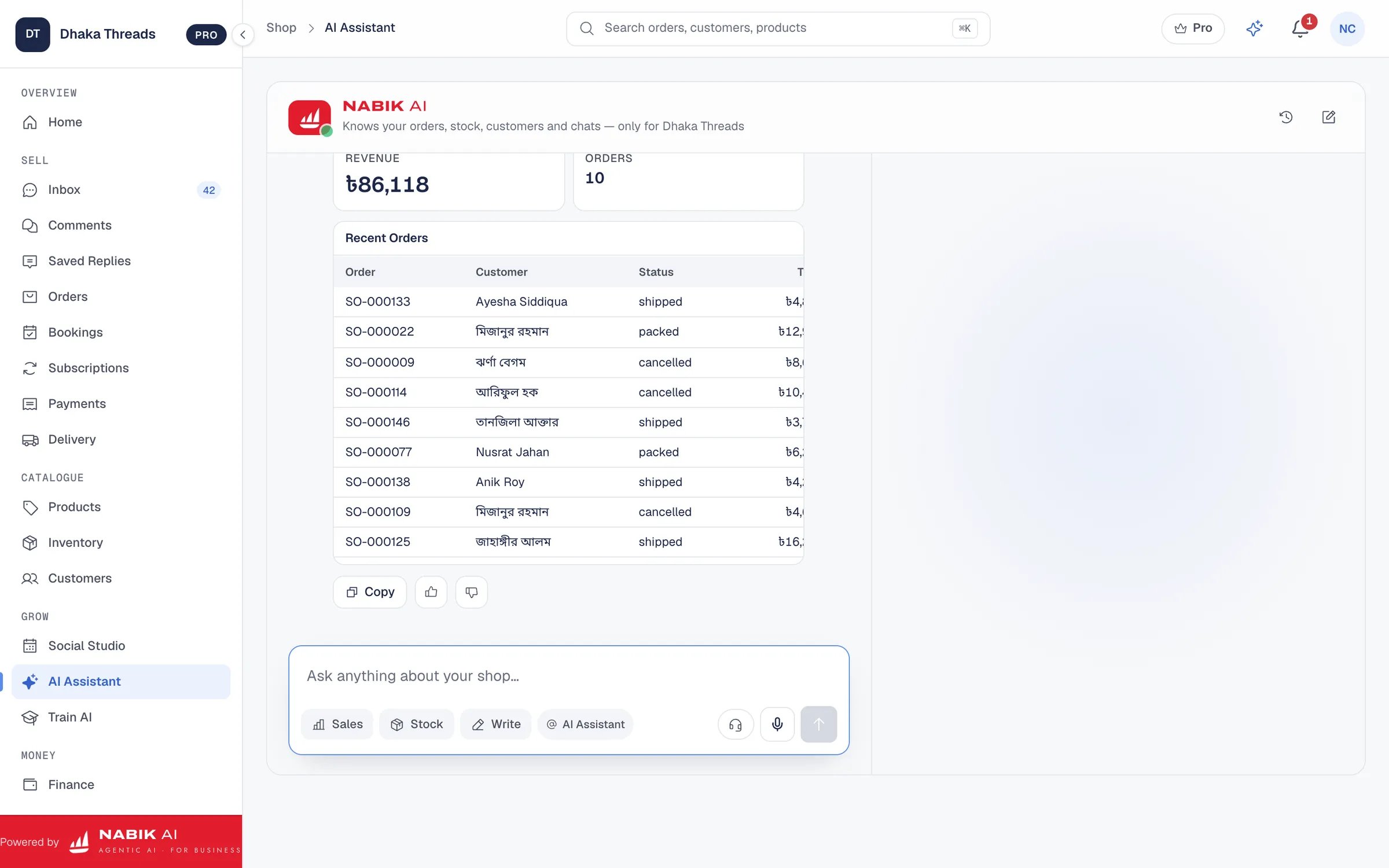
- Teach Nabik AI your products and prices by chatting with it, so answers feel like you, not a generic bot.
- Let AI do the first layer of WhatsApp support and order taking, then your team focuses on complex questions and VIP customers.
- Use reports and structured data from chats to see which products and campaigns actually drive WhatsApp orders.
What Common WhatsApp Messaging Mistakes Should You Avoid?
Whether you use the Business App or API, some mistakes will hurt you in Bangladesh’s very competitive online market. The first is spamming broadcasts without clear consent; customers quickly mute or block numbers that send too many sales messages. Always respect your buyers’ time and data, especially when they share phone numbers and addresses for COD deliveries.
The second mistake is mixing personal and business WhatsApp on the same number. It feels easier at first, but soon family chats, school groups and customers become one big mess; sensitive order details and bKash screenshots can get lost. Use a dedicated business number and keep all sales work there.
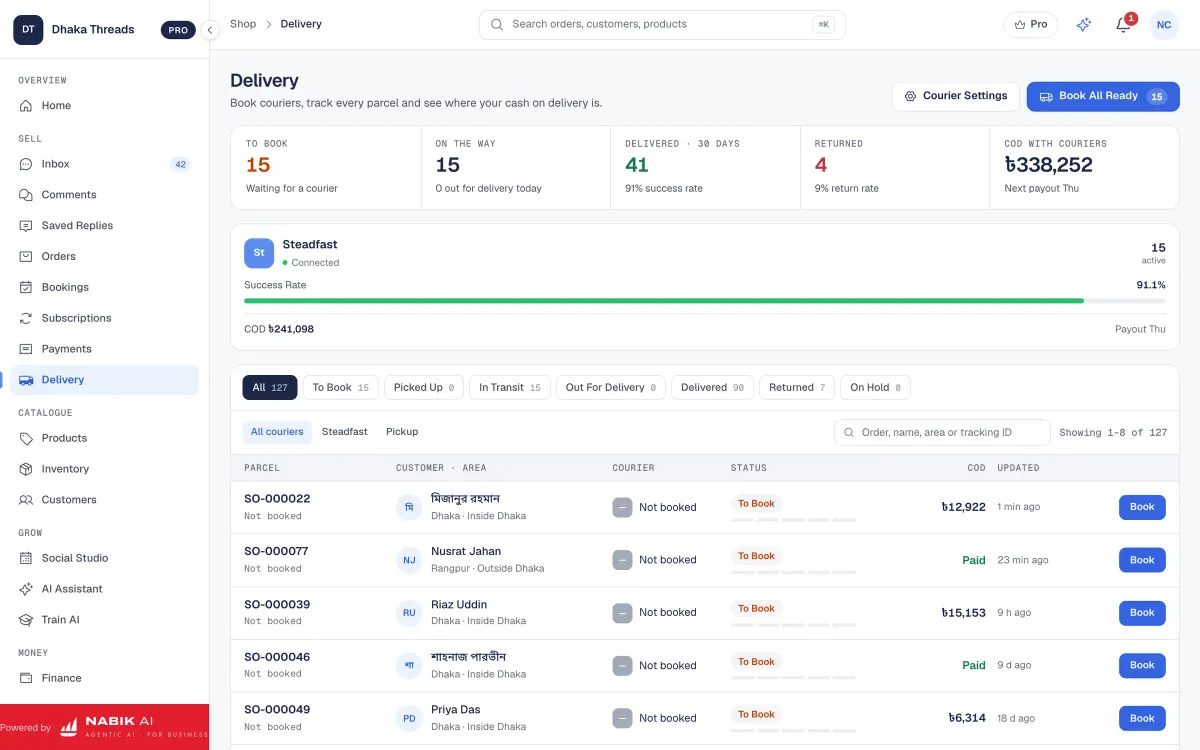
A third common problem is poor order and delivery communication. Customers often message, “Parcel koi? Ajkei pabo?” because no one gave them clear courier, tracking, or delivery time information for outside Dhaka. Whether you use simple templates in the Business App or automated updates through API, make it a habit to send status messages when you book a courier, when a parcel is in transit, and if there is any delay.
Finally, do not rely only on memory. Use labels, notes or a connected system so you know which customers paid via bKash/Nagad, which are COD, who returned items, and who is a repeat buyer. API plus tools like Nabik AI make this easy, but even on the Business App you can stay disciplined and avoid expensive mix‑ups.
- Get clear consent before adding customers to any broadcast or campaign list.
- Use a fixed template in Bangla/Banglish for order confirmation and delivery information.
- Review one week of chats every month to spot repeated complaints or confusion and fix the root cause.
FAQ
Can I use the same number on WhatsApp Business App and WhatsApp API at the same time?
No. A single phone number cannot be active on both the Business App and WhatsApp API at the same time. When you move a number to API, it is removed from the Business App, so plan the switch carefully and inform customers in advance if you expect any short downtime.
Is WhatsApp API free for Bangladeshi shops?
WhatsApp API itself is not free; Meta charges per conversation, and software providers add their own fees for platforms and features. The exact cost depends on your provider, message volume and features like AI or automation, so you should compare software pricing and expected monthly chat numbers before deciding.
Does a very small home business really need WhatsApp API?
Usually not. If you handle all chats yourself from one phone and your daily message count does not feel heavy, the WhatsApp Business App is enough. You can move to API later when your order volume and team grow and when manual replying clearly slows you down.
Will my customers notice any difference when I move to WhatsApp API?
From the customer’s side, they still chat with the same WhatsApp number as usual. The main differences are faster replies, more consistent messages, and better updates because your team and any AI or automation work behind the scenes. Just avoid making the experience feel robotic by always allowing handover to a human agent.
Can WhatsApp API work together with Facebook and Instagram messages?
Yes, that is one of the main reasons growing shops choose API and a platform like Nabik AI. You can bring WhatsApp, Messenger, Instagram and Page comments into one shared inbox, route chats to your team, and connect conversations directly with orders, customers and reports.
How do I know when it is the right time to move from WhatsApp Business App to API?
Signs include: you miss or delay replies because of message overload, more than one staff member needs to answer from the same number, and you find yourself copying the same information into Excel, courier panels and ledgers every day. When this becomes a daily pain, it is usually cheaper in time and money to invest in API and structured tools than to keep patching the Business App setup.