To handle an 11.11 sale in Bangladesh on your Facebook shop without losing orders, you must plan stock, prices, inbox and delivery before the day. Treat 11.11 like Eid-level rush and design a simple system that your team and tools can actually follow.
This guide walks through how a Bangladeshi F‑commerce or small ecommerce shop can prepare for 11.11: offer design, inventory, messaging, order processing and couriers. You will also see how Nabik AI can act as an extra pair of trained staff during peak hours, answering customers and taking orders in Bangla, Banglish or English.
Key Takeaways
- Decide clear 11.11 offers and limits so you can answer customers quickly and avoid confusion.
- Lock stock and pricing for 11.11 in one place to reduce overselling and angry customer messages.
- Set up auto replies and AI help for Messenger, WhatsApp and Instagram so no order inquiry is left unseen.
- Prepare an order, payment and courier routine designed for heavy cash-on-delivery traffic inside and outside Dhaka.
- Use 11.11 to collect customer data and feedback so your Facebook shop keeps growing after the flash sale.
What Is Special About The 11.11 Sale In Bangladesh?
11.11 is like a mini Eid for online shopping in Bangladesh. Customers sit with bKash and Nagad accounts ready, scroll Facebook Lives and posts, and message, “Offer ki?” again and again. For a Facebook or Instagram shop, this means sudden spikes of hundreds of comments and inbox messages in a few hours.
The risk is simple: if your system is weak, you miss messages, oversell stock, confirm wrong prices, or write courier info in notebooks and then lose track. Cash on delivery returns and fake orders also grow when everyone is chasing "lowest price" screenshots. Your goal is not only more orders, but clean orders you can actually deliver and get paid for.
So you need to treat 11.11 as an event, not just "one post with discount". Decide who in your team handles inbox, who confirms payments, who packs, who talks to couriers. Then let tools, templates and AI support this plan instead of trying to be the hero alone on your phone.
- Traffic can jump 3–10x in a few hours for popular products, especially clothing, cosmetics and gadgets.
- Customers expect fast replies; a 10–15 minute delay can mean they buy from another Page.
- More discounts means more price confusion, wrong calculations and screenshots from old posts.
- Higher volume exposes any weakness in your stock count, courier process or cash tracking.
How Should You Plan Your 11.11 Facebook Flash Sale Offer?
A shaky offer creates endless questions and slow inbox replies. A clean 11.11 offer for Bangladesh should be simple to explain in Bangla or Banglish voice note: for example, “All winter hoodies 20% off, free delivery inside Dhaka for orders over ৳1,500, offer valid 24 hours.” If your staff cannot repeat the offer in one sentence, it is too complex for 11.11 rush.
Start by choosing limited hero products: 5–20 items you push hard, with real discounts and clear stock. Plan your normal products separately with smaller offers, so your team knows which items must move fastest. Write the rules: minimum order amount, whether offer is for full payment only or also cash on delivery, and which areas (Dhaka city, nearby districts, whole Bangladesh) get which delivery rate.
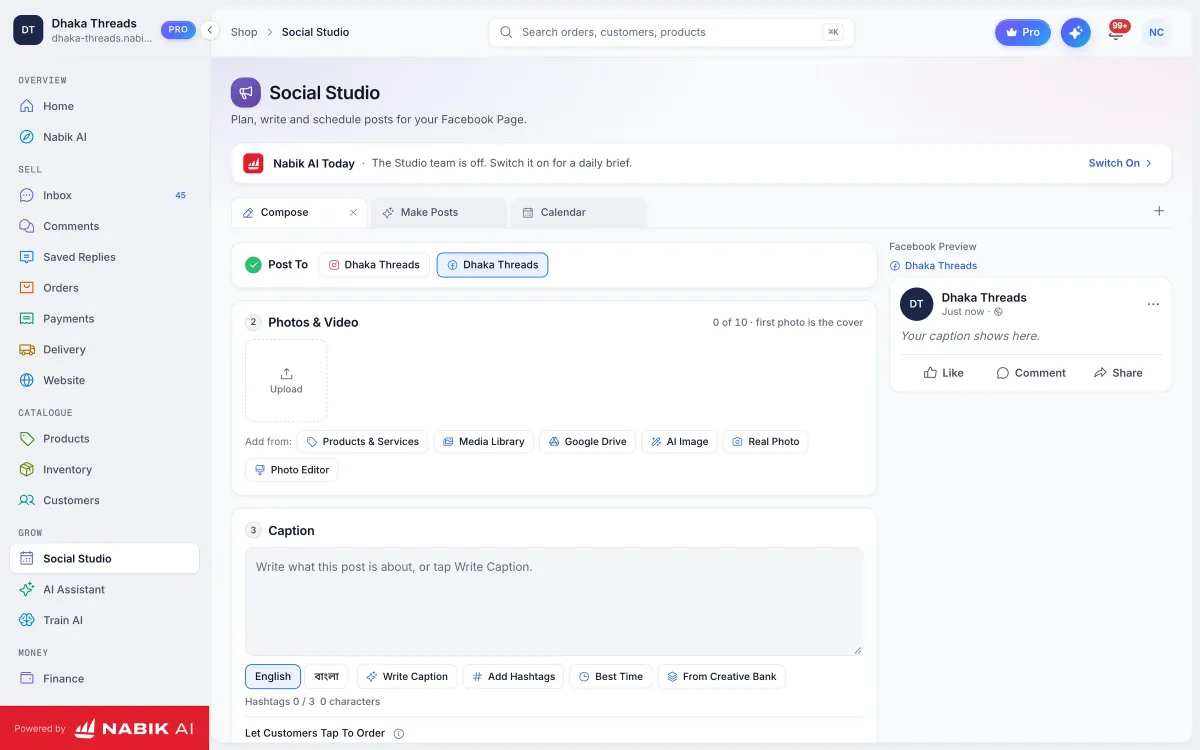
Then prepare content around that plan. Create at least: one main 11.11 post, supporting posts or Stories, and pre-written reply templates such as "Offer details", "How to order", "Size chart" and "Delivery info". If you use tools like a scheduler or AI captions, prepare and schedule posts earlier using something like Nabik AI’s Social Studio instead of designing everything on 10 November night.
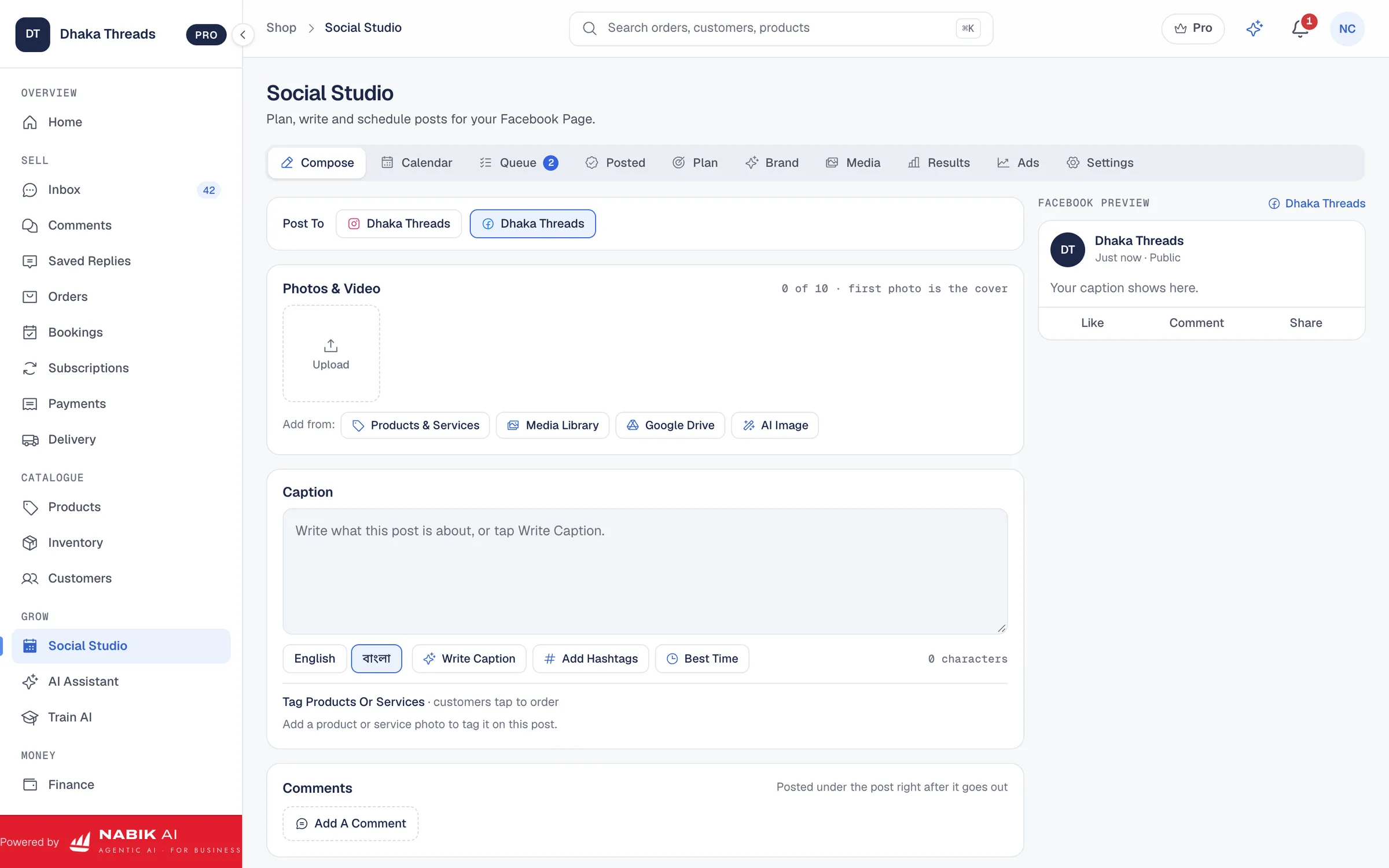
- Decide number of products in full flash offer (for example 10 SKUs) and list their 11.11 prices in a sheet.
- Set clear delivery charges: inside Dhaka, nearby districts and far districts, and whether any free delivery applies.
- Fix payment rules: COD only, full advance via bKash/Nagad, or mixed with token advance for certain pricey items.
- Write a 2–3 line offer summary in Bangla that any team member can paste as a quick reply.
Step 1: Write Your 11.11 Offer In One Sentence
Open a note and write your complete 11.11 offer in one simple Bangla/Banglish sentence. If it feels long or confusing, cut conditions until it is easy to say on live or voice note.
Step 2: List Flash Sale Products
Pick your 5–20 key items, write their regular price and 11.11 price, and how many pieces you will sell at that rate.

How Do You Prepare Stock And Pricing So You Do Not Oversell?
Overselling during 11.11 creates angry comments like “Page ta fraud, order confirm kore cancel korse.” To avoid this, you must know exactly how much stock (by size, colour or variant) is available for the flash sale, separate from your normal offline and wholesale sales. Relying only on memory or a notebook is very risky for fast-size-moving items like clothing and shoes.
Create one master stock list before 11.11 that your whole team trusts. For every SKU, note size/colour, starting stock, reserved stock (if you keep any for loyal customers), and “available for 11.11”. During the sale, update this centrally whenever you confirm an order, not two hours later. If stock runs out, mark “stock out” immediately in your post caption or pinned comment so you reduce “stock ase?” spam.
If you sell on multiple channels (Facebook Page, Instagram, website, maybe WhatsApp Broadcast), use one inventory system so a sale in one place updates all the others. Nabik AI’s inventory features keep one stock pool for every channel, track variants and show low-stock alerts. This helps you sell your last pieces at the best price without by-mistake confirming orders you cannot supply.
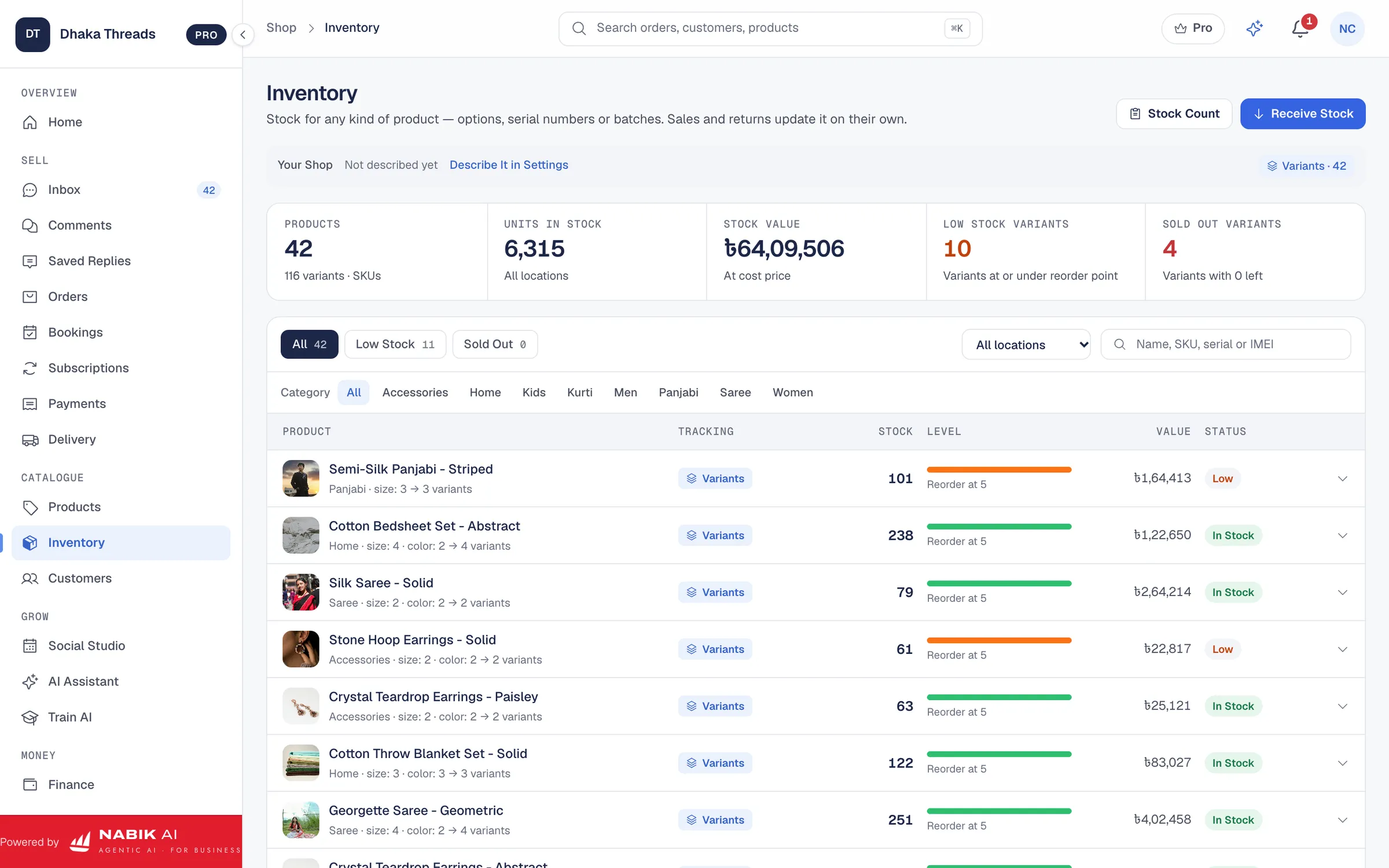
- Count physical stock at least one day before 11.11 and fix it in a sheet or inventory software.
- Mark damaged or display pieces separately so they do not enter the flash sale stock.
- Decide a small safety buffer (for example keep 2–3 pieces unlisted) for courier losses or packing mistakes.
- Prepare a short "stock out" template reply for when key items finish, and update your main post quickly.
Step 1: Set A Single Source Of Truth For Stock
Decide where your team will check stock (one Google Sheet or software like Nabik AI). Tell everyone to use only that on 11.11, not their own Excel or notebook.
How Can You Handle The 11.11 Message Flood Without Missing Orders?
On 11.11, your Messenger, WhatsApp and Instagram inbox can feel like a fire. Customers send mixed messages: “Price?”, “Vai stock?”, “Cash on delivery paabo?”, often in Bangla and Banglish with screenshots of your old posts. If you try to type every answer fresh, you will definitely miss some buyers and leave others on seen.
First, set basic auto replies on your Facebook Page so everyone gets instant acknowledgement and basic info. You can follow our guide on Facebook Page auto reply in Bangla to prepare this. Include your order format (name, number, address, product code, size, colour), payment options (bKash, Nagad, COD) and rough delivery time inside and outside Dhaka.
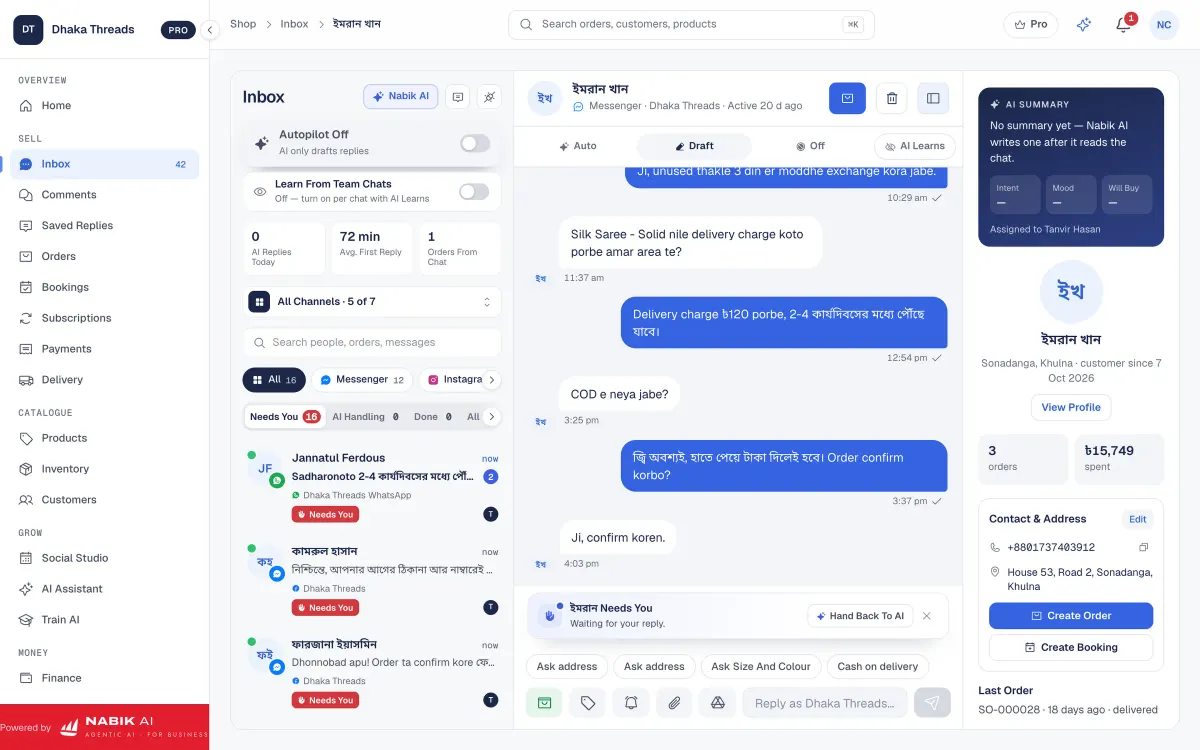
Second, bring all your channels into one place if possible. Nabik AI’s social inbox shows Messenger, WhatsApp, Instagram and comments together so your team divides work but nothing is forgotten. Its AI agents can answer common questions about products, offers and delivery in Bangla, Banglish or English, and can even take the order from the chat using your own product and policy data. You still stay in control; if AI gets stuck or the customer is special, it hands over smoothly to a human.
- Prepare quick replies for: price list, offer rules, delivery charges, how to order, payment numbers.
- Pin your main 11.11 post to the top of your Page and direct people there for full details.
- Use labels or tags in your inbox (for example "Hot lead", "Payment pending", "Order confirmed") to keep track.
- If using AI, train it on your 11.11 offer and rules 1–2 days before, and correct it once so it learns your style.
Step 1: Create A 11.11 Auto Reply
In your Page settings or inbox tool, write an auto reply that thanks the customer, mentions the 11.11 offer in one line, and explains how to order.
Step 2: Prepare Saved Replies
Inside your inbox tool, save 5–10 standard replies so your team can insert them with a click instead of typing.
| Manual Messaging Only | Messaging With AI & Tools | |
|---|---|---|
| Speed of First Reply | Several minutes when busy | Instant auto reply + AI greeting |
| Answer Consistency | Depends on staff mood and memory | Same, up‑to‑date info from templates and trained AI |
| Missed Messages | High when using only phone apps | Lower when all channels come into one inbox |
| Order Taking | Manually typing details each time | AI can collect format (name, number, address) and draft order |
How Do You Process 11.11 Orders, Payments And Couriers Smoothly?
Good 11.11 performance is not just about answering quickly; it is about turning conversations into delivered parcels with money in hand. You need a simple pipeline from "customer interested" to "parcel handed to courier" that your staff can follow under pressure. If everything stays inside Messenger chat history, you will definitely lose some orders or send wrong items.
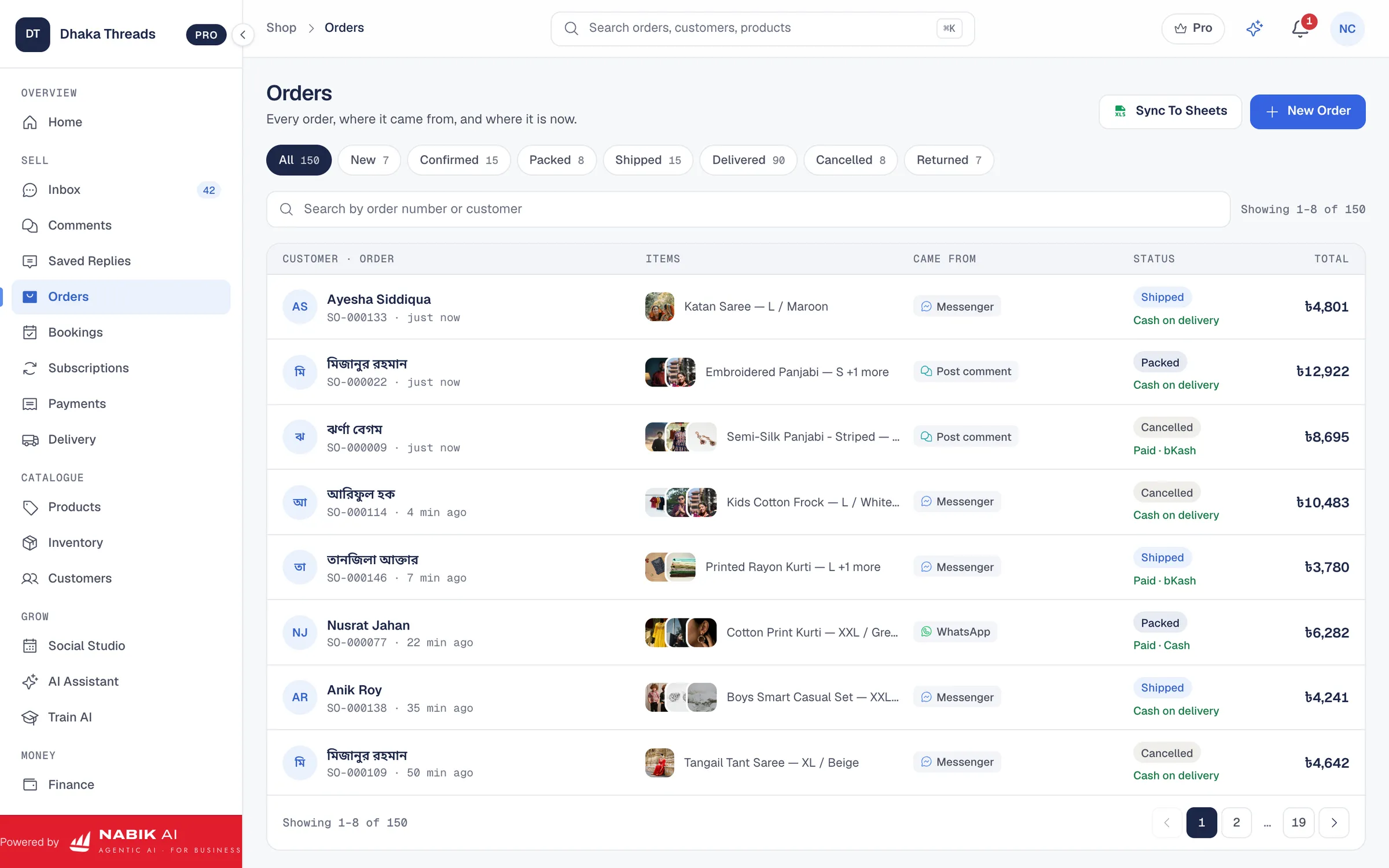
For each confirmed order, immediately create an order entry somewhere: notebook, Excel, or, better, an order management system. Capture product code, quantity, price, discount, customer name, phone, full address (with thana and district), payment method, and comments like “Call before delivery” or “Office hour delivery”. Nabik AI has order management that builds this from chat itself, sets statuses like Pending, Confirmed, Packed, Shipped and Delivered, and supports cash on delivery.
Decide which orders need advance payment by bKash or Nagad and which can be COD. For advance, send a clear payment instruction and ask for screenshot; for COD, consider confirmation calls or OTP for high-value orders, and follow our guide on reducing fake COD orders. Finally, plan how you will hand over to couriers inside and outside Dhaka. Nabik AI’s courier integration can book parcels and keep tracking codes in one place so you do not chase different courier apps all night.
- Fix a cut-off time when you will stop taking same-day orders and move new ones to next day dispatch.
- Separate 11.11 orders physically (different sacks or shelves) to avoid mixing with regular orders.
- Use simple printed or digital address slips so packers do not misread handwriting.
- Track returns and failed deliveries clearly so you can see the real profit from 11.11, not just revenue.
Step 1: Define Your Order Status Flow
Agree on 3–5 statuses (for example: New, Confirmed, Packed, Shipped, Delivered) and make sure every order moves through them without skipping.
Step 2: Set Payment And Courier Rules
Write rules such as "Orders above ৳3,000 require ৳500 advance" or "Certain districts only by specific courier" and brief your team before 11.11.
How Does Nabik AI Help A Facebook Shop Run 11.11 Flash Sales?
Nabik AI is web software made in Bangladesh by Auto Probaho Technology for shops, service businesses and content Pages that sell on Facebook, Instagram, WhatsApp and their own websites. For 11.11, you can treat it like an extra staff member who knows your products, prices and policies and never gets tired of answering "Price?", "Stock ase?" and "Cash on delivery diben?" in Bangla, Banglish or English.
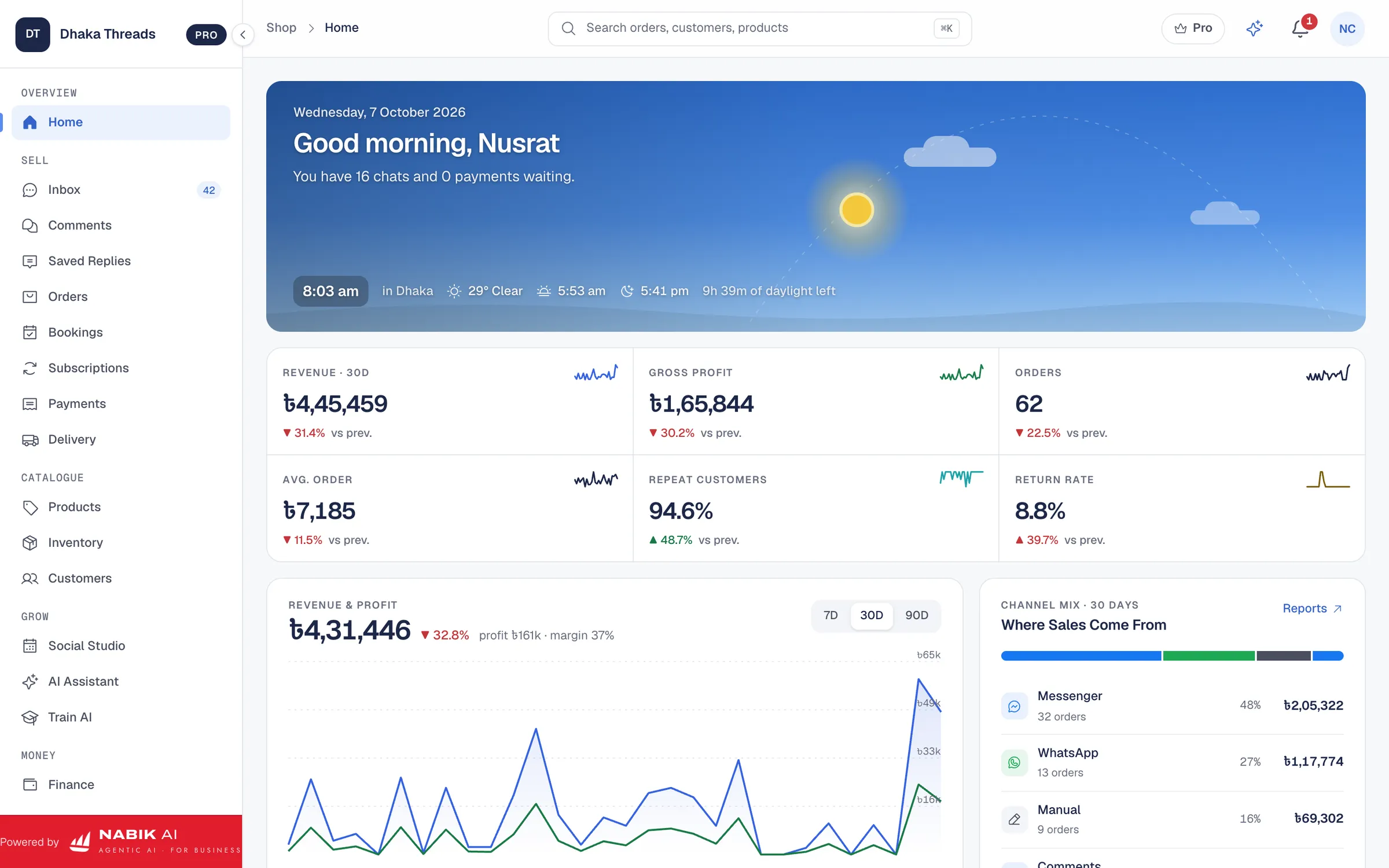
Its AI agents live around a workspace that includes one inbox for Messenger, WhatsApp, Instagram and Page comments, a Social Studio for scheduled posts, AI captions and AI pictures, orders with cash on delivery and courier booking, inventory, customers, finance with NBR VAT support, bookings and AI credits. You teach Nabik AI by chatting with it, and it learns from every correction, so before 11.11 you can load your flash sale products, special prices and rules and let it practise replies. When real customers message on the day, AI can answer questions, take order details and then hand over to a person when needed.
Because everything sits in the browser, you can run Nabik AI on desktop in your office and on your phone during live sessions. Plans are priced in taka, start free, and paid plans currently include Pro at ৳1,999 per month and Business at ৳3,780 per month; you can see more on the pricing page. Extra AI usage is covered by AI credits you can top up from the AI credits page. To try it before 11.11, you can sign up at https://app.nabik.ai/signup and connect your Facebook and WhatsApp, then follow the guide on training AI on your products.
- Use the AI assistant to simulate common 11.11 questions (“Offer ta bolen”, "Delivery koto din?") and tune your answers before the day.
- Keep inventory, orders and courier bookings in one system so your flash sale does not become 100 scattered screenshots.
- Schedule 11.11 posts early with AI-generated captions and pictures to focus on inbox and packing on the day.
- Let AI handle routine questions while humans focus on payment checking, complex queries and VIP customers.
What Should You Do After 11.11 To Keep New Customers?
11.11 is not only for one-night profit; it is a chance to collect new customers who may buy again in December, Eid and future sales. After the rush, sit with your orders list and check: which products sold fastest, which posts or Lives brought most traffic, and which courier routes created the most issues. This helps you design smarter offers and logistics next time.
Send a simple thank-you or follow-up message to 11.11 customers once their parcels are marked Delivered. It can be a Bangla note like, “Apnar order successfully deliver hoyeche, apnar experience kemon chhilo bolben, and small business hishabe apnar review amader jonne onek important.” You can also include a small future coupon or early notice for your next sale. Just avoid spamming; respect that many people got too many offers already.
Use the data to improve your operations: update your stock system with remaining items, mark deadstock, and fix courier rules for remote districts. If you use Nabik AI’s finance and VAT features, you can record the 11.11 income and expenses and, with your adviser’s help, prepare proper NBR documentation; see our guide on Mushak 6.3 VAT invoices for details. The key is to treat 11.11 as a learning lab that slowly turns your Facebook shop into a real, stable business in Bangladesh, not just a side hobby.
- Review comments and inbox chats to see what confused customers most and rewrite your offer explanations.
- Note the time slots where inbox exploded so you can bring extra temporary staff or AI focus there next time.
- Update your best-seller list and keep those items ready for your next campaign or always-on ads.
- Record courier performance by district to improve service for outside Dhaka buyers in future sales.
Step 1: Hold A 11.11 Review Meeting
Within 2–3 days, sit with your team and list three things that went well and three things to improve for the next flash sale.
FAQ
When should I start planning my 11.11 sale in Bangladesh?
Start planning at least two weeks before 11.11. Use the first week to fix offers, stock and content, and the second week to test inbox replies, AI tools and your order–courier flow.
How can a small Facebook shop handle 11.11 without a big team?
Limit your flash offer to a smaller number of products, use auto replies and AI to handle common questions, and keep a very simple order status system. This way one or two people can manage more customers without the work becoming chaotic.
Should I take advance payment or only cash on delivery during 11.11?
Both are common in Bangladesh. Many shops keep COD for lower amounts and ask token advance for high-value orders or remote districts to reduce fake orders and returns; choose a policy that matches your risk comfort and confirm with your adviser if needed.
How do I reduce fake cash-on-delivery orders in a flash sale?
Use clear order formats, confirmation calls or messages for suspicious or high-value orders, and keep a blacklist of known fake numbers. Our detailed guide on reducing fake COD orders walks through practical steps for Bangladeshi shops.
Can Nabik AI fully replace my team on 11.11?
No, Nabik AI is designed to support, not replace, your team. It can answer routine questions and take many orders from chat, but you still need people for decisions on tricky cases, packing, payments and courier handover.
Do I need a website for 11.11 or is a Facebook Page enough?
A Facebook Page is enough to run a strong 11.11 flash sale if your inbox, stock and orders are organised. If you later add a website, Nabik AI can connect to platforms like WooCommerce and Shopify via its online store integrations so your stock and orders stay in one place.