How do you make a free AI video from an image? Pick a clear photo, turn it into a short moving clip with a free image-to-video or template app, add text, music and a voice, then export it in 9:16 for Reels. For an online shop, the photos you already have can become product videos that stop the scroll. This guide shows how to make free AI videos from images step by step, how to make longer AI videos for free, and the mistakes that make product videos lose sales.
Key Takeaways
- Free AI video tools usually make short clips of a few seconds, with daily limits and sometimes a watermark.
- A long video is made by joining several short clips with one script, text and music.
- Start from sharp, well-lit photos. AI moves the picture; it cannot fix a bad photo.
- Check every frame: AI motion can bend a product's shape, print or logo.
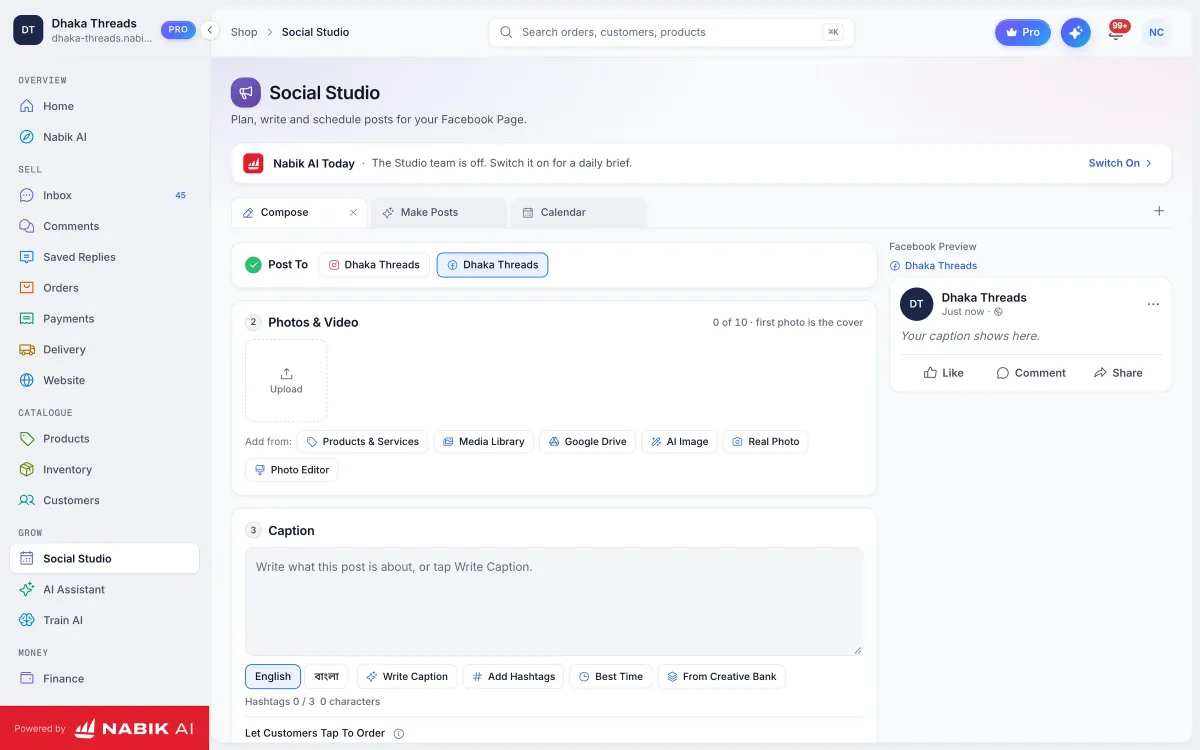
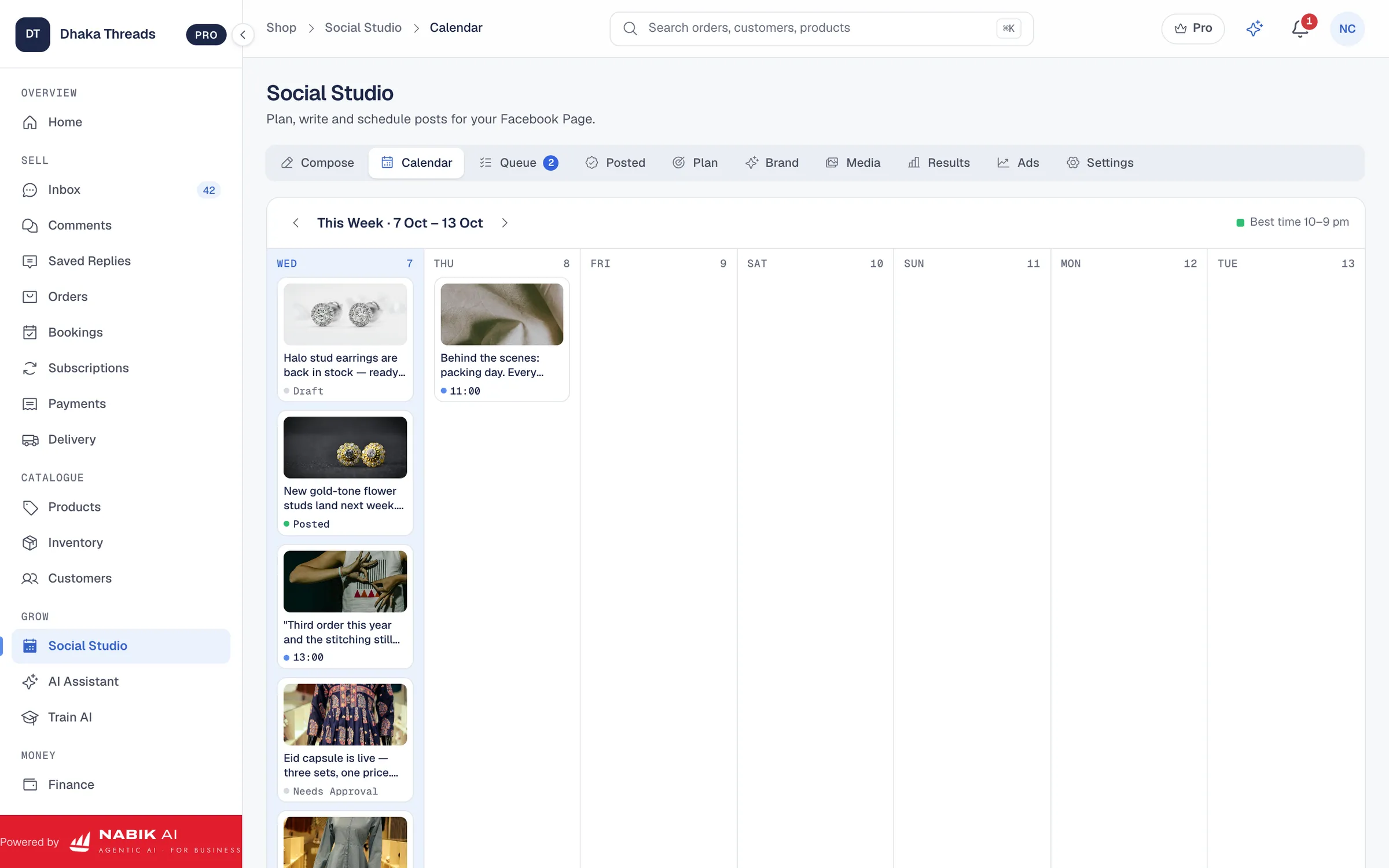
- Make the still pictures and captions in Nabik AI, then post the video on Facebook yourself. Scheduling video posts in Nabik AI is coming soon.
What Is an AI Video From an Image?
An image-to-video tool looks at one photo and creates movement: the camera slowly zooms or turns, fabric moves, light changes, steam rises from a cup. You describe the motion in words ("slow zoom in, soft light, dress moves in the wind") and the AI makes a short clip.
There is also a simpler kind: template videos. Free phone editing apps, such as CapCut, have templates that turn several photos into a moving slideshow with transitions and beats. These are less "AI" but very reliable for products.
How to Make a Free AI Video From an Image: Step by Step
Step 1: Choose 3 to 6 Strong Photos
Use your best product photos: front, back, a close-up of the fabric or detail, and the product in use. A clean background helps the AI keep the product's shape. If your photos are weak, first make better ones with AI product photos in Nabik AI, which start from your real product.
Step 2: Write a 15 Second Script
Short product videos follow a simple pattern:
- Hook (0–2 s): a question or a bold line, such as "৳999 to look this good?"
- Show (2–10 s): the product from different sides, the detail, the size
- Offer (10–15 s): price, cash on delivery, how to order
For ideas, see Facebook Reels ideas for online shops.
Step 3: Turn Each Photo Into a Clip
Upload one photo at a time to a free image-to-video tool and describe gentle motion. Gentle works better than dramatic: a slow zoom or a small turn keeps the product true. Download each clip.
Step 4: Join the Clips and Add Text
In a free editor, put the clips in script order, add Bangla text for the price and offer, and add music that is free to use. Facebook may mute or block a video that uses copyrighted songs.
Step 5: Add a Voice
Record your own voice in Bangla on your phone, or use a text-to-speech voice. A real voice usually builds more trust for a small shop.
Step 6: Export for Reels
Export at 1080 × 1920 (9:16), 15–30 seconds, with the price visible in the first seconds. Post it on your Page as a Reel with a short caption and the price.
Motion Prompts for Image-to-Video by Product
The motion you describe decides whether the product still looks real. These gentle prompts work well:
| Product | Motion prompt |
|---|---|
| Clothing | "Slow push-in, the fabric moves slightly in a soft breeze, model stays still" |
| Cosmetics | "Slow orbit around the bottle, light reflection moves across the glass" |
| Jewellery | "Very slow zoom to the stone, sparkle on the edges, dark background stays still" |
| Food | "Steam rises gently, camera stays still, warm light" |
| Gadgets | "Smooth turn from front to side, clean white background" |
| Shoes | "Slow pan along the shoe from toe to heel, natural light" |
Avoid prompts like "model walks and turns around" for clothing. Big body movement is where AI most often bends prints, changes buttons or adds a sleeve.
A Sample 15 Second Script
Here is a full script for a winter hoodie, ready to adapt:
| Time | On screen | Text or voice |
|---|---|---|
| 0–2 s | Close-up of the soft inside fabric | "Winter is here. Is your hoodie ready?" |
| 2–5 s | Front of the hoodie, slow zoom | "Thick fleece inside, soft cotton outside" |
| 5–8 s | Back and the hood | "Sizes M to XXL, four colours" |
| 8–11 s | Folded in a parcel | "Cash on delivery all over Bangladesh" |
| 11–15 s | Poster with the price | "৳1,450. Comment 'size' or message us to order" |
Five photos, five short clips, one voice: that is a complete product Reel.
What Free Tools Usually Limit
Free plans of AI video tools change often, but most have the same kinds of limits:
- Clip length: a few seconds per clip
- Daily credits: a small number of clips per day
- Watermark: a logo in a corner on free exports
- Resolution: lower quality than paid plans
- Queue: free clips wait longer to render
Plan around them: make your clips over two or three days before a launch, and keep the product away from the corner where the watermark sits.
How to Make Long AI Videos for Free
Free tools limit clip length, so long videos are built from pieces:
| Video length | How to build it |
|---|---|
| 15 s | 3 clips of 5 s |
| 30 s | 6 clips, one per product angle or feature |
| 60 s+ | Several products or a story, a voice over the whole video |
Keep one style for all clips (same light and background) so the video feels like one piece.
Where Nabik AI Fits
Nabik AI does not render videos. It does the parts around the video that take the most time:
- The pictures: styled product photos, model shots and posters with correct Bangla words, saved in your Media library.
- The caption: written in your shop's voice in Bangla or English, with hashtags, in Social Studio.
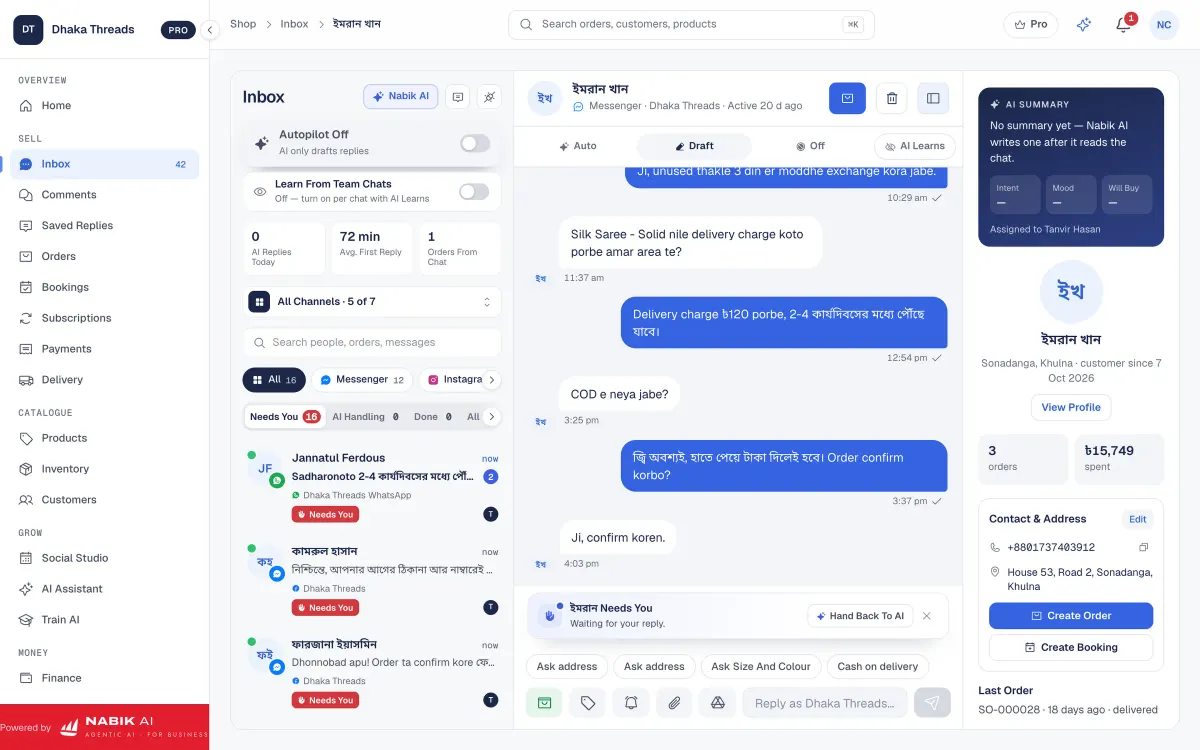
- The orders that follow: when a Reel works, the inbox fills up. The Facebook AI agent answers price and size questions and takes orders while you keep making content.
Today Social Studio schedules photo posts and Stories to your Facebook Pages and Instagram; video posts are coming soon.
Mistakes That Lose Sales
- The product changes shape or colour during the motion
- No price anywhere in the video
- A long slow intro before the product appears
- A watermark covering the product
- Copyrighted music that gets the video muted
FAQ
How Can I Make an AI Video From a Photo for Free?
Use a free image-to-video tool or a template in a free editing app. Upload a clear photo, describe gentle motion, download the clip, then add text and music.
How Do I Make Long AI Videos for Free?
Make several short clips with free tools, then join them in a free editor with one script, one music track and your voice.
Do Product Videos Sell Better Than Photos?
Short videos often get more reach on Facebook and Instagram, but a clear photo with the price still sells. The best shops post both.
Can Nabik AI Make Videos?
Nabik AI makes the product pictures, posters and captions for your videos and answers the messages they bring. It does not render videos, and scheduling video posts is coming soon.