Ecommerce inventory tracking means knowing exactly how many pieces you have in stock, in real time, across all your sales channels. For a Bangladeshi shop selling on Facebook, Instagram, WhatsApp and a website, it starts with one stock count that updates automatically when orders confirm, deliver or return.
If you do not track stock properly, you will oversell, cancel orders, and lose trust with COD customers. In this guide you will see simple, Bangladesh-specific ways to set up one stock pool, handle sizes and colours, get low-stock alerts, and count stock regularly without closing your shop.
Key Takeaways
- Use one stock pool for every channel so Facebook, Instagram, WhatsApp and your website always show the same available quantity.
- Reduce stock only when orders are confirmed, and add it back on cancellations and returns to keep numbers correct.
- Set up variants for size, colour and other options so you know exactly which piece is sold or left.
- Turn on low-stock alerts and decide minimum levels based on supplier time and courier delays inside and outside Dhaka.
- Do regular cycle counts so your system stock matches your physical stock shelves.
Why Does Ecommerce Inventory Tracking Matter In Bangladesh?
For a Bangladeshi online shop, ecommerce inventory tracking is not just a “nice to have”. It protects your reputation with COD customers and saves you from losing money on wrong purchases and returns. When you know real stock at all times, you post offers with confidence and do not fear overselling on a viral post.
Think about common problems. You boost a Facebook post, get 100+ comments "Stock ase?" and 30 inbox orders, then realise you had only 10 pieces. You confirm all 30 orders, then call 20 people to say “bhai, shesh hoye gesey”, and some of them never order from you again. Or you keep too much stock and all your cash is locked in slow products sitting in a carton under the bed.
Bangladesh adds extra pressure. Courier delays outside Dhaka, cash-on-delivery refusal, and fake addresses all make stock harder to control. Good inventory tracking means you know what is actually available, what is reserved in confirmed orders, and what is stuck in couriers or returns. That lets you decide when to reorder, when to discount, and when to stop boosting a slow item.
If you are just starting with stock systems, you can begin very simple. Even a clean Google Sheet is better than memory or paper. Then as orders grow, you can move to proper tools like an inventory management system that links with your chats and website.
- Avoid overselling and last-minute order cancellations.
- Keep less dead stock and more of your bestsellers.
- Plan reorders based on real data, not guesswork.
- Protect cash flow when you sell on COD to all over Bangladesh.
How Do You Use One Stock Count For Every Channel?
Many Bangladeshi sellers keep separate stock notes for Facebook, website and wholesale. That always breaks. One customer orders on WhatsApp, you forget to update the notebook, and your website still shows stock as available. The solution is one stock pool: a single quantity for each product and variant that every channel uses.
In practice, this means you decide one source of truth. For example, a central inventory app or sheet holds quantities. Facebook, Instagram, WhatsApp and your website all pull from the same numbers. When you sell 1 piece on Messenger, total stock becomes 9 for that product. Your website also sees only 9 now, not 10.
If you sell on a website as well as Facebook, connect them instead of maintaining two separate product lists. Tools that have online store integration can sync stock between WooCommerce, Shopify or Google Sheets and your social channels. That way, a website order and a Messenger order both reduce the same central stock.
You can also treat your physical shop as just another “channel”. Whether someone walks in to buy, or orders via WhatsApp, you subtract from the same quantity. The key discipline: never update only in one place. Every sale, return, free sample or damaged piece must touch the central stock record.
- Decide one system (app or sheet) as your master stock list.
- Give every product a unique code (SKU) so you do not mix similar items.
- Deduct and add stock only in the central system, never in separate notebooks.
- If you list the same product in multiple posts, always mention the same code.
| Channel | Common Problem Without One Stock Pool | Result |
|---|---|---|
| Facebook Page | Replying "available" though website just sold the last piece | Order cancellations and angry comments |
| Instagram DM | No record of which size actually sold | Packing the wrong item |
| Taking manual orders but not updating the system | Website “in stock” is wrong | |
| Physical Shop | Walk-in sales never entered anywhere | Online customers see fake stock numbers |

How Do You Track Sizes, Colours And Other Variants?
Clothing, shoes, jewellery, cosmetics, electronics – most Bangladeshi shops sell variants. One design, many sizes or colours. If you only track total quantity for a product, you will still oversell specific variants like XXL or black colour. Proper ecommerce inventory tracking needs variant-level stock.
Think of a T-shirt. Instead of “T-Shirt Classic – 30 pcs”, you should have lines like “T-Shirt Classic / Black / L – 10 pcs”, “White / M – 5 pcs”, etc. Each line behaves like its own product in stock, but you display them together to the customer. When a customer says "Black, L dorkar", you know exactly if that variant exists.
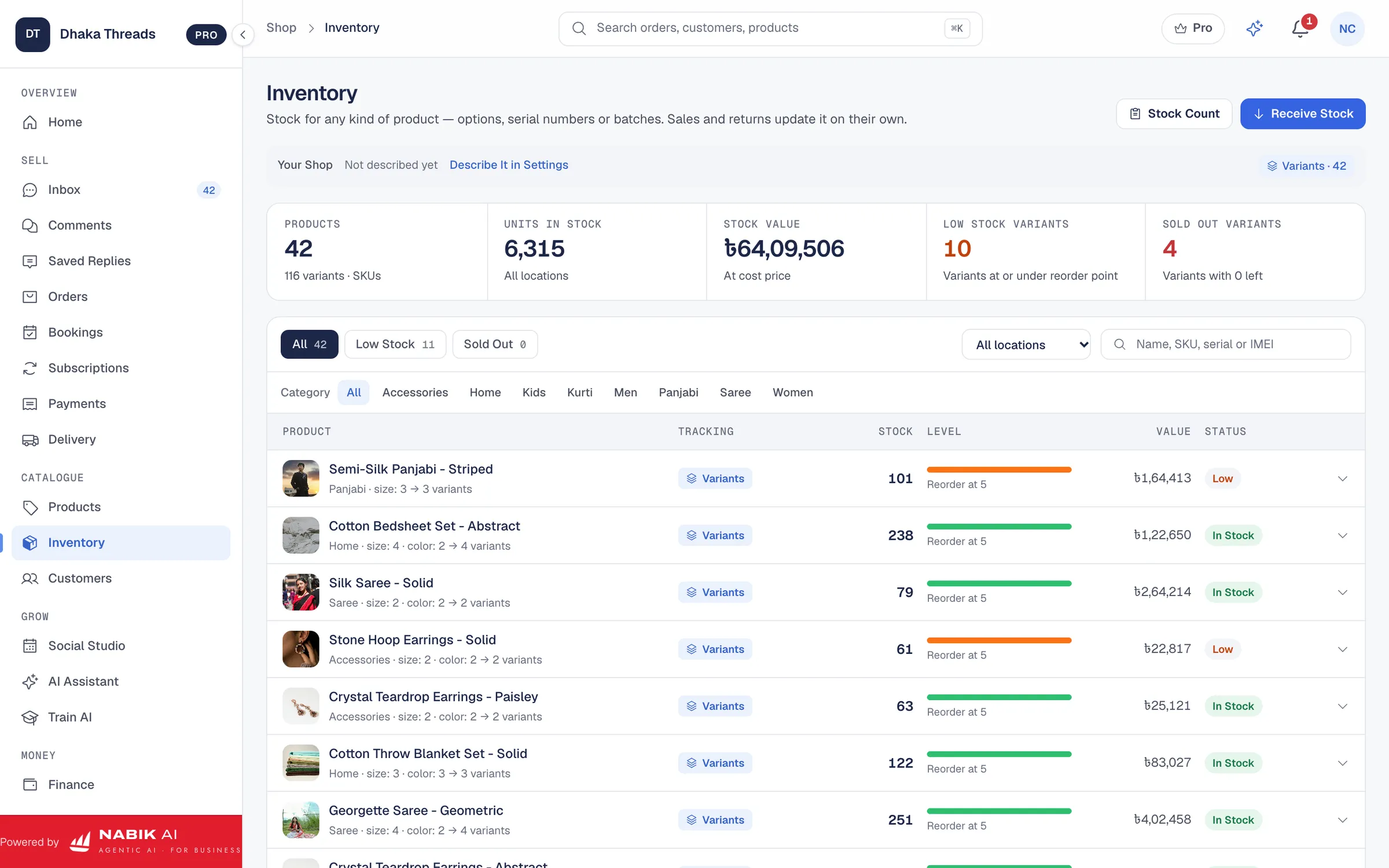
Most inventory tools let you create options like Size, Colour, Shade or Capacity. Then you can enter stock per combination. This is easier and safer than making separate products like “T-Shirt Classic Black L” by hand. In systems like Nabik AI’s inventory management, variants share one product name in your catalogue, but your stock counts are per variant.
When you pack orders, always verify the variant twice. Customer message, order sheet and the tag on the product must all match. If you accept exchanges for wrong size or colour, record the return to the correct variant so that stock becomes accurate again.
- List your most common options: size, colour, design, scent, shade, RAM/ROM.
- Give each variant its own code if possible (e.g. TS-CL-BLK-L).
- Train staff to never ship without checking variant on both the invoice and the product tag.
- Keep a separate box or shelf for each variant row to avoid mixing.
Step 1: Set Up Variants For A Product
- Choose the product (e.g. T-Shirt Classic). 2) Add options like Size (S, M, L, XL) and Colour (Black, White, Navy). 3) For each combination, enter how many pieces you have. 4) Use these codes in your posts and website so staff pack correctly.
When Should Stock Go Down Or Come Back In The System?
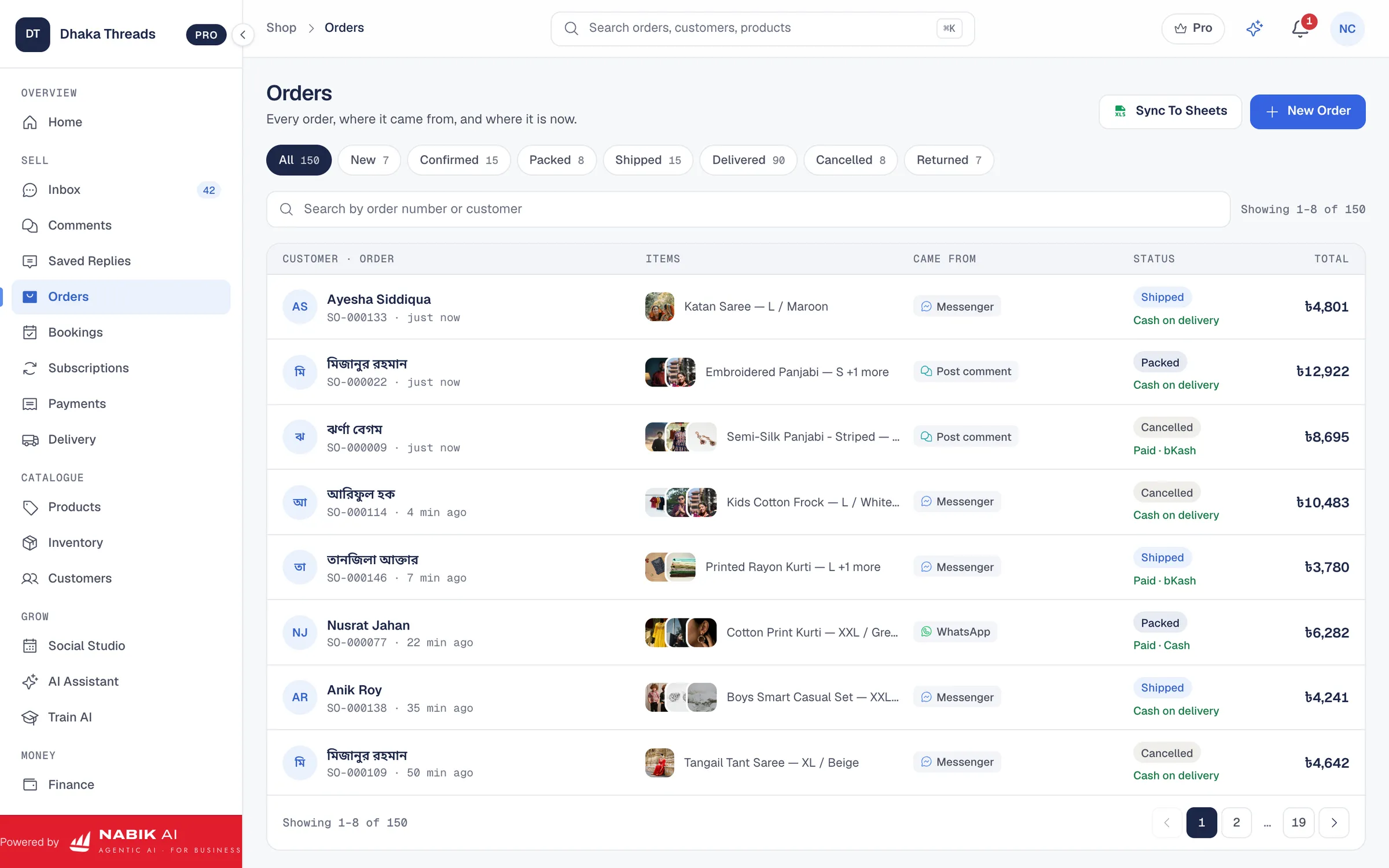
Your stock should not change at every message. It should change at clear stages in the order life. In Bangladesh, most shops use cash on delivery, so not every "inbox order" is real. The safest approach is: reduce stock when an order is confirmed, and add it back if it is cancelled or returned.
Define what “confirmed” means for your shop. For example: customer sends full address and phone, you verify size/colour, and maybe you confirm delivery charge. At that moment, you mark the order as Confirmed in your system. Systems like Nabik AI’s order management reduce stock when an order moves to a confirmed status.
Next, track what happens later. When couriers deliver successfully and collect cash, stock stays reduced. If an order is cancelled before dispatch, or it is returned from courier (customer refused, could not contact, wrong address), the unsold items come back to your shelf. When you receive them physically, mark the order as Returned and add stock back for those items.
This timing matters. If you deduct stock too early (on every "inbox dibo"), you will show 0 stock and stop selling even though many customers will never confirm. If you deduct too late (only after delivery), you will accept more orders than you can fulfil. Choose a stage that matches your cancellation rate and stick to it.
- Reduce stock on Confirmed orders, not on first message.
- Do not add stock back until returned items are actually in your hand.
- Keep clear statuses: New, Confirmed, Packed, Shipped, Delivered, Cancelled, Returned.
- Use one system so status changes also adjust stock automatically.
Step 1: Handle A Returned COD Parcel
- Receive the parcel from courier and open it immediately. 2) Check product and variant condition. 3) In your system, mark the order as Returned. 4) Increase stock for that exact variant and note reason (e.g. customer refused).
How Can You Get Low-Stock Alerts Before You Run Out?
Low-stock alerts save you from the painful message: “Sorry, shesh hoye gesey”. Instead of checking stock manually every few days, you set a minimum level for each product or variant. When quantity goes below that, your system warns you to reorder or stop running ads.
How do you choose minimum levels? Think about how fast you sell and how long suppliers take. If you sell 5 pieces a day and your supplier needs 7 days to deliver, you must keep at least 35 pieces in hand as buffer. For products you buy from Chattogram or outside Dhaka, or import via courier, add extra days for transport and customs.
Your bestsellers deserve stricter alerts. A viral abaya or lipstick shade should never be 0 during peak season (Eid, Puja, winter). Set higher minimums for these, and lower ones for slow products where you do not want to lock up too much cash. In an inventory tool, you can configure low-stock thresholds by product or variant, and receive notifications or see them grouped in a “Low Stock” view.
If you use a system like Nabik AI, its inventory management page highlights items that are running low. You can then decide: reorder, replace with a similar product, or push other items in ads instead. This way you control your purchase budget based on real need, not random supplier offers.
- Set different minimum stock levels for fast and slow movers.
- Include supplier lead time and courier delays when calculating minimums.
- Watch low-stock reports weekly and add reorders to a simple checklist.
- Pause boosted posts for items where you cannot restock soon.
How Often Should You Count Physical Stock?
Even the best system will drift from reality over time. Staff can make packing mistakes, a supplier can short-ship, or an item can get damaged. That is why you must count physical stock regularly and match it with system numbers. This is called stocktaking or cycle counting.
You do not need to close your shop for a whole day every month. A better method is cycle counting: each week, pick one category or shelf and count only those items. For example, Week 1: sarees. Week 2: T-shirts. Week 3: cosmetics. In 1–2 months you will have checked your whole inventory without stopping operations.
When you see differences, investigate. If the system shows 10 but you find 8, was there a wrong shipment, theft, or breakage? Adjust the system to the real number and note the reason. Over time, patterns appear: maybe one supplier is unreliable, or one staff member needs training on packing.
If you store stock in multiple places (home, small warehouse, shop), count them separately. Do not mix cartons unless you update location labels in the system. Many tools let you store “location” per product or variant so you know which rack or room holds which items.
- Plan one small counting task per week instead of one huge yearly count.
- Always have two people for counting: one calls out, one writes or ticks in the app.
- If a difference is large, trace old orders and supplier invoices to find the cause.
- Lock counted shelves during counting so items do not move in or out.
Step 1: Do A Simple Weekly Cycle Count
- Choose one shelf or category to count this week. 2) Print or open the stock list for only those products. 3) Count physical pieces and compare with the list. 4) Adjust the system and write a short note (e.g. damaged, missing, extra).
How Does Inventory Tracking Connect To Orders, Couriers And Accounts?
Inventory does not live alone. It connects to orders, deliveries and your accounts. When these work together, you can see not only what is in stock, but also which items make profit, which are stuck in returns, and which suppliers are worth keeping.
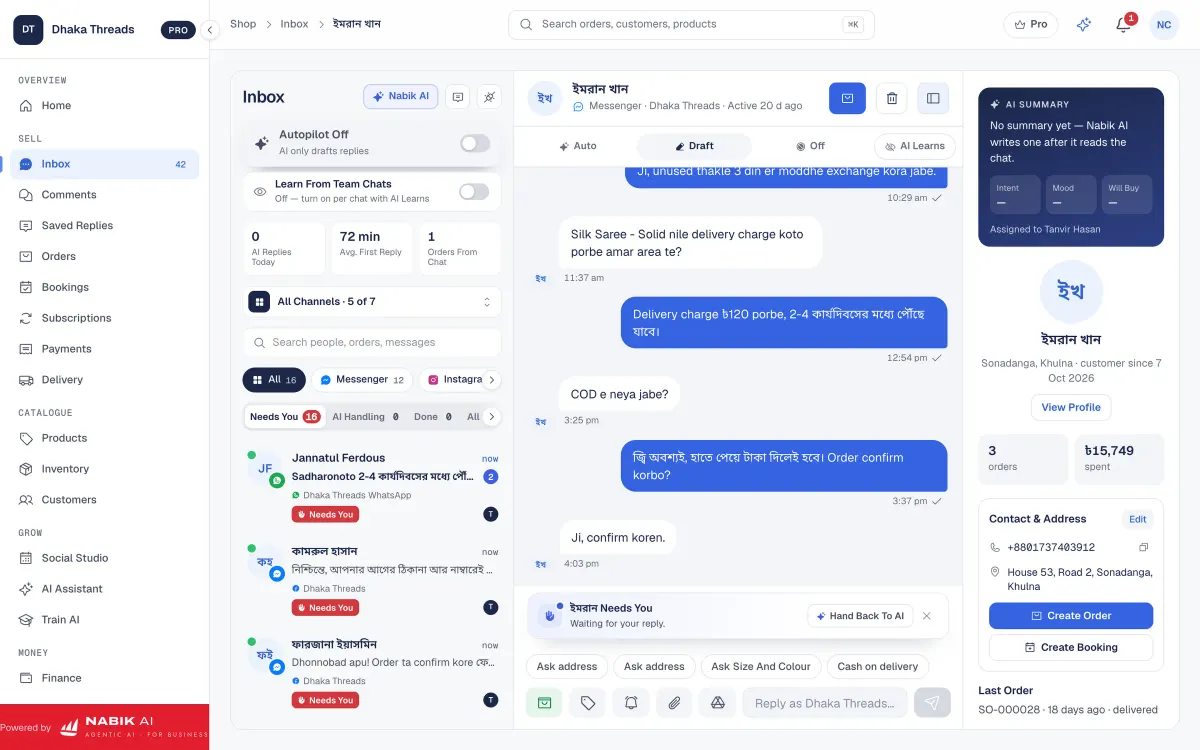
On the orders side, every confirmed sale should automatically reduce stock. When you use one system for chats and orders, such as a social inbox combined with order management, you avoid double entry. That means fewer mistakes and faster processing during rush times like Eid offers.
On the courier side, you need to know which items are in transit. Parcels that are shipped but not yet delivered are not really in stock, but also not yet final sales. A tool with courier integration can show parcel status and help you decide when to treat an order as likely to succeed or likely to return.
On the accounts side, correct inventory values help you see profit and tax. If you track purchase price per product and use a system with accounting and VAT features, you can see cost of goods sold and prepare Mushak 6.3 invoices more easily. Always confirm the details with NBR rules or your adviser, but clean stock data makes every finance task simpler.
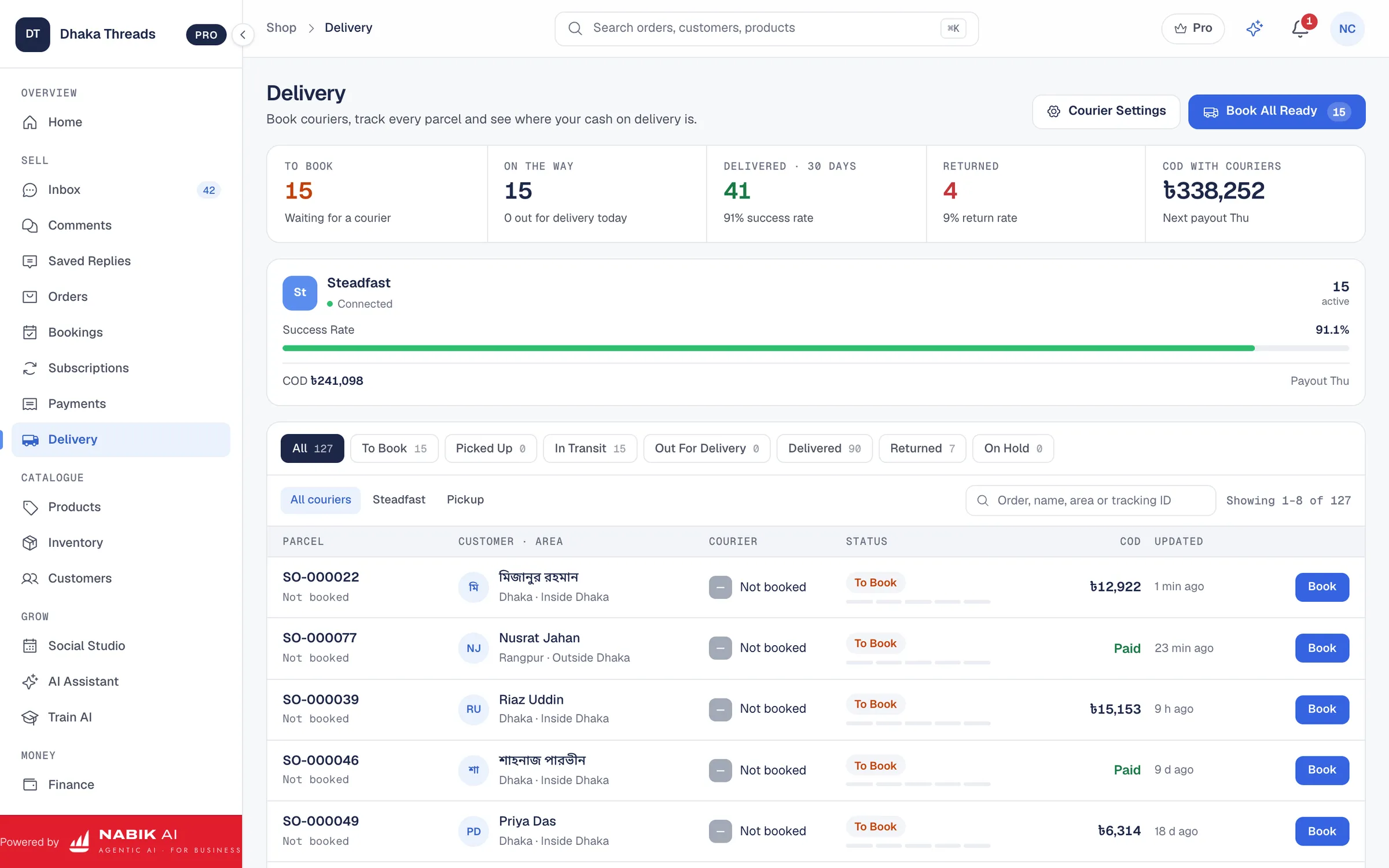
- Let orders, stock and couriers share the same data where possible.
- Treat shipped-but-not-delivered items as separate from in-stock items.
- Record purchase prices to understand real profit per product.
- Use reports to see which products sell fast but also return often.
How Can Nabik AI Help With Ecommerce Inventory Tracking?
Nabik AI is web software made in Bangladesh for shops that sell on Facebook, Instagram, WhatsApp and websites. It brings your chats, orders, inventory and basic finance into one place, so ecommerce inventory tracking becomes part of your daily work, not an extra burden.
With Nabik AI’s inventory management, you keep one stock pool for every channel. You can track stock per product and variant (size, colour, etc.), see low-stock items, and update quantities when you purchase, sell, or process returns. When an order is confirmed through the social inbox or directly created, stock reduces automatically and comes back when you mark the order as Returned or Cancelled.
If you also sell via a website, Nabik AI can connect to WooCommerce, Shopify or even Google Sheets through its online store integration. That means a website checkout and a Messenger order both touch the same stock numbers. You can then manage courier bookings via its order management and courier integration tools, keeping parcels and inventory in sync.
Nabik AI’s AI agents learn from your products, prices and policies. They can answer customers in Bangla, Banglish or English about stock availability and variants, based on your own data, and create orders that respect your stock counts. Nabik AI runs in the browser on desktop and phone, with plans in taka starting from Free; you can see all plans at the pricing page and sign up at https://app.nabik.ai/signup.
- Use one inbox and one inventory for Messenger, WhatsApp, Instagram and comments.
- Let AI agents answer stock questions from your own catalogue in Bangla or Banglish.
- Sync website and social stock instead of updating multiple systems.
- Start free and grow into paid plans as orders increase.
FAQ
What is ecommerce inventory tracking for a Facebook and WhatsApp shop?
For a Facebook and WhatsApp shop, ecommerce inventory tracking means keeping one accurate stock count for each product and variant, and updating it whenever you confirm, cancel or return orders. Instead of guessing "stock ase" from memory, you rely on a central list or app that reflects all your channels.
How can I track inventory if I sell on both Facebook and a website?
Use one central system for stock and connect your website to it, instead of updating two separate lists. Tools with online store integration can sync inventory between WooCommerce or Shopify and your social channels, so a website sale and a Messenger sale reduce the same stock pool.
Should I deduct stock when a customer messages or when the order is confirmed?
In Bangladesh, it is safer to deduct stock when an order is confirmed, not at the first message. Confirm means you have full address, phone and details like size and colour, and you have agreed on delivery charge; then you mark it confirmed and reduce stock in your system.
How do I handle inventory for size and colour variants?
Create variants for each size and colour instead of only tracking total pieces per design. For example, keep separate counts for Black L, Black XL, White M, etc., and always record sales and returns against the exact variant that shipped.
How often should an online shop in Bangladesh count its stock?
Most small shops can do weekly or bi-weekly cycle counts, checking one shelf or category at a time instead of a full-day stocktake. This keeps system numbers close to reality without stopping sales, and helps you catch issues like missing pieces or wrong packing early.
Can Nabik AI manage inventory across my social channels and website?
Yes. Nabik AI’s inventory management works with its social inbox and online store integration so stock updates when you create or confirm orders from Messenger, WhatsApp, Instagram or your connected website, all from one place.