Courier integration software in BD connects your online shop with couriers so you can book parcels without copy-paste. Instead of typing address and COD amount again and again, your orders flow straight into courier bookings.
This saves time, reduces wrong addresses and makes delivery status easier to track for you and your customers. In this guide, you will see how courier integration works in Bangladesh, what to look for, and how tools like Nabik AI can help your Facebook and WhatsApp shop.
Key Takeaways
- Courier integration software BD lets you book parcels directly from orders without copy-pasting customer details.
- A good setup supports cash on delivery, partial advance via bKash or Nagad, and different courier options for Dhaka and outside Dhaka.
- You should manage orders, inventory and couriers from one system instead of scattered Excel files and courier panels.
- Clear customer communication about delivery charge, time and tracking reduces fake COD and returns.
- Nabik AI offers courier integration with orders, inventory and a social inbox for Facebook, Instagram and WhatsApp sellers in Bangladesh.
What Is Courier Integration Software In Bangladesh?
Courier integration software BD is a system that connects your shop’s orders to courier companies. When a customer confirms an order on Facebook, Instagram, WhatsApp or your website, you can create a courier parcel in a few clicks from that order. Customer name, address, phone, COD amount and weight go to the courier automatically.
Most small shops in Bangladesh still log in to each courier panel and type everything again. That is slow and risky: one wrong digit in a phone number and the delivery boy cannot find the customer. With integration, your work moves from data entry to checking and approving.
For F-commerce sellers, courier integration is most useful when it is part of a bigger system: orders, inventory, customers and payments together. If your courier tool does not know your stock or your COD rules, you will still make mistakes. So when you hear "courier integration", think "one flow" from customer message to delivered parcel.
Once you understand this flow, you can decide if you still want to manage deliveries inside courier panels, or from a central tool. For most busy Facebook shops, a central tool makes more sense after you reach even 10–15 parcels per day.
- Connects your order list with courier companies
- Sends address, phone and COD amount automatically
- Works for Facebook, Instagram, WhatsApp and websites
- Reduces typing, spelling mistakes and wrong parcels
Why Does Manual Copy-Paste Courier Booking Waste So Much Time?
Many Bangladeshi shop owners still follow this flow: check inbox, write order on paper or Excel, then open courier panel and type everything again. For 5–10 parcels, this feels okay. But as soon as you run a sale or boost a post, you are stuck late at night with 50 addresses to type and double-check.
Manual booking has three big problems: time, errors and no clear tracking. Copy-pasting from Messenger or WhatsApp often breaks Bangla addresses or misses flat numbers. Team members write “Mirpur 10” in three different ways; later, you are not sure which parcel is which.
There is a hidden cost too: every minute spent typing is a minute not spent replying to new customers or planning new posts. Many shop owners say, “Courier e entry korte korte raat hoye jay, post banate pari na.” That is a sign your system is not ready for growth.
Courier integration software BD cuts out this double work. Your team confirms orders in one place; the system uses those same details to create parcels. You still review COD amount and courier choice, but you do not start from a blank form each time.
- Double entry in order sheet and courier panel
- Typing mistakes in addresses and phone numbers
- Hard to match returned parcels with original orders
- Late-night workload after any successful campaign
| Process Type | Time Per 50 Orders | Common Problems | Who It Suits |
|---|---|---|---|
| Manual copy-paste | 2–3 hours | Typos, lost orders, mismatched COD | Very small shops, under 5 parcels/day |
| Courier integration | 20–40 minutes | Setup issues at start only | Growing shops, 10+ parcels/day |
| Fully scattered (only inbox + courier panel) | 3+ hours | No central record, no reports | Not recommended for business |

What Features Should Courier Integration Software BD Have?
When you choose courier integration software in Bangladesh, focus on practical features, not fancy words. First, it must support COD properly: COD amount from the order should go to the courier, and you should see which parcels are prepaid or partial advance. Second, it should let you pick different couriers or service types for Dhaka city, near districts and far districts.
Address handling is critical in our market. Many customers send "Bashundhara R/A, Block D, Road 5, Bari 12" in Banglish or short form. Your software should let you save and edit the address before sending it to the courier, and remember previous addresses for repeat customers. It should also support both Bangla and English names without breaking.
A good system will also connect courier status back to the order. When the courier marks "Picked", "In Transit", "Delivered" or "Return", you should see that inside your own dashboard. That way, when a customer messages "Apu parcel koi?", anyone in your team can answer in seconds.
Finally, think about reports and cash. You should be able to see how many parcels each courier delivered, how much COD is due and which areas have the most returns. This is how you decide which courier to push more, instead of just guessing.
- Proper COD handling (full, partial, prepaid)
- Different couriers and charges for Dhaka vs outside Dhaka
- Editable, reusable customer addresses in Bangla or English
- Order tracking inside your own system, not only courier panel
- Basic reports on deliveries, returns and COD due
How Do You Set Up Courier Integration For A Facebook Or WhatsApp Shop?
The setup work happens mostly once; after that daily work becomes much lighter. First, you need a place where orders from Facebook, Instagram and WhatsApp come together. That could be a simple order system or a full tool like Nabik AI with a social inbox and order management.
Next, connect your couriers. Usually, courier companies in Bangladesh give you an API credential or merchant panel access. In an integrated system, you enter those credentials one time: merchant ID, API key, shop name, pickup address and default COD rules. Test with one small parcel to check if data is going correctly.
Then you set your delivery zones and charges. For example, "Inside Dhaka: ৳70", "Near Dhaka: ৳120", "Outside Dhaka: ৳150" with different couriers or services. Your order system should automatically suggest the right courier and charge based on the customer area, but also allow manual change.
After this, your daily flow gets simple: confirm order, choose courier, click "Book parcel". Label prints (if you print), customer gets confirmation, and you hand parcels to the rider or drop at hub. No separate Excel or manual panel login is needed for each order.
- Use one order system connected to all your channels
- Enter courier API or merchant credentials once
- Set pickup address and COD behaviour clearly
- Define zones and delivery charges for Dhaka and outside
- Test integration with 1–2 parcels before going full scale
Step 1: Bring All Orders In One Place
Connect your Facebook Page, Instagram and WhatsApp to a central order system so every confirmed order is saved with name, phone, address and items.
Step 2: Add Courier Accounts
In the delivery or courier settings, add your main couriers with merchant ID, API key, pickup address and default COD options.
Step 3: Configure Delivery Zones
Create simple zones (Dhaka, near Dhaka, outside Dhaka) with different charges and preferred couriers for each zone.
Step 4: Test And Train Team
Book a few test parcels, check status updates, then train your staff to always confirm orders and book courier from the same system.
How Do You Handle COD, Returns And Outside Dhaka Orders Better?
For Bangladeshi shops, COD is both a blessing and a headache. Good courier integration software BD should help you control COD rules, not just passively send any amount. For example, you might want 100% COD inside Dhaka, but outside Dhaka you prefer at least ৳200 advance via bKash or Nagad. Your system should show clearly which order is full COD, which is partial and which is prepaid.
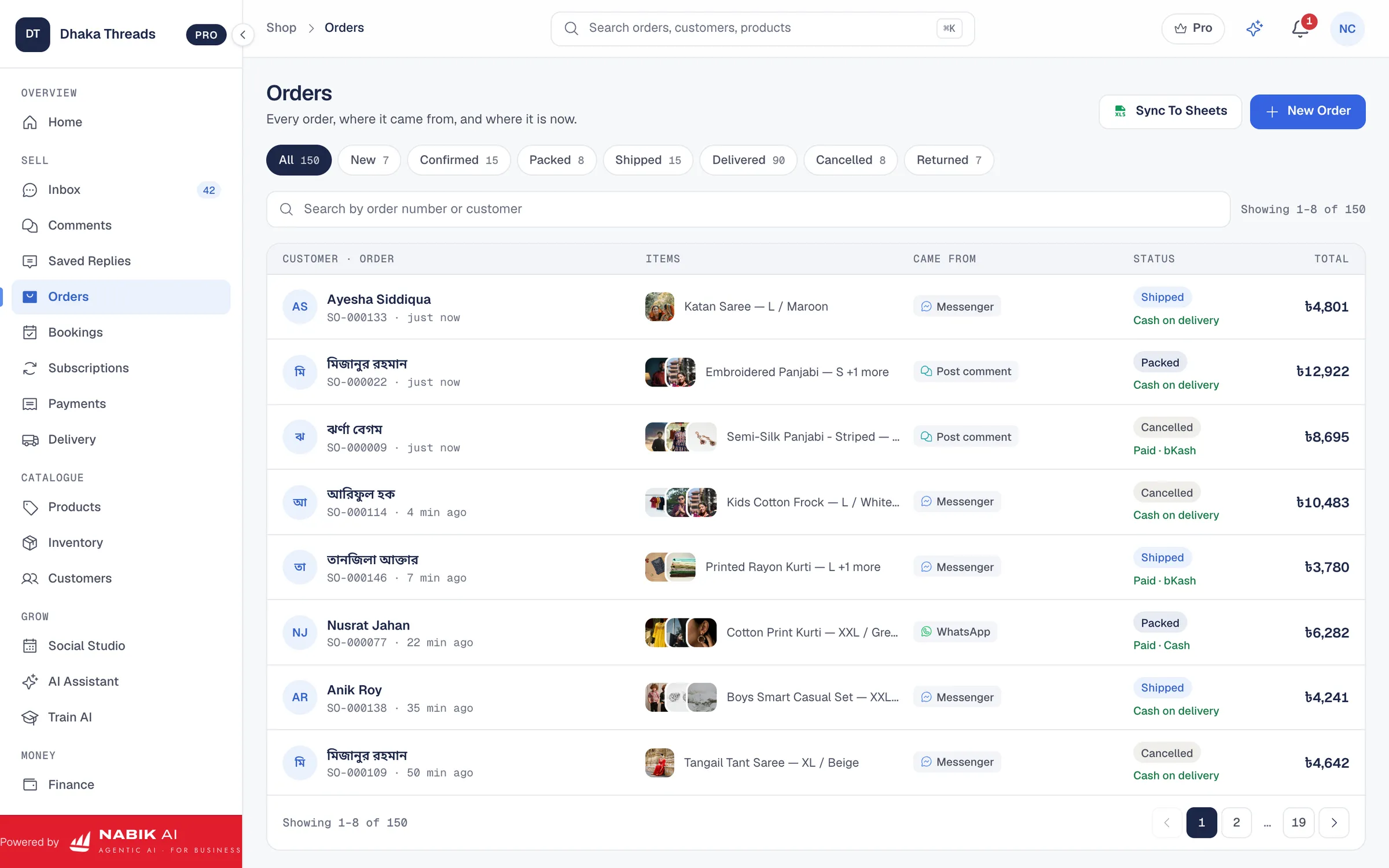
You also need a plan for returns. When a parcel comes back, someone has to mark that order as "Returned" and adjust stock. If your courier data is integrated, the return status can come back to your order list automatically. Then you can message the customer properly instead of getting surprised when a big box shows up at your door.
Outside Dhaka orders are more sensitive: longer delivery time, more lost parcels and more fake orders. Use your integration to set different couriers, charges and maybe mandatory phone confirmation for those areas. For example, your staff can call and write in the order note "Customer phone confirmed – Rangpur" before booking courier.
Over time, your reports will show where COD success is high and where returns are high. You can then update your rules: maybe stop COD for a few police stations with too many fake orders, or change courier for some districts. Use your data, not feelings.
- Set different COD rules for Dhaka and outside Dhaka
- Track which parcels are prepaid, partial COD or full COD
- Let courier return status update the order automatically
- Apply extra checks (calls, advance payment) for risky areas
How Can Courier Integration And Inventory Work Together?
Courier integration is powerful when it sits on top of solid inventory. If your stock is wrong, your deliveries will also be wrong, no matter how good the courier is. Ideally, your system should have one stock pool shared across Facebook, Instagram, WhatsApp and your website, like Nabik AI’s inventory management. When an order is confirmed and courier booked, stock for those items should reduce automatically.
This avoids a common problem: selling the same last piece to two customers on the same day. Without integration, you confirm both, then later cancel one with a message like “Sorry apu, stock shesh hoye geche.” That hurts trust and increases complaints. With connected orders, inventory and courier, the system knows when an item is finished and can warn you or hide it from the AI agent and order takers.
Inventory data also improves your delivery planning. You can see which products move fast and from which areas, then pre-pack some items or talk to couriers about special handling. For example, food and grocery items need quicker dispatch; fragile cosmetics or electronics need better packing and perhaps a more careful courier line.
Finally, you can do basic forecasting. If winter shawls moved 200 pieces last December and most went to Chattogram and Sylhet, you can prepare that stock and preferred courier early this year. That is only possible when orders, stock and courier data live in the same place.
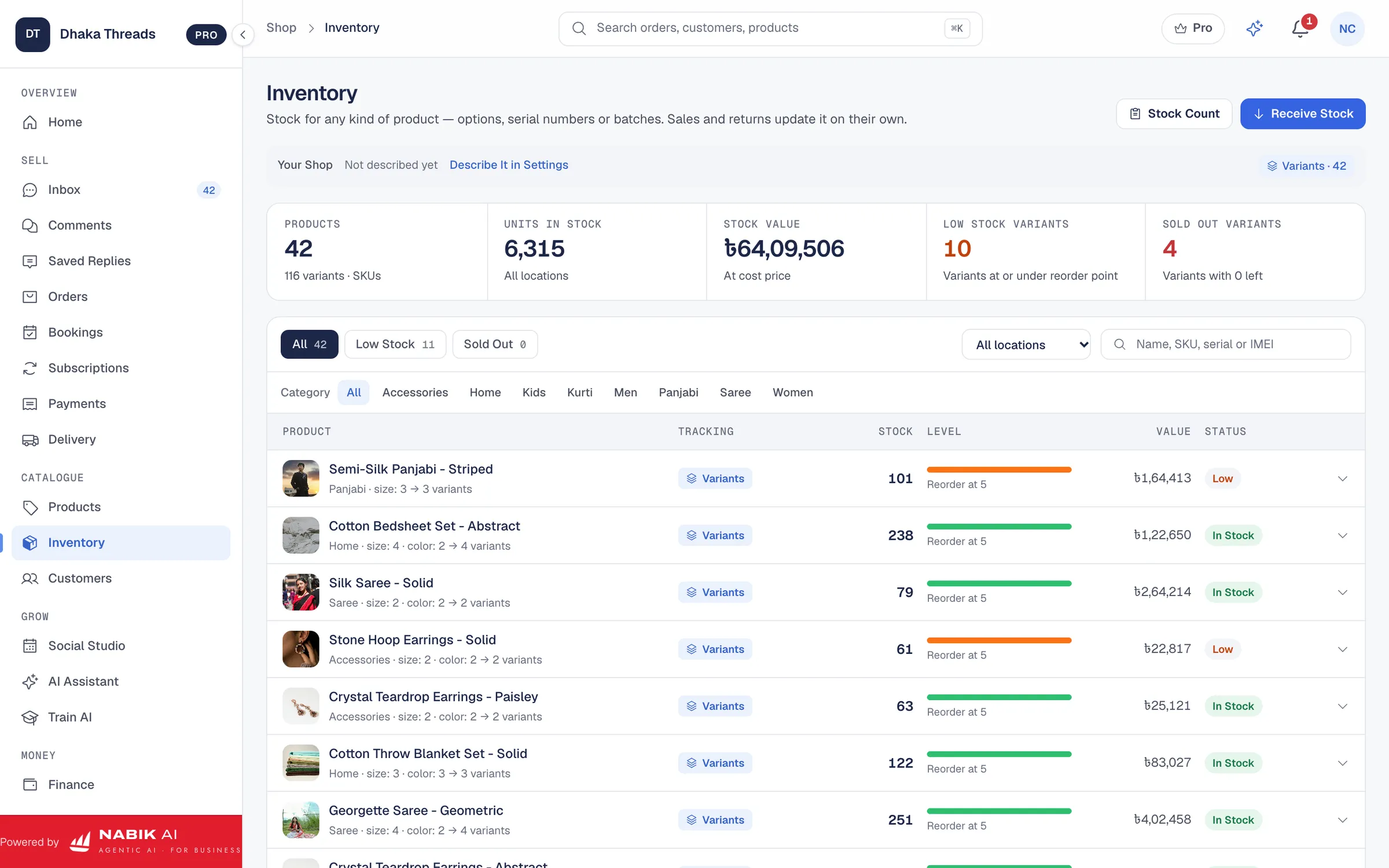
- Use one stock pool for all sales channels
- Reduce stock automatically when orders are confirmed
- Avoid double-selling the last piece of any item
- Plan delivery better based on which products move where
How Does Nabik AI Help With Courier Integration For F-Commerce?
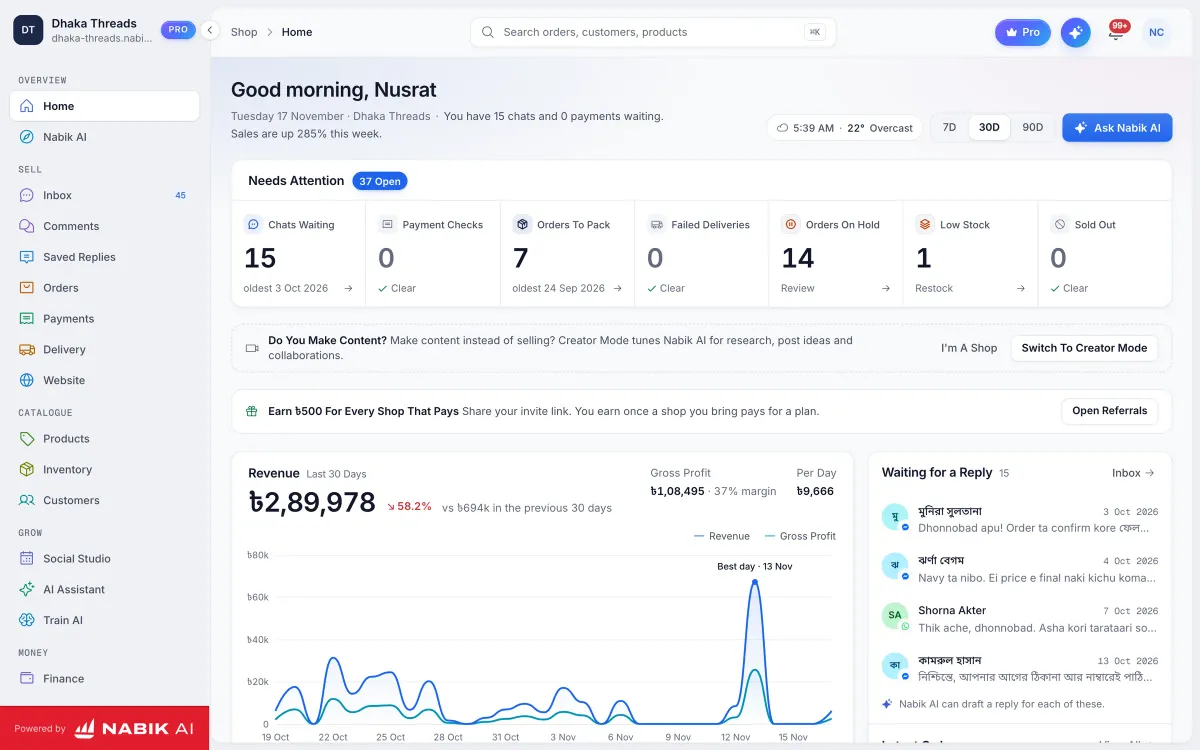
Nabik AI is web software made in Bangladesh for shops that sell on Facebook, Instagram, WhatsApp and their own websites. Its AI agents reply to customers in Bangla, Banglish or English using your own products, prices and policies, then create orders from those chats. From there, you can manage order management, courier bookings and inventory in one place.
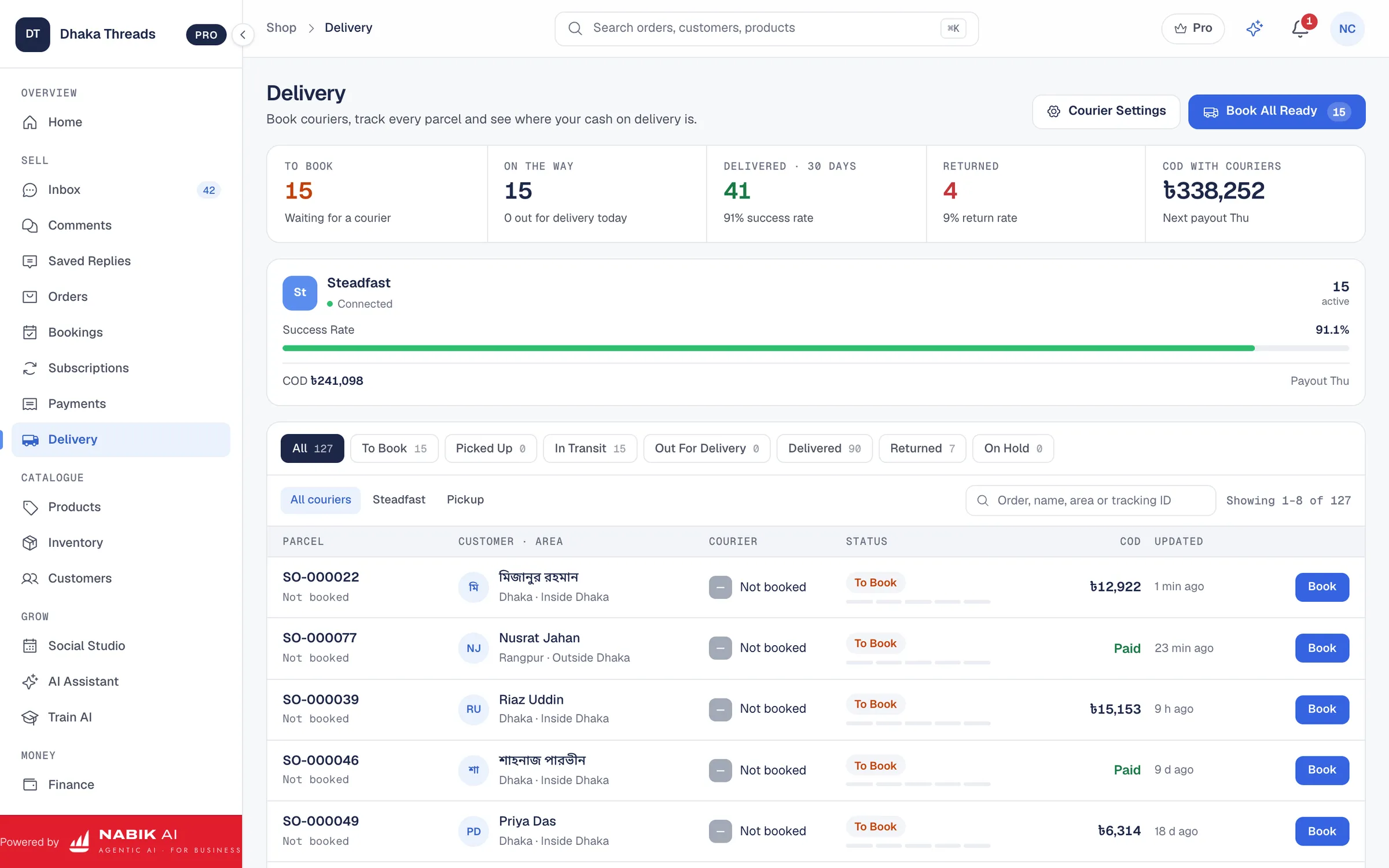
With Nabik AI’s courier integration, you can connect your courier accounts once and book parcels directly from each order. Customer address, phone number, COD amount and product list flow into the courier booking screen. You can choose courier, service type and delivery charge for Dhaka and outside Dhaka, then confirm. Status updates from couriers appear back against the order, so your team can answer "Parcel koi?" without logging in anywhere else.
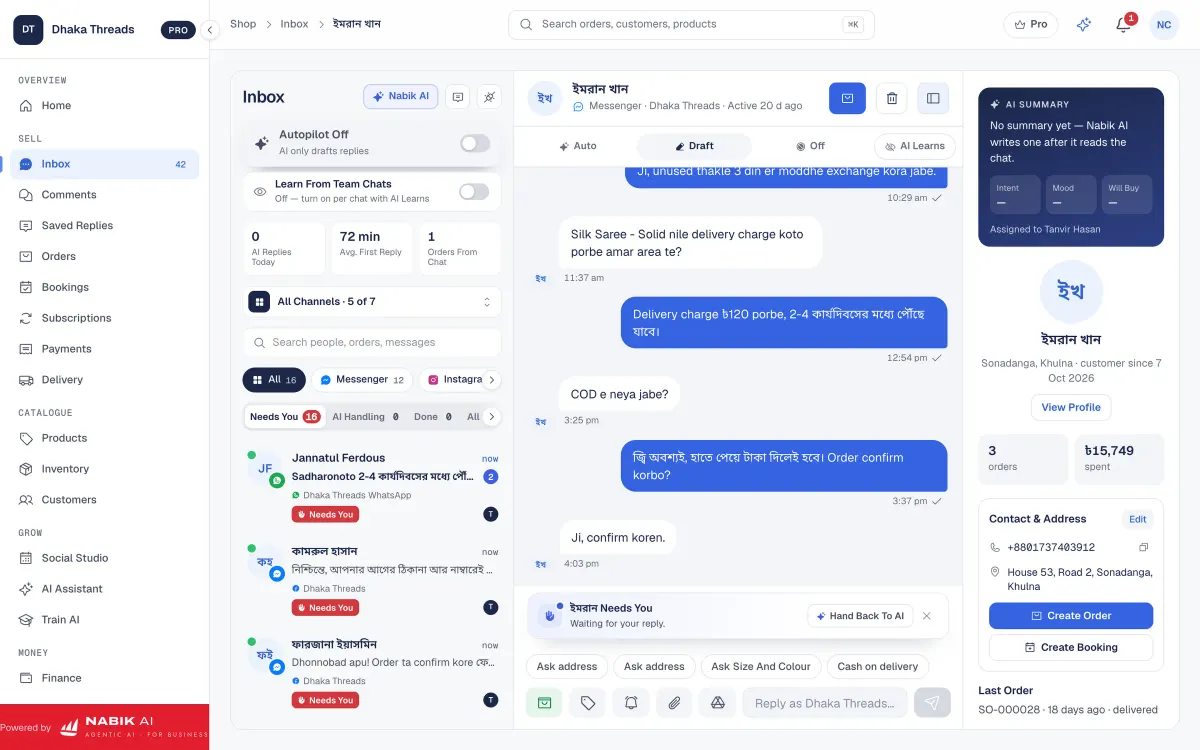
Because Nabik AI also has a social inbox, you don’t need to jump between Messenger, Instagram DM, WhatsApp and comments. Orders, courier status and chat history stay together for each customer. Its inventory management keeps one stock pool across all channels, so courier bookings always reflect real stock.
You teach Nabik AI about your products and delivery rules by chatting with it, and it learns from every correction. Plans are priced in taka and start free, with Pro at ৳999/month and Business at ৳3,780/month; AI usage is based on credits you can learn about at /ai-credits. You can sign up anytime at https://app.nabik.ai/signup and test courier integration on a few orders before moving your full flow.
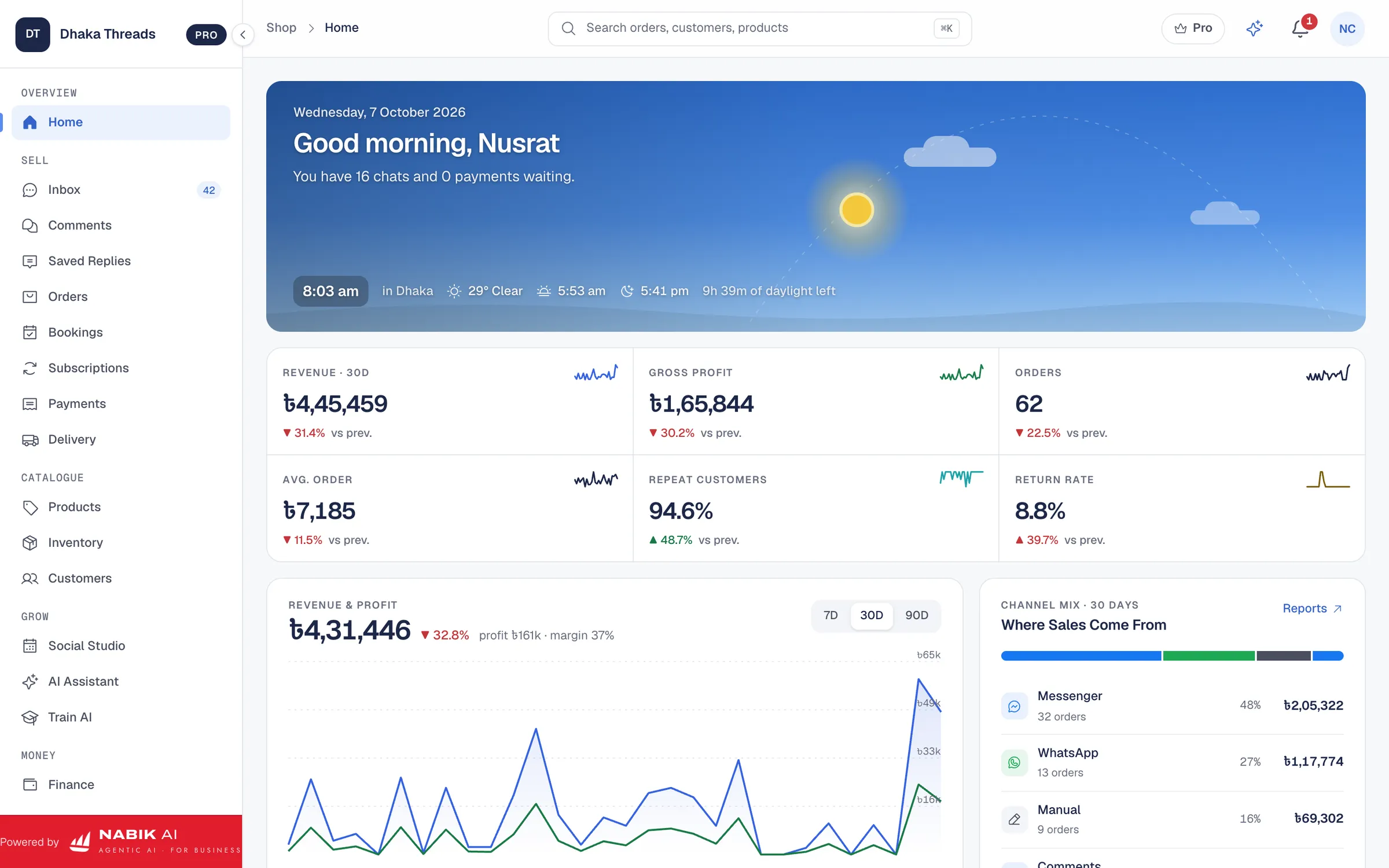
- AI agents answer customers and create orders from chats
- Courier booking directly from the order screen
- Delivery status visible without opening courier panels
- One inbox and one stock pool for all channels
- Plans in taka, runs in the browser on desktop and phone
How Do You Choose The Right Courier And Software Setup?
Even with good software, the wrong courier choice will cause delays and angry customers. Start by listing your top delivery areas: inside Dhaka, nearby districts and far districts. For each, write which couriers have historically delivered fastest and with fewer returns. Our guide on choosing a courier service in Bangladesh can help you think through this in more detail.
Then decide your setup level. Very small shops (under 5 parcels/day) can survive on courier panels only, but should still centralise orders. Growing shops (10–30 parcels/day) benefit a lot from courier integration software BD. Larger operations, or agencies handling many clients, really need full integration with orders, inventory, courier and finance, such as using Nabik AI with its VAT and finance tools in accounting & VAT.
In your trial period, measure three things: time spent on booking, number of wrong-address returns, and customer complaints about not knowing parcel status. If all three go down, you chose the right tool and configuration. If not, adjust zones, couriers or your internal process.
Finally, keep some flexibility. Do not lock your whole business into one courier if your software supports multiple. Bangladesh logistics changes fast; new hubs open, fuel prices change, floods affect routes. Your system should let you switch couriers per area without changing your whole order flow.
- Match couriers to your main delivery zones
- Pick a software level that fits your daily parcel volume
- Measure time saved, errors reduced and complaints decreased
- Keep the option to use different couriers for different areas
FAQ
What is courier integration software in Bangladesh?
Courier integration software in Bangladesh connects your order system with courier companies so you can book parcels directly from orders. It sends customer address, phone and COD amount automatically, and often brings delivery status back into your dashboard.
Do I really need courier integration if I only get 10 orders a day?
At around 10 orders a day, manual copy-paste starts to feel painful and you are more likely to make mistakes. Courier integration saves time, reduces wrong addresses and lets you focus on talking to customers and growing sales instead of typing.
Can courier integration software handle cash on delivery and partial payments?
Yes, a good courier integration tool should support full COD, partial advance and prepaid orders. It should pass the correct COD amount to the courier and clearly show which orders are fully paid and which are still waiting for COD collection.
Will courier integration work for Facebook, Instagram and WhatsApp orders?
If you use a system that brings all chats and orders into one place, like Nabik AI with its social inbox, courier integration can work across Facebook, Instagram and WhatsApp. You confirm the order once, then book the parcel from that same order screen.
Does courier integration replace my courier company?
No, courier integration does not replace the courier company; it only connects your shop to them more smoothly. You still choose which couriers to work with, negotiate rates and hand over parcels, but the booking and tracking become much easier.
How much does courier integration software cost in BD?
Prices vary by software. Nabik AI, for example, has plans in taka starting free, with Pro at ৳999/month and Business at ৳3,780/month, plus AI usage based on credits explained at the /ai-credits page.