Order processing automation means your Facebook and WhatsApp shop goes from chat to confirmed order, courier booking and returns with less manual work. In Bangladesh you can automate most of this flow while still controlling key steps like cash on delivery approval and refunds.
Done well, automation saves hours of inbox typing, reduces fake COD orders, and keeps customers updated without you watching Messenger all day. This guide breaks down each stage for Bangladeshi F-commerce shops, with simple flows you can copy and tools like Nabik AI that make it easier.
Key Takeaways
- You can automate most steps from first chat to courier booking while keeping manual control over risky COD approvals and refunds.
- Clear chat scripts and short order forms reduce mistakes and speed up order confirmation for Facebook and WhatsApp customers.
- Automated COD confirmation and address checks cut fake orders and return-to-sender costs for Dhaka and outside Dhaka deliveries.
- Linking order processing to inventory, payments and VAT makes your business more scalable and easier to audit.
- Nabik AI gives Bangladeshi shops one inbox, AI chat agents and integrated orders and couriers to run this whole automated flow in practice.
What Is Order Processing Automation For Facebook And WhatsApp Shops?
For Bangladeshi F-commerce sellers, order processing automation means the routine work after a customer messages you is handled by systems, not constant manual typing. The idea is simple: you still control your prices, offers and courier choices, but software follows your rules to move each order forward.
In a typical Facebook or WhatsApp shop, the manual flow looks like this: reply to inbox, ask colour/size, ask address, confirm COD/bKash, write order in a notebook or Google Sheet, then message the courier. Automation turns these into repeatable steps with templates, auto-filled details and structured order entries instead of screenshots.
You do not have to go 100% automated from day one. Many Bangladeshi shops start with automated replies and structured order capture, then add courier booking and status updates later. The key is to design a clear flow for: - Chat reply - Order confirmation and payment choice - Courier booking and handover - Delivery updates - Returns and refunds
Once that flow is clear, tools like a social inbox, order management system and AI assistant can follow it for you. You spend more time on products and marketing, and less on copy-paste customer service.
- List every step from first message to delivered parcel and return, then decide which steps must stay manual.
- Use the same order flow for Messenger, Instagram and WhatsApp so staff do not get confused.
- Start small: automate replies and data capture first, then add courier booking and status updates.
How Do You Move From Chat To Confirmed Order Automatically?
The first place to apply order processing automation is from customer message to confirmed order. Your goal is that every conversation ends in a structured order with name, phone, address, product, price and payment method—without you retyping the same questions all day.
Start with standard scripts for your most common flows. For example, a Facebook inbox reply when someone comments “Price?” on your dress post can be: “Hi apu, thanks for your interest. Dress ta 1,290 taka. Order korte name, full address, mobile number, colour and size send korun.” Save this as a quick reply so staff do not have to write it each time.
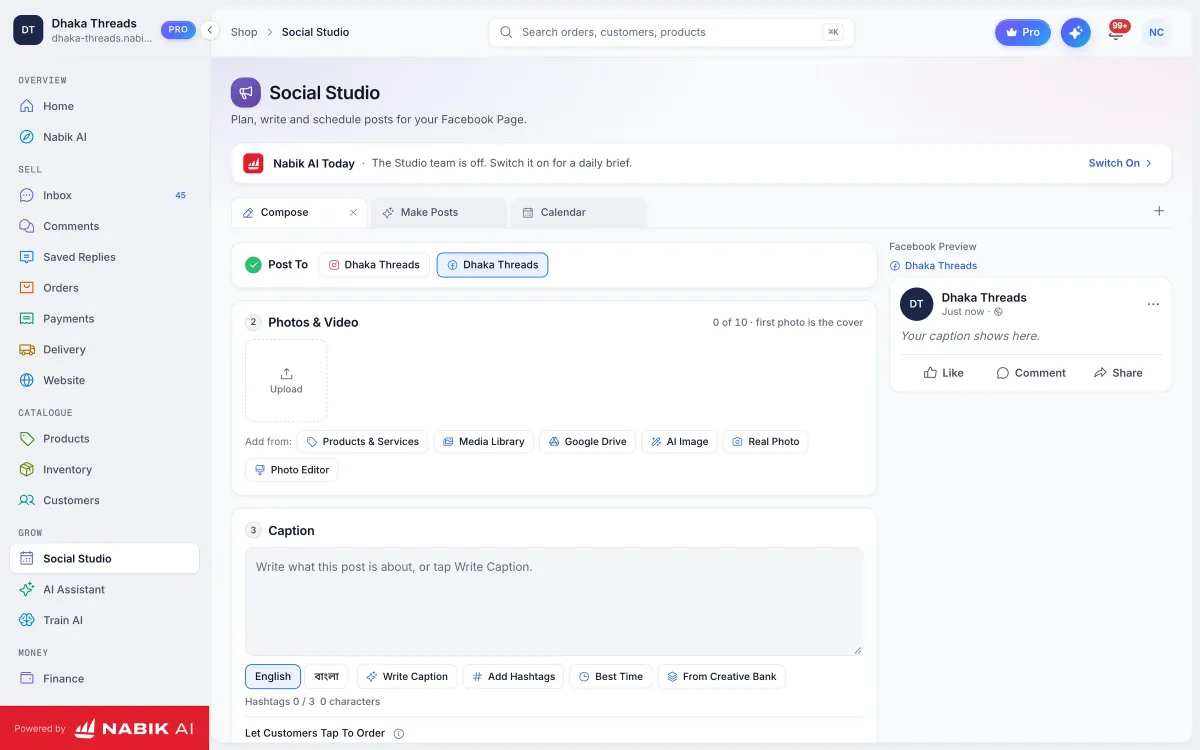
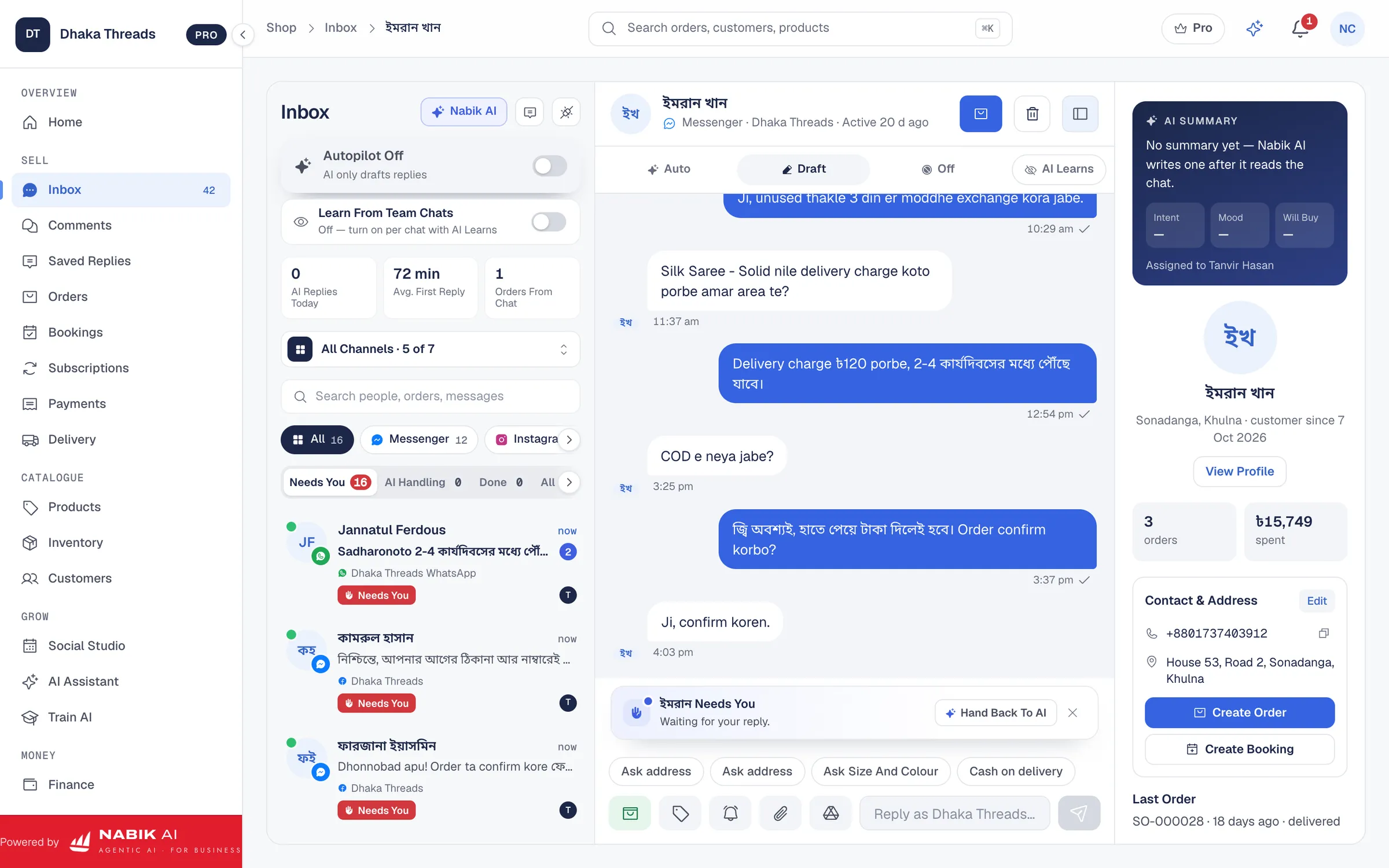
Next, use a simple form or AI chatbot to capture details in one go instead of 10 back-and-forth messages. Many shops use Google Forms; more advanced setups (like Nabik AI) let the AI agent read your products and prices and then ask follow-up questions automatically in Bangla, Banglish or English. Either way, the answers should land in an order list, not just stay inside chat screenshots.
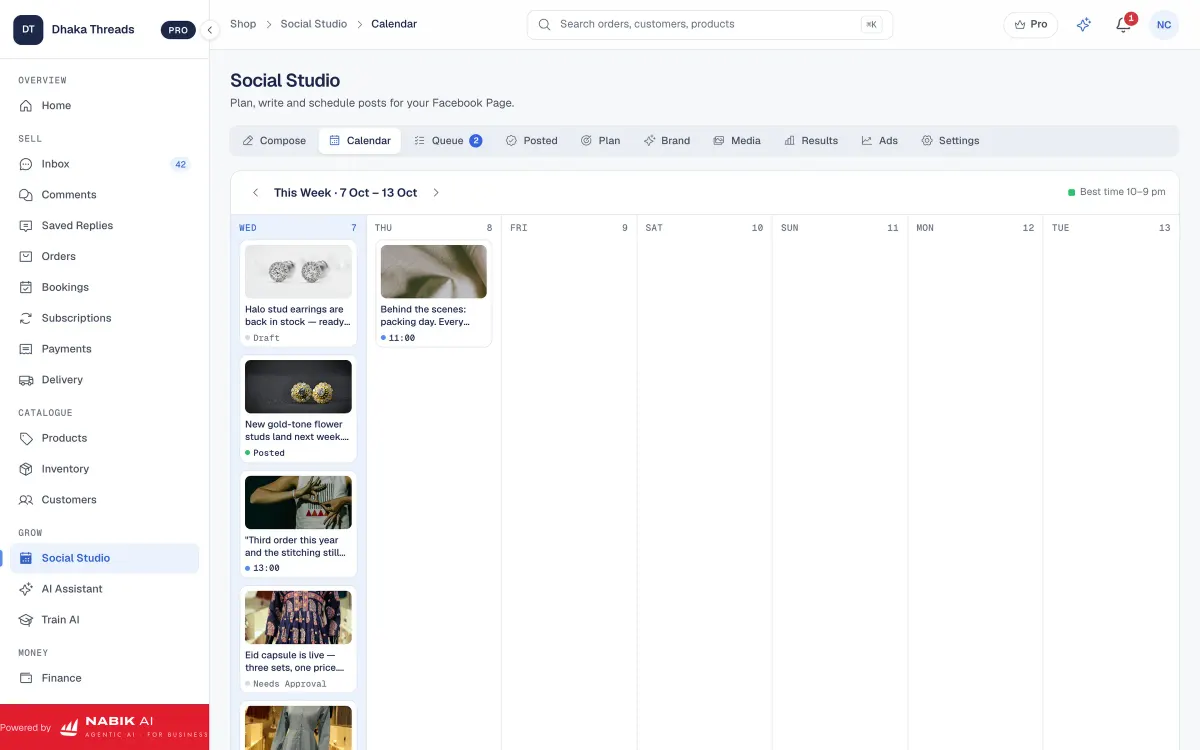
Finally, connect Messenger, Instagram and WhatsApp to a single inbox so all orders go into one place. With a tool like Nabik AI’s Social Inbox, every message and comment can turn into an order card that you or the AI confirm, instead of being lost across apps.
- Create ready-made reply templates in Bangla/Banglish for prices, size charts and order instructions.
- Use a single order form link for Messenger, Instagram and WhatsApp customers to keep data consistent.
- Train staff to always convert a serious chat into an order entry before moving to the next customer.
Step 1: Standardise Your Chat Replies
List your 10 most common customer questions and write short Bangla/Banglish reply templates with a clear call to action to order.
Step 2: Set Up A Simple Order Capture
Use a form or AI chatbot to collect name, address, phone, product, variant and payment method in one flow and send results to an order list.
Step 3: Centralise Your Inbox
Connect Facebook, Instagram and WhatsApp into one inbox so team members see all customer chats and can mark which ones converted to orders.
| Manual chat only | Automated chat-to-order | |
|---|---|---|
| Time per order | 5–10 minutes of typing and copy-paste | 1–3 minutes with templates and forms |
| Error rate | High: missing size, wrong address, no screenshot of payment | Lower: required fields and structured entries |
| Team training | Each staff invents own style | Everyone follows the same scripts and flow |
| Customer experience | Slow replies at busy times | Quick, consistent answers, even when you are away |

How Can You Confirm Cash On Delivery Orders And Reduce Fakes?
For Bangladeshi shops, COD is both a blessing and a headache. You get more orders, but fake orders and return-to-sender parcels eat profit quickly, especially for outside Dhaka courier deliveries. Smart order processing automation helps you confirm COD orders without calling every customer manually.
First, add a clear COD confirmation step in your flow. After someone sends details, send a standard message like: “Order details: Product X, size M, 1,290 taka, cash on delivery, courier: Steadfast, estimate delivery 2–3 days. Thik thakle ‘Confirm’ reply korun.” Many fake customers will not bother to reply; you only process confirmed ones.
Second, for high-risk orders (new customer, large amount, far area), use an extra check. This can be a short automated WhatsApp or SMS: “Apni ki ei order ta nishchoi niben? Reply 1 = Yes, 2 = Cancel.” You can also ask for a small bKash advance on very high-ticket items, as described in this guide on reducing fake COD orders.
Finally, keep a simple tag system for risky customers: repeated returns, unreachable phone numbers, or suspicious addresses. In many systems, including Nabik AI’s Order Management, you can mark such customers so future COD orders trigger extra checks before you ship again.
- Always send a summary of the order and ask the customer to reply “Confirm” before you book courier.
- Use stricter checks (call or advance payment) for large orders or areas where returns are common.
- Keep a list or tag of high-risk customers and do not send fragile or very expensive products to them on COD.
Step 1: Define Your COD Rules
Write down when COD is allowed, when you require advance and when you will call the customer before shipping.
Step 2: Create Confirmation Messages
Prepare Bangla/Banglish templates that summarise the order and ask the customer to reply to confirm or cancel.
Step 3: Tag Risky Profiles
In your order tool or spreadsheet, mark customers with repeated returns to review their next orders carefully.
How Do You Book Couriers And Manage Deliveries With Less Manual Work?
Booking the courier is where many Bangladeshi F-commerce shops lose time: copying addresses, writing parcel details, checking fees for Dhaka vs outside Dhaka. Order processing automation can cut this work to a few clicks per parcel. The goal is one place where you select orders, pick courier and print labels.
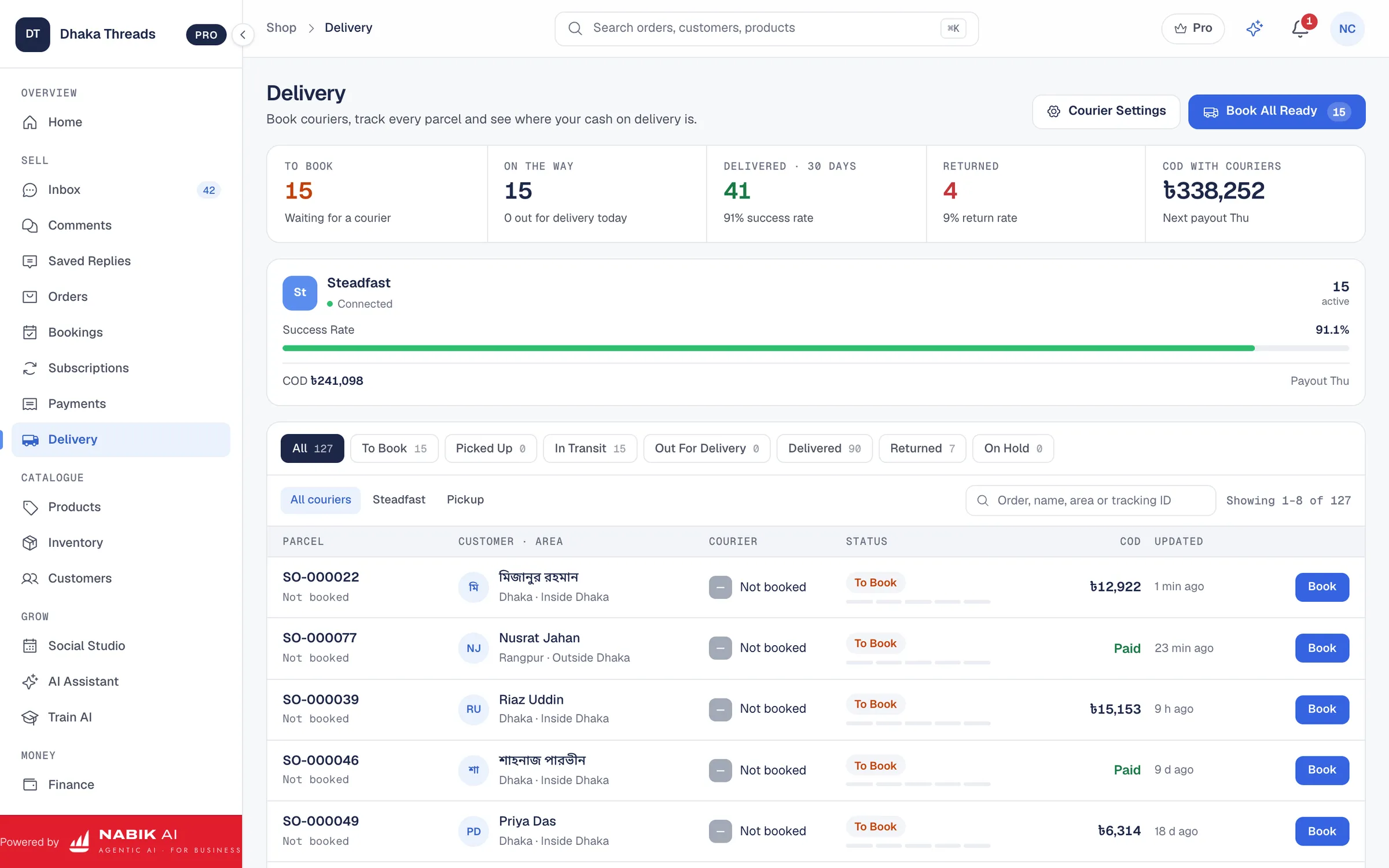
Start by structuring your order data so it matches courier booking requirements: recipient name, phone, full address, area (Dhaka / outside Dhaka), weight, COD amount and special notes. If everything is clean, tools like Nabik AI’s Courier Integration let you push orders directly to supported couriers and get tracking IDs back into the same system.
Even if you still book manually on the courier dashboard, you can speed up the process by batching. Sort your orders by courier and by area, then copy-paste from a neat order list instead of chat history. Print or download labels and attach them immediately so delivery men do not get confused by handwritten notes.
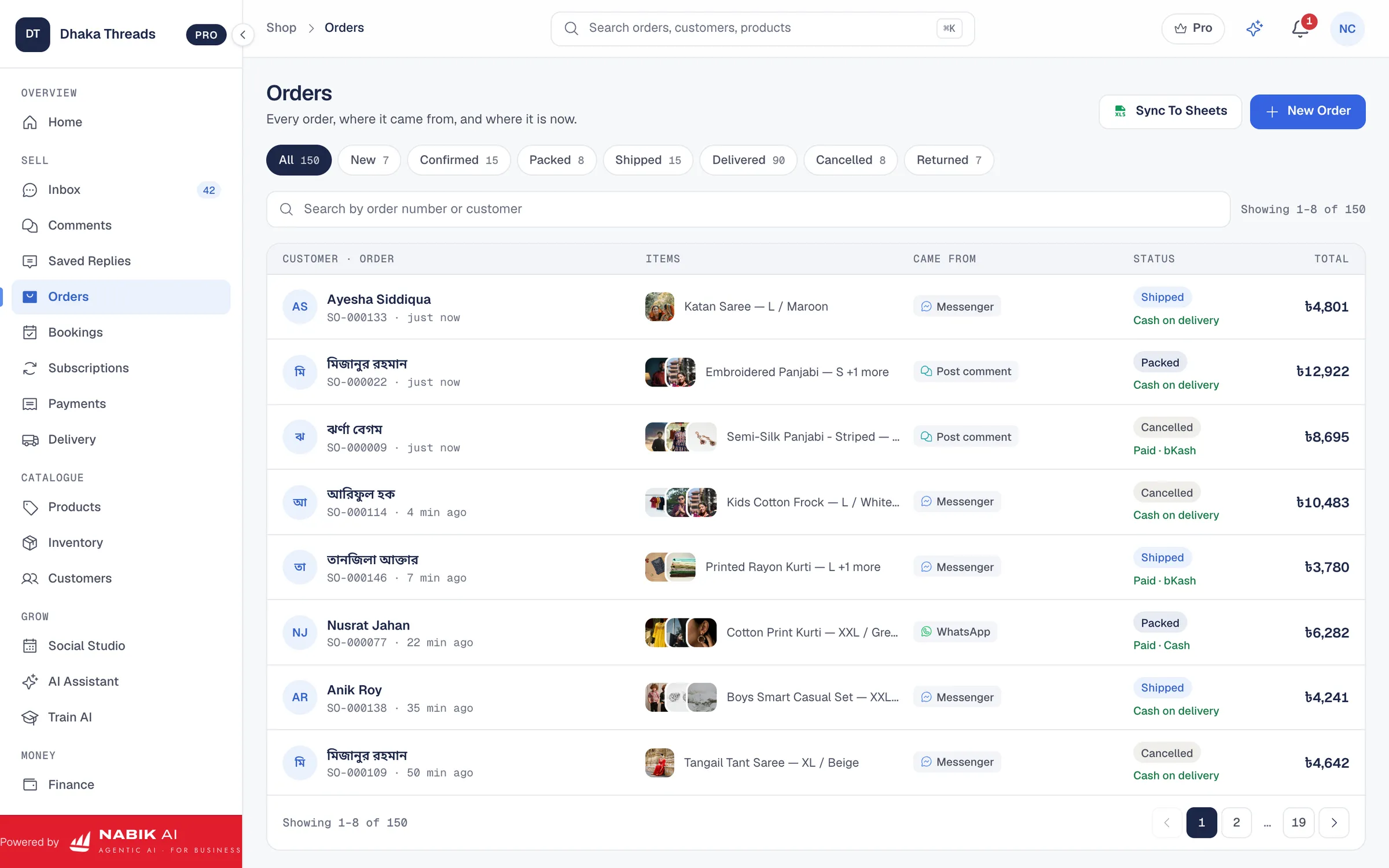
Once booked, mark orders as "Shipped" and record the tracking number in your order system. In Nabik AI, tracking numbers and status updates sit in the same Order Management screen, so support staff can answer “Parcel koi?” questions without logging into courier dashboards separately.
- Standardise how customers write addresses (village, thana, district) to avoid courier confusion.
- Keep different courier choices ready for Dhaka same-day, Dhaka 1–2 days and outside Dhaka deliveries.
- Use one system to store tracking IDs so staff do not depend on whoever booked the courier.
Step 1: Clean Your Order Fields
Ensure every order has complete address details and COD amount before courier booking time each day.
Step 2: Batch Orders For Booking
Group ready orders by courier and area, then book them together once or twice a day instead of booking one by one.
Step 3: Store Tracking Information
Enter tracking numbers back into your order system right after booking so support can easily search by customer or order ID.
How Do You Keep Customers Updated During Delivery And Delays?
After shipping, customers mainly want to know two things: “Parcel koi?” and “Kobe pabo?”. If you manage dozens of orders per day, answering these manually on Messenger and WhatsApp becomes painful. Simple order processing automation around status updates saves time and builds trust.
The basic version is to send a standard message when you ship an order: “Parcel courier e diye deya hoyeche. Tracking ID: XXX. Dhaka 1–2 din, outside Dhaka 3–5 din. Kono problem hole amader message din.” You can batch-send these using your order system once tracking numbers are added. A slightly more advanced setup sends automatic updates when status changes to "On the way" or "Out for delivery".
Next, decide how you will handle delays. Couriers sometimes miss a day, or floods and strikes slow everything down. Prepare a friendly message template you can mass-send to affected customers: “Aj courier delay, apnar parcel aarek din late hote pare. Ashubidhar jonno dukkito.” Even if they are unhappy, they will trust you more because you informed them proactively.
With Nabik AI, your team sees chats and order statuses together in one place. The AI agent can answer common status questions from tracking data you record, while complex complaints can be handed over to a human instantly via the same Social Inbox.
- Always send a ‘shipped’ message with tracking ID; many customers will track themselves.
- Prepare delay templates in Bangla/Banglish so your team is not scared to communicate bad news.
- Use the same wording for ETAs (for example “Dhaka 1–2 working days, outside Dhaka 3–5 working days”) to avoid confusion.
Step 1: Define Your Statuses
Use simple statuses like Pending, Confirmed, Packed, Shipped, Delivered, Returned so everyone on your team understands them.
Step 2: Link Status To Messages
Decide which statuses trigger customer messages (for example Shipped and Returned) and write standard templates for each.
Step 3: Monitor Daily Exceptions
Each day, check which parcels are stuck or delayed and send a quick update to those customers instead of waiting for complaints.
How Should You Handle Returns, Exchanges And Refunds Systematically?
Returns are part of business, especially with fashion, shoes and fragile items. The mistake many Facebook and WhatsApp shops make is treating every return as a fresh story instead of part of their order processing automation flow. That leads to lost parcels, angry customers and no learning from repeated issues.
Start by deciding clear return and exchange rules: how many days, in what condition, who pays return courier inside Dhaka and outside Dhaka, and when you offer refund vs exchange vs store credit. Put this policy in simple Bangla on your Page, Highlights or pinned WhatsApp message, and repeat it when confirming orders: “Return possible within 3 days, unused, customer will pay courier both ways.”
Then, add returns into your order system as their own status, not just inbox chats. When a customer sends “dress fitting hoy nai”, create or update the order: mark as "Return requested", pick a reason (size, defect, changed mind) and decide action (exchange, refund, deny). This way you can see patterns later—if one product has many size issues, fix the size chart or stop COD for that design.
If you give refunds or partial refunds, record them against the order so your finance is correct. Tools like Nabik AI’s Accounting & VAT module help you see how returns affect profit and Mushak 6.3 calculations; but always confirm VAT treatment with your accountant or NBR guidance. The main point: no refund should happen outside your order list (for example, silent bKash from staff’s personal account).
- Write a simple, honest return and exchange policy and show it before checkout and in confirmation messages.
- Track why each return happened so you can improve sizing, packaging or product descriptions.
- Always process refunds through the same system you used to accept the payment (bKash, Nagad, card) and record them against the order.
Step 1: Write Your Policy
Decide return window, conditions and who pays courier, then publish it in Bangla where customers can see it easily.
Step 2: Add A Return Status
Extend your order tracker with statuses like Return Requested, Return Received, Refund Sent to keep everyone aligned.
Step 3: Review Monthly Patterns
Once a month, check which products or couriers have the most returns and take action like better packaging or changing supplier.
How Can You Track Stock, Payments And VAT Across Automated Orders?
True order processing automation goes beyond chats and couriers; it also connects to your stock, payments and finance. If your Facebook and WhatsApp orders are not linked to inventory, you will keep selling out-of-stock items and disappointing customers. If they are not linked to payments and VAT, year-end becomes a headache.
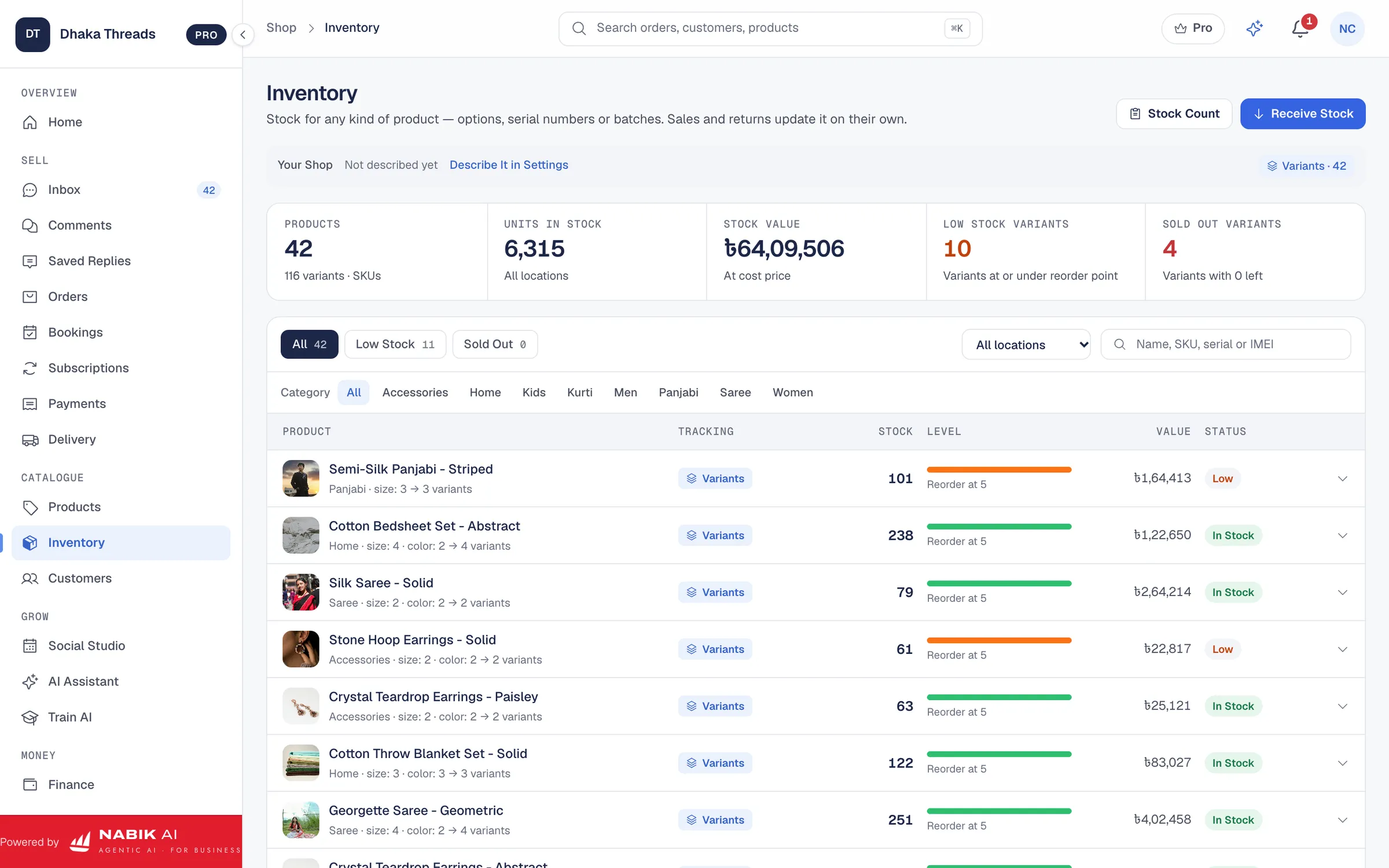
For stock, treat every confirmed order as a stock reservation and every shipped order as a stock deduction. You can manage this in a spreadsheet at small scale, but it is easy to make mistakes when you sell across Facebook, Instagram, WhatsApp and maybe a website. Systems like Nabik AI’s Inventory Management keep one stock pool for every channel so if a product sells on your website, the AI knows not to sell it again on Messenger.
On payments, keep clear records by method: cash on delivery collected by courier, bKash and Nagad, direct bank or card. Our guide on taking bKash payments in an online shop covers how to structure references so you can link bKash statements to order IDs later. This makes it much easier to answer customer questions like “bKash diyechi, order confirm hoise?” without hunting through screenshots.
Finally, for VAT-registered shops, each order should carry VAT information from day one. Tools such as Nabik AI’s Accounting & VAT can help generate Mushak 6.3-style invoices and reports, but always confirm exact requirements with your accountant or NBR. The important part is consistency: the same order data flows through chat, stock, courier, payments and finance.
- Reduce stock as soon as an order is confirmed to avoid overselling hot items.
- Separate COD, bKash, Nagad and card totals so you can reconcile with courier and bank statements.
- If you are VAT-registered, keep VAT-related data (taxable amount, VAT amount) at order level from the start.
Step 1: Connect Orders To Stock
Decide when each order will reduce stock (on confirmation or on shipping) and follow that rule strictly in your system.
Step 2: Standardise Payment References
Tell customers to send bKash/Nagad with their order ID in the reference so reconciliation is easier later.
Step 3: Align With Your Accountant
Share a sample of your order data with your accountant to confirm it contains everything needed for VAT and yearly accounts.
How Does Nabik AI Help With Order Processing Automation?
Nabik AI is web software made in Bangladesh specifically for shops and service businesses selling on Facebook, Instagram, WhatsApp and their own websites. It brings AI chat agents, a social inbox, orders, couriers, stock and finance into one browser app, so your order processing automation can actually run in daily life.
On the chat side, Nabik AI’s Facebook AI Chatbot and AI Assistant can answer customers in Bangla, Banglish or English using your own products, prices and policies. The AI asks for missing information (colour, size, address, payment choice), creates draft orders and then hands over to a person when needed. You teach it by chatting, and it learns from every correction, so over time it handles more routine questions for you.
On the operations side, Nabik AI’s Order Management connects with Courier Integration and Inventory Management. That means you can go from chat to confirmed order to booked courier to updated stock inside one system. You see which COD orders are confirmed, which are shipped, which returned, and how this all affects profit and VAT through the Accounting & VAT module.
Nabik AI runs in the browser on desktop and phone and has plans priced in taka starting with a Free plan. You can sign up at https://app.nabik.ai/signup, explore features on the Free plan, and then move to Pro (৳1,990/month) or Business (৳5,990/month) when your order volume grows and you need more AI credits and advanced features. Extra AI credits are available in top-up packs described at /ai-credits.
- AI agents answer inbox questions and collect order details automatically based on your own catalogue and rules.
- One inbox covers Messenger, Instagram, WhatsApp and Page comments so you do not miss orders or repeat work.
- Integrated orders, couriers, inventory and finance give you a full view from chat to delivery to profit in taka.
FAQ
Can small Facebook shops in Bangladesh benefit from order processing automation?
Yes. Even if you get only 5–10 orders a day, using templates, simple forms and a basic order list saves time and reduces mistakes. As you grow, you can add AI chat, courier integration and stock management without changing your whole flow.
Do I need a website to automate my order processing?
No. Many Bangladeshi sellers run fully on Facebook, Instagram and WhatsApp and still automate chat replies, order capture and courier booking. A website helps later, but tools like Nabik AI work fine with just social channels.
How can I automate COD confirmation without annoying customers?
Keep the confirmation short and clear, summarising the order and asking for a simple reply like “Confirm”. Customers are used to this now; it actually builds trust because they can spot any mistakes before shipping.
Which parts of order processing should stay manual?
High-risk decisions like very expensive COD orders, complex complaints, VIP customers and refunds usually deserve a human review. Automate the routine steps—data capture, status updates, courier booking—but keep human control where money or reputation risk is high.
Is Nabik AI expensive for a small Bangladeshi shop?
Nabik AI has a Free plan so you can start without cost and see if it fits your flow. Paid plans start at ৳1,990 per month, with AI credits available separately at /ai-credits, so you can scale up only when your order volume justifies it.